


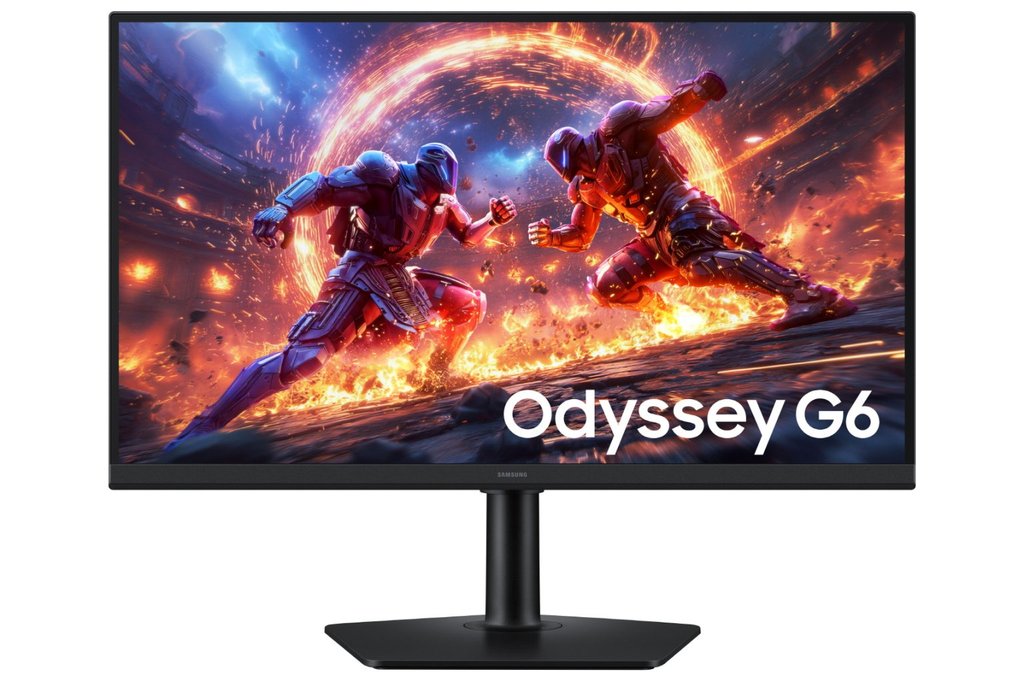
Samsung’s new Odyssey G6 can refresh its screen 1,100 times per second, but that eye-catching number comes with a trade-off. To reach its highest speed, the 27-inch gaming monitor has to drop from 1440p to 720p resolution.
Announced Nov. 23, the Odyssey G6 (G60H) costs $899.99 and will begin rolling out at US retailers in December 2026. At its native QHD resolution, it reaches 600Hz. Switch to HD using Samsung’s Dual Mode feature, and the refresh rate climbs to 1,100Hz.
For competitive gamers, that’s a choice between sharper graphics and more frequent screen updates. But even with a powerful gaming PC, the difference between 600Hz and 1,100Hz may be less noticeable than the resolution drop.
Samsung Odyssey G6 specs: 1,100Hz speed comes with a catch
According to Samsung’s announcement, the Odyssey G6 uses a 27-inch Fast IPS panel with two display modes:
- QHD mode: 2560 x 1440 resolution at up to 600Hz.
- HD mode: 1280 x 720 resolution at up to 1,100Hz.
At 1,100Hz, the display can refresh roughly every 0.91 milliseconds, compared with 1.67 milliseconds at 600Hz. That’s a difference of less than one millisecond between screen updates.
The faster mode also displays just one-quarter as many pixels. On a 27-inch screen, that reduction can make fine details noticeably less sharp.
The monitor was originally announced with a 1,040Hz maximum before Samsung increased it to 1,100Hz at Gamescom 2026.
Samsung describes the G60H as the world’s first 1,100Hz gaming monitor, although LG’s competing UltraGear 25G590B already supports 1,100Hz through overclocking. LG’s display runs natively at 1,000Hz in 1080p and costs $999.99.
Samsung’s approach offers a different balance: a sharper 1440p mode for general gaming and a lower-resolution option for maximum speed.
Other Odyssey G6 features include:
- Response time: Samsung-rated 1ms gray-to-gray, measured under internal test conditions using Extreme mode.
- Connectivity: One DisplayPort 2.1 input and two HDMI 2.1 inputs.
- Adaptive sync: Nvidia G-SYNC Compatible and AMD FreeSync Premium support with compatible graphics cards.
- Gaming features: HDR10+ Gaming, Black Equalizer, and the new Odyssey Clear Motion blur-reduction technology.
- Adjustability: Height, tilt, swivel, and pivot adjustments.
Odyssey Clear Motion is designed to reduce blur during fast-moving gameplay. Samsung plans to bring the feature to other gaming monitors, although independent testing will be needed to determine how much it improves visibility.
The G60H also lacks a USB-C video input. That’s unlikely to bother most desktop gamers, but it makes the monitor less convenient for anyone hoping to connect a laptop through a USB-C docking station.
Is a 1,100Hz gaming monitor worth $899.99?
The number looks impressive, but a monitor refreshing 1,100 times per second doesn’t mean every game will deliver 1,100 frames per second.
Your graphics card, processor, game settings, and the game itself determine how quickly new frames are produced. A faster monitor can’t create frames the computer hasn’t rendered.
That makes the G60H most interesting for competitive titles where players already prioritize frame rates over visual detail.
Before spending nearly $900, there are several things worth checking.
1. Can your PC produce enough frames?
Test the games you actually play at 720p and 1440p. Check average frame rates and how often performance drops during demanding scenes.
If your favorite title runs at 350 frames per second, a 1,100Hz monitor won’t suddenly turn that into 1,100 frames per second.
Players considering a graphics card upgrade can also compare the RTX 5070 Ti and RTX 5080 before assuming that a more expensive GPU will make the highest refresh mode worthwhile.
2. Are your graphics card and adaptive-sync settings compatible?
Samsung confirms that AMD FreeSync Premium doesn’t support the monitor’s 1,100Hz mode. It also states that Radeon RX 6000-series and older GPUs cannot reach refresh rates of 1,000Hz or higher.
Mac users face another restriction: macOS doesn’t support Dual Mode or the monitor’s native 600Hz maximum.
Check the capabilities of your specific GPU, connection, and operating system before expecting the advertised peak.
3. Will the faster mode actually look better?
Try both display modes with the same competitive game, preferably on the same computer.
Pay attention to moving targets, camera pans, small text, and objects in the distance. The faster mode may improve perceived smoothness, but the lower resolution could make certain details harder to distinguish.
Also watch for frame drops and stuttering. A high refresh rate doesn’t automatically eliminate performance problems caused by the game or its drivers, something Nvidia has separately addressed in recent driver updates.
Samsung’s 1ms response-time rating and Clear Motion claims still need independent testing. Refresh rate alone cannot establish how quickly pixels change or how much motion blur remains.
For most buyers, the more practical comparison is between the G60H’s 600Hz QHD mode and other premium gaming monitors offering different combinations of speed, contrast, resolution, and price.
Players who compete at reduced resolutions may find the 1,100Hz option appealing. Those who prefer sharper graphics, broader compatibility, or more versatile everyday use should weigh those features before paying for a refresh rate they might rarely use.
Samsung has confirmed the $899.99 US price and December rollout, but hasn’t announced an exact nationwide release date. Independent reviews of both display modes will provide a clearer picture of whether the extra speed delivers a worthwhile advantage.
Also read: Our 2026 mechanical keyboard picks compare options for gaming and work, including different switch types and layouts.