


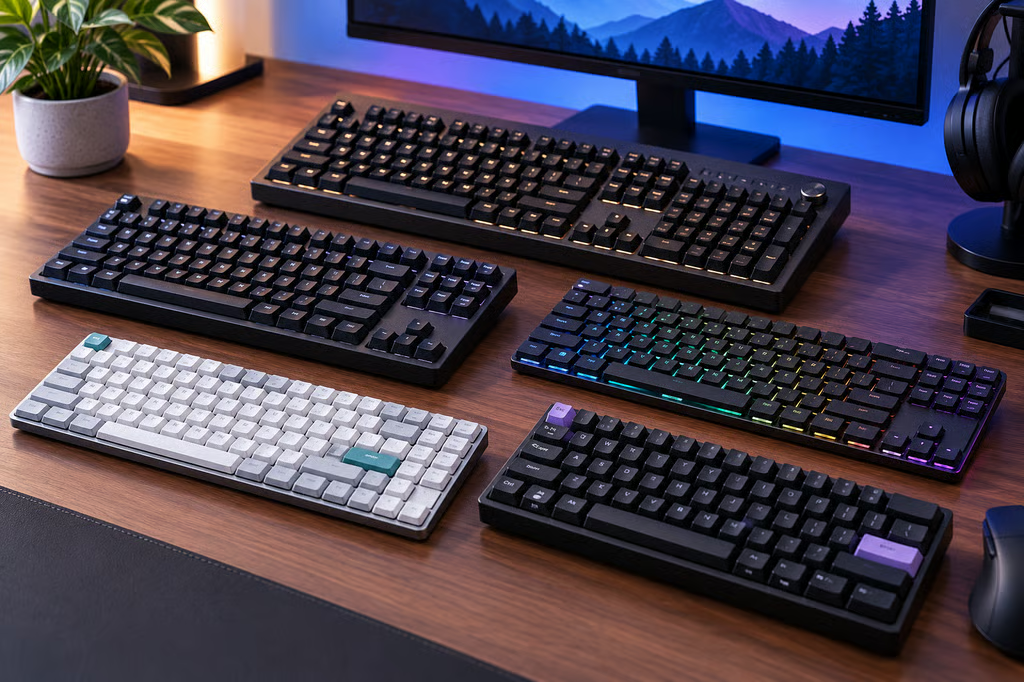
A good mechanical keyboard should be comfortable, reliable, and suited to how you use your computer. For some people, that means fast responses in games. For others, it’s quiet switches, a compact layout, or a keyboard that feels good throughout the workday.
Today’s options range from affordable wireless models to premium aluminum keyboards. Some advertise 8,000Hz polling, but faster specifications don’t automatically mean a better typing experience.
We’ve selected five mechanical keyboards from five brands, using manufacturer specifications and independent reviews to find options for different budgets and needs.
Best mechanical keyboards of 2026 at a glance
| Keyboard | Best for | Layout | US list price |
|---|---|---|---|
| Keychron Q6 Ultra 8K | Best overall | Full-size | $239.99 |
| ASUS ROG Strix Scope II 96 Wireless | Best for gaming | 96% | $179.99 |
| NuPhy Node75 Low-Profile | Best value | 75% | $99.95 |
| Ducky OK-M | Best budget | 65%, 75%, or 98% | Varies by model |
| Lofree Flow 2 100 | Best premium low-profile | 96% | $169 |
Prices reflect manufacturer list prices where available. Retailer prices and availability may differ.
How we compared
We evaluated mechanical keyboards using official manufacturer specifications and independent testing from RTINGS, Tom’s Hardware, and other established reviewers.
We focused on six factors:
- Typing comfort: Switch feel, key stability, noise, and comfort during long sessions.
- Gaming performance: Input responsiveness, connection reliability, and features that benefit gaming.
- Build quality: Case materials, keycaps, switch construction, and durability.
- Layout and size: Whether a keyboard works best on a large desk, in a compact workspace, or for different daily tasks.
- Wireless features and battery life: Bluetooth, USB receivers, wired connections, and battery performance.
- Customization and value: Replaceable switches, software support, useful extras, and what buyers get for the price.
We used independent reviews to assess typing quality, construction, and gaming performance. Battery-life figures and other specifications come from manufacturers unless identified as independently tested.
We also considered the configurations reviewers tested. A keyboard’s switch type, size, and connection mode can affect its performance, so results don’t necessarily apply to every version.
No hands-on testing was conducted specifically for this article. The recommendations prioritize practical strengths and clear trade-offs over advertised specifications alone.
The five best mechanical keyboards of 2026
1. Keychron Q6 Ultra 8K: Best overall
The Keychron Q6 Ultra 8K is our top pick for buyers who want excellent typing quality, premium construction, and gaming performance in one keyboard.
Its aluminum case feels substantial, and the full-size layout includes a number pad. It also offers replaceable switches, Bluetooth, 2.4GHz wireless, and wired connectivity.
In its independent review, RTINGS praised the Q6’s typing experience, build quality, and responsiveness.
Although it supports 8,000Hz polling, RTINGS found that the higher setting didn’t meaningfully improve overall latency. The keyboard’s typing quality and customization are stronger reasons to buy it.
Keychron claims up to 660 hours of battery life with backlighting off, compared with 200 hours at the lowest lighting setting.
The main drawbacks are its high price, tall profile, and weight of approximately 2.24 kg. A wrist rest may also improve comfort.
Best for: Anyone who wants a premium mechanical keyboard for both work and gaming.
2. ASUS ROG Strix Scope II 96 Wireless: Best for gaming
The ASUS ROG Strix Scope II 96 Wireless is a gaming-focused mechanical keyboard that also works well for everyday typing.
Its 96% layout keeps the number pad while reducing the keyboard’s overall width. That leaves more room for mouse movement without sacrificing many keys.
The keyboard uses replaceable ROG NX mechanical switches and supports Bluetooth, 2.4GHz wireless, and wired connections.
In Tom’s Hardware’s review, the keyboard earned praise for its sturdy build, comfortable switches, and strong battery life.
ASUS advertises more than 1,500 hours of battery life over 2.4GHz wireless with lighting switched off.
The biggest compromises are its crowded layout and Armoury Crate software, which the reviewer found frustrating.
Best for: Gamers who want responsive wireless performance and a number pad without using a full-size keyboard.
3. NuPhy Node75 Low-Profile: Best value
The NuPhy Node75 Low-Profile combines comfortable typing, wireless connectivity, and customization at a more accessible price.
Its 75% layout includes arrow keys and a function row while taking up less desk space than a full-size keyboard.
The Node75 offers a softer typing feel than many traditional mechanical boards, thanks to its cushioned mounting design. Buyers can also choose between linear, tactile, and quieter switch options.
In its independent review of the Node Series, RTINGS praised the typing experience, construction, and low input latency.
The reviewed model was the low-profile Node100, so the results should not be treated as direct measurements of every Node75 configuration.
Bluetooth and 2.4GHz wireless connections make the Node75 useful for people switching between work devices.
Its plastic case is less premium than the aluminum designs in this guide, and the keycaps don’t let the backlighting shine through the letters.
Best for: Buyers who want comfortable everyday typing and wireless features without spending premium-keyboard money.
4. Ducky OK-M: Best budget mechanical keyboard
The Ducky OK-M is a good choice for buyers who care about typing comfort more than high-end gaming features.
It comes in 65%, 75%, and 98% layouts, offering options for smaller desks or workstations that need a number pad.
Despite its budget positioning, the OK-M uses a cushioned mounting design and several layers of sound-dampening material to reduce unwanted noise.
In RTINGS’ independent review, the keyboard earned praise for its comfortable typing experience, consistent keys, and relatively quiet operation.
It also supports removable switches and VIA software for customizing shortcuts and key assignments.
The plastic case isn’t as refined as more expensive models, and its gaming latency trails dedicated high-performance keyboards.
For writing, studying, and everyday work, those compromises are reasonable.
Best for: Budget-conscious buyers who want an enjoyable typing experience and flexible layout options.
5. Lofree Flow 2 100: Best premium low-profile keyboard
The Lofree Flow 2 100 offers a different approach to premium mechanical keyboards, combining slim keys with an aluminum body.
Its 96% layout keeps a number pad while taking up less space than a traditional full-size keyboard.
The Flow 2 supports Bluetooth, 2.4GHz wireless, and wired connections. It also has replaceable low-profile switches and VIA customization.
In RTINGS’ independent review, the keyboard stood out for its construction and comfortable typing feel.
Lofree offers linear, tactile, and quieter switch options, making it suitable for different preferences.
The company claims up to 120 hours of battery life on the 100-key model with lighting off, dropping to approximately 14 hours with lighting enabled.
The biggest drawback is price. Independent testing also identified some sound and touch-control compromises, so buyers shouldn’t assume the premium construction guarantees a quieter keyboard.
Best for: People who want a slim, well-built mechanical keyboard for a permanent home or office setup.
What to look for when buying a mechanical keyboard
Does an 8,000Hz polling rate matter?
A keyboard with 8,000Hz polling can report input to a computer more frequently than a 1,000Hz model.
However, that doesn’t mean every keypress will feel noticeably faster.
RTINGS found little practical latency improvement from the higher polling rate on the Q6 Ultra 8K.
For most people, typing feel, build quality, and connection reliability will have a greater effect on everyday use.
Competitive gamers should look at independently measured responsiveness rather than relying on polling rate alone.
Which layout and switches should you choose?
Full-size keyboards include a number pad, which is useful for spreadsheets and frequent numerical input.
Compact layouts save desk space. A 75% keyboard keeps most commonly used keys, while a 96% board offers a number pad in a tighter arrangement.
Switches also affect the experience:
- Linear switches feel smooth throughout the press.
- Tactile switches provide a small bump when pressed.
- Clicky switches add an audible click.
If possible, try different switches before buying. A keyboard that feels comfortable during a short test is more useful than one with features you’ll rarely use.
Which mechanical keyboard should you buy?
The Keychron Q6 Ultra 8K is our best overall pick for its premium construction, typing quality, and flexibility.
For gaming, the ASUS ROG Strix Scope II 96 Wireless offers strong performance without taking up as much space as a full-size keyboard.
The NuPhy Node75 Low-Profile is a good value for everyday work, while the Ducky OK-M offers an affordable starting point.
Choose the Lofree Flow 2 100 if you prefer slim keys and an aluminum design.
The right choice ultimately depends on how the keyboard feels, which keys you need, and how much you’re willing to spend.
Also read: Our mechanical vs magnetic keyboards comparison explains how traditional and magnetic switches differ in typing feel, gaming features, and customization.