
- Best for overall use: Passware Kit
- Best for Windows password recovery: Lazesoft Recover My Password
- Best for multi-platform compatibility: John the Ripper
- Best for advanced users: Trinity Rescue Kit
- Best for free password recovery: Ophcrack
- Best for hash functions: Hash Suite
In the modern era, it’s crucial to have passwords for all your accounts. However, we occasionally forget or lose our passwords, which seems like a nightmare, mainly because we can’t use the same password for every account. Fortunately, with password recovery tools, this isn’t the case.
Password recovery tools enable you to find your lost passwords and offer password reset programs to help you get back into your account. The capacity to retrieve passwords is an invaluable asset for your business, especially when managing numerous accounts with critical information, since losing this data is not an option.
Password recovery tools comparison
Let’s explore each password recovery tool and how they compare:
| Passware Kit | ||||
| Lazesoft Recover My Password | ||||
| John the Ripper | ||||
| Trinity Rescue Kit | ||||
| Ophcrack | ||||
| Hash Suite |
Passware Kit: Best for overall use

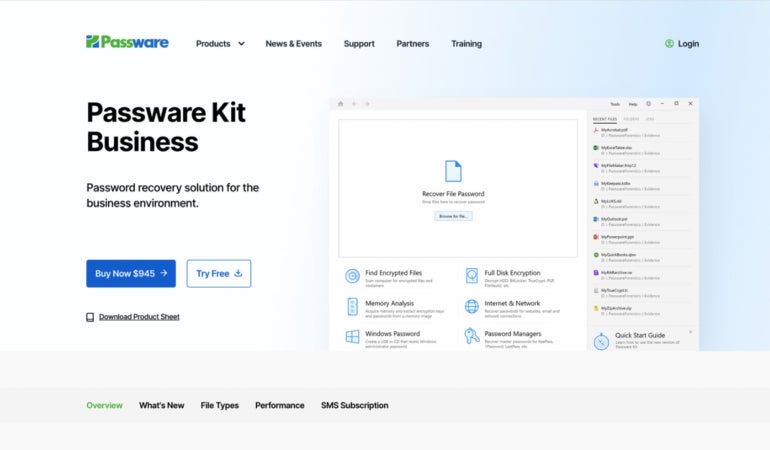
If you need an affordable way to recover lost passwords, Passware Kit is an ideal option. All the available packages come with licenses that support Windows and Mac computers and can help you recover document passwords. Passware Kit is known for having a high success rate and performing seamlessly.
Why I chose Passware Kit
I have Passware Kit as my best overall as it all ticks the boxes when it comes to the quality you would expect from trustworthy password recovery software. When it comes to recovering passwords efficiently, this tool has you covered. Furthermore, I find the platform to be simple and easy to navigate and has a brilliantly designed user interface that even beginners won’t have a tough time navigating and using the tool.
Pricing
- 30-day free trial.
- Passware Kit Standard: $79.
- Passware Kit Standard Plus: $195.
- Passware Kit Business: $945.
Visit Passware
Features
- Simple user interface.
- Hardware acceleration.
- Batch processing.
- Instant password reset.
- Full-disk encryption.
- Brute force attacks or Passware Kit’s “Instant Recovery” method gives you quick access to various file types.
Pros and cons
| Pros | Cons |
|---|---|
|
|
Lazesoft Recover My Password: Best for Windows password recovery

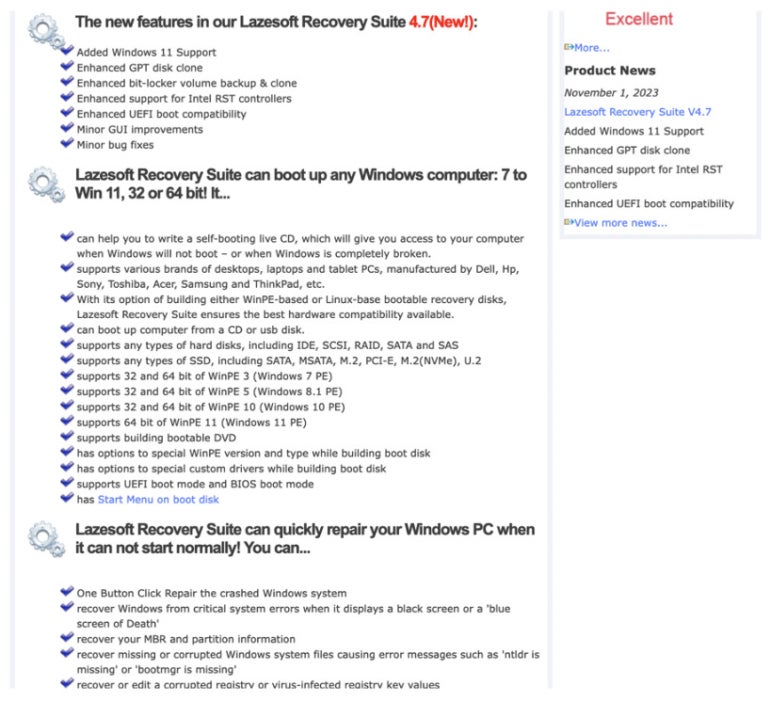
Recover My Password is an ideal freeware platform for recovering a Windows admin password because of its simple design and wide range of basic, unique, and essential features. Recover My Password has various options, including removing a password entirely, resetting it and enabling, as well as disabling or unlocking user accounts. While numerous platforms offer some of these features, Recover My Password simplifies the user experience with its straightforward and visually oriented interface, making it easier to navigate the process.
Why I chose Recover My Password
I picked this platform because of how it simplifies the password recovery process. Recover My Password is simple to use thanks to its graphical user interface that easily displays the platform’s various options. Plus, the screen prompts are easy to understand and follow. I personally found the step-by-step instructions to recover passwords very easy to follow.
Pricing
- Free trial.
- Professional Edition: $27.95.
- Server Edition: $99.49.
- Unlimited Edition: $199.29.
Visit Lazesoft
Features
- Free technical support, wide range of educational resources, and comprehensive FAQ section.
- Easy-to-use graphical interface.
- Microsoft Live ID account to local account conversion.
- Supports UEFI boot mode and BIOS boot mode.
- Automatic operating system detection.
Pros and cons
| Pros | Cons |
|---|---|
|
|
John the Ripper: Best for multi-platform compatibility

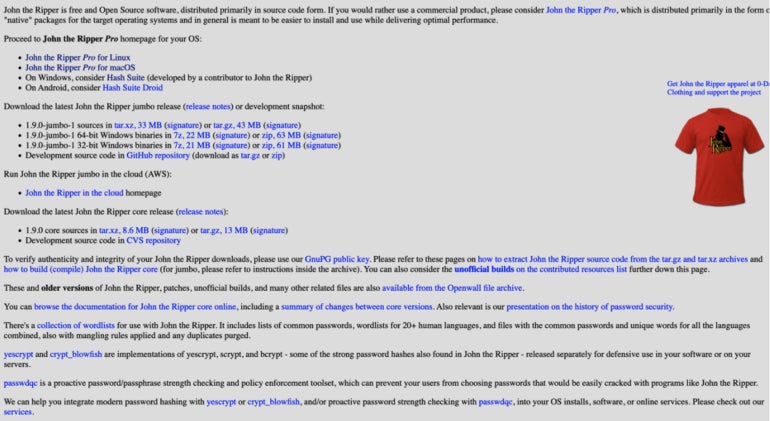
John the Ripper is an all-in-one security audit and password recovery solution for those who work on multiple operating systems; it’s available for Windows, macOS, Unix, and more. There are free and Pro versions available. The platform is available in both Open-Source and “Native” packages.
Why I chose John the Ripper
I chose John the Ripper because it supports many hash and cipher types. Anyone operating in a business setting is likely to use multiple platforms, and John the Ripper can operate on macOS, all the Unix variants, Windows, encrypted private keys, network traffic captures, specific web applications, document files, archive formats, filesystems and disks, groupware, and database servers. To me, this is a big advantage as it can accommodate different types of users and platforms.
Pricing
John the Ripper has a Pro version for Linux and Mac OS X systems with various pricing options. There are several different packages, which appear to be quite complex. Thus, it’s recommended to refer to the John the Ripper pricing homepage to determine the best option for you.
- Free download.
- John the Ripper Pro for Linux: Between $39.95 and $185.
- John the Ripper Pro for Mac OS X: Between $39.95 and $185.
Visit John the Ripper
Features
- DSE-based tripcodes.
- Windows LM hashes.
- Kerberos/AFS.
- Traditional DES-based.
- BSDI extended DSE-based.
Pros and cons
| Pros | Cons |
|---|---|
|
|
Trinity Rescue Kit: Best for advanced users

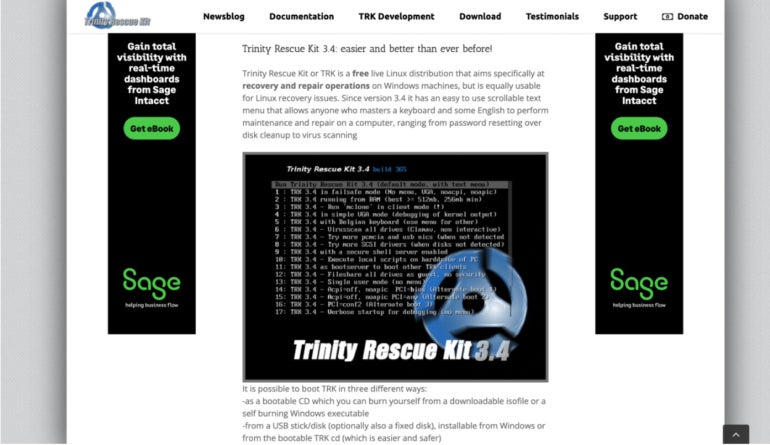
Trinity Rescue Kit is a live Linux distribution and one of the top free password recovery tools used to repair, recover, or reset any Windows password. The software is installed on a CD or USB drive and rebooted onto a computer, where users are presented with several password recovery and repair utilities. It’s also useful when you need to delete unknown passwords.
Why I chose Trinity Rescue Kit
I chose Trinity Rescue Kit for its feature-rich and robust overall package, enabling people to use 22 features on a single platform, which saves time and energy. It’s known for having an extremely high recovery rate and various features that make the process convenient for you. I particularly appreciate the convenience this platform offers.
Pricing
- Free to use.
Visit Trinity
Features
- Extensive documentation.
- Undeletion tool to recover lost documents.
- File cleaner to remove unnecessary temporary files.
- Virus scanning integration.
- Full proxy server support.
- Run an SSH server.
- Run a Samba file server.
Pros and cons
| Pros | Cons |
|---|---|
|
|
Ophcrack: Best for free password recovery

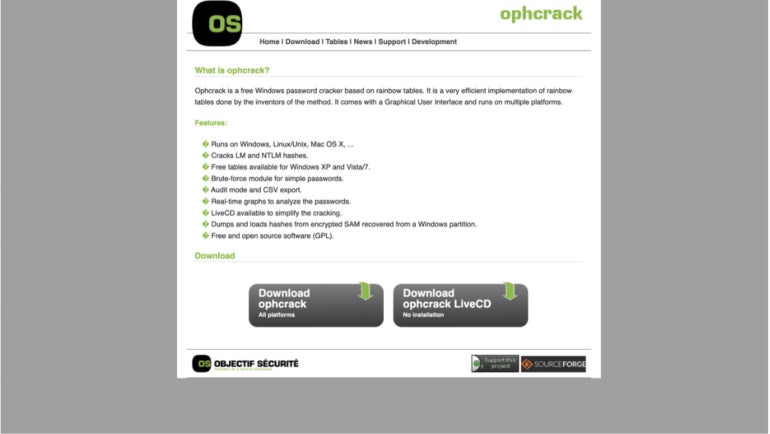
Originally developed to recover Windows passwords, OphCrack was revamped with capabilities to recover passwords from additional operating systems such as Windows, Mac OS, and Linux/Unix. Passwords are cracked using rainbow tables, and you can choose to boot your system from a CD or USB device.
Why I chose Ophcrack
I really like Ophcrack’s fast performance, which is crucial when accessing your devices. Its efficient processes result in a high success rate, and the platform is free to use, making it an easily accessible option.
Pricing
- Free to download.
Visit Ophcrack
Features
- Uses rainbow tables to crack passwords rather than brute-force attacks.
- Certain passwords may be recovered with a USB device or bootable disk.
- It has versions that are compatible with Windows, Macintosh, or Linux.
- Real-time graphs to analyze passwords.
- Cracks NTLM and LM hashes.
- CSV export and audit mode.
Pros and cons
| Pros | Cons |
|---|---|
|
|
Hash Suite: Best for hash functions

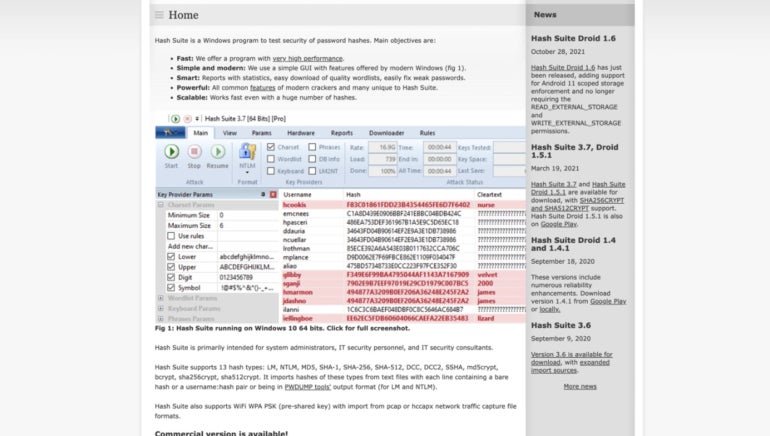
Hash Suite is specifically designed to test password hashes’ security and is a powerful and high-performance tool that uses various advanced features, such as multiple CPU cores and GPUs. It’s considered one of the quickest and best password managers on the market, as it can crack millions of hashes per second.
Why I chose Hash Suite
With a high success rate, I found Hash Suite to be a reliable platform for recovering passwords. It has robust password recovery capabilities, offering advanced algorithms that can efficiently crack various password hashes, contributing to my confidence in the tool.
Pricing
- Standard Version: $39.95.
- Pro Version: $89.95.
Visit Hash Suite
Features
- Offers reports and statistics detailing the strengths and weaknesses of password hashes.
- Easy-to-use GUI.
- Works on a large number of hashes.
- Multi CPU.
- Concurrent CPU/GPU execution.
Pros and cons
| Pros | Cons |
|---|---|
|
|
More cloud security coverage
- Blackpoint Cyber vs. Arctic Wolf: Which MDR Solution is Right for You?
- 6 Best Open Source Password Managers for Windows
- Unified by Design: The Smart Stack Advantage of NinjaOne and Microsoft Intune
- Free Business Email: I Found 8 Legit Ways to Get One
Key features of password recovery tools
While many reliable password recovery solutions offer unique features, there are certain features that are crucial for all platforms to have, namely:
Multi-platform support
Being able to access your passwords on multiple devices is crucial and contributes to convenience and overall usability. Trusted password recovery tools often support Windows, Android, Mac OS, and iOS.
Password recovery options
Of course, the primary purpose of these tools is to offer help with forgotten passwords. Different platforms have different ways of doing this. If you use a free password manager for additional password protection, you will need to set a master password to get access to the vault with your passwords and accounts.
Easy-to-use interface
These account recovery tools need to be easy to use so that even people with no knowledge of the industry can recover a secure password without complex processes.
Brute force attacker or rainbow tables
Many platforms use different password recovery methods. Most tools use a brute force attack, which works by trying every possible combination until it gets the correct one. However, many other platforms, as mentioned above, use rainbow tables instead. Rainbow tables are unique tables that crack the plaintext in passwords using hash functions.
Security
Security is a significant factor as you use these tools to crack passwords to your accounts that hold vital information. The best password recovery solutions use encryption mechanisms to ensure safe password retrieval and that your data doesn’t end up in the wrong hands. User authentication for recovery, such as login confirmations and two-factor authentication, is also vital.
How do I choose the best recovery tools for my business?
Picking the best password manager or recovery tools may seem daunting, but it doesn’t have to be this way. Firstly, you’ll need to determine your budget to narrow down which tools or versions are within your range. If you’re not prepared to pay for a free platform, many of the free options above will be sufficient.
I also think it’s crucial to consider the type of passwords you need to recover, the devices you’ll be working with, and the platform’s password recovery techniques to ensure your chosen option has the necessary capabilities. Lastly, I recommend determining whether you’ll need a customer support team. Some of the options above have reliable support; others only offer support documentation, and the rest offer none at all. Password management is crucial, which is why you need to choose the ideal option for your needs.
SEE: Penetration Testing and Scanning Policy (TechRepublic Premium)
Methodology
Now, how did I arrive at this list? To kick off the process, I set up accounts with each of the platforms mentioned above and used the service to determine the performance of each software on various devices. I tested any of the add-ons or extra features offered by each platform.
Ultimately, our goal was to determine if the basic features operated as intended and whether inexperienced users could catch on quickly and use the more advanced functionalities.
This article was originally published in November 2023. It was updated by Luis Millares in March 2025.