


- IntelliJ IDEA: IntelliJ IDEA
- Eclipse: Eclipse
- Codenvy: Codenvy
- Apache NetBeans: Apache NetBeans
- BlueJ: BlueJ
- MyEclipse: MyEclipse
Back in the early days of Java, developers created applications using nothing more than notepad and the DOS command prompt. Thanks to the advent of IDEs, those days are gone forever. Short for Integrated Development Environment, IDEs have drastically increased development speed and efficiency. This tutorial series will cover what kinds of functionally IDEs encompass as well as present the top IDEs for Java development. You will be delighted to know straight-away that some of the very best IDEs are completely free! And while there is inevitably some learning required to get accustomed to an IDE’s workflow, it is well worth the effort.
Features of an IDE
As the name implies, an Integrated Development Environment (IDE) bundles all the tools developers need to write, debug, and test their code. Hence, an IDE allows developers to improve productivity by accomplishing all of their work within a single environment. Each IDE comes with a different set of tools and resources, but they all include an advanced text editor, build tools, and a debugger at a minimum.
The most common features of an IDE include:
Must-read developer coverage
- What Powers Your Databases? Take This DZone Survey Today!
- Microsoft’s Historic 6502 BASIC Code is Now Open Source
- TIOBE Index: Top 10 Most Popular Programming Languages
- TechRepublic Exclusive: AWS Says Entry-Level Workers Need ‘Curiosity’ In the Age of AI
- Debugging: The debugger component of an IDE allows the programmer to view memory and see variables, run the program to the next breakpoint, execute the next line of code. In some cases, it is even possible to change the value of variables or a line of code about to be executed.
- Syntax highlighting: Built-in highlighting is crucial for readability and efficiency. Syntax highlighting helps distinguish parts of source code using color by giving variables, methods, and other programming elements different colors.
- Build automation: A great time saver, build automation streamlines the development and deployment of software by using tools and scripts to automate repetitive tasks.
- Code completion: This is a context-aware code feature that speeds up the process of coding applications by helping you complete the names of classes, methods, fields, and keywords within the visibility scope, thereby reducing typos and other common mistakes.
- Graphical User Interface (GUI): All of the top IDEs are GUI-based. Commands such as those to compile, clean, or save the project are executed behind the scenes. In many cases these are performed automatically as a result of some action such as running the application or even according to a set time interval.
Advanced Features of IDEs
Beyond the basic features listed above, many IDEs come with more advanced features that can really elevate your coding game! These include:
- Refactoring: Some IDEs provide tools to help developers refactor their code, such as renaming variables and methods, moving classes and methods, and extracting methods. This can make it easier to maintain and improve code quality over time.
- Version control integration: Many IDEs integrate with popular version control systems such as Git and SVN, making it easy for developers to manage and collaborate on code.
- Build and deployment: IDEs typically provide built-in support for building and deploying Java applications, which can save a lot of time and effort compared to the manual alternative.
- Framework support: IDEs provide support for a wide range of Java frameworks and technologies such as Spring, Hibernate, and Maven, which can make it easier for developers to build applications using these frameworks.
- Plugins and add-ons: IDEs have a wide range of plugins and add-ons available, which can be used to extend the functionality of the IDE and further improve the productivity of the developer.
- Community and support: Many IDEs have large communities of developers that contribute to their development and provide support to other developers. This can make it easier for developers to find help and resources when they need it.
SEE: Top TechRepublic Academy Java Courses
Best Java IDEs
Without further ado, here are the top Java IDEs, starting with the top three.
IntelliJ IDEA
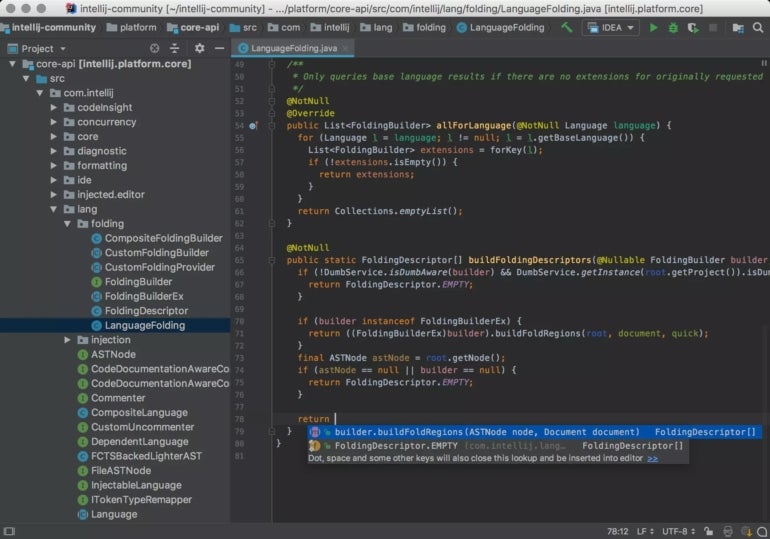
Developed by JetBrains, IntelliJ IDEA was the most used Java IDE in 2022, with more than 33 percent of the market share. The IDE itself was written in Java and supports a variety of JVM-based languages, including Java, Kotlin, Groovy, and others. IntelliJ IDEA is both a highly capable and ergonomic IDE, which includes a plethora of features to boost productivity without cluttering the user interface. It includes a variety of tools that make programming easier, like smart completion, cross-language refactoring, data flow analysis, and language injection.
IntelliJ IDEA is available in two editions: the Apache 2 licensed community edition and the proprietary ultimate edition. The community edition is free and open-source, with a focus on Android and Java Virtual Machine (JVM) development. The ultimate edition is paid, with a focus on web and enterprise development.
Pros of IntelliJ IDEA
- Ergonomic design
- Available for Linux, Mac, and Windows
- Powerful customization features
- Supports several JVM-based programming languages
- Built-in version control support
- Versatile plugin and integration support
- Gradle build system
Cons of IntelliJ IDEA
- Ultimate version may be pricey for small development teams or solo programmers
- Heavy on system resources
Try IntelliJ IDEA
Eclipse
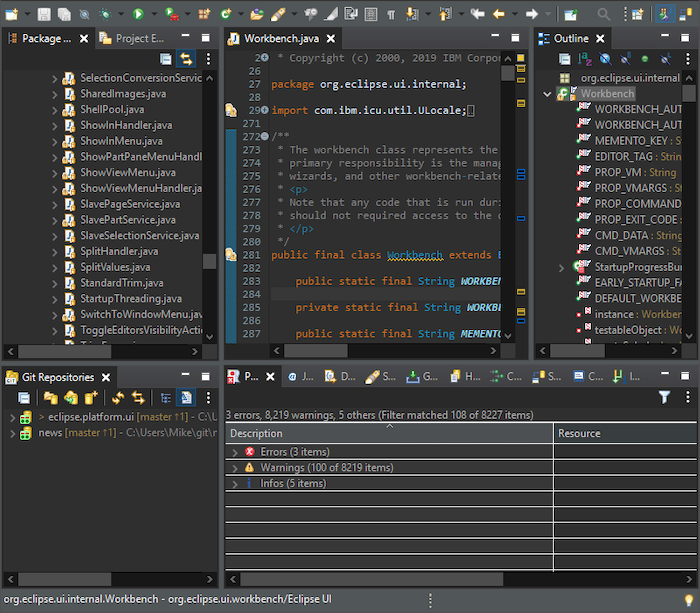
Nipping at the heels of IntelliJ IDEA, Eclipse is the second most popular Java IDE. A quick look at its features makes it clear why. It’s free, open-source, and has an extensive plugin ecosystem that allows developers to customize their application development workflow, via the Eclipse Marketplace.
Another thing that makes Eclipse unique is its cloud edition. In addition to the desktop edition, the cloud edition of Eclipse allows developers to code in a web browser and to store their code on the cloud. Using this you can code from anywhere and your code will be there right where you left off.
Finally, Eclipse supports more than 100 programming languages! So, if you are a developer who dabbles in many programming languages, Eclipse might just be your new favorite IDE.
Pros of Eclipse
- Available for Linux, macOS, Solaris, and Windows
- Completely free
- Supports a vast array of plugins
- Provides a simple, easy, and beginner-friendly user interface
- Offers excellent debugging features
- Supports more than 100 programming languages
- Provides automatic code completion
Cons of Eclipse
- Can become sluggish after installing multiple plugins
- Consumes more system resources compared to most other IDEs
- The memory management of Eclipse is somewhat poor. You may face some crashes while working with multiple workspaces.
Try Eclipse
Codenvy
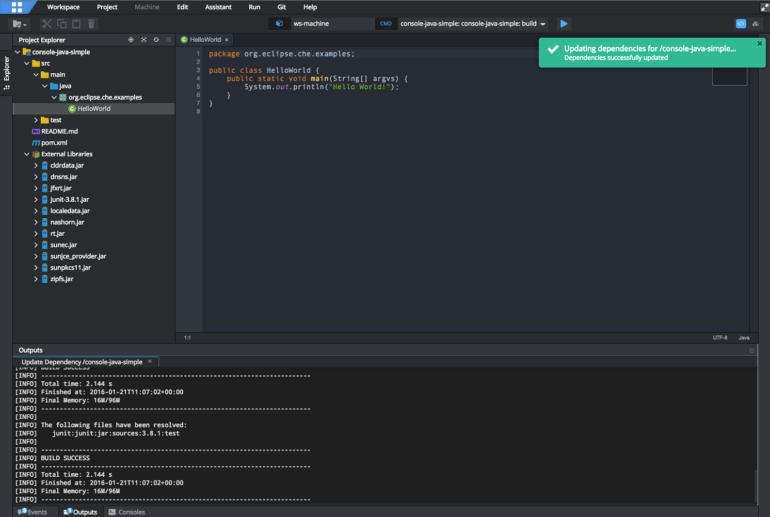
Codenvy is a commercial-grade IDE for Java developers built on top of the Eclipse Cloud Platform. It has three versions to choose from, including Developer, Enterprise, and Team. The IDE is considered on-demand and a SaaS development environment, meaning that programmers can edit code in the browser. Like other IDEs on our list, Codenvy also supports languages other than Java, including C++, C#, PHP, and JavaScript.
Pros of Codenvy
- Built-in code refactoring.
- Code completion and syntax highlighting.
- Build and deployment tools.
- Debugging interface.
Cons of Codenvy
- Can run slower for larger codebases.
- Requires Internet connection.
- Limited environment customizations
Try Codenvy
Apache NetBeans
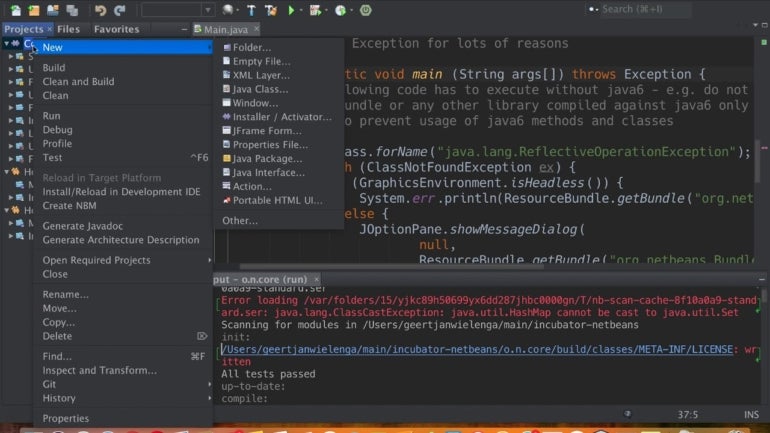
Apache NetBeans has been one of the top Java IDEs for about 25 years now, making it the unofficial IDE for creating desktop, mobile, and web applications. Unlike some of its competitors, NetBeans is completely open-source and supports a variety of languages, including JavaScript, PHP, HTML5 C++, and many others.
With Apache NetBeans, you get all the bells and whistles you would expect from a top tier IDE, including syntax highlighting, easy code refactoring, and a variety of wizards to help you quickly and easily create Java apps. Beyond that, there is a plugin portal to help developers customize their development environment, and support for the Apache Ant project system.
Pros of Apache NetBeans
- Available for Windows, Mac, and Linux.
- Wizards to quickly create Java apps.
- Support for Apache Ant project system.
- Support for JavaScript, PHP, HTML, and others.
- Supports Java 19.
- Can be easily integrated with web application servers like Tomcat and GlassFish.
- Works well with Git and other version control systems.
- Built-in Maven support.
Cons of Apache NetBeans
- The debugger can be slow.
- Consumes a lot of memory and resources.
- Slow to load.
- Process of compilation and execution of programs can be sluggish compared to other IDEs.
Try Apache NetBeans
BlueJ
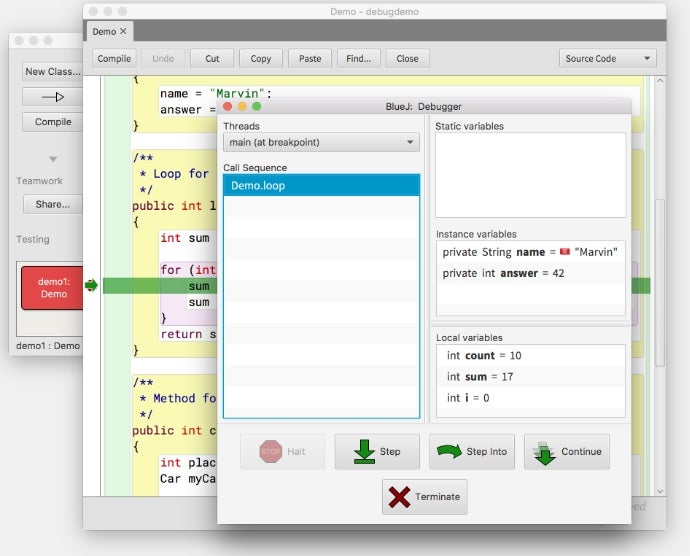
BlueJ IDE was originally created in 1999 by John Rosenberg and Michael Kolling for educational purposes but has since caught on with Java developers around the globe. Beginners find that BlueJ is a great Java IDE to learn with, while Java veterans choose BlueJ because of its interactive and clutter-free user interface. With so many coders jumping on the BlueJ bandwagon, it is no surprise that it is widely regarded as one of the best free java IDEs for web development in 2023.
BlueJ not only includes most of the features that you would expect in a quality IDE, but it goes beyond the call of duty with dynamic object creation and interactions as well as an editor that helps developers scan their code visually. BlueJ is an innovative Java IDE that offers other unique features that many others lack, such as scope coloring, code pads, and object benches. Best of all, it is fully portable!
The main screen of BlueJ displays the application class structure as a UML (Unified Modeling Language) diagram, making it ideal for learning Object-oriented concepts. Developers can also interact with objects on the screen, which is perfect for experimenting and testing object prototypes.
Pros of BlueJ IDE
- Strong debugging capabilities.
- Straightforward, convenient, and easy to work with.
- Supports Windows, Linux, and Mac OS.
- Includes various cutting-edge features, like an object bench, a code pad, and scope coloring.
Cons of BlueJ IDE
- Not great for big projects due to frequent crashes.
- Although BlueJ is great for beginners, it lacks some features one might want for more robust applications.
Try BlueJ
MyEclipse
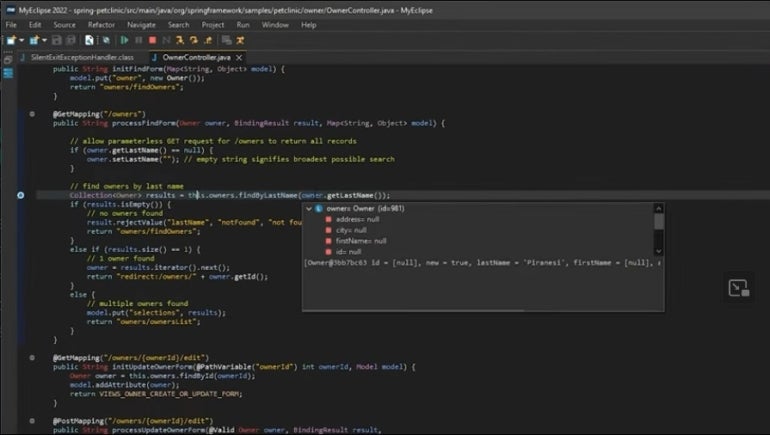
MyEclipse IDE is a commercial Java IDE by Genuitec that is built upon the Eclipse platform. As a licensed product, you would expect it to provide many features beyond those of a free IDE (and it does). MyEclipse adds many tools to the basic Eclipse Java developer profile for working with databases, persistence, and Spring, as well as a number of other features to streamline the development process. Moreover, MyEclipse is one of the few Java IDEs that is equally well suited to backend development as the frontend.
MyEclipse comes in six flavors:
- Standard: For Java EE developers looking to improve efficiency.
- Professional: Like Standard but with more tools for enterprise development.
- Spring: For Spring development.
- Blue: For WebSphere development.
- Bling: For advanced WebSphere and Spring development.
- Secure: A pre-configured MyEclipse with Secure Delivery Center.
Pros of MyEclipse IDE
- Available for Linux, macOS, and Windows operating systems.
- Supports codelive with live preview.
- Has a toolkit that supports the full life cycle of software development.
- Offers an optimized bundle of technologies to build applications.
- Provides database visualization.
Cons of MyEclipse IDE
- MyEclipse is a commercial licensed IDE but offers a 30-day free trial.
- Not particularly beginner friendly.
- Consumes a lot of system resources.
- Compilation process tends to be slower than other IDEs.
Try MyEclipse
Going Forward
It is no overstatement to assert that IDEs have had a dramatic effect on the Java development landscape. Packed with tools and resources, the right IDE can greatly increase productivity by integrating all development tasks within a single environment. We will be adding to the list of top Java IDEs in the following weeks so be sure to check back often. In the meantime, check out our list of the Best Overall IDE Software.
Learn more about Java with these resources from TechRepublic Academy:
The Java Bootcamp Bundle
The Ultimate Java Expert Certification Bundle
The Complete Java Master Class Bundle