Photos: Best Virtual Backgrounds for Job Interviews & Onboarding Success

Photos: Best Virtual Backgrounds for Job Interviews & Onboarding Success

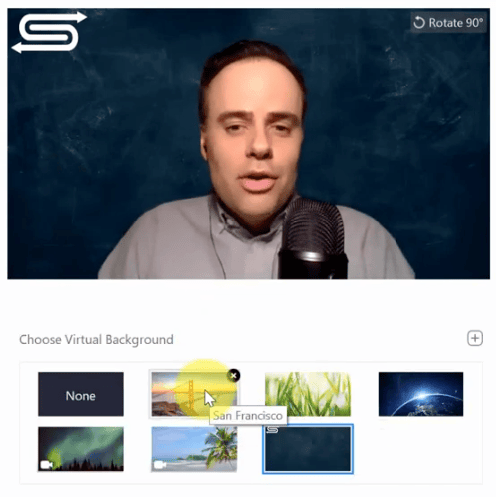
  • Applying Zoom virtual background.

    When choosing a background for your virtual interview, always go for a clean, minimalist design to avoid visual clutter. You’d like the interviewer or hiring manager to focus on you, not your surroundings.

    In this rundown of the best virtual meeting backgrounds, I’ve handpicked 15 images that can help you look sharp, professional, and ready to get things done. Click on the arrow to explore my curated selection.

    Did you know that Zoom, the leading video conferencing platform, has preset virtual backgrounds that you can choose from? If you don’t want to search and upload an image manually, you can select directly from within the app. In just a few clicks, you can change the virtual background and head to your next meeting looking prepared.

    Image: Simpletivity’s YouTube video
  • Blurred image of an office space.

    Blurred office background

    To keep the office setting consistent, choose a virtual background that resembles your work area. Don’t worry if the blurry effect looks off at first. When you’re in a live meeting, it creates an illusion that you’re in an office space without the overly busy surroundings.

    Don’t have time to pick one? There’s an easy workaround with Zoom. Ensure your background is appropriate for the video call by blurring it to hide any unwanted background and keep the area private. Click on this step-by-step guide on how to blur your background.

  • Minimalist background image in shades of blue.

    Plain background in shades of soft blue

    Blue backgrounds go well with a wide range of skin tones. It might appear too basic, but this type of background will actually make your video stand out even better. Going for a plain background also means there’s minimal distraction, which is what you should be aiming for in a professional setting.

  • Blank gray wall.

    Blank wall

    Empty walls in neutral shades (e.g., brown, gray, and taupe) are ideal for conveying professionalism. Their minimalist look keeps the focus entirely on you as the candidate. I personally like these types of backgrounds, as they help me concentrate on my answers and facial expressions, and that’s because there’s zero visual noise on my video.

  • Blurred image of a shared office space.

    Minimalist open area

    Interview backgrounds don’t always have to be plain. In this example, you can find tables and chairs in a shared space, similar to office hallways. To maintain a minimalist look without making the image too busy, choose one with a subtle blur.

    SEE: 5 developer interview horror stories

  • Blurred image of windows.

    White windows

    Create the illusion of extra space and lighting without straining the eyes by opting for a white window background. This may appear too simple and empty, but in a live meeting, this type of background will make you appear more polished and well-prepared.

    Pro-tip: Conduct your own dry run. Always test your chosen background before your scheduled video call. This also goes for the lighting, internet connection, and any peripherals you may need during the interview. This way, you’ll be less anxious going into the meeting  because you already know how you’ll look and sound.

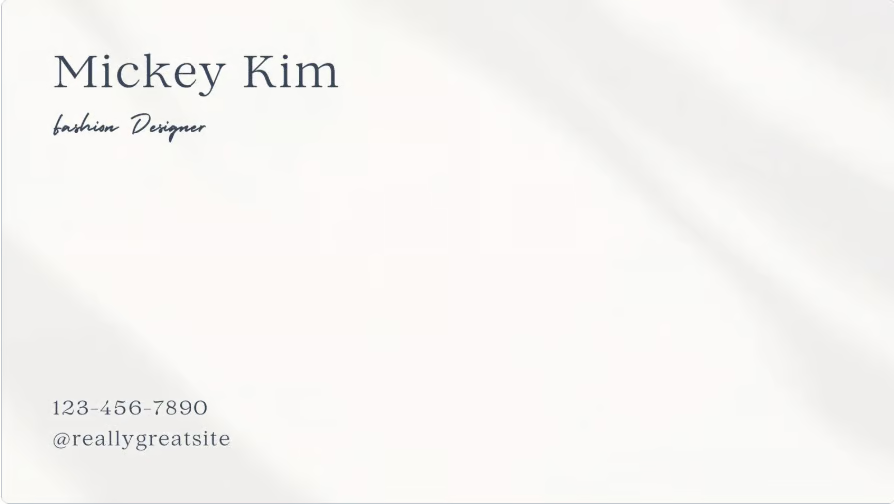
  • Sample personalized Canva template.

    Personalized virtual background

    If you want to leave a lasting impression while maintaining professionalism, you can customize your virtual background with details like your email address or contact number. Personalizing your background is also a way to build connections and show a bit of your personality.

    Customize your virtual meeting backgrounds with Adobe Express. It’s a beginner-friendly graphic design platform integrated with the Adobe ecosystem. Get started for free.

    Image: Canva
  • Pastel-colored background image.

    Gradient pastel tones

    Unleash your creative side by opting for a gradient background in pastel tones instead of a solid color. While both types of virtual backgrounds work for interviews and onboarding sessions, pastel tones exude a more welcoming vibe. If this is the mood you’e looking to create, this is the best option for you.

  • Background image featuring a modern office space.

    Modern office space

    This virtual background features an accent plant, adding a touch of color without clutter and making it relaxing to look at. Despite the decorative element, it still looks clean and professional. In this example, you can even customize the text to include relevant details, or you can remove it entirely.

    Image: Canva
  • Bookshelf in the background.

    Simple bookshelf

    The sight of a bookshelf can be a great conversation starter. And if you’re being interviewed, it helps set a friendly and welcoming tone. If you’re into reading books, give this virtual background a try.

    Looking for tips on how to ace your job interview? Check out this guide on how to pass an interview.

  • Blank and bright room.

    Empty room

    For interviews and onboarding, a plain background is always a safe choice. An empty yet bright backdrop creates a positive atmosphere and helps your interviewer focus on your responses.

  • Canva template for a background image with a logo.

    Personalized logo

    This minimalist design features a small logo at the top, making it ideal for branding purposes and establishing professional identity. It’s a great choice for creatives or anyone who wants to stand out during interviews. This type of design is also easy to make using platforms like Adobe Express and Canva.

    The general rule when selecting or customizing a virtual background for an interview is to keep it formal. A background that’s too casual not only causes distractions, but it may also come across as unprofessional. Test and compare your choices to arrive at the most job interview–appropriate option.

    Image: Canva
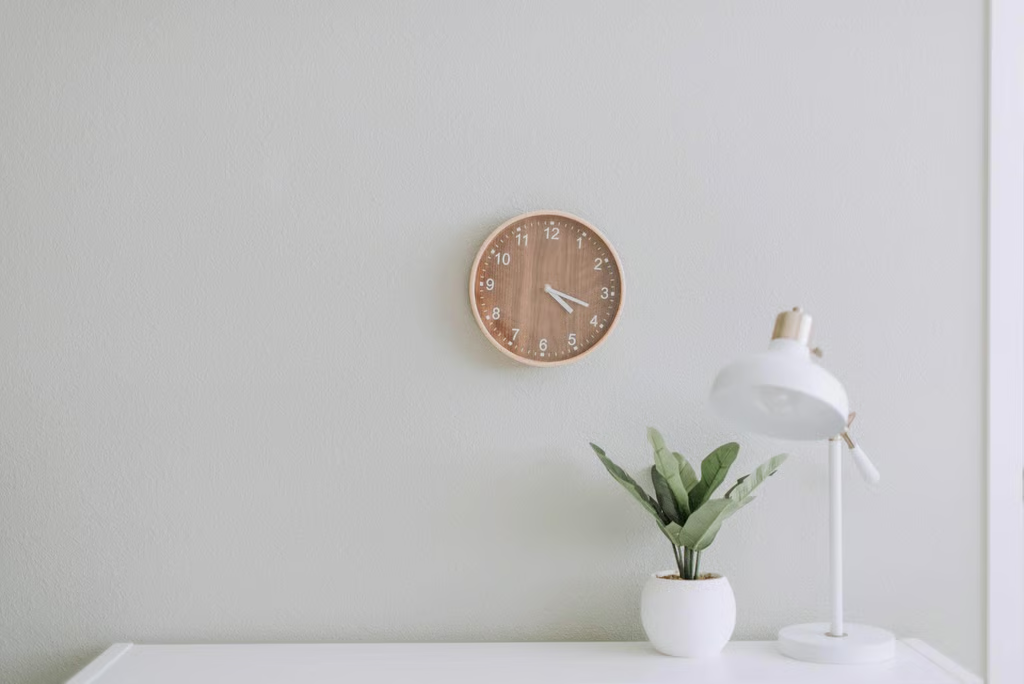
  • A plain wall with a wooden clock and a white table with accents.

    All-white and clean aesthetics

    You can never go wrong with white; it conveys cleanliness and precision, as seen in this virtual background. If you feel like the absence of color makes it look too plain, add subtle highlights (in this case, the wooden clock and the potted plant). Personally, I find the combination of white spaces and wooden accents pleasing to the eyes.

    Image: Samantha Gades
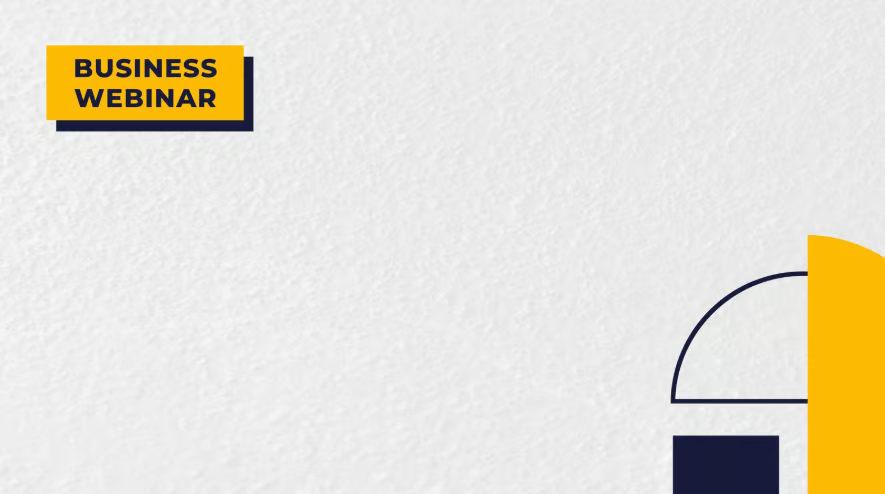
  • A background image with yellow shapes as accents.

    Contemporary design

    While the example above is for a business webinar, you can easily customize it in Adobe Express or Canva so it fits the setting you’re using it for. The contemporary design, which features simple lines and shapes, keeps the focus on you during interview. I also like the color-blocking; it is visually appealing without being overwhelming.

    Image: Canva
  • An empty meeting room with three chairs.

    Empty meeting room

    Mimic an office setup by choosing an empty meeting room as your virtual background. It’s formal, not too distracting, and is appropriate for a job interview.

    SEE: 10 Things You May Be Asked during a Developer Interview

  • Patterned background in shades of gray.

    Clean patterns

    To wrap up the list of the best virtual backgrounds for job interviews or onboarding, I chose this clean pattern with neutral colors. I like that while this background is patterned, it’s not cluttered. The patterns add visual depth that a solid background lacks. The color palette is composed of shades of gray and white, which is an excellent choice if you’re going for a professional vibe.

    SEE: Interview tips: How to land your next tech job (free PDF)

1 of 16
Jameli Jimenez

Jame is a Senior Content Editor at TechnologyAdvice.com, specializing in VoIP and office technology. She leads developmental edits on topics related to business communication solutions, cloud-based phone systems, and workplace technology trends. With a background in corporate communications, her work has been featured in publications such as CNBC, Medium, and Thrive Global.