


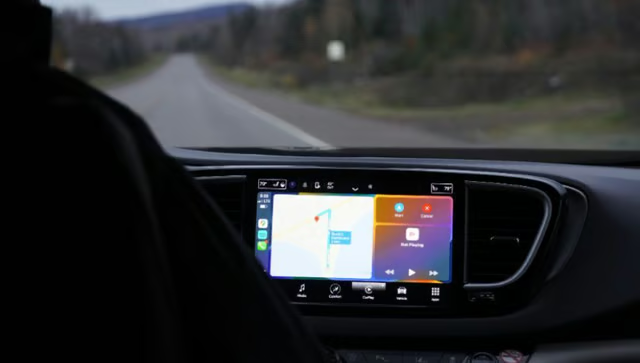
Android Auto should make driving simpler, not send Galaxy owners searching for spare USB cables.
Google says a fix is being deployed after some Samsung Galaxy users reported failed connections, stuttering, and unexpected disconnections following the Android 17-based One UI 9 update. The problems have reportedly affected both wired and wireless connections.
The company has not identified the update containing the fix or confirmed when affected devices will receive it. For drivers who depend on Android Auto for navigation and calls, the immediate question is whether their connection will work reliably again.
Google’s One UI 9 fix is rolling out without a confirmed timeline
Android Authority reported that a Google spokesperson confirmed a fix was being deployed for an Android 17 and One UI 9 issue. The spokesperson said “the issue should be resolved soon,” without naming the patch or delivery method.
The comparison is consistent with reports linking the problems to the newer software, although differences between the devices mean it cannot establish One UI 9 as the cause.
According to PhoneArena, a Galaxy A55 owner could not connect to either of two cars after upgrading. Other complaints involved the Galaxy S26 Ultra.
Meanwhile, 9to5Google found reports across Reddit, Samsung forums, and Google support pages, describing “a clear pattern and enough reports to suggest a trend” while cautioning that the problem did not appear widespread.
Wired and wireless failures complicate Android Auto troubleshooting
Disconnections were not limited to wireless setups.
Some owners reported failures even after switching to USB, suggesting that replacing the cable alone may not restore Android Auto. However, Google has not identified the underlying cause.
Android Authority reported that Android Auto worked on a Galaxy S25 Edge running One UI 8.5 but failed on a Galaxy S24 Ultra running One UI 9. While the difference suggests a possible connection to the newer software, it does not confirm that One UI 9 caused the problem.
PhoneArena also noted complaints about missing notifications and call audio. Google’s announcement has not confirmed whether the new fix addresses those symptoms.
The disruption follows another round of Android Auto problems reported in March, when Pixel and Galaxy owners experienced frozen maps, black screens, and dropped connections. Android Headlines said that earlier fixes arrived gradually through the Play Store. The November rollout’s delivery method remains unconfirmed.
More Google coverage
- New Google Search AI Mode is ‘Total Reimagining,’ Says CEO Sundar Pichai
- In Major Ruling, Judge Finds Google ‘Willfully Acquired and Maintained Monopoly Power’ Over Digital Ad Market
- Google’s Big Bet on Nuclear Energy: ‘The Race to Power AI-Driven Data Centers is Accelerating’
- Computer History Museum Releases Original AlexNet Code: Why It Matters
What Galaxy owners should do while waiting for the fix
Until Google identifies the patch, owners should verify that Android Auto works with their specific vehicle rather than assume an available update resolves the problem.
Here are three practical steps to take while parked:
- Check for updates and confirm your software version. Look for pending Galaxy software updates in your phone’s settings and Android Auto updates in the Google Play Store.
Take note of your current One UI version, as Google has not confirmed which update contains the November fix.
- Test both connection methods where supported. Start with the connection that previously failed, then try wireless or a known-working USB cable.
Check whether navigation, calls, and audio function normally and whether the connection remains stable. If problems continue, try removing saved Android Auto connections and pairing your phone again.
- Document recurring failures before contacting support. Note your Galaxy model, One UI version, vehicle model, connection method, and symptoms, including whether disconnects happen immediately or during use. Providing this information can help support teams determine whether the problem is related to the software update, vehicle compatibility, or the connection itself.
For organizations issuing Galaxy phones, the rollout also raises a device-management consideration. IT teams should test One UI 9 with the vehicle systems employees use, track failures by handset and car model, and consider delaying broader upgrades where reliable Android Auto access is essential.
Drivers experiencing persistent problems should arrange backup navigation and avoid troubleshooting while driving. Google’s fix is encouraging, but a stable connection in everyday use remains the clearest sign that the problem has been resolved.
Also read: Experiencing other Android Auto problems? Our guide to phone overheating with CarPlay or Android Auto explains how navigation, wireless charging, and phone placement contribute to overheating, along with practical ways to keep your device cool.