


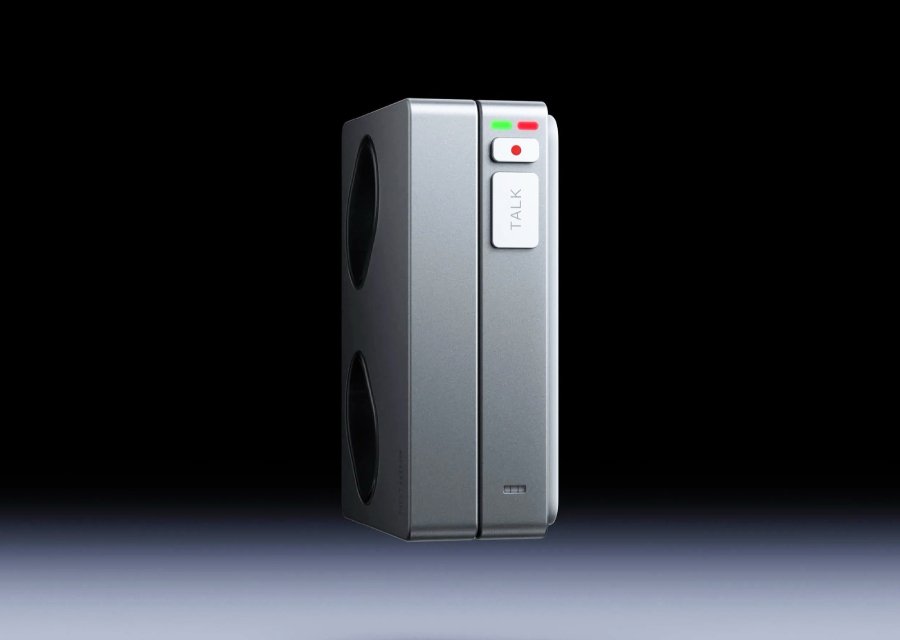
A charging case usually goes back in your pocket. This one has a reason to stay on the conference table.
Nothing plans to introduce its Ear (note) wireless earbuds on Dec. 8. In a demo for Bloomberg, the earbuds captured phone calls, the charging case recorded in-person conversations, and a companion app managed recordings, transcripts, and AI summaries.
For IT teams, a recording made on an employee’s headset raises a practical question. Can the company apply the same rules for participant notice, access, and deletion that it uses for recordings made in an approved meeting app?
What it actually does
Here’s how the earbuds, case, and app split the work.
| Component | Function |
|---|---|
| Charging case | Captures in-person meetings via built-in mics |
| Earbuds | Record phone calls |
| Talk button on the case | Records personal voice notes |
| Companion app | Manages recordings, transcriptions, AI summaries |
Co-founder Carl Pei positioned the product as part of a broader play. In a post on X, he said this is “the first of many products building a hardware context layer for AI. Rather than ask you to carry a new product, we took something you already wear and trust and made it intelligent.”
Bloomberg reported that the earbuds are designed to work with multiple AI agents, including Nothing’s own voice-control system.
Plaud One already uses the same split. The earbuds record calls, and the case records conversations in the room. Pei told Bloomberg that Nothing was still deciding on a price.
More must-read AI coverage
- SS&C Intralinks DealCentre AI vs. Datasite: Which platform is built for the future of dealmaking?
- SS&C Intralinks FundCentre AI vs. Juniper Square: Which platform better supports modern private markets fund managers?
- Why Data, Not Models, Determines AI Success
- The Rise of the AI-Native Factory: How Physical AI Is Transforming Manufacturing
What Nothing has said about privacy
Nothing told Bloomberg it consulted law firms and obtained privacy certifications comparable to those of rival recording products. Amazon’s Bee wearables have raised similar questions about workplace recording, including how people in the room know when a device is recording.
What IT teams should check before allowing Ear (note) at work
A recording made through a headset can sit outside the tools IT already manages. Start by comparing the Ear (note) app with the controls available in a managed meeting platform. Then ask Nothing to demonstrate what happens from the moment recording starts to the moment someone deletes it.
- Participant notice. Test whether people in the room can tell when the case is recording and whether callers hear an announcement. Check whether recording starts only when someone presses a button or can start automatically.
- Storage and deletion. Ask where the audio, transcripts, and summaries are processed and stored. Check who can export or share them, what happens to shared copies, and whether deleting the audio also removes the transcript and summary.
- Company access. Confirm whether employees can use a work account, whether IT can restrict recording or sharing, and how the company can recover or remove records when an employee leaves.
Once those checks are answered, try it in a routine internal meeting with everyone’s agreement. Compare its notes with what participants actually decided, who owns each action item, and when it’s due. That gives IT a way to measure whether the device saves time before approving it for client calls or sensitive meetings.
Read more: The cost of an AI recorder can extend beyond the hardware. Here’s what Amazon’s Bee Frontier includes and which features cost extra.