


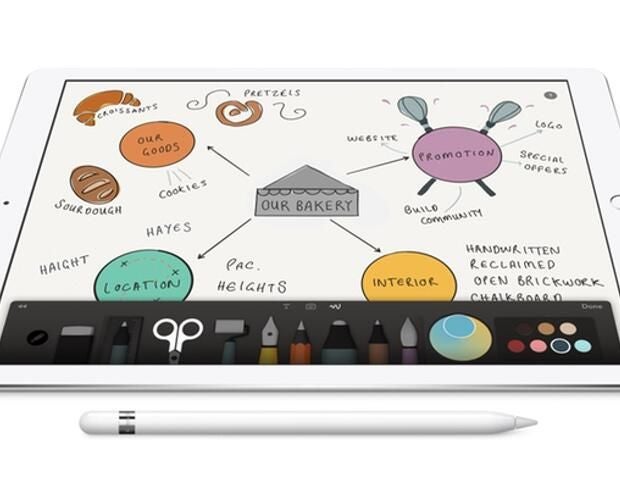
The Apple Pencil provides more responsiveness when paired to an iPad Pro than any other stylus on the market, making it an excellent tool for creative professionals working at their desks or on the go. Here’s how to pair your Apple Pencil with your iPad Pro, charge it, and then use it with iOS and third-party apps.
Pairing the Apple Pencil with the iPad Pro
The Apple Pencil connects to the iPad over Bluetooth just as other peripherals do, but this is unlike any other Bluetooth device you’ve ever paired. Apple has made pairing the Apple Pencil extremely easy. Follow these steps.
- Take the cap off the end of your Apple Pencil, revealing the lightning connector (Figure A).
- Unplug your iPad Pro from any lightning accessories.
- Insert the lightning connector of the Apple Pencil into the lightning port of the iPad Pro.
- After a few seconds, you’ll notice a Bluetooth device request on the iPad’s screen. Accept this pairing request, and then unplug the Pencil. Your Pencil is now ready to use with your iPad Pro.
Figure A

The Pencil will automatically connect and disconnect from the iPad Pro in order to preserve battery life, but you should not have to re-do this pairing process unless your Pencil has difficulties connecting to the iPad Pro in the future.
Charging the Apple Pencil
The Apple Pencil has good battery life for such a small device — you can expect to get more than a few hours worth of usage out of it. And, when you need to charge it again, simply plug the Pencil back into the iPad Pro and leave it for a few minutes (15 seconds of charge will get you 30 minutes of usage).
When you want to charge your Apple Pencil completely, or if you don’t want the Pencil sticking out of the side of your iPad Pro while in use, follow these steps.
- Locate the included lightning extender that came with the Apple Pencil.
- Plug one end of the extender into a lightning cable, and the other end into the Apple Pencil lightning port (Figure B).
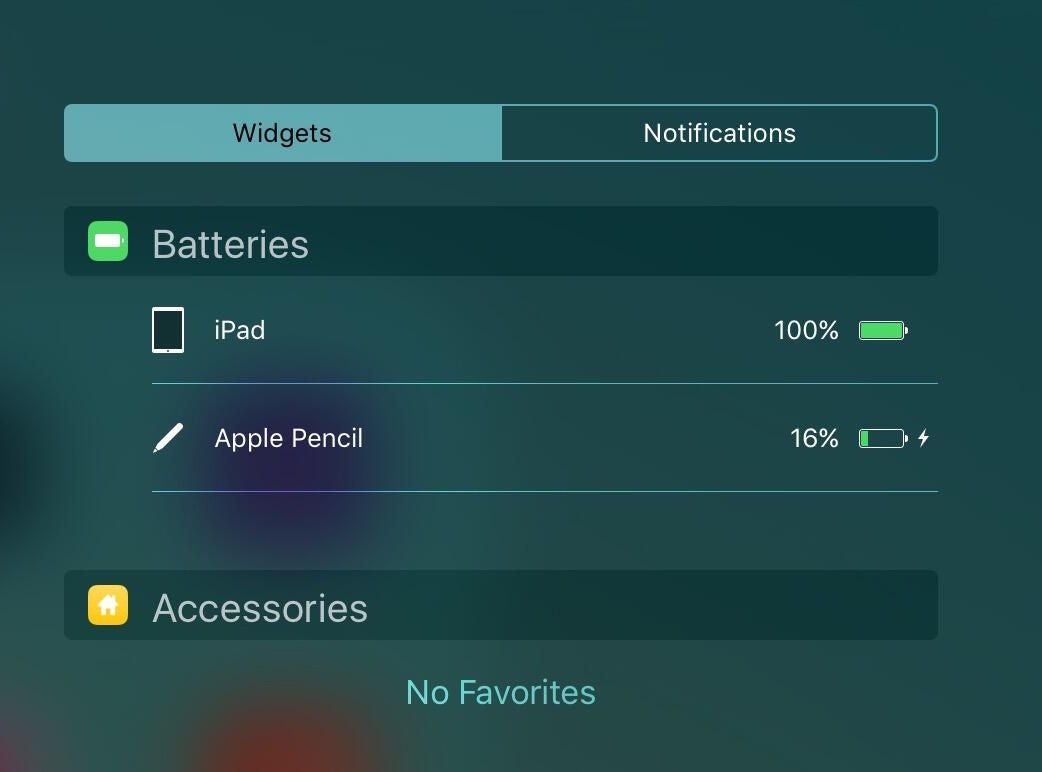
The Apple Pencil will begin charging, and you will be able to view the status of the battery charge from the Notification Center.
Figure B

Viewing the Apple Pencil’s battery status in iOS
To view the battery status of your Apple Pencil in iOS, follow these steps.
- Open Notification Center by pulling down from the top of the screen.
- Tap Today.
- Scroll to the bottom of the list and tap Edit and then tap the green + button beside the Batteries widget.
If you don’t see a green + button beside the Batteries widget, you’ve already enabled this Today widget. You will be able to see the battery state of your Apple Pencil — as well as your iPad and other connected Bluetooth accessories — from this Today widget (Figure C).
Figure C
Using the Apple Pencil with third-party apps
To use the Apple Pencil with third-party apps, simply open the app, and begin using the Pencil tip to draw on the screen. There are many apps that are specifically designed to be used with the Apple Pencil, ensuring that all of the features of the Pencil can be used. Some of these optimized apps include:
Some apps may be more optimized to use the Apple Pencil than others; for instance, Procreate has been fully optimized to take advantage of features like near-zero latency, tilting to shade, and more. One of the best examples of an app that takes full advantage of the Pencil is Apple’s Notes app, which is baked right into iOS.