


- Best overall: Wix
- Best for personal websites: AwardSpace
- Best for custom web apps: Google Cloud
- Best for small businesses: Weebly
- Best for enterprise-scale projects: Amazon Web Services
- Best for WordPress hosting: Hostinger
Free web hosting offers a cost-effective entry point for launching small projects, blogs, or experimental websites without upfront costs. While these platforms offer beginners or low-traffic sites an ideal starting point, they often come with trade-offs like limited storage, bandwidth limitations, or advertisements.
Choosing the right free web hosting platform allows you to experiment with a website without the financial commitment and have the option to upgrade to paid plans as your business grows. Not to mention, there’s plenty of free and affordable options, so finding a decent starter web hosting service is not an impossible task.
Below, you’ll find my top picks for the best free web hosting platforms, based on my hands-on testing and research.
Read more: What Is Web Hosting?
Top free web hosting services comparison
Here are some of the most important features of a free web hosting solution. The table below illustrates which of the top six free web hosting services include which key features.
Wix: Best overall

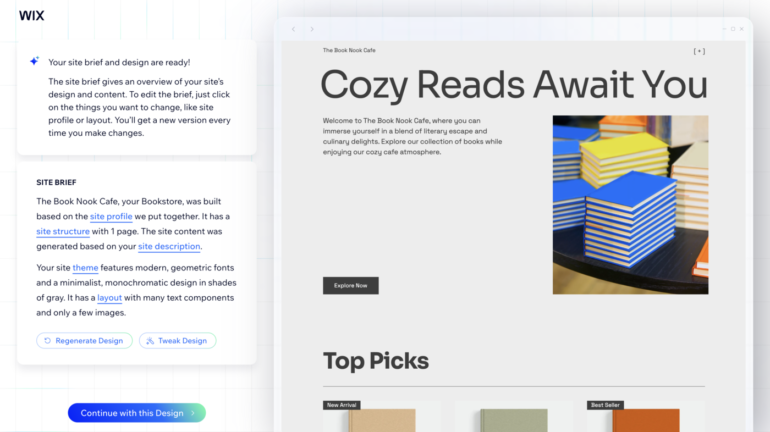
Wix is a leading web hosting provider that allows you to create stunning and functional websites without any coding knowledge. It features a user-friendly interface with a drag-and-drop tool and a range of customizable templates, making web design accessible to everyone. This platform also supports multi-cloud infrastructure powered by Google Cloud, AWS, Fastly, and Wix.
Wix stands out as a top free web hosting provider, particularly for individuals and businesses looking for an intuitive and visually appealing way to get a website online. Its intuitive and straightforward platform makes it incredibly easy, even for beginners, to design their websites and portfolios. While its free plan includes Wix branding and uses a Wix subdomain, it provides a comprehensive suite of website creation features, a variety of templates, and secure hosting.
Why I chose Wix
I chose Wix as the best overall free web hosting provider because of its balance between ease of use and robust features. If you don’t have any coding experience, you can use its drag-and-drop tool, extensive template library, and smart design assistant to customize your website. Its comprehensive marketing tools, analytics, and security features also make Wix an ideal web hosting solution for businesses planning to scale their operations.
Pricing
- Free 14-day trial available
- Free: Includes basic website tools with Wix branding
- Light: $17 per month
- Core: $29 per month
- Business: $36 per month
- Business Elite: $159 per month
Visit wix.com
Standout features
- Customize your website’s appearance easily with its intuitive drag-and-drop editor.
- Choose from over 900+ designer-made templates and create your website from these layouts.
- Use the AI-powered Editor to generate a professional-looking website quickly.
- Enhance images directly within the Editor by adding filters and adjusting them in the Photo Studio.
- Create attractive and engaging landing pages to capture leads and drive traffic to your website.
Top integrations
Wix boasts a comprehensive App Market with tools designed to help you grow your online presence and attract more visitors. It connects with tools like Google Analytics for measuring campaign performance, Google Ads for promoting products or services, and Meta Pixels for tracking website visitor behavior.
Pros and cons
|
|
Read more: Wix vs. GoDaddy: Website Builder Showdown
Web dev pro tip #1: Understand free tier limitationsFree hosting plans often come with constraints like limited storage, bandwidth, or the inclusion of ads. Ensure these limitations align with your project’s requirements. |
AwardSpace: Best for personal websites

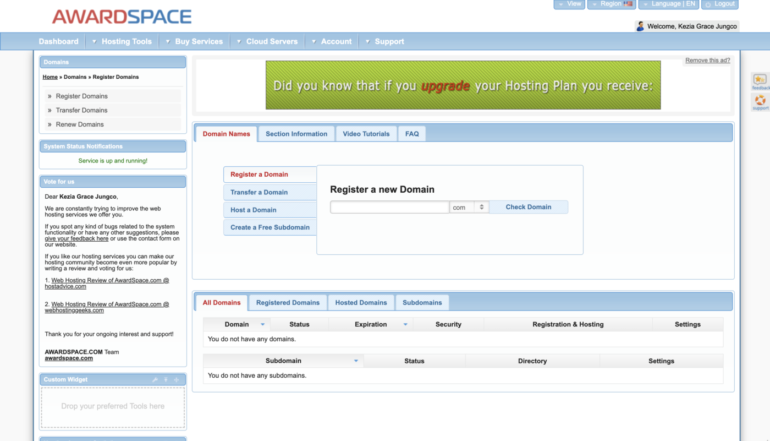
AwardSpace is a versatile free web hosting platform that provides a range of hosting solutions for personal websites, agencies, and enterprises. It offers a no-ads, free hosting experience, which makes it an ideal option for individuals seeking a platform to build their brand. The platform includes PHP and MySQL database support even in the free plan, allowing you to build dynamic websites or blogs without financial commitment.
AwardSpace’s free plan also offers enough disk space and bandwidth suitable for small blog websites, news media, and idea launching. You can use 1GB of disk space and 5GB of bandwidth on the free plan, which can be enough for your website. Unlike other free hosting providers, AwardSpace doesn’t put its ads on free websites, which helps maintain an uncluttered and cleaner look.
Why I chose AwardSpace
AwardSpace stands out as a free hosting option that allows you to launch a basic personal website or a small project without any financial commitment. Its free plan is packed with valuable features, including ad-free hosting for up to four websites, a CMS installer for content management, 24/7 support, and a user-friendly file manager. Additionally, the support for PHP and MySQL, even in the free plan, allows you to create more dynamic content or explore more advanced web applications as you plan to scale your website.
Pricing
- Free: Ad-free hosting for one domain and three subdomains
- Shared Hosting Plans: Start at $0.25 per month
- Semi-Dedicated Hosting Plans: Start at $15.99 per month
- VPS Cloud Hosting Plans: Start at $13 per month
Visit awardspace.com
Standout features
- Enjoy a completely ad-free experience even on the free plan to ensure your website looks professional and uncluttered.
- Customize your website using AwardSpace with its intuitive tools, free website builder, and one-click CMS installation to support popular content management system platforms.
- Set up popular CMSs like WordPress, Joomla, and Drupal using the drag-and-drop Zacky website builder.
- Support different PHP versions and MySQL databases for handling data seamlessly and running dynamic websites.
Top integrations
AwardSpace offers a stable platform for installing your preferred CMS or website-building tools. It integrates seamlessly with popular platforms WordPress and Joomla, which are ideal content management systems for bloggers, creatives, and freelancers. It also connects to phpMyAdmin, which provides user-friendly interfacing for managing MySQL databases, and WooCommerce if you wish to add a small online store to sell your products or services.
Pros and cons
|
|
Web dev pro tip #2: Plan for scalabilityIf you anticipate growth, choose a hosting provider that offers seamless upgrade paths to paid plans, allowing your website to scale without significant overhauls. |
Google Cloud: Best for custom web apps

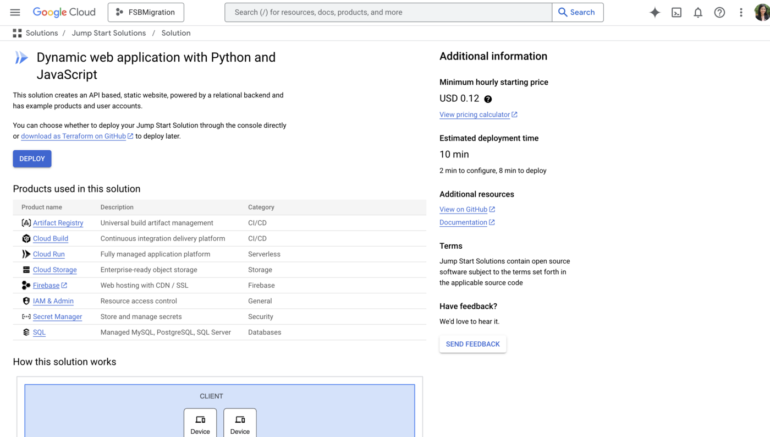
Google Cloud is a robust developer-focused platform that offers scalable and high-performance hosting for custom web applications. Developers can build, deploy, and manage applications in the same sophisticated infrastructure that Google uses for its end users, like Google Search and YouTube. This platform is better equipped to handle demanding applications at high speeds, ensuring that you can run web applications at optimal performance under heavy loads.
Its generous free tier makes it a top contender for hosting web apps without initial costs and limited access to Google Cloud products and services, including Compute Engine VMs, Cloud Storage, and more. With its free plan and trial credits, you can use powerful tools and services to create scalable, custom solutions.
Why I chose Google Cloud
Google Cloud stands out as the best free option for custom web applications because of the powerful tools it offers and the flexibility it provides. Unlike simpler free hosting platforms, Google Cloud allows developers to have greater control over their server environment and enables them to deploy applications built with different programming languages and frameworks.
The free tier also offers enough resources to launch small to medium-sized custom projects, making it an ideal choice for developers, students, and individuals seeking to experiment with cloud-based deployments. Its integration with AI and machine learning technologies also facilitates the efficient creation, training, and deployment of high-level models using VertexAI and AutoML Vision.
Pricing
- Free 90-day trial
- Free: Includes one f1-micro Compute Engine instance per month, 5GB regional Cloud Storage, and other limited services like BigQuery and Cloud Functions
- $300 Free Credit: New users receive $300 in free credits to use within 90 days
- Pay-as-You-Go: Charges are based on actual usage
- Custom Plans: Contact Google Cloud sales for more details
Visit cloud.google.com
Standout features
- Create and run virtual machines on Google infrastructure that lets you easily launch large compute clusters with no up-front investment.
- Deploy, scale, and manage containerized applications using the Google Kubernetes Engine (GKE).
- Simplify web application deployment with pre-configured templates available on Google Cloud Marketplace.
- Implement advanced security measures such as data encryption, customizable firewalls, and granular identity management to protect your website and user data.
Top integrations
Google Cloud features a wealth of integrated services to help developers create powerful and scalable web applications. Key integrations include Compute Engine for virtual machines, Cloud Storage for scalable object storage, and Cloud Functions for serverless computing. You can also integrate Google Cloud with Firebase for real-time database and hosting, GitHub for source code management, and Google Analytics for performance tracking.
Pros and cons
|
|
Web dev pro tip #3: Prioritize securityEven on free plans, opt for hosting services that provide essential security features like SSL certificates to protect your site’s data and visitors. |
Weebly: Best for small businesses

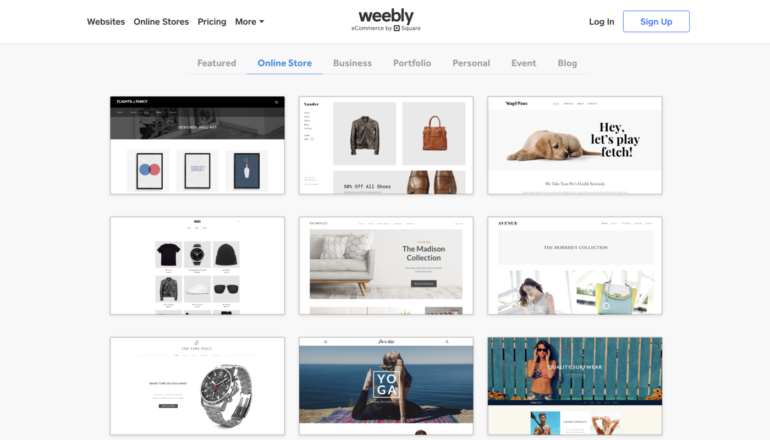
Weebly is a popular website builder platform that also offers free web hosting solutions. This easy-to-use platform is designed to help small businesses and startups establish a strong online presence. Its intuitive drag-and-drop user interface makes it easier for entrepreneurs to create professional-looking websites even without technical expertise. Weebly enables users to launch online storefronts, portfolios, or service-based websites quickly and without upfront costs.
While Weebly’s free plan comes with limitations, it delivers solid website hosting to small businesses and startups. Its cloud-based infrastructure ensures fast loading times even during high traffic times, ensuring a smooth experience for site visitors. It also installs security certificates automatically and provides password protection to secure your website.
Why I chose Weebly
Weebly earns its spot as the best free option for small businesses by providing reliable hosting, custom templates, and basic e-commerce features. It combines professional features in its free plan and ease of use, ideal for those without a technical background in website creation or managing an online storefront. Its intuitive drag-and-drop builder also offers a significant advantage for entrepreneurs who want to showcase their services or products without hiring a developer. While the free plan has drawbacks, it provides a visual way to launch your business online even with a limited budget and technical skills.
Pricing
- Free: Includes simple tools for website creation, 500MB storage, free SSL security, and SEO features
- Personal: $10 per month if billed annually, or $13 if billed monthly
- Professional: $12 per month if billed annually, or $16 if billed monthly
- Performance: $26 per month if billed annually, or $29 if billed monthly
Visit weebly.com
Standout features
- Create your website with ease, add elements, and rearrange content using an intuitive drag-and-drop editor.
- Start selling online quickly, even on the free plan,using the platform’s built-in e-commerce features.
- Automatically install SSL certificates to safeguard your website and protect user data.
- Choose from a wide range of customizable templates to suit your business needs.
Top integrations
Weebly seamlessly integrates with third-party apps via its App Center, offering hundreds of tools to enhance your website’s functionality. It connects to payment gateways like Stripe, PayPal, and Square, and email marketing apps such as MailChimp and ActiveCampaign. You can also link your CRM platforms like HubSpot and Salesforce to manage customer interactions and sales processes.
Pros and cons
|
|
Web dev pro tip #4: Evaluate support optionsFree hosting services may offer limited customer support. Consider how critical support is for your project and whether you’re comfortable with community-based assistance. |
Amazon Web Services: Best for enterprise-scale projects

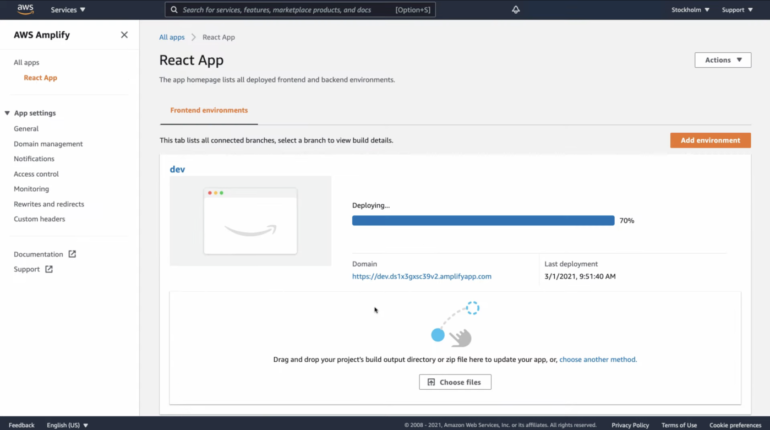
Amazon Web Services (AWS) is a leading cloud platform offering a wide range of services, including free web hosting. It delivers enterprise-grade web hosting features that support WordPress, Drupal, and Joomla, as well as languages like Java, PHP, and Node.js. Businesses, non-profits, and government agencies from anywhere in the world can benefit from AWS’s low-cost web hosting options and its data centers worldwide.
Its free tier provides an opportunity for businesses to explore and experiment with cloud technologies even without significant upfront costs. While a fully-fledged enterprise-scale project will exceed the limits of the free tier, it’s a solid starting point for businesses to test and build before subscribing to paid plans. AWS’s flexible pricing model is also another standout feature, as it only charges you for the resources you use, with no upfront costs or long-term contracts.
Why I chose AWS
I chose AWS as the best free option for enterprise-scale projects because it allows businesses and organizations to get hands-on experience with a robust and highly scalable cloud platform at no initial cost. Its free tier is beneficial for exploring new tools, testing architecture for potential large-scale operations, and training your team on deploying cloud services. I also recommend the platform for its comprehensive enterprise-grade web hosting features, supporting various CMS providers and languages.
Pricing
AWS offers flexible pricing with a pay-as-you-go model or fixed monthly pricing. It only charges you for the resources used, without an initial charge or long-term contracts.
- Free: Limited access to Amazon S3 for hosting static websites within the tier’s limits
- Amazon Lightsail: Starts at $3.50 per month for Linux/Unix
- Amazon EC2: Starts at $0.0116 per hour for a t2.micro instance for application and website hosting; costs vary based on usage
Visit aws.amazon.com
Standout features
- Handle large traffic volumes with the platform’s highly scalable computing resources through Amazon EC2 and AWS Lambda.
- Protect web applications through the platform’s advanced security measures, including network isolation, DDoS protection, and comprehensive encryption services.
- Facilitate integration with AI and machine learning services or advanced analytics and automation.
- Monitor web application performance via AWS CloudWatch and AWS CloudFormation to optimize your infrastructure management.
Top integrations
AWS integrates with a vast ecosystem of its services, including Amazon AppFlow for secure data transfer between AWS services and SaaS applications, and Amazon EventBridge to simplify connecting applications. You can also connect to AWS Chatbot to monitor and interact with your AWS resources on Slack, Microsoft Teams, and Amazon Chime.
Pros and cons
|
|
Web dev pro tip #5: Review domain optionSome free hosting services offer subdomains. If a custom domain is important for your brand, verify the process and cost of connecting one. |
Hostinger: Best for WordPress hosting

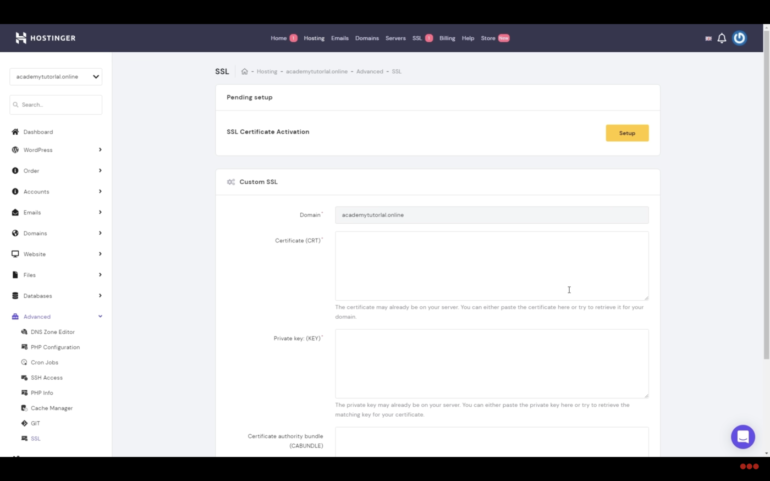
Hostinger is a popular web hosting provider known for its affordability and user-friendly interface. While it doesn’t offer a completely free plan, it offers a range of hosting solutions, including shared hosting, VPS hosting, and cloud hosting. This feature-rich yet intuitive platform is optimized for WordPress users, offering features like one-click installation, automatic updates, and enhanced security. With its low-cost plans, you can create blogs, online stores, e-commerce sites, and more.
Aside from its affordable plans, Hostinger excels in its seamless WordPress integration and intuitive platform. You can set up your website with ease using its easy-to-use tools combined with built-in optimization features. Additionally, you can benefit from its reliable uptime and responsive customer support that offers 24/7 service and multilingual support.
Why I chose Hostinger
Hostinger stands out for its affordability, ease of use, and comprehensive WordPress features. It also provides plans specifically designed for WordPress and doesn’t cut back on essential resources, storage, and bandwidth. It offers faster load times, boosting your site performance with LiteSpeed web servers and the LSCWP Cache plugin. Hostinger also provides maximum website protection, including an automatic malware scanner, an advanced web application firewall, and DDoS mitigation.
Pricing
- 30-day money-back guarantee available
- WordPress Hosting Premium: $2.99 per month for the first year, then $10.99 per month if billed annually, or $11.99 if billed monthly
- WordPress Hosting Business: $3.99 per month for the first year, then $13.99 per month, both monthly and annually
- WordPress Hosting Cloud Startup: $9.99 per month for the first year, then $25.99 per month if billed annually, or $27.99 if billed monthly
- WordPress Hosting Cloud Professional: $19.99 per month for the first year, then $44.99 per month if billed annually, or $47.99 if billed monthly
Visit hostinger.com
Standout features
- Manage your WordPress website on Hostinger for optimized server performance and fast loading speeds.
- Automate WordPress installation using Hostinger’s auto-installer feature and use plugins like LiteSpeed Cache, All in One SEO, and Monster Insights to make your site more robust.
- Easily migrate your WordPress sites to Hostinger’s Website Builder using its seamless migration services.
- Safeguard your website in all areas with Hostinger’s automatic malware scanner, advanced web application firewall, and DDoS mitigation.
Top integrations
Hostinger doesn’t have a traditional app marketplace but offers the auto-installer feature that allows you to easily install apps for CMS, e-commerce, data management, and more. The platform seamlessly integrates with tools like Cloudflare CDN for speed, Jetpack for security and analytics, and WooCommerce for e-commerce. You can also install plugins like Yoast SEO to enhance website performance, security, and your online store’s capabilities.
Pros and cons
|
|
Web dev pro tip #6: Monitor resource usageKeep an eye on your site’s resource consumption to avoid unexpected downtimes or charges if the free tier has usage caps. |
Comparison of free vs. paid hosting
Choosing between free and paid hosting is an important decision for anyone looking to launch a website, and the decision depends on your specific needs and goals. Free web hosting can be a great starting point for small or personal projects or testing website ideas. It often includes basic features like limited storage and bandwidth, which are sufficient for low-traffic websites. However, free plans often come with restrictions such as limited storage and bandwidth, forced branding or ads, and a lack of security measures and responsive support.
Paid web hosting, on the other hand, offers more comprehensive features and better performance. It provides faster page loads, higher storage capacity, and a wider range of customization options ideal for businesses expecting higher traffic or those looking to scale their operations. Paid web hosting also offers better security measures and dedicated customer support. While it requires a financial commitment, paid hosting provides the reliability and flexibility needed to run successful websites. Ultimately, choosing between free or paid hosting depends on your goals and available resources, so it’s essential to determine these factors before deciding which one to subscribe to.
Alternative recommendations
While the platforms in this list might be a solid fit for certain needs, some alternatives might better suit your individual requirements and technical expertise.
Azure Hosting, powered by Microsoft, is ideal for projects needing scalability and tight integration with Microsoft technologies. Azure can be a solid option for developers and businesses that are already heavily invested in the Microsoft ecosystem and are looking for a highly flexible hosting environment for their WordPress sites. Azure Hosting offers a pay-as-you-go pricing model and allows you to use the platform free for up to 30 days.
I also recommend SiteGround as an alternative because it is known for its speed, advanced WordPress optimization, and responsive customer support. Its affordable pricing tiers starting at $3.99 per month provide essential web hosting features suited for small sites with moderate traffic. SiteGround’s higher-tier plans offer increased limits, unlimited websites, and advanced features like on-demand backups, enhanced caching, and priority support.
Methodology
When choosing the best free web hosting solution, I considered several key criteria to ensure that the provider meets both basic needs and advanced requirements.
- Pricing: I looked into pricing with a focus on forever-free plans, transparent pricing, and available discounts.
- Performance: I assessed factors like uptime guarantees, speed, server locations, and resource limits.
- Core Features: General features such as storage, bandwidth, scalability, and domain management, were also evaluated to ensure that the web hosting platform offers flexibility for businesses looking to scale their operations.
- Integrations and Compatibility: I looked into API support, pre-built integrations, and compatibility with tools like Google Analytics and e-commerce platforms.
- Ease of Use and Support: I considered each platform’s learning curve, installation process, and availability of customer support.
- Security Features: Web hosting platforms should protect your business data, so I looked into features like free SSL certificates, automatic backups, and threat protection.
FAQs
Is free web hosting reliable?
Free web hosting can be reliable for small, personal, or beginner websites, but it comes with limitations. Free plans typically offer reduced bandwidth and storage, a less secure platform, and fewer features compared with paid plans. However, some free web hosting providers offer comprehensive tools and security features like SSL certificates and distributed denial-of-service (DDoS) protection.
Is free web hosting suitable for a business website?
For most businesses wanting to establish an online presence, free web hosting is not generally recommended. But platforms like Wix and Weebly are suitable options if you want to create an online store for your business because they have built-in e-commerce features.
Can I upgrade my website if I start with free web hosting?
Yes, you can upgrade your website from a free web hosting service to a paid one. Many free hosting providers also offer paid tiers with more features, resources, and fewer limitations. Upgrading can be a smooth process, but it’s important to research the options of your chosen free hosting provider beforehand to ensure that the paid plans align with your future needs.
Bottomline: The Best Free Web Hosting Solution
Choosing the right free web solution for your business depends on your needs and goals. For beginners, user-friendly platforms with drag-and-drop interfaces offer an easy entry point to launch your project. For developers looking for more customization and cloud-based experimentation, consider free hosting solutions that come with higher limits and more advanced capabilities. Before deciding on the free hosting option to sign up with, understand the pros and cons of the providers you consider and choose which will fit your needs and the resources available to you.
Are you interested in learning more about web development? See our list of the best web development courses worth taking to learn more about the field.