


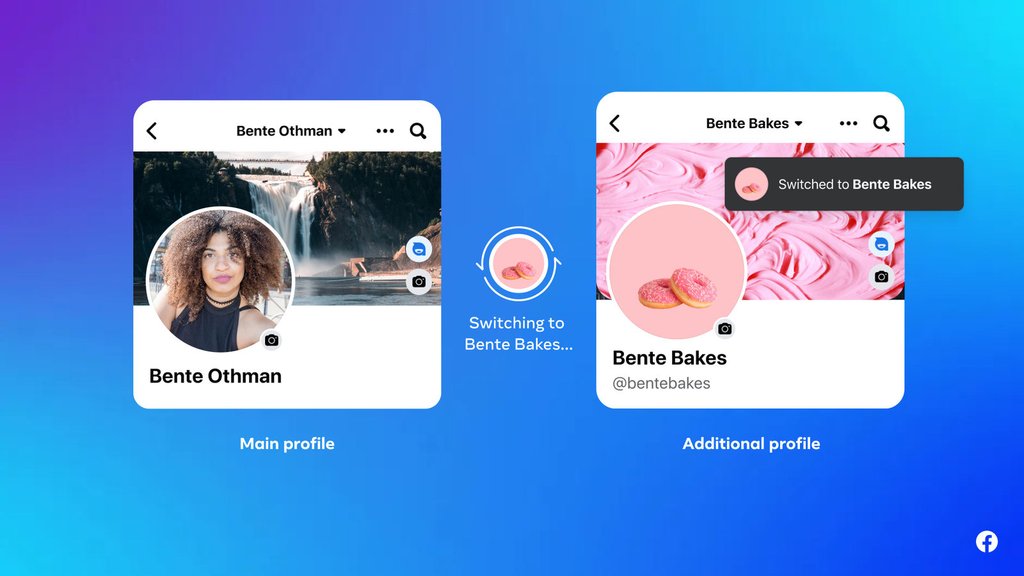
That separate Facebook profile you use for work contacts or a hobby group has an expiration date. Meta is ending the feature, putting years of posts, photos and connections at risk.
The company announced on November 12, 2026, that it will permanently delete additional Facebook profiles after December 14. The change ends a feature introduced in 2023 that allowed users to maintain multiple personal profiles under one account. Main Facebook profiles and Pages will remain unaffected.
The deadline also affects Facebook groups administered through additional profiles. Users need to preserve their information and arrange administrator handoffs before those profiles disappear.
Facebook’s additional profiles are going away
Introduced in September 2023, the feature allowed eligible users to create up to four additional personal profiles under one account. Each could have its own name, friends list and Feed, separating work, hobbies and online communities.
Additional profiles share an account’s login credentials, unlike separately registered accounts. Switching between profiles without signing in again can be a clue, although Facebook Pages and saved accounts may also appear in the profile switcher.
In its November 12 announcement, Meta said additional profiles complicated the user experience and made Facebook harder to maintain consistently. The company began notifying affected users through email and, where applicable, in-app alerts and Feed notices. Meta has not identified any geographic exceptions.
Facebook’s official transition guidance addresses what happens to groups administered through additional profiles. Affected administrators should arrange for someone using a main profile to take over. Groups left without an administrator could be paused until a replacement is assigned.
Businesses and community organizations should check group administration and access permissions associated with disappearing profiles. Facebook Pages themselves will remain available.
Save your data and connections before December 14
Users can export information from each additional profile before deletion. Preparing downloads can take time, so requests should be submitted well ahead of the deadline.
To export your information:
- Switch profiles: Open the additional Facebook profile.
- Open Settings: Select Settings & privacy, then Settings, and open Accounts Center.
- Find your information: Under Your information and permissions, select Export your information.
- Choose what to save: Select the available information and export destination.
- Repeat: Request a separate export for every additional profile.
Check completed downloads for important posts, photos, videos and other available information. Exporting saves copies of selected data but cannot restore a deleted profile.
Users should also reconnect with friends, rejoin important groups and follow Pages from their main profile. Facebook may offer a Review connections option to assist with this process, although connections can also be reestablished manually.
After consolidating activity into a main profile, users can adjust Facebook’s Feed and Reels customization controls, review Android photo-access permissions, and explore privacy considerations in TechRepublic’s Meta AI Cheat Sheet. These settings do not transfer additional-profile content or connections.
Meta has not specified when deletions will begin after December 14, 2026. Users should complete exports, reconnect important contacts and transfer group administration before the deadline. Once deleted, additional profiles will no longer be available.
Read more: Businesses selling through Facebook can explore Meta’s AI-powered Marketplace Seller app, which offers listing and inventory tools separate from the retiring additional-profile feature.