


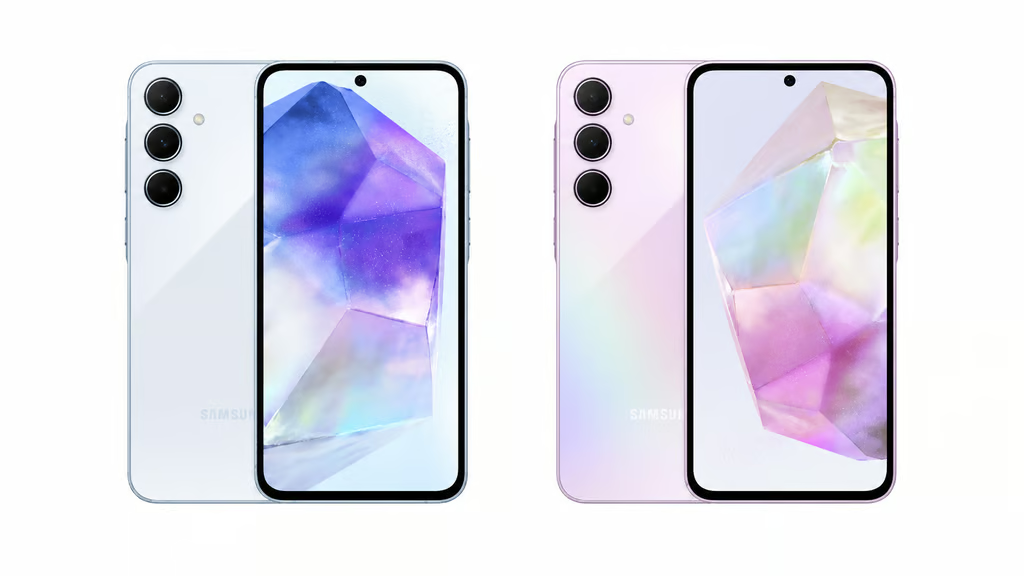
Samsung’s Galaxy A55 and A35 are receiving Android 17 through One UI 9, but the first confirmed stable rollout is limited to South Korea. Owners elsewhere have no confirmed release date.
The update began reaching beta participants in South Korea on October 21, 2026, bringing new privacy controls, interface customization and accessibility improvements to both 2024 midrange phones. Wider availability has not been announced.
The release extends the software lifespan of both devices, but regional differences complicate upgrade planning. IT administrators must also account for application compatibility before deploying the new operating system across managed phones.
Galaxy A55 and A35 rollout begins in South Korea
Samsung’s Galaxy A55 firmware record confirms build A556SKSUBEZJ1 for the Galaxy Quantum5, the South Korean version of the A55. Its published firmware information for the Galaxy A35 identifies build A356NKSUAEZJ2. Both releases carry the October 5, 2026, security patch.
SamMobile’s rollout coverage identifies South Korean beta participants as the first A35 recipients. The combined rollout report also confirms beta-first availability for the A55. Neither phone has a confirmed worldwide rollout schedule, and availability may vary by country, carrier and model.
Both phones launched with Android 14 in 2024. Samsung promised four generations of operating system upgrades and five years of security updates, making Android 17 their third major OS upgrade.
Older Galaxy phones have different support limits. The Galaxy S22 series, for example, is expected to miss Android 17 after reaching the end of its promised major upgrade cycle.
One UI 9 brings privacy and interface changes
Samsung’s release notes identify several improvements. Quick Settings now supports resizing brightness and volume sliders and media controls. A new Warranty and care section provides easier access to warranty information and device diagnostics.
Privacy controls include a blue indicator when an app accesses location data. Users can identify the app through Quick Settings. New shortcuts let users activate secure locking using hardware buttons or Quick Settings, temporarily disabling biometric unlocking until they authenticate with their PIN, password or pattern.
Accessibility improvements include text-enlargement options, physical-keyboard shortcuts and screen-reading enhancements. The default lock-screen clock also adjusts its appearance to the wallpaper.
The update does not guarantee every flagship Galaxy AI feature. Samsung has not confirmed the full suite for either model, including AI-powered Privacy Alerts, which is separate from the location-access indicator included in these releases.
Before deploying One UI 9 across managed phones, IT teams should test mobile device management policies, VPN connections, single sign-on and business applications. They should also verify installed security patch levels against Samsung’s October security fixes.
Users can check availability through Settings > Software update > Download and install. Backing up important data before upgrading is advisable.
With stable firmware confirmed for both Korean variants, attention turns to international availability. Organizations should verify updates for their specific models before scheduling fleet-wide deployments.
Read more: Long-term software support can affect replacement decisions. See how Samsung and OnePlus compare on update longevity.