


Google is rolling out Gemini AI in Chrome, calling it the browser’s largest update to date. The integration puts AI directly into the browser.
According to the company, Gemini is live first in the US on desktop for Mac and Windows users and is designed to streamline tasks, boost security, and make navigating the web more intuitive.
Chrome’s new AI-powered tools and protections
The Chrome update bundles a range of tools powered by Gemini, combining browsing assistance with stronger safeguards against scams, spam, and compromised logins.
Gemini built into Chrome
With the AI assistant now integrated directly into the browser, users can clarify information, summarize articles, and ask questions without switching tabs. Gemini in Chrome is distinct from the standalone Gemini web app, giving users a floating window inside the browser to chat, share a page, or stop sharing at any time.
Multi-tab summaries
Users can pull details from multiple open tabs into a single view, making it easier to compare options and reach decisions quickly.
Integrated Google apps
Calendar, YouTube, and Maps now link more seamlessly through Gemini, allowing users to schedule meetings or jump to specific video moments. With user permission, Gemini can also connect to Workspace apps like Gmail, Docs, and Calendar to help draft, summarize, or schedule directly.
AI Mode in the address bar
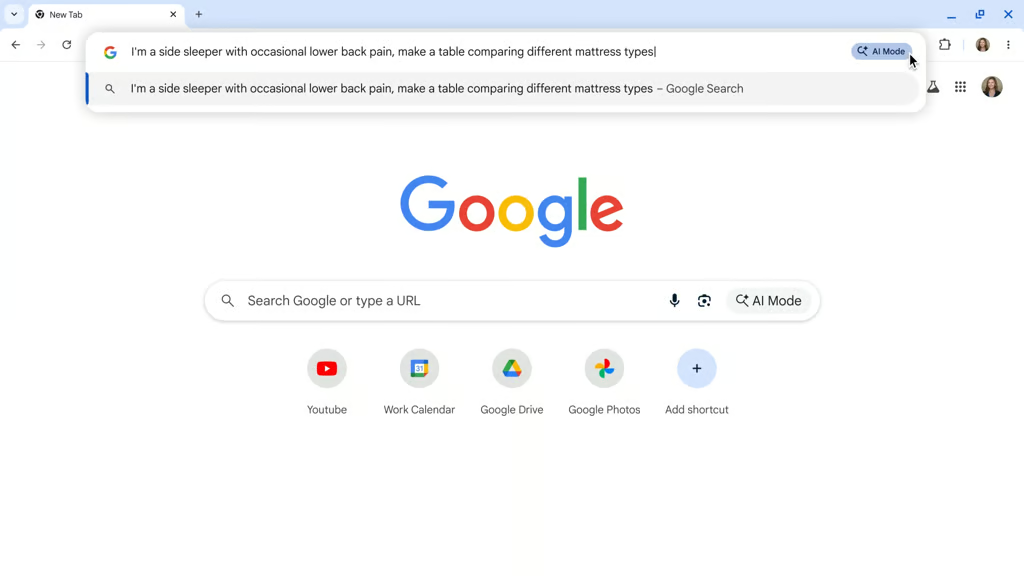
The Omnibox has been upgraded with an AI search mode that handles longer questions and follow-ups, providing contextual answers in real time.
Page-aware answers
While browsing, users can see summaries and suggested questions based on the page they’re viewing, helping them grasp key points without leaving the site.
Scam detection with Gemini Nano
Enhanced protections rely on Gemini Nano to spot fake virus alerts, tech support scams, and other deceptive sites, strengthening browsing safety.
Smarter notifications and permissions
AI is used to filter spammy notifications and anticipate when users are unlikely to grant site permissions, reducing intrusive pop-ups.
One-click password changes
If saved credentials are compromised, Chrome can now assist with resetting passwords on supported sites in a single step, improving account security.
In the coming months, Google plans to expand Gemini’s role in Chrome beyond information and security tools; the assistant will be able to take on routine web tasks, from booking appointments to ordering groceries, directly on sites, cutting down on repetitive clicks. It will also add the ability to recall previously visited pages on request, making it easier for users to pick up where they left off without searching through their history.
More Google coverage
- New Google Search AI Mode is ‘Total Reimagining,’ Says CEO Sundar Pichai
- In Major Ruling, Judge Finds Google ‘Willfully Acquired and Maintained Monopoly Power’ Over Digital Ad Market
- Google’s Big Bet on Nuclear Energy: ‘The Race to Power AI-Driven Data Centers is Accelerating’
- Computer History Museum Releases Original AlexNet Code: Why It Matters
Safeguards and staged availability
Google emphasized that Gemini in Chrome will only activate when users choose, describing the assistant as opt-in and controllable. Activity can be managed, deleted, or turned off at any time, with the company stressing that the AI “assists only when you ask.”
Users must opt in the first time they enable Gemini in Chrome, and the feature is not available in Incognito mode. Visual cues such as glowing page edges and a tab icon indicate when content is being shared.
The release begins with US desktop users on Mac and Windows who have Chrome set to English, with enterprise access to follow in the coming weeks. Support for Android and iOS will arrive soon after.
To qualify, users must be 18 or older, signed into the latest version of Chrome, and not browsing in Incognito. For work or school accounts, access must also be enabled by an administrator.
Upgrades across search, workspace, and beyond
The Chrome upgrade is one piece of a broader push by Google to bring new capabilities into its most-used products.
Search now includes overviews, deeper query handling, and the ability to call local businesses on a user’s behalf. In Workspace, Drive now links directly to Google Vids, allowing users to edit clips, add captions, and build short videos without leaving the platform.
These updates show Google’s drive to reinvent its core services, building new capabilities directly into tools people use every day.
Google is pairing product innovation with geographic reach, committing almost $7 billion to expand in the UK.