


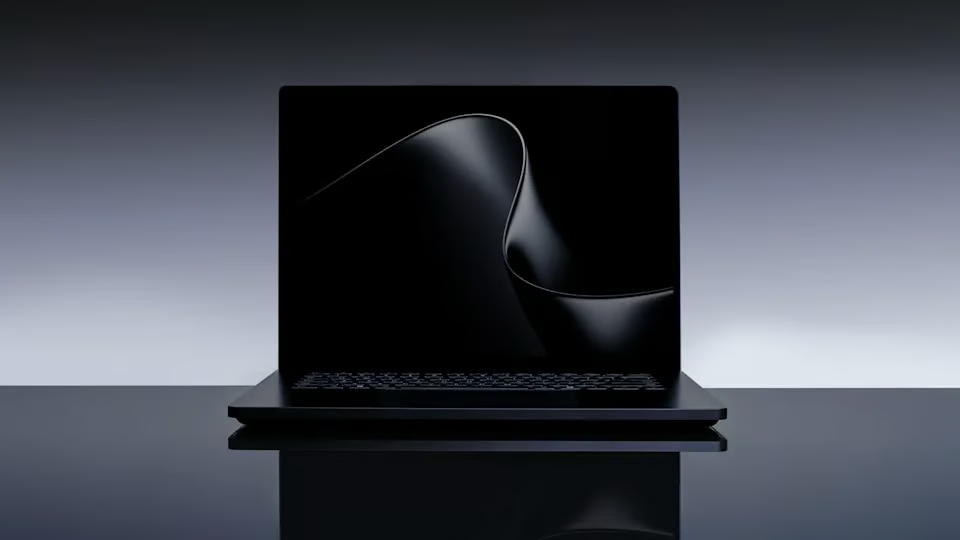
Microsoft’s most powerful Surface laptop now has a price and a release date, and it is aimed squarely at people who want workstation-class AI power without giving up portability.
Microsoft opened preorders for the Surface Laptop Ultra on Oct. 7, with prices starting at $2,599.99 and availability beginning Oct. 16. Built around Nvidia’s new RTX Spark platform, the laptop can be configured with up to 128GB of unified memory and is designed to run large AI models directly on the device.
The hardware gives Microsoft a new flagship at the top of a Surface lineup that has increasingly split between thin Copilot+ PCs and machines built for demanding local AI, development, and creative workloads.
Nvidia RTX Spark brings up to 128GB of unified memory
The centerpiece is the Nvidia RTX Spark N1X, which combines an Nvidia Grace CPU with a Blackwell RTX GPU.
According to Microsoft’s Surface announcement, configurations include an RTX Spark N1X featuring a CPU with up to 20 cores and a Blackwell RTX GPU with up to 6,144 GPU cores, as well as up to 128GB of unified memory.
Microsoft says the platform can run AI models with more than 120 billion parameters locally, while select configurations deliver up to 1 petaflop of peak AI compute. The one-petaflop figure refers to theoretical FP4 AI performance with sparsity, so it should not be taken as a measure of performance across all workloads.
Keeping more AI processing on the PC could be useful for developers and other professionals who want to experiment with models without sending every workload to cloud infrastructure. Nvidia has also been expanding its tools for distributing AI workloads across local hardware, including its PAIR technology for sharing AI workloads across PCs and Macs.
Microsoft is positioning the Surface Laptop Ultra for more than AI. The RTX hardware is also designed for development, creative applications, and gaming.
Surface Laptop Ultra starts at $2,599 but can climb past $5,000
The entry-level Surface Laptop Ultra costs $2,599.99 and includes an 18-core CPU, a 5,120-core GPU, 24GB of unified memory, and a 512GB SSD, according to Microsoft’s configuration page.
Here is how the Surface Laptop Ultra scales across its major hardware options:
| Specification | Entry configuration | Maximum available |
|---|---|---|
| CPU | 18-core Nvidia Grace | 20-core Nvidia Grace |
| GPU | 5,120-core Blackwell RTX | 6,144-core Blackwell RTX |
| Unified memory | 24GB | 128GB |
| Storage | 512GB SSD | 2TB SSD |
| Price | Starts at $2,599.99 | Up to $5,899.99* |
*The $5,899.99 configuration pairs the 20-core CPU and 6,144-core GPU with 128GB of unified memory and a 1TB SSD. Microsoft separately offers a 2TB configuration with 64GB of unified memory for $4,699.99.
That puts the Laptop Ultra in a substantially different price bracket from Microsoft’s more conventional Surface machines. Microsoft recently introduced a 13-inch Surface Laptop powered by Qualcomm’s Snapdragon X2 Plus, while a recent TechRepublic comparison found that the Surface Laptop X2 Plus starts at a higher price than Apple’s MacBook Air M5.
The Laptop Ultra pushes Microsoft’s hardware ambitions much further upmarket.
Microsoft built the rest of the laptop around sustained performance
The Nvidia chip is paired with a 15-inch mini-LED PixelSense Ultra touchscreen with a 3:2 aspect ratio and up to 2,000-nit peak HDR brightness, according to Microsoft’s Surface Laptop Ultra specifications.
Microsoft says its new thermal architecture provides up to 2.5 times more thermal power capacity than its current Surface laptops. The Surface Laptop Ultra remains under 18 mm thick and weighs less than 4.5 pounds.
It also includes three USB-C ports, a USB-A port, HDMI, a 3.5mm headphone jack, and a full-size SD card reader. Microsoft has introduced a magnetic USB-C charging cable for the machine, while the USB-C ports can still be used for data, displays, and other accessories.
One limitation for Surface users is the lack of pen support. Despite having a touchscreen, Microsoft says the display is designed for touch interaction only and does not support the Surface Pen or Surface Slim Pen.
What the Surface Laptop Ultra means for Windows buyers
For organizations evaluating high-performance Windows laptops, the Surface Laptop Ultra introduces another option between conventional business notebooks and dedicated AI workstations. Its ability to run larger models locally could be particularly useful for developers, AI professionals, and creative teams.
Before spending $2,599 or more, buyers should consider:
- Local AI needs: Teams running or testing large AI models locally have a stronger case for the additional memory and GPU performance.
- Workload requirements: Developers, engineers, and creative professionals are more likely to benefit from RTX hardware than employees who primarily use productivity and browser-based applications.
- Cloud dependence: Organizations looking to keep certain AI workloads on local hardware may find the additional compute particularly useful.
- Cost: With configurations approaching $6,000, buyers should determine whether those workloads justify the premium over less expensive Surface PCs or other Windows workstations.
For most everyday business users, Microsoft’s less expensive Surface hardware will likely provide more computing power than they need. But for buyers already considering high-end mobile workstations for AI development, engineering, or creative work, the Surface Laptop Ultra offers a new Windows option to evaluate when it becomes available on Oct. 16.
Also read: For more on the platform powering Microsoft’s new laptop, see how Nvidia and Microsoft are bringing RTX Spark PCs to Windows for local AI workloads.