


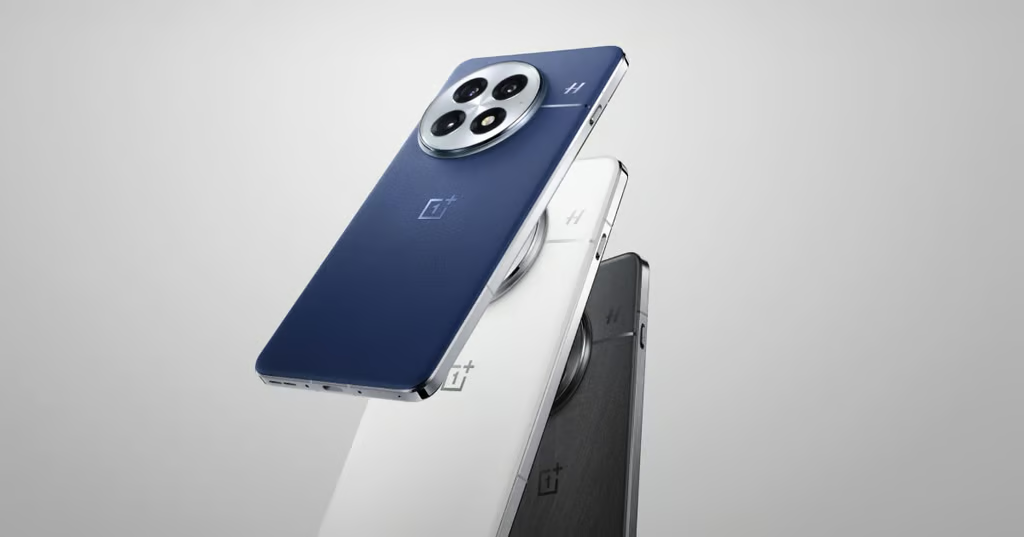
Your phone might be eligible for Android 17, but that doesn’t mean the update is coming anytime soon.
Google released Android 17 on June 16, 2026, but Samsung, OnePlus, Nothing, Motorola, and other manufacturers are following their own rollout schedules. Some devices already have the update, while others may wait until 2027.
Here’s which phones are eligible, when updates are expected, and what to know before installing Android 17.
- Which phones are getting Android 17?
- Google Pixel Android 17 update: Which phones are supported?
- Samsung Android 17 update: One UI 9 reaches more Galaxy phones
- OnePlus Android 17 update: ColorOS 17 arrives ahead of schedule
- Nothing Android 17 update: Nothing OS 5 expands
- Motorola Android 17 update: Razr and Edge devices
- Realme Android 17 update: ColorOS 17 extends into 2027
- What’s new in Android 17?
- How to check for Android 17
- Should you install Android 17 immediately?
- What if your phone isn’t getting Android 17?
- What happens next?
Which phones are getting Android 17?
According to Google’s announcement, Android 17 initially launched for supported Pixel devices, with other manufacturers distributing their own versions afterward.
Here’s the rollout status as of Nov. 4, 2026.
| Manufacturer | Eligible devices and rollout status |
|---|---|
| Google Pixel | Pixel 6 through Pixel 11 families, original Pixel Fold, and Pixel Tablet; support varies by model |
| Samsung | Galaxy S26, S25, S24, S23, selected Z Fold, Z Flip, and Galaxy A devices; One UI 9 rollout underway |
| OnePlus | OnePlus 15, 15R, 13 series, 12, 11, and selected Nord devices; ColorOS 17 rolling out through early 2027 |
| Nothing | Phone (3), (4a), (3a), selected (2a) and CMF devices; Nothing OS 5 rollout underway |
| Motorola | Selected Razr and Edge devices; Android 17 reaching additional models |
| Realme | Selected GT, number-series, P-series, and Narzo devices; ColorOS 17 rollout extending into 2027 |
Important: Eligibility does not guarantee immediate availability. Release dates can vary by country, carrier, and device variant. Software support commitments also differ by model.
Google Pixel Android 17 update: Which phones are supported?
Google began distributing Android 17 on June 16. Its Pixel support policy covers the following device families:
- Pixel 11, 10, 9, 8, 7, and 6 series
- Original Pixel Fold
- Pixel Tablet
Pixel 8 and newer phones generally receive seven years of operating system and security updates, while several earlier models receive five years.
Pixel 6 and Pixel 6 Pro reach support deadline
The original Pixel 6 and Pixel 6 Pro launched in October 2021, with their scheduled five-year support window ending in October 2026.
However, this does not independently confirm that Google has stopped distributing security patches. Owners should check their installed security patch level and Google’s latest support information.
The Pixel 6a has a different support timeline.
Google’s policy also includes the Pixel 11, Pixel 11 Pro, Pixel 11 Pro XL, and Pixel 11 Pro Fold. However, the June Android 17 announcement predates those devices and does not independently establish their rollout status.
Pixel owners can check for updates through Settings > System > Software updates.
Samsung Android 17 update: One UI 9 reaches more Galaxy phones
Samsung announced its wider One UI 9 rollout on Sept. 16, beginning with the Galaxy S26 series. The software previously debuted on the Galaxy Z Fold8 Ultra, Fold8, and Flip8.
Samsung’s Hong Kong rollout schedule, updated Oct. 28, provides these dates:
| Galaxy devices | Hong Kong rollout |
|---|---|
| S26 series | Sept. 30 |
| S25 series | Oct. 12 |
| S24 series | Oct. 21–22 |
| S23 series | Oct. 22 |
| Z Fold7, Fold6, Fold5 | October |
| Z Flip7, Flip6, Flip5 | October |
| A55, A35 | Late October |
| A54, A34, A25, A16, A15 | November |
These dates apply to Hong Kong, not worldwide availability.
For additional details, see TechRepublic’s Samsung Android 17 guide.
Samsung users can check Settings > Software update > Download and install.
OnePlus Android 17 update: ColorOS 17 arrives ahead of schedule
OnePlus began distributing stable Android 17-based ColorOS 17 updates in India earlier than originally announced.
The OnePlus 15 and Pad 4 began receiving updates Oct. 23, ahead of their original Oct. 29 schedule. Android Authority reported that the OnePlus 15R, 13, 13s, and 13R were delayed to Oct. 27. The first three were originally scheduled for Oct. 30, while the 13R had been scheduled for November.
| Rollout period | OnePlus devices |
|---|---|
| Oct. 23 | OnePlus 15, Pad 4: stable rollout began in India |
| Oct. 27 | OnePlus 15R, 13, 13s, 13R: stable rollout began in India |
| November 2026 | OnePlus Open, 12, Nord 6, Nord CE6, Pad 3 |
| December 2026 | OnePlus 12R, 11, Nord 5, Nord CE5, Nord CE6 Lite, selected tablets |
| January–March 2027 | OnePlus Nord 4, N6 family, Pad Lite |
Future dates represent announced windows, not confirmed availability.
What about OnePlus users outside India?
The initial stable releases were reported in India. OnePlus owners in North America and Europe should check their device’s regional support information before assuming the same schedule applies.
Software branding, availability, and supported upgrade or rollback procedures may differ by market. A OnePlus business adjustment notice has been published, but its detailed terms could not be independently verified. It should not be treated as confirmation of specific regional software arrangements.
Before upgrading, users should back up important files and confirm which operating system is supported. Downgrading software can erase device data.
See TechRepublic’s OnePlus rollout guide for additional details.
Nothing Android 17 update: Nothing OS 5 expands
Nothing began distributing stable Android 17-based Nothing OS 5 on Oct. 12.
According to its official announcement, the release included the Phone (3), Phone (4a), Phone (4a) Pro, Phone (3a), and Phone (3a) Pro. However, Nothing’s separate rollout calendar lists early November for the Phone (4a) and Phone (3a) families.
| Nothing device | Rollout status |
|---|---|
| Phone (3) | Stable rollout began Oct. 12 |
| Phone (4a), (4a) Pro, (3a), (3a) Pro | Included in Oct. 12 announcement; official rollout calendar lists early November |
| Phone (2a), (2a) Plus | Mid-November 2026 |
| Phone (3a) Lite | Late December 2026 |
| Phone (4b) | Open beta expected mid-December; stable release targeted for mid-January 2027 |
| CMF Phone 2 Pro | Mid-January 2027 |
These dates are indicative and may change. The Phone (4b)’s mid-December window refers to beta software, not a stable release.
Nothing says Phone (1), Phone (2), and CMF Phone 1 will not receive Nothing OS 5 because they have reached the end of major software support.
Users can check Settings > System > System update.
For more information, see TechRepublic’s Nothing OS 5 guide.
Motorola Android 17 update: Razr and Edge devices
Motorola has expanded the availability of Android 17 to select Razr and Edge smartphones.
According to PhoneArena, four devices were receiving the update in the US as of Oct. 7:
- Razr Ultra (2026)
- Motorola Signature
- Edge 60 Fusion
- Edge 60 Pro
The Motorola Signature was also reported to be receiving Android 17 in India.
Availability varies by region and carrier. Motorola owners should check the company’s software update support page for their exact model.
Realme Android 17 update: ColorOS 17 extends into 2027
Realme has announced an Android 17-based ColorOS 17 rollout, replacing its previous Realme UI branding. According to FoneArena, the rollout began Oct. 29.
| Rollout period | Realme devices |
|---|---|
| Oct. 29 | GT 8 Pro, GT 8 Pro Dream Edition |
| Oct. 30 | GT 7 Pro, Realme 16 Pro+, Realme 16 Pro |
| November 2026 | Selected GT 7, Realme 16, Realme 15, P4, Narzo 90 devices |
| December 2026 | Additional GT, number-series, P-series, Narzo devices |
| First quarter 2027 | Remaining selected eligible devices |
These are announced rollout windows rather than confirmation that each device has received the update.
Owners should verify availability through Realme’s official community or their device’s update settings.
What’s new in Android 17?
Android 17 introduces several productivity, privacy, security, and performance improvements.
- Multitasking: App bubbles and a bubble bar help users switch between applications, particularly on larger screens.
- Privacy: New controls allow more selective sharing of location information and contacts.
- Security: Additional protections help safeguard devices against unauthorized access.
- Screen recording: Screen Reactions lets users capture their reactions using the front-facing camera.
- Performance: Memory-management changes aim to improve efficiency and reduce interruptions.
Google’s developer documentation also details changes affecting background audio, Bluetooth behavior, and application compatibility.
Feature availability depends on the device, hardware, and manufacturer’s implementation.
How to check for Android 17
Most Android phones let users check for updates directly:
- Open Settings.
- Select System or Software update.
- Choose Check for updates or Download and install.
- Review the available update and follow the instructions.
Samsung users can generally navigate to Settings > Software update, while Pixel owners can use Settings > System > Software updates.
If Android 17 isn’t available, your device may still be waiting for its regional or carrier rollout. Avoid installing unofficial firmware to bypass the schedule.
Should you install Android 17 immediately?
For most users, installing a stable Android 17 update is reasonable after backing up important data.
However, business users and organizations should take additional precautions.
| Situation | Recommended action |
|---|---|
| Personal phone | Back up files and review release notes |
| Work phone | Confirm essential apps are compatible |
| Company-managed device | Follow IT deployment policies |
| Beta software | Consider stability and compatibility risks |
| Older device | Verify remaining security support |
For IT administrators, the most important steps are testing business applications, monitoring security patches, and reviewing device replacement schedules.
Android version and security support are separate considerations. A phone may continue receiving security patches without the latest major Android release, depending on the manufacturer’s policy.
Organizations should also verify compatibility with mobile device management tools, VPNs, and authentication applications before approving widespread upgrades.
What if your phone isn’t getting Android 17?
A phone that isn’t eligible for Android 17 doesn’t necessarily need an immediate replacement. The key question is whether the manufacturer continues providing security patches.
If security support has ended, replacing the device may be advisable, particularly for phones used to access sensitive personal information or corporate systems.
For Pixel 6 and Pixel 6 Pro owners, the scheduled five-year support window ended in October 2026. However, that date alone does not prove Google has stopped distributing patches.
Owners should check their installed security patch level and the manufacturer’s latest support guidance.
What happens next?
Android 17 will continue to reach additional devices through early 2027, with availability depending on manufacturers’ schedules, regions, and carriers.
Before upgrading, confirm that your exact model is eligible, check whether a stable release is available, and back up important data.
For businesses, testing essential applications and tracking security support will help prevent unnecessary disruption.
The bottom line: Android 17 brings useful improvements, but installing it should depend on device compatibility, stable availability, and remaining security support.
For readers wondering whether their current Galaxy phone will receive Android 17, TechRepublic examines which Samsung devices may miss the update and what that means for long-term software support.