


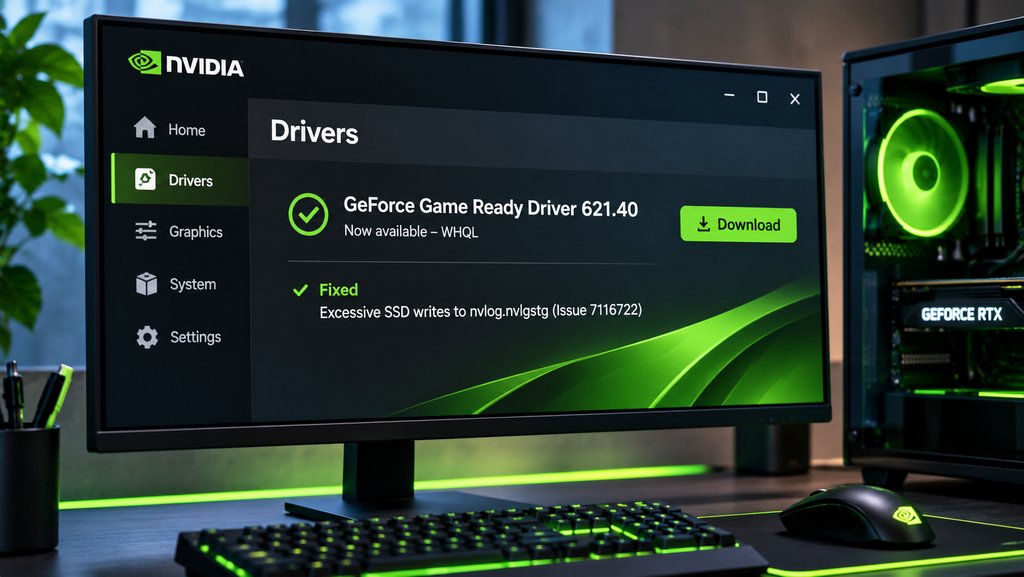
A graphics driver shouldn’t be writing gigabytes of unnecessary data to your SSD while your PC sits idle. But that’s what some Nvidia users reported after recent GeForce updates, and the company’s first attempt to fix the problem didn’t stop every complaint.
Nvidia released GeForce Game Ready Driver 621.40 on Nov. 24, adding a fix for excessive background writes to a logging file called nvlog.nvlgstg. The new WHQL-certified driver follows an emergency 621.35 hotfix released Nov. 20, which reduced the activity for at least one user but didn’t eliminate it.
The latest release gives affected users another option beyond rolling back to an older driver. Nvidia lists the problem as fixed, although early user reports are mixed, and a complete list of affected graphics cards hasn’t been established.
What caused the Nvidia SSD-writing bug?
Reports began appearing after Nvidia released GeForce drivers 621.14 and 621.24 in November.
The problem involves a background process called NVDisplay.Container.exe, which was repeatedly writing data to an Nvidia log file even when computers weren’t actively running games.
Some users reported write volumes approaching 30GB per hour, according to PC Gamer’s investigation.
The first hotfix, version 621.35, appeared to improve the situation without reliably stopping it.
In one documented test involving a GeForce RTX 4090, the system initially showed minimal logging activity after the update. But after roughly nine hours of idle time, the Nvidia process had written 40.85GB, while the SSD’s own counters recorded approximately 36GB of additional writes.
That result came from one system, not a controlled test across multiple GPUs. It doesn’t establish that every RTX 4090 experiences the same problem.
Which Nvidia graphics cards are affected?
The RTX 4090 is among the cards with documented reports. An Nvidia representative said the original issue didn’t affect GeForce RTX 50-series cards, although some owners subsequently reported similar disk activity.
Nvidia hasn’t published a complete model-by-model list of affected GPUs.
The new 621.40 driver supports multiple generations, including GeForce RTX 20-, 30-, 40-, and 50-series cards. That compatibility list shouldn’t be mistaken for a list of confirmed affected hardware.
Nvidia has also included the SSD-write correction in its Studio Driver 621.40 and RTX Enterprise driver releases.
Excessive logging can add unnecessary writes to an SSD and potentially affect performance. However, it doesn’t mean an affected drive is about to fail.
Actual wear depends on the volume and duration of writes and the drive’s endurance rating. Those ratings vary by model and capacity, as illustrated in our comparison of two high-end SSDs.
How to check your PC and update safely
Nvidia’s official 621.40 release notes identify the SSD-writing fix as issue 7116722. The driver supports Windows 10 and Windows 11.
If you’re running 621.14, 621.24, or the earlier 621.35 hotfix, there are several things worth checking.
1. Confirm your installed driver version.
Open the Nvidia app and check the Drivers section. You can also run nvidia-smi from Command Prompt if the utility is installed.
The Nvidia app is now the main place to manage GeForce updates following the retirement of Nvidia Control Panel as the primary management interface.
2. Look for unusual disk activity.
Press Windows + R, type resmon, and open the Disk tab in Resource Monitor.
Look for sustained writing by NVDisplay.Container.exe, particularly activity involving nvlog.nvlgstg.
A few brief writes aren’t enough to establish a problem. Watch what happens while the computer is idle, preferably without downloads, games, or other storage-heavy tasks running.
3. Check again after extended idle time.
The earlier 621.35 hotfix initially appeared successful in at least one test before excessive writes returned hours later.
After updating, check disk activity shortly after restarting and again following several hours of normal use or idle time.
For a more reliable measurement, compare the SSD’s total host-write counters using a drive-monitoring utility. This helps distinguish actual writes to the drive from activity reported by a single process.
4. Choose the appropriate driver.
For supported GeForce systems, 621.40 is the current WHQL-certified release containing Nvidia’s correction.
Users running Studio or RTX Enterprise drivers should select the matching release rather than installing a different driver branch solely to address this issue.
Laptop owners should also check their manufacturer’s driver recommendations before updating.
If excessive writes continue, record the installed version, GPU model, and observed activity before reporting the problem to Nvidia.
Some users previously reduced the writes by returning to driver 621.01. However, rolling back can remove later fixes or introduce compatibility problems, particularly on newer hardware. It shouldn’t be treated as a universal solution.
Avoid disabling Nvidia services or changing undocumented registry settings simply to stop the writes. Those changes can interfere with graphics-driver features and complicate troubleshooting.
For organizations managing multiple Nvidia-equipped PCs, test the new driver on a representative system before wider deployment. Driver compatibility problems have previously led to paused Windows updates on certain hardware configurations.
Nvidia has now included the logging correction in a standard certified driver rather than leaving users dependent on an optional hotfix.
The practical test is whether NVDisplay.Container.exe stops generating abnormal write volumes over time. Check the installed driver, monitor a quiet period, and confirm the result before considering the problem resolved on your machine.
Also read: Nvidia’s earlier shader-stutter driver update introduced support for precompiled shaders in compatible RTX games, aiming to reduce interruptions during play.