

As more organizations rely on internet-based communications, cloud phone systems have become the go-to alternative to traditional PBX hardware and on-premise VoIP. By eliminating costly servers and the need for constant upkeep, cloud systems make it easier to scale operations, support remote teams, and unlock advanced features such as call routing, analytics, and third-party integrations.
With lower costs, greater mobility, and streamlined management, cloud phone systems represent the future of unified communications. Therefore, this guide breaks down the five best providers in 2025 so you can identify the right fit for your business.
- Best overall cloud phone system: Nextiva
- Best for apps and integrations: RingCentral
- Best for affordable plans: Zoom Phone
- Best for AI-powered calling: Dialpad
- Best for international calling: 8x8
How the best cloud phone systems compare in 2025
|
|||
|
|||
|
|||
|
|||
|
Nextiva: Best overall cloud phone system
My rating: 4.63 out of 5

Why I chose Nextiva
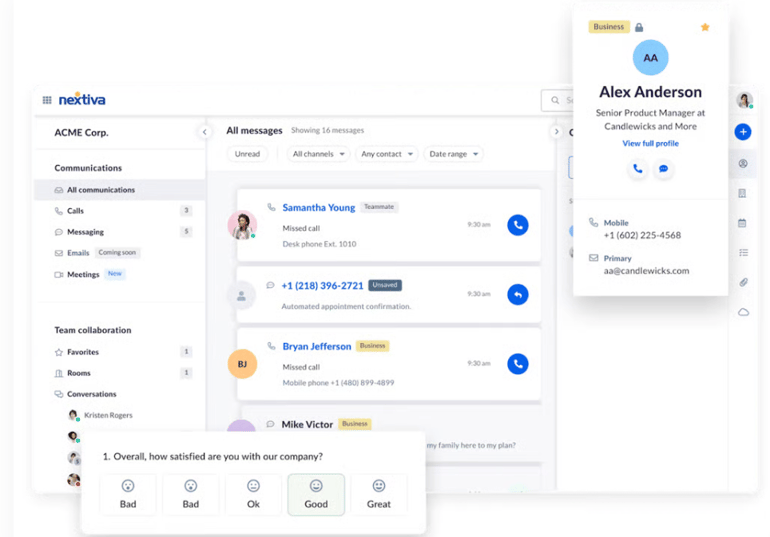
Nextiva tops my list of cloud phone systems because it is a go-to solution for unified communications as a service (UCaaS). With Nextiva, you get built-in CRM capabilities, powerful analytics, and productivity-enhancing features all in one place. This means organizations can effortlessly centralize customer engagement, eliminating the hassle of relying on third-party integrations for even the most basic functions.
But what truly distinguishes Nextiva is its innovation in customer experience (CX). While many cloud phone providers offer over-the-top features and lists of integrations, Nextiva prioritizes delivering dependable reliability and outstanding service. With consistent uptime and call quality, small to medium-sized businesses can operate seamlessly with Nextiva’s combination of reliable service and CX features.
For more details, check out our in-depth Nextiva review.
Pros and cons
| Pros | Cons |
|---|---|
| Native CRM tools reduce dependency on third-party apps | International calling requires add-ons |
| User-friendly interface with strong onboarding resources | Doesn’t offer as many integrations as other providers |
| Smart call routing and web-based agents powered by artificial intelligence |
Visit Nextiva
Pricing
- Core: $23/user billed monthly, $15/user/month billed annually
- Engage: $50/user billed monthly, $25/user/month billed annually
- Powersuite: $75/user billed monthly
- Nextiva also offers contact center subscriptions with multiple pricing options, starting at $75/agent/month.
Features
- Unlimited calling in the US and Canada
- Team messaging and video conferencing with collaboration tools
- Cloud contact center subscription for cross-channel communications (voice, SMS, chat, and email)
- Call analytics and customer journey tracking with a shared digital inbox
- Free number porting and toll-free numbers included
- Mobile and desktop apps for iOS, Android, Windows, and macOS
RingCentral: Best for apps and integrations
My rating: 4.62 out of 5

Why I chose RingCentral
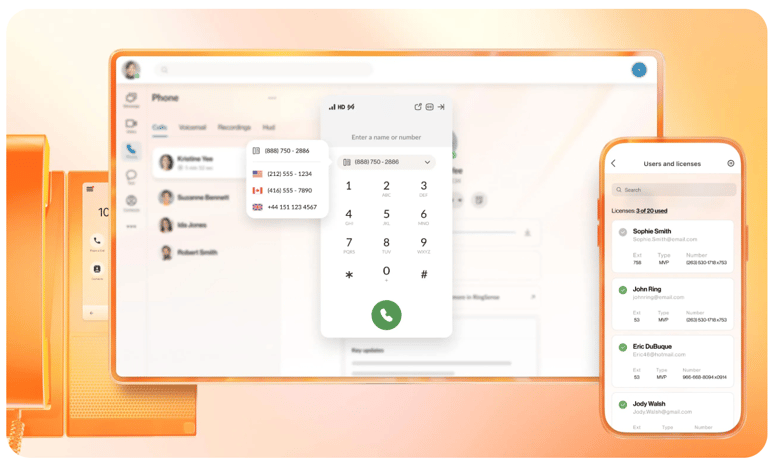
RingCentral has long been a leader in the VoIP and cloud phone industry. In 2025, it continues to hold that position by offering one of the widest ranges of integrations. With over 500 business applications, RingCentral is the preferred provider for organizations that rely heavily on third-party tools like Salesforce, Microsoft Teams, and Slack. This makes it a must for IT professionals responsible for aligning communication systems with existing workflows.
As a unified communication platform, a RingCentral subscription also includes video meetings, team messaging, analytics, and AI-powered transcription. For hybrid teams, this means you no longer have to use multiple disconnected platforms. And, although the learning curve may be slightly steeper, the reward is a highly customizable system that can adapt to your unique needs.
For more details, check out our RingCentral review.
Pros and cons
| Pros | Cons |
|---|---|
| Over 500+ third-party apps and integrations | Limited SMS messaging across the business plans |
| Unified communication platform with video conferencing and team collaboration tools | Automatic call recording isn’t available on the Core plan |
| Artificial intelligence assistance with meeting insights and call transcription | It can be complex to navigate for new users |
Visit RingCentral
Pricing
RingCentral provides two distinct subscription plans tailored to different needs. The first plan is primarily designed for business phone services, while the second plan includes subscriptions specifically for cloud contact centers, catering to organizations that require comprehensive communication solutions.
RingEX business phone plans
- Core: $30/user billed monthly, $20/user/month billed annually
- Advanced: $35/user billed monthly, $25/user/month billed annually
- Ultra: $45/user billed monthly, $35/user/month billed annually
Contact center plans
- Ring CX: Starts at $65/per user/month
- RingCentral Contact Center: Contact sales for pricing
Features
- Multi-level auto attendant and interactive voice response across plans
- 24/7 support and professional implementation services for smoother onboarding
- Reliable service with a 99.999% uptime SLA
- Video conferencing with HD quality and end-to-end encryption
- AI receptionist for 24/7 call answering and addressing customer inquiries
- Advanced call management features, including call recording, monitoring, and analytics
Zoom Phone: Best for affordable plans
My rating: 4.45 out of 5

Why I chose Zoom Phone
Although we mainly associate Zoom with its video conferencing software, it also offers an affordable phone system. Its pay-as-you-go metered plan starts at just $10 per user each month, making it one of the most budget-friendly options available. For businesses switching from traditional landlines, its low entry cost and workspace subscriptions make it an ideal choice.
Specifically, Zoom Phone offers seamless integration with Zoom Meetings, streamlining communication for teams already using the Zoom platform. And even though some of its advanced call management features are not available on the metered plan, Zoom’s flexible pricing makes it one of the most accessible cloud phone systems available.
Learn more by reading our Zoom Phone review.
Pros and cons
| Pros | Cons |
|---|---|
| Offers pay-as-you-go or unlimited calling | Limited native CRM integrations compared to other providers |
| Excellent global reach and local number availability | SMS message summarization requires an add-on |
| Team collaboration tools like virtual fax, video meetings, and call recordings |
Visit Zoom Phone
Pricing
- US & Canada Metered: Starts at $10/user billed monthly
- US & Canada Unlimited: Starts at $15/user billed monthly
- Global Select: $20/user billed monthly
- Users can also choose one of the Plus plans, which offer a combination of Zoom Workplace + Phone subscription, starting at $21.99/user/month.
Features
- AI companion with post-call summaries, voicemail transcription, and task extraction
- Integrates with leading contact center solutions, like Five9 and Talkdesk
- Unlimited domestic calling in over 40 countries with the Global Select plans
- Elevate any audio call to a Zoom video meeting
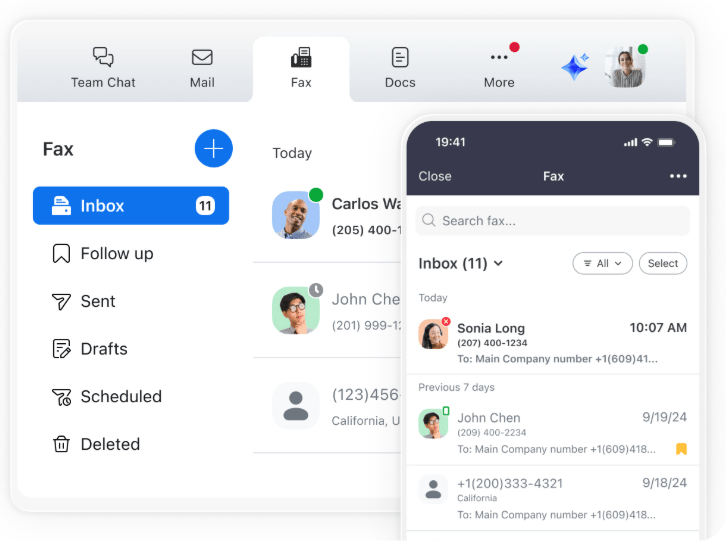
- Virtual fax is available across plans
- Local and toll-free numbers available in multiple countries
- Mobile and desktop apps with a unified Zoom experience for calls, chat, and meetings
Dialpad: Best for AI-powered calling
My rating: 4.16 out of 5

Why I chose Dialpad
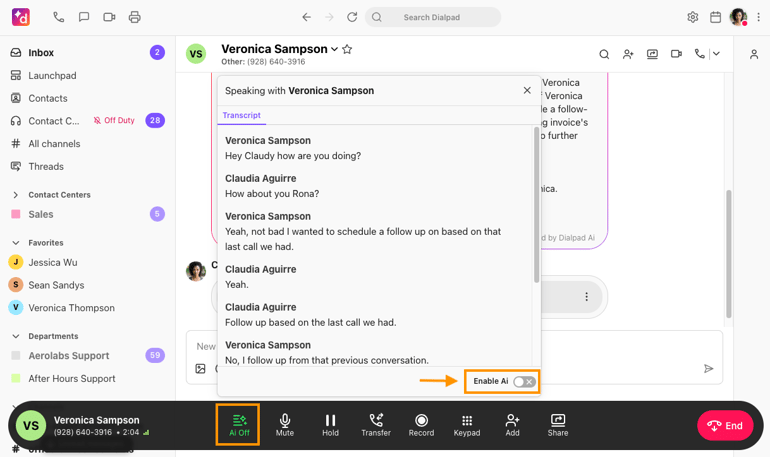
Dialpad is a leader in advancing AI-powered communication and customer service in cloud phone systems. Features like real-time call transcription, live sentiment analysis, and voicemail transcription make it easier for businesses to collect and act on information during conversations. For customer-facing teams, these tools provide actionable insights that can immediately improve service quality.
Along with its AI features, Dialpad is user-friendly and integrates smoothly with popular productivity platforms like Google Workspace and Microsoft 365, making it a good option for organizations that want advanced technology without complexity. However, international calling often needs add-ons, so it’s not always the best option for globally distributed teams.
To learn more, read our Dialpad review.
Pros and cons
| Pros | Cons |
|---|---|
| Native CRM integrations on the Pro and Enterprise plans | Additional numbers are only available on the highest-tier plans |
| AI-powered transcription and instant call summaries | International calling requires additional fees |
| Unlimited calls and meetings | Internet fax and meeting passwords are add-ons |
Visit Dialpad
Pricing
- Standard: $27/user billed monthly; $15/user/month billed annually
- Pro: $35/user billed monthly; $25/user/month billed annually
- Enterprise: Contact sales for pricing
- Dialpad also offers a contact center solution and sales solutions with AI-powered features that benefit various teams.
Features
- Customizable call routing with ring groups, call queues, and personalized working hours
- AI-powered real-time transcription, call summaries, and sentiment analysis
- Integrations with Google Workspace, Microsoft 365, Salesforce, and HubSpot
- HIPAA, GDPR, ISO, and SOC 2 Type II compliant security
- 100% uptime SLA with built-in disaster recovery
- Voicemail transcription and call recording included
- 24/7 live support available across plans
8x8: Best for international calling
My rating: 4.12 out of 5
Why I chose 8×8
8×8 is my top recommendation for international businesses. Unlike many competitors, it offers unlimited international calling to 14 countries in its entry-level plan and up to 48 countries in higher tiers. This makes it the most cost-effective option for companies that regularly communicate with international clients or have a global network of offices.
Beyond its international coverage, 8×8 offers comprehensive analytics and reporting tools, allowing IT and operations leaders to monitor usage and performance across teams easily. While many providers offer workspace integrations, 8×8 offers extensive collaboration with Microsoft Teams and provides unified communication tools through a cloud PBX platform.
If you want a deeper dive, read our 8×8 review.
Pros and cons
| Pros | Cons |
|---|---|
| Unlimited calling to up to 48 countries, depending on the plan | The user interface is less polished than that of other providers on this list |
| Native integration with Microsoft Teams | Limited native integrations compared to other cloud phone systems |
| Mix and match plans with contact center solutions, APIs, and unified communication tools | Lacks pricing transparency |
Visit 8x8
Pricing
- Contact sales for pricing on contact center solutions or unified communications subscriptions.
Features
- Contact center solution with customizable AI agents for customer self-service
- High-volume messaging tools for marketing campaigns and customer outreach
- Global presence with services and support available in 55+ countries
- Video meetings with team chat, polls, and AI-enabled meeting summaries
- No-code APIs to unify multiple communication channels and apps
- Advanced analytics and reporting dashboards for call quality and performance insights
- Native integrations with Microsoft Teams, Salesforce, and other CRM platforms
What features should I look for in a cloud phone system?
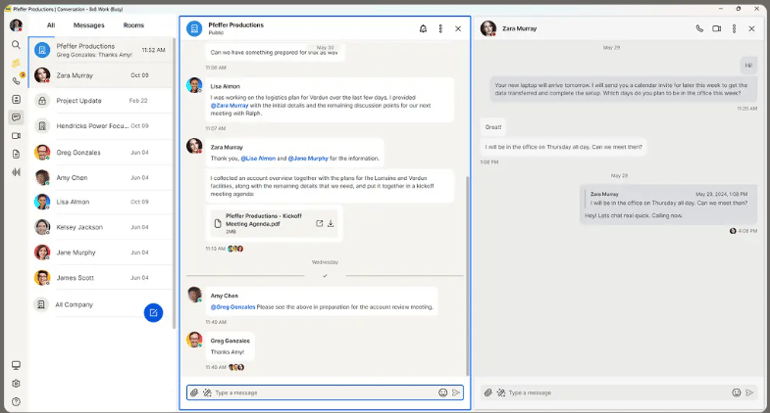
When choosing communication solutions for your business, several key features can improve efficiency and effectiveness. These include:
- Unlimited or cost-effective subscriptions: Access to calling plans that either offer unlimited talk time or are budget-friendly, allowing for greater flexibility and reduced expenses.
- Advanced call routing: Intelligent call management systems, such as interactive voice response or auto-attendants, direct calls to the appropriate team members and provide automated responses, helping streamline communications.
- Voicemail transcription and recording: The ability to convert voicemail messages into text, along with the option to record calls for future reference, makes it easier to manage communications and evaluate calls.
- Unified communications: Integrated platforms that facilitate real-time messaging and video meetings, promote collaboration among team members, regardless of their location.
- Analytics and reporting: Tools that provide insights into communication patterns and performance metrics help businesses make data-driven decisions.
- CRM integrations: Seamless integration with customer relationship management (CRM) systems and other productivity tools enhances workflow and improves customer interactions.
These features collectively build a comprehensive communication strategy that boosts team collaboration and improves customer engagement, which are the main benefits of using a cloud phone system.
How do I choose the best cloud phone system for my business?
Choosing the best cloud phone system depends on your company’s size, evolving needs, and growth plans. Based on my evaluation, each provider specializes in different use cases, so the right choice depends on your team’s priorities.
- Nextiva is ideal for businesses seeking an all-in-one platform that combines built-in CRM, analytics, and customer journey tools.
- RingCentral is the top choice for larger teams or companies that rely heavily on third-party integrations.
- Zoom Phone offers the most budget-friendly entry point and is ideal for cost-conscious organizations seeking reliable unified communications.
- Dialpad stands out with AI-powered transcription, sentiment analysis, and insights that improve call quality and customer service.
- 8×8 is the strongest option for international companies, offering unlimited global calling and robust contact center tools.
By weighing these strengths against your budget and long-term communication strategy, you can confidently choose the provider that best supports your business now and as it expands.
Methodology
When exploring the world of cloud phone systems, I looked into several key areas to find the best options. First, I focused on calling and communication features, examining both basic telephony functions and advanced options. I ensured that calls were clear, included robust voicemail-to-email features, and facilitated seamless integration with CRM tools. I also prioritized scalability and reliability, with uptime guarantees being a top concern.
Next, I compared pricing and affordability by reviewing different pricing tiers and licensing models, analyzing bundled features, and emphasizing transparency in costs and contract options. An easy-to-use interface across mobile and desktop apps was essential, so I evaluated the setup process, management tools, and daily usability, from the admin dashboard to user onboarding and performance across devices.
Customer support and provider reputation also played a key role in my review, and I examined service quality, responsiveness, and the availability of self-service resources. To conclude, I evaluated usability, value, and how well each system meets business needs, highlighting strengths and weaknesses that could influence your decision and offering my own perspective on the best use cases for each solution.