

Even if you only have one employee, running payroll still means calculating wages, withholding taxes, meeting filing deadlines, and keeping accurate records. The right software can handle much of that work without making you pay for HR features your business doesn’t need.
To find the best payroll services for one employee, I compared 16 options and narrowed the list to my top 10 picks.
| Software | Best for | Starter monthly price |
|---|---|---|
| Square Payroll | Business using Square POS | $6 per employee + $35 base fee |
| Justworks | Compliance support | $8 per employee + $50 base fee |
| QuickBooks Workforce (formerly QuickBooks Payroll) | QuickBooks users | $7 per employee + $50 base fee |
| Gusto | Ease of use | $6 per employee + $49 base fee |
| Paychex Flex | Payroll specialist support | Call for a quote |
| OnPay | Easy setup | $6 per employee + $49 base fee |
| RUN Powered by ADP | Scalability | Call for a quote |
| Patriot Payroll | Flexible pay runs | $5 per employee + $37 base fee* |
| Roll by ADP | Mobile payroll | $5 per employee + $39 base fee |
| Deel | Affordable one-employee payroll service | $29 per employee |
| *Pricing is for Patriot’s Full Service Payroll package **This is Deel’s US payroll plan |
||
Why you can trust TechRepublic
TechRepublic follows a strict editorial policy, combining rigorous research with practical analysis to help IT and business leaders make informed technology purchasing decisions.
My recommendations draw on more than eight years of reviewing HR and payroll software and 10 years working with HRIS, time tracking, and payroll systems. That experience helps me look beyond whether a software or service can issue a paycheck to how it handles tax filings, employee records, and the questions that come up when a small business runs payroll.
For this guide, I compared 16 products and selected ten using a weighted rubric. Payroll features carry the most weight, followed by pricing, platform usability, payroll services, customer support, and user reviews. I also considered what each provider offers a business paying one employee, since a feature that matters to a larger team may add little value here.
See my full methodology below.
Robie Ann Ferrer
Payroll & HR Software Expert at TechRepublic
- Methodology
- Top one-employee payroll software comparison
- 1. Square Payroll: Best for businesses using Square POS
- 2. Justworks: Best for compliance support
- 3. QuickBooks Workforce: Best for QuickBooks users
- 4. Gusto: Best for ease of use
- 5. Paychex Flex: Best for payroll specialist support
- 6. OnPay: Best for easy setup
- 7. RUN Powered by ADP: Best for scalability
- 8. Patriot Payroll: Best for flexible pay runs
- 9. Roll by ADP: Best for mobile payroll
- 10. Deel: Best affordable one-employee payroll service
- Key features of one-employee payroll software
- How to choose the best one-employee payroll software for my business?
- Payroll for one-employee businesses FAQs
Methodology
To determine the best payroll services for one employee, I compared 16 options using a weighted rubric and narrowed the list down to the 10 picks featured in this guide:
- Roll by ADP
- Gusto
- QuickBooks Workforce
- Paychex Flex
- OnPay
- Square Payroll
- Paycor
- Patriot Payroll
- Wave Payroll
- Justworks
- Deel
- SurePayroll
- APS Payroll
- Bambee
- Buddy Punch
- RUN Powered by ADP
I reviewed product documentation, help guides, and current month-to-month pricing where available. I also considered how each product’s strengths fit a business paying one employee.
My evaluation rubric consisted of the following criteria:
- Pricing: 20% of the total score.
- Platform/interface features: 20% of the total score.
- Payroll services: 15% of the total score.
- Payroll features: 25% of the total score.
- Customer support: 15% of the total score.
- User reviews: 5% of the total score.
Top one-employee payroll software comparison
| Software | ||||
|---|---|---|---|---|
| Square Payroll | ||||
| Justworks | (advanced time tracking costs extra) |
|||
| QuickBooks Workforce | (local tax filings in higher tiers) | |||
| Gusto | ||||
| Paychex Flex | ||||
| OnPay | ||||
| RUN Powered by ADP | ||||
| Patriot Payroll | ||||
| Roll by ADP | ||||
| Deel |
For a one-employee business, the biggest distinction is often who handles tax filings. For example, Patriot Payroll’s basic plan leaves that work to you. You have to get its Full Service option if you prefer to have Patriot handle tax filings for you. The other payroll offerings in this table include tax filing services, though you should still check the states, localities, and filing tasks covered by your agreement.
1. Square Payroll: Best for businesses using Square POS
Our rating: 4 out of 5

Square Payroll is best for a small retail, restaurant, or service business that already uses Square POS. It connects sales and time tracking, while covering pay runs, payroll tax filings, and year-end W-2s.
Why I chose Square Payroll
A tipped employee’s paycheck depends on more than their scheduled hours. Square can bring hours and tips recorded during a shift into payroll, reducing the chance that you miss something while transferring figures between systems. That connection is the clearest reason to choose it over a standalone payroll service.
Square also gives your employee a choice of check, bank direct deposit, or Cash App. Eligible Cash App users can access pay early through Instant Deposit. If you manage payroll from your phone, the Square Team App lets you run a pay cycle without returning to your desk.
The trade-off is limited HR depth, and much of Square’s advantage disappears if you do not use its POS. Gusto offers more HR and benefits options, while OnPay includes tools such as offer letters and PTO policies. If fast bank deposits are the priority, QuickBooks Workforce includes next-day direct deposit in its entry plan and offers same-day deposits in a higher plan.
Pricing
Square Payroll offers two pricing plans:
- Full-service payroll: $6 per employee monthly plus a $35 base fee per month.
- Contractor-only payroll: $6 per employee per month.
Square Payroll is cheaper than Gusto and OnPay (both with monthly fees of $49 + $6 per employee). However, it has limited HR tools. Square Payroll also charges an annual fee of $3 per form if you want them to mail paper copies of payroll tax forms—although digital versions of tax documents are free.
Key features
- Timecard and tip imports: Pull hours and tips recorded in Square into payroll, reducing manual entry before each pay run.
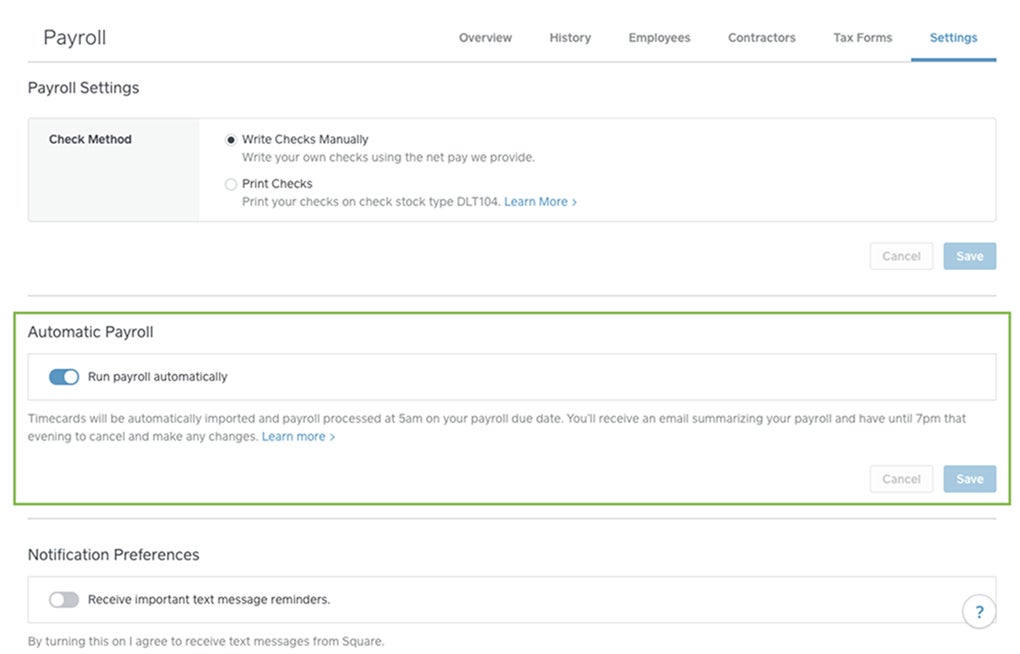
- Auto Payroll: Set recurring payroll to run automatically when your employee’s pay is predictable.
- Employee self-onboarding: Your new hire can enter their own details, saving you from collecting and entering the information yourself.
- Scheduling and labor-cost reports: Plan shifts up to 10 days ahead and see how wages and tips affect labor costs.
- Square Team App: Employees can clock in, check hours, and view pay stubs; administrators can run payroll from a phone.
Square Payroll pros and cons
| Pros | Cons |
|---|---|
| Easy integration with Square products | Limited HR tools |
| Intuitive mobile app with payroll features | Lacks 24/7 support and HR advisory services |
| Straightforward system and account setup |
To learn more about Square Payroll, read our full Square Payroll review. If you want to see how Square Payroll compares to the other payroll tools in this guide? Check these out:
2. Justworks: Best for compliance support
Our rating: 3.91 out of 5

As a professional employer organization (PEO) service provider, Justworks handles the intricacies of pay processing to give you more time to run your business. In addition to its PEO service, it has a payroll-only option that includes automatic wage and deduction calculations, tax filing assistance, and payroll compliance. This is great for one-employee businesses looking for a reliable payroll tool because most PEOs require at least two employees if you want to sign up for its services.
Why I chose Justworks
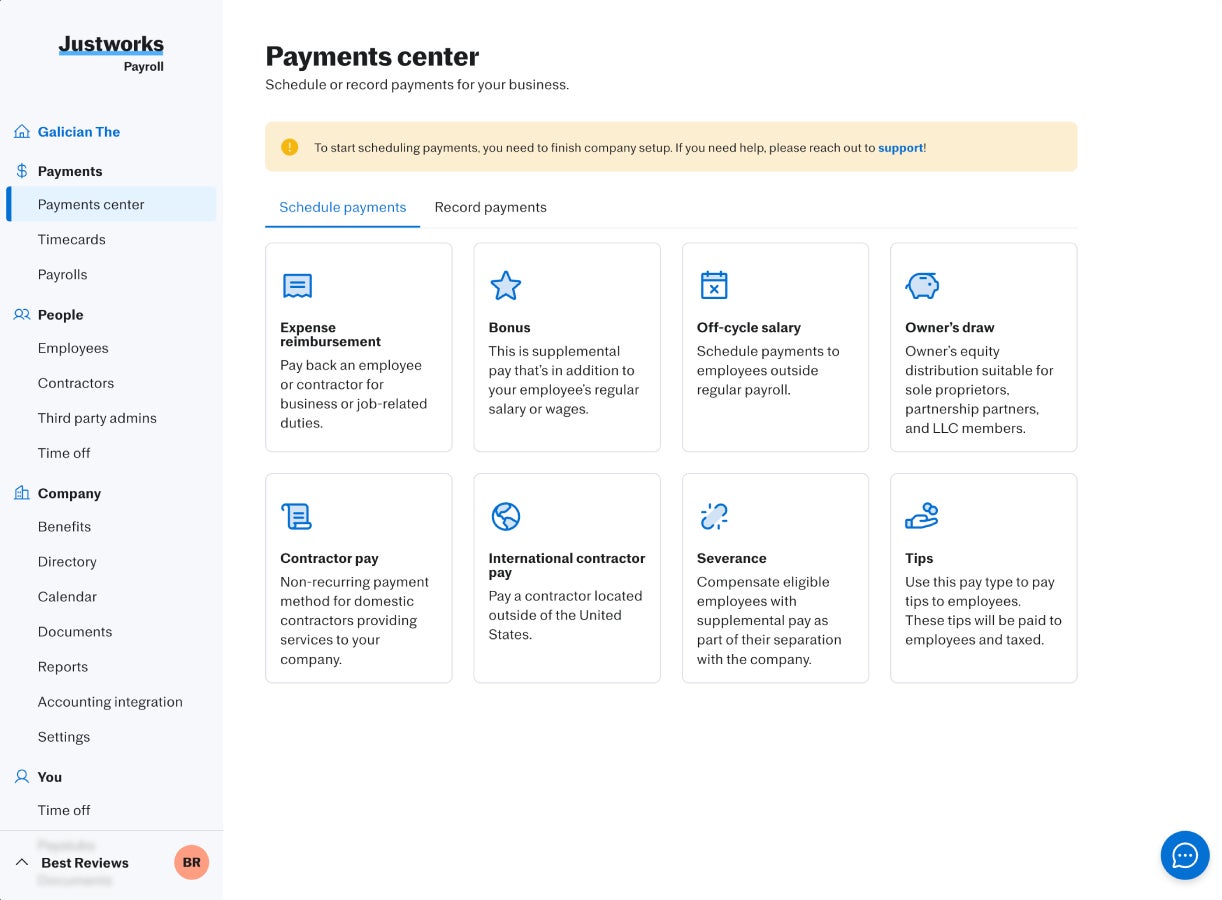
Even with its Payroll-only option, you get dedicated phone support and integration options with accounting tools like QuickBooks Online for easy pay data transfers and accurate bookkeeping. It provides real-time alerts to help keep you on top of federal and state compliance requirements. This leaves you with more time managing business operations instead of constantly checking labor laws and federal regulations for updates.
There is room to add services as your needs change. The Payroll plan gives you basic HR tools now, while Justworks’ PEO packages add HR consulting, expanded support, and benefits options. That is useful if you want to start with payroll but expect to seek more help managing employees later.
However, the Payroll plan doesn’t include the HR consulting services included in its PEO plans. Plus, Justworks PEO costs substantially more than the payroll-only option, so it may not be a good option for one-employee pay runs. Gusto is a better starting point if you want a payroll-first platform with access to benefits. OnPay is also a great choice if you mainly want guided setup and core HR tools.
Pricing
Justworks Payroll costs $50 per month plus $8 per employee per month. This option doesn’t include health or retirement plans like most of the software on my list. However, if you want to get medical, dental, and vision insurance, its health insurance add-on costs $8 per employee per month. If you need to capture employee clock ins/outs, its time tracking add-on is priced at $8 per employee monthly.
For its PEO services, Justworks offers two plans:
- Basic: $79 per employee per month.
- Plus: $124 per employee per month.
Key features
- Payroll tax filing: Justworks handles employer payroll tax filings and year-end forms, reducing the number of deadlines you manage yourself.
- Compliance alerts: Federal and state alerts help you notice changes that may affect your employee policies or payroll setup.
- Onboarding and document center: Keep new-hire details and employment documents with the employee’s payroll record.
- Basic timecards and PTO: Track hours and time off without immediately buying a separate workforce tool.
Justworks pros and cons
| Pros | Cons |
|---|---|
| Its standalone payroll option comes with dedicated phone support and assistance from HR experts | Pricey for one-employee businesses |
| Transparent pricing | Only pays via direct deposits |
| Diverse support options via phone, chat, and a 24/7 help center | Employee payouts take four business days |
Learn more about Justworks, read our full Justworks review.
3. QuickBooks Workforce: Best for QuickBooks users
Our rating: 3.9 out of 5

QuickBooks Workforce is best for a business that already keeps its books in QuickBooks Online and wants payroll connected to its accounting records. It handles W-2 pay, payroll taxes, employee pay stubs, and reports, with next-day direct deposit in its entry payroll plan
Why I chose QuickBooks Workforce
QuickBooks Online is one of the world’s most popular accounting software programs, so it’s highly likely that you also use the same accounting system. You don’t have to input pay-related items to your general ledger manually—QuickBooks Workforce will automatically transfer the applicable data to QuickBooks Online for easy bookkeeping. You also get a platform that’s just as intuitive as QuickBooks Online. Working with an interface you already understand is helpful, especially if you’re worried about making common payroll mistakes as you get used to single-employee payroll processing.
Even if you don’t use its accounting software, QuickBooks Workforce offers automated pay runs and tax payments with fast direct deposit options. It has an online community where you can ask other QuickBooks users questions about the platform or payroll processing. However, Square Payroll makes more sense for a business using Square POS, while Gusto offers a stronger mix of HR and benefits tools for a business without a QuickBooks preference.
Pricing
QuickBooks Workforce offers three plans:
- Workforce Payroll: $7 per employee monthly plus a $50 base fee per month.
- Workforce Premium: $13 per employee monthly plus an $88 base fee per month.
- Workforce Elite: $17 per employee monthly plus a $134 base fee per month.
If you’re looking for both payroll and accounting software, QuickBooks offers packages that include both systems.
- Workforce Payroll + Simple Start: $88 per month plus $7 per employee per month.
- Workforce Premium + Essentials: $135 per month plus $7 per employee per month.
- Workforce Elite with Plus plan: $228 per month plus $13 per employee per month.
For both options, QuickBooks offers a discount of 50% off the base price for your first three months of service. Or, instead of a discount, you can sign up for a 30-day free trial of any plan.
Key features
- QuickBooks accounting connection: Keep wage and payroll tax records alongside the books you already manage.
- Employee portal: Your employees can enter their details and retrieve pay stubs and tax forms without asking you for copies.
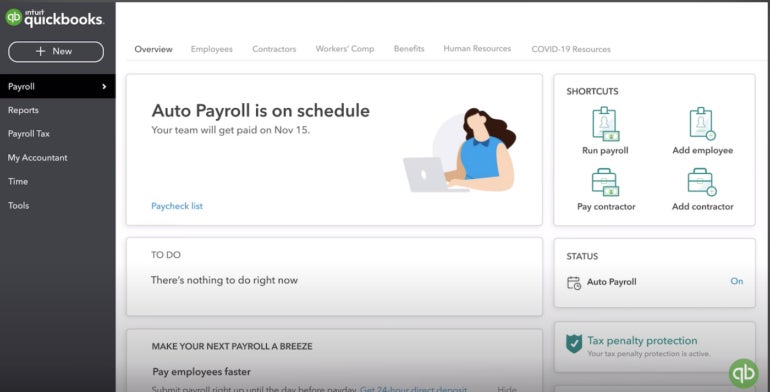
- Auto Payroll: Eligible salaried employees on direct deposit can be placed on recurring payroll.
- Payroll reports: Review payroll history, tax payments, deductions, and other figures when reconciling accounts.
- Benefits connections: Health insurance, retirement, and workers’ compensation options are available through partners; product and plan costs may apply.
QuickBooks Workforce pros and cons
| Pros | Cons |
|---|---|
| Easy integration between Intuit products with real-time payroll and accounting data updates | Local tax filings are limited to the Premium and Elite plans |
| Next-day direct deposit included in the basic plan |
Learn more about QuickBooks Workforce. Read our full QuickBooks Workforce review or see how it stacks against OnPay and Patriot Payroll.
4. Gusto: Best for ease of use
Our rating: 3.88 out of 5
Gusto is best for a business that wants a manageable payroll system today and benefits options for its employee. Its entry plan includes payroll tax filing, employee self-service, and basic time-off policies, while its partner services can help a small employer offer health insurance and retirement benefits.
Why I chose Gusto
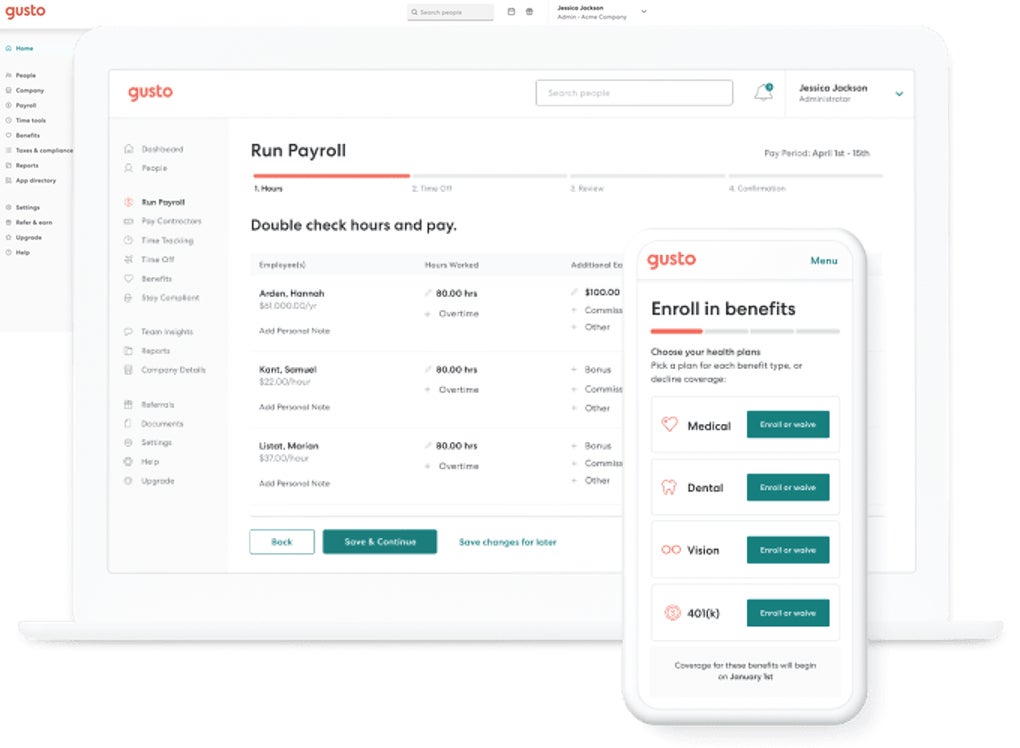
Gusto consistently ranks as one of the best payroll software options for small companies because of its user-friendly interface. It helps businesses navigate payroll complexities by automating most HR- and payroll-related tasks. Pay runs only take a few clicks, and you can even set it to run automatically.
Benefits are another reason it makes this list. Gusto provides access to health insurance and 401(k) options, with eligible deductions connected to payroll. And if you use third-party apps, like an accounting system, Gusto integrates with hundreds of software programs to make your life as a business owner easier.
However, Gusto isn’t as affordable as the other payroll services for one employee in this guide. Plus, time tracking and some advanced HR functions require a higher plan or add-on. OnPay costs the same at the entry level and may suit you better if expert-led setup is your first concern. Square Payroll is the stronger fit if your employee hours and tips already live in Square POS.
Pricing
Gusto offers three plans:
- Simple: $6 per employee monthly plus $49 base fee per month.
- Plus: $12 per employee monthly plus an $80 base fee per month.
- Premium: $22 per employee monthly plus $180 base fee per month.
Gusto even has state tax registration services if you need help setting this up for your business. However, pricing varies depending on the state, so if you’re interested in this service, let Gusto’s sales team know so they can create a quote for you.
Key features
- Automatic tax filing: Gusto calculates, pays, and files applicable payroll taxes, so you do not have to manage each routine filing yourself.
- Employee self-service: Your employee can enter personal and payment details and access their payroll records.
- Time-off policies: Basic policies and holiday pay help you account for paid time away when running payroll.
- Benefits options: Health insurance and retirement connections let you add an employee benefit without moving pay records to a new provider.
Gusto pros and cons
| Pros | Cons |
|---|---|
| Payroll on AutoPilot feature lets you pay yourself automatically | Access to HR advisors and compliance audits limited to the highest plan |
| Feature-rich platform with a wide range of HR tools, including global payroll and hiring services | Direct deposit takes up to four days if you’re on the starter Simple plan |
| Plenty of how-tos and reference materials to ensure ease of use | No mobile app for running payroll |
To learn more about Gusto, read our full Gusto review. To see how Gusto compares with some of its competitors, check out the following articles:
- Gusto vs. Justworks
- Square Payroll vs. Gusto
- Gusto vs QuickBooks Workforce
- Deel vs. Gusto
- ADP vs. Gusto
- Gusto vs. OnPay
- Gusto vs. Paychex
5. Paychex Flex: Best for payroll specialist support
Our rating: 3.65 out of 5

Paychex Flex is best for a business owner who wants payroll software plus the option to work with a payroll specialist. It supports payroll from desktop or mobile, employee payment choices, tax filing, and additional HR services as needs change.
Why I chose Paychex Flex
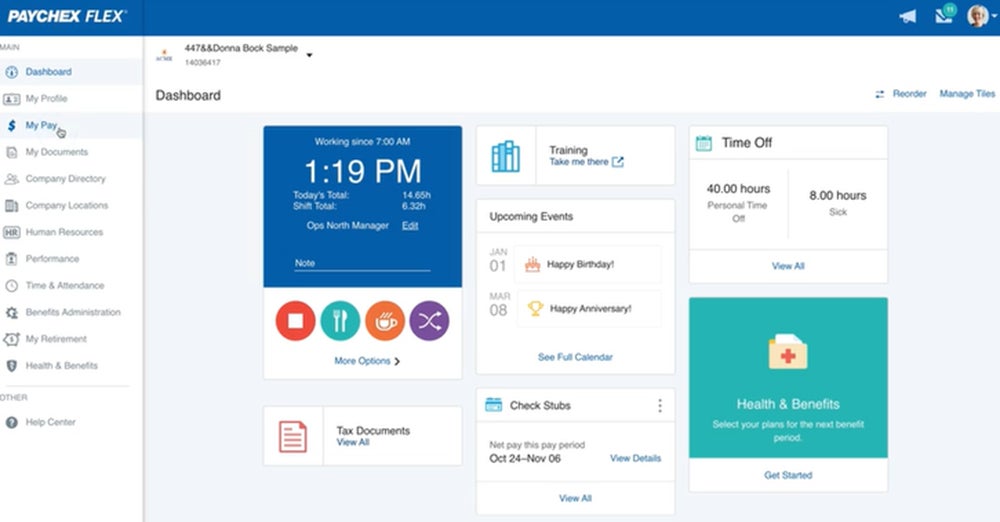
Some first-time employers want a person to contact when payroll setup or a pay issue gets complicated. Paychex stands out for combining its software with the option to work with a dedicated payroll specialist. Its tax administration service can also handle routine calculations, payments, and filings.
The platform gives you room to choose how involved you want to be. You can run payroll yourself from a computer or phone, while employees can review payment options and access records. If you later need onboarding, time tracking, or more HR help, Paychex offers those services within its broader platform.
The drawback is cost visibility. Paychex does not publish its prices online. RUN Powered by ADP is another quote-based option if a wider path into ADP’s HR products appeals to you. OnPay is a clearer choice if you want a published payroll price and guided setup.
Pricing
Paychex doesn’t publish its pricing information on its website—you have to call its sales team to request a quote. For its Paychex Flex product, it offers three plans:
- Select: Custom pricing.
- Pro: Custom pricing.
- Enterprise: Custom pricing.
Many of its features are also included in higher tiers or cost extra. For example, time tracking and health plans are paid add-ons to Paychex Flex plans.
Key features
- Payroll specialist option: Get help with the pay process when you would rather speak to someone than troubleshoot alone.
- Mobile payroll: Start or complete payroll away from your desk.
- Employee payment options: Offer choices such as direct deposit, paper checks, or pay cards, depending on setup.
- Expandable HR tools: Onboarding, document workflows, and other services are available across packages or as add-ons.
Paychex Flex pros and cons
| Pros | Cons |
|---|---|
| Option to work with a payroll specialist | Non-transparent pricing |
| Easy to switch between desktop and mobile payroll processing (and vice-versa) | Add-on fees for onboarding, time tracking, software integrations, and benefits administration |
| Multiple employee payment choices |
Learn more about Paychex Flex: Read our full Paychex review and see how it compares with other payroll systems:
6. OnPay: Best for easy setup
Our rating: 3.59 out of 5

OnPay is best for a business that wants help getting its first employee’s payroll records into a new system. Its payroll service includes setup and data migration help, alongside tax filing, employee onboarding, and basic HR tools. It supports businesses with specialized pay needs, including agricultural employers.
Why I chose OnPay
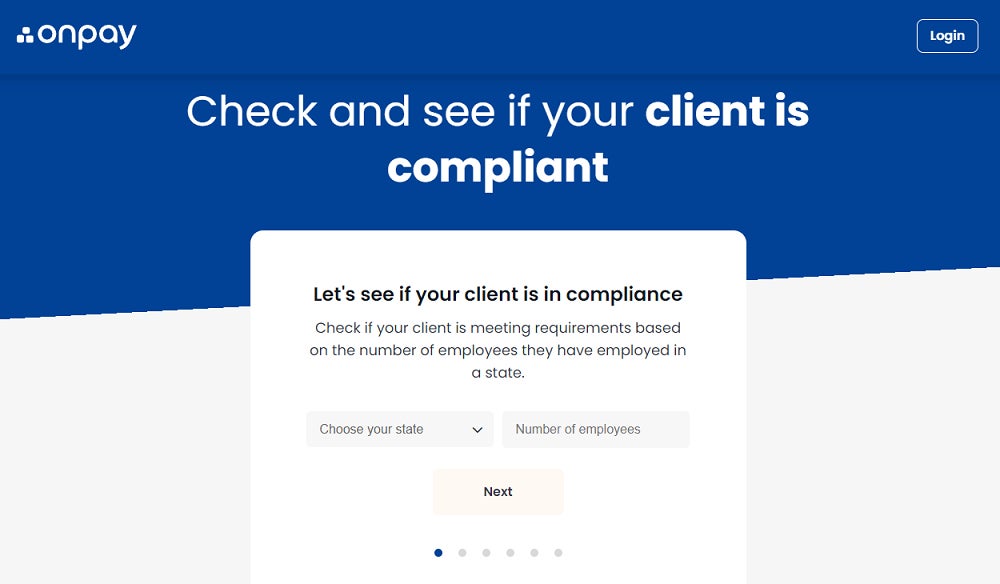
The first pay run is often harder than later ones: you need correct tax details, employee information, pay settings, and any prior wage data. OnPay offers expert-led setup and migration, which can take some of that initial work off your plate. That is a more concrete advantage for a first-time employer than a promise that payroll takes only a few clicks.
Once the system is running, OnPay keeps everyday employee tasks close to payroll. Its starting package includes tools such as self-service onboarding, employee records, PTO policies, and accounting connections. Your employee can complete paperwork, while you can review their pay and time-off information in the same system.
OnPay’s starting price is easy to budget for, but its dedicated HR and time-tracking add-ons cost more. It also has fewer native integrations than some broader platforms. Gusto is a better comparison if you expect to add a wider range of HR and benefits tools. Meanwhile, Square Payroll costs less if you already collect hours and tips in Square POS.
Pricing
OnPay Payroll Essentials costs $49 per month plus $6 per worker, or $55 monthly for one employee. That includes full-service payroll, unlimited pay runs, tax filing, onboarding, and several employee-management basics.
OnPay also offers these add-on tools:
- HR: $2 per employee monthly plus $15 base fee per month; includes custom onboarding workflows, org charts, PTO management, and equipment provisioning.
- Time tracking: $4 per employee monthly plus a $15 base fee per month.
- Benefits: Pay plan premiums only.
- Compliance resources: $10 per month.
- Live HR support: $65 per month.
Key features
- Guided setup and migration: Get help bringing employee and prior payroll information into the system before the first pay run.
- Self-service onboarding: Have your employee complete new-hire details and forms digitally.
- PTO policies: Track time-off rules and balances alongside payroll.
- Payroll reporting: Review payroll totals and export information when checking labor costs or sharing figures with an accountant.
OnPay pros and cons
| Pros | Cons |
|---|---|
| Payroll platform supports a wide range of industries | Limited built-in integration options |
| Free white-glove setup, custom software integrations, and data migration services | Phone, chat, and email support only available on weekdays; weekend support is via email and for emergencies only |
To learn more about OnPay, read our full OnPay review.
7. RUN Powered by ADP: Best for scalability
Our rating: 3.58 out of 5
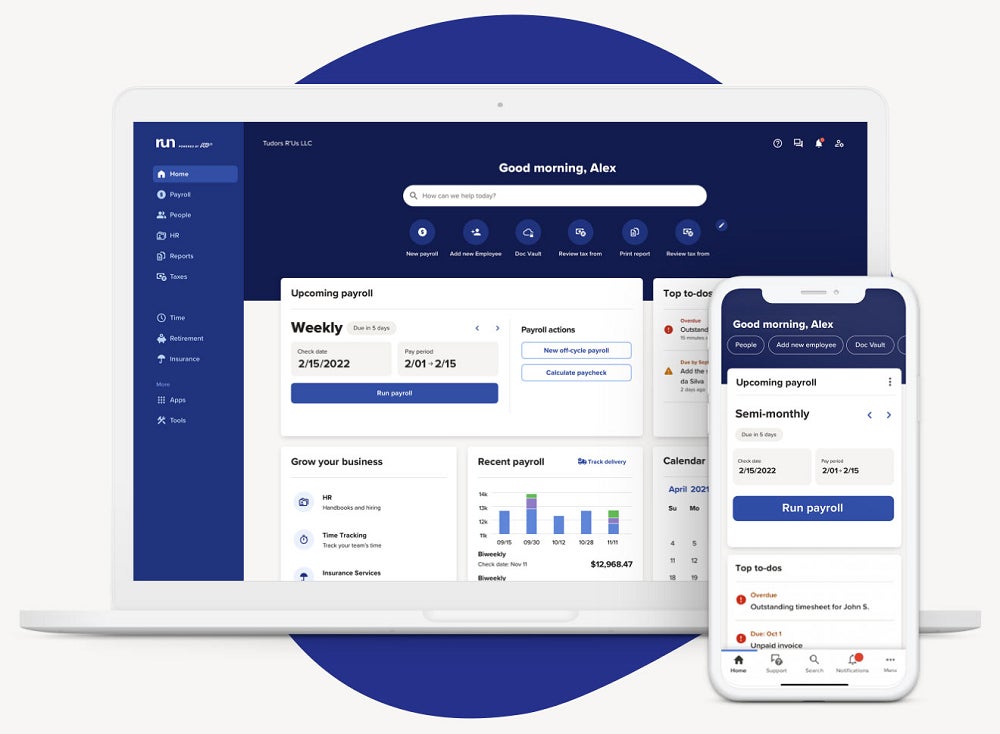
RUN Powered by ADP is best for a business that expects to add employees and wants payroll that can take on more HR and hiring work over time. Its entry package covers payroll and tax filing, while other packages and add-ons address needs such as onboarding, benefits, and time tracking.
Why I chose RUN Powered by ADP
ADP offers a wide range of payroll software products and services for businesses of all sizes. Its payroll plans and online tools can scale with your company. You can sign up for ADP RUN to process payroll for one employee now and then move on to other ADP products if you need more advanced HR tools to handle a larger workforce in the future. And since you’re dealing with only one payroll provider, migrating payroll and employee data between ADP products is easier compared to switching to an online system offered by another provider.
Regardless of the product selected, ADP helps you stay compliant with IRS and other regulations while ensuring accurate and timely employee payouts.
Pricing
ADP lists four RUN packages, all available by quote:
- Essential Payroll: Payroll, taxes, and core compliance support.
- Enhanced Payroll: Adds services including state unemployment insurance and garnishment payments.
- Complete Payroll & HR+: Adds basic HR support.
- HR Pro Payroll & HR: Adds more extensive HR support and employee perks.
Key features
- Automatic pay runs: Put recurring payroll on a schedule when the employee’s regular pay is predictable.
- Error flagging: Review potential mistakes before submitting a pay run.
- Employee access: Let your employee view pay history and personal information through ADP’s app.
- Hiring and HR options: Add services such as onboarding and HR support as your business grows.
- Integrations: Connect RUN with supported accounting, POS, and other business tools.
RUN Powered by ADP pros and cons
| Pros | Cons |
|---|---|
| Real-time pay run error alerts | Health benefits and retirement plans are paid add-ons |
| Marketing toolkit from Upnetic to help one-employee businesses build, grow, and manage digital services | Charges fees per pay run |
Learn more about ADP RUN and other ADP products: Read our full ADP review or see how it stacks up with other HR software:
8. Patriot Payroll: Best for flexible pay runs
Our rating: 3.49 out of 5

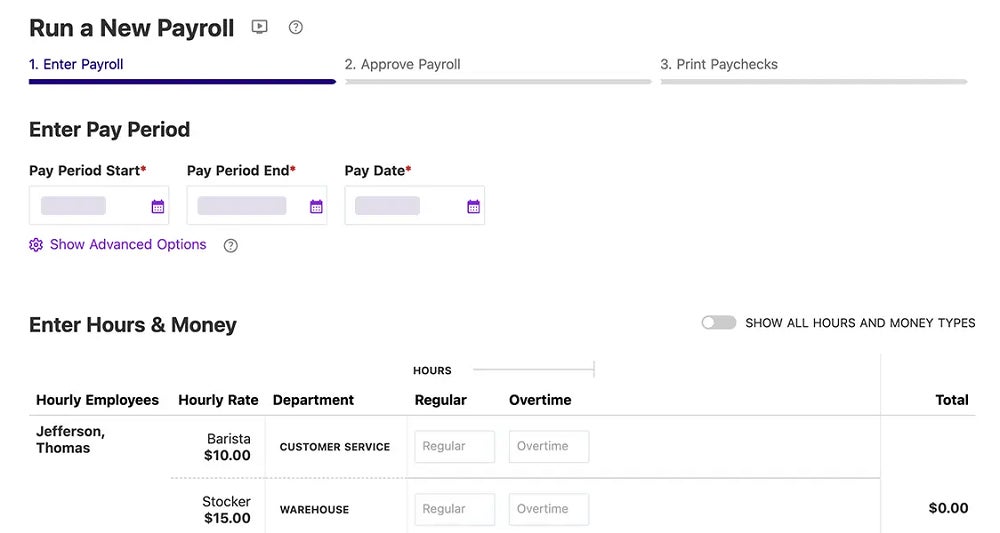
Patriot Payroll is best for a business that wants to keep its payroll subscription inexpensive and choose whether to file payroll taxes itself. Its Basic plan calculates pay and taxes but leaves filings to you; Full Service handles tax deposits and filings. Both support unlimited pay runs, employee access, and several pay types.
Why I chose Patriot Payroll
Patriot’s two payroll plans make the cost decision unusually clear. If you already have a reliable process for depositing and filing payroll taxes, Basic keeps the monthly software cost low. If you do not want to manage those deadlines, Full Service adds tax filing without requiring a different payroll system.
Its flexibility goes beyond the plan choice. You can run payroll as often as needed without an extra pay-run charge, add items such as tips or bonuses, and give your employee access to pay stubs and W-2s. Patriot also connects payroll with its accounting product and supports QuickBooks integrations.
Even if you sign up for its Full Service plan, Patriot Payroll offers a less expensive option than Gusto and OnPay. However, it is not as affordable as Deel’s US payroll product—provided you only need to pay one worker. While it may not have the HR functionalities these systems offer, Patriot Payroll has all the essential tools to compliantly and accurately manage one-employee pay runs.
Pricing
With Patriot Payroll, you get two plans:
- Basic payroll: $17 per month plus $4 per employee per month.
- Full-service payroll: $37 per month plus $5 per employee per month.
I like that Patriot has an accounting system that connects with its payroll module, making data transfers between the two products easy. It also offers add-on tools for time tracking and managing employee data and documents.
- Accounting Basic: $20 per month.
- Accounting Premium: $30 per month.
- Time and attendance: $2 per employee monthly plus a $6 base fee per month.
- HR software: $2 per employee monthly plus a $6 base fee per month.
Key features
- Choice of tax responsibility: Select Basic if you will file taxes, or Full Service if you want Patriot to handle deposits and filings.
- Unlimited pay runs: Issue regular pay and additional payments without a separate fee for each run.
- Employee portal: Let your employee retrieve pay stubs, pay history, and electronic W-2s.
- Pay-type flexibility: Include bonuses, commissions, tips, sick time, and other earnings when applicable.
Patriot Payroll pros and cons
| Pros | Cons |
|---|---|
| Affordable basic payroll package if you prefer to file tax forms yourself | Two-day direct deposits only for qualified customers |
| Payroll data syncs easily with its accounting module | Limited HR tools |
| Only integrates with QuickBooks |
To learn more about Patriot Payroll, read our full Patriot Payroll review.
9. Roll by ADP: Best for mobile payroll
Our rating: 3.47 out of 5
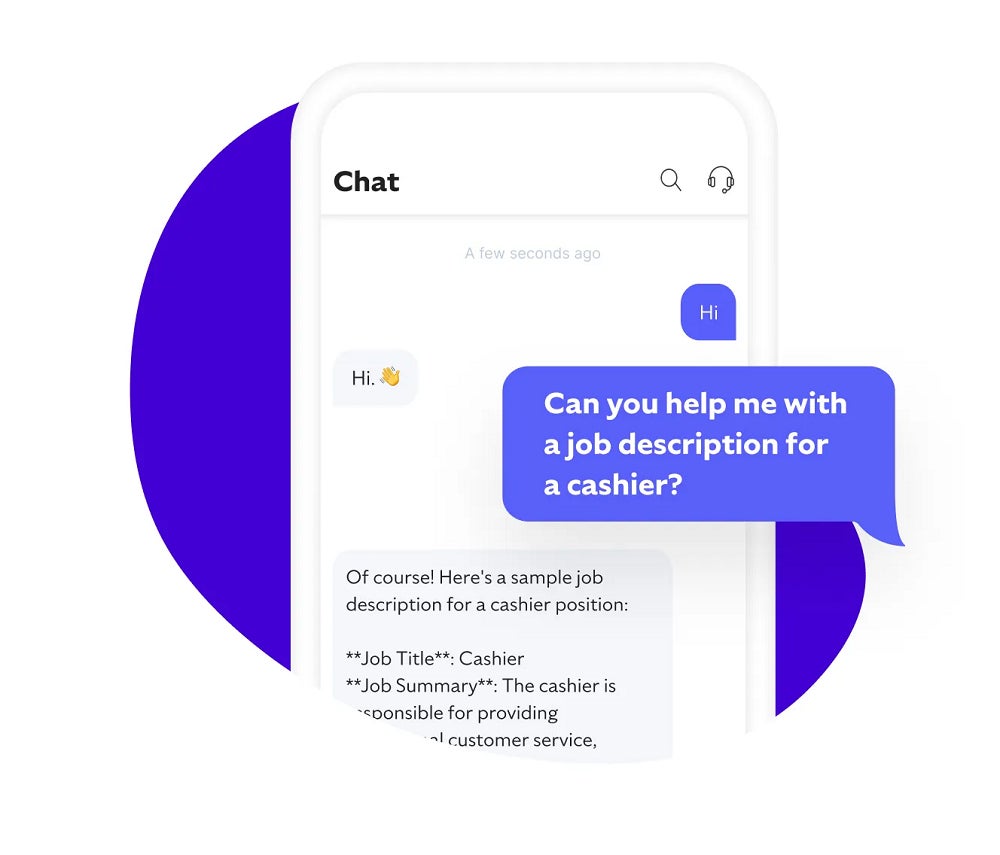
Roll by ADP is best for an owner who wants to handle a small pay run through a conversational mobile app. You can use chat-style requests to start payroll or make changes, while Roll calculates taxes, checks for possible errors, and sends reminders.
Why I chose Roll by ADP
Roll approaches a pay run differently from a traditional payroll dashboard. Instead of working through several screens, you can ask the app to run payroll and review the information it returns. For one employee, that interaction can make a routine pay cycle feel less involved.
The app also handles work around payday. It can flag errors, remind you about upcoming tasks, process tips and garnishments, and let your employee view pay stubs and tax statements. Roll lists same-day and next-day direct deposit as available options, which is useful when payment timing matters.
Roll offers fewer HR tools than Gusto or OnPay, so either may suit you better if onboarding, PTO, or benefits administration is a priority. Choose RUN Powered by ADP instead if you want a broader ADP payroll and HR platform.
Pricing
Roll by ADP is the only ADP product that offers transparent pricing. For a base monthly fee of $39 plus $5 per employee per month, you get full-service payroll with tax filing services. This is less expensive than Gusto, OnPay, and QuickBooks Workforce—all of which lack mobile apps that can run payroll while you’re on the go.
Key features
- Chat-based payroll: Start a pay run or change information through conversational requests.
- Error checks: Review flagged payroll issues before submitting employee pay.
- Task reminders: Keep upcoming payroll steps and deadlines visible.
- Employee self-service: Give your worker access to pay stubs, tax statements, and payday notices.
- Accounting connection: Send payroll information to QuickBooks Online if that is where you keep your books.
Roll by ADP pros and cons
| Pros | Cons |
|---|---|
| Pays via next- or same-day direct deposits | Only integrates with QuickBooks |
| Free tax savings consultations with a tax expert | Limited payroll reports |
| User-friendly app with GenAI tools | No HR tools |
To learn more, read our full Roll by ADP review.
10. Deel: Best affordable one-employee payroll service
Our rating: 3.47 out of 5

Deel suits a business that needs to pay one U.S. employee and wants payroll taxes and year-end forms handled in the same service. It offers U.S. payroll alongside separate HR and international employment products.
Why I chose Deel
At $29 per month for one employee, Deel costs less than several full-service options in this guide, including Square Payroll and Patriot Payroll. That difference matters when a business has only one paycheck to process but still needs help with tax payments and filings.
Deel also supports off-cycle pay runs for bonuses or corrections, plus flexible regular pay schedules. Its payroll tools sit within a broader platform for employee records, benefits connections, and international services, though you do not need those other services to start paying a U.S. employee.
If you need dedicated payroll support like Paychex, Deel’s managed U.S. payroll service may cost more than its $29 starting rate. However, if your hours and tips already live in Square POS, Square may be worth the higher fee for its direct connection to payroll. And if you want help setting up your first pay run, consider OnPay.
Pricing
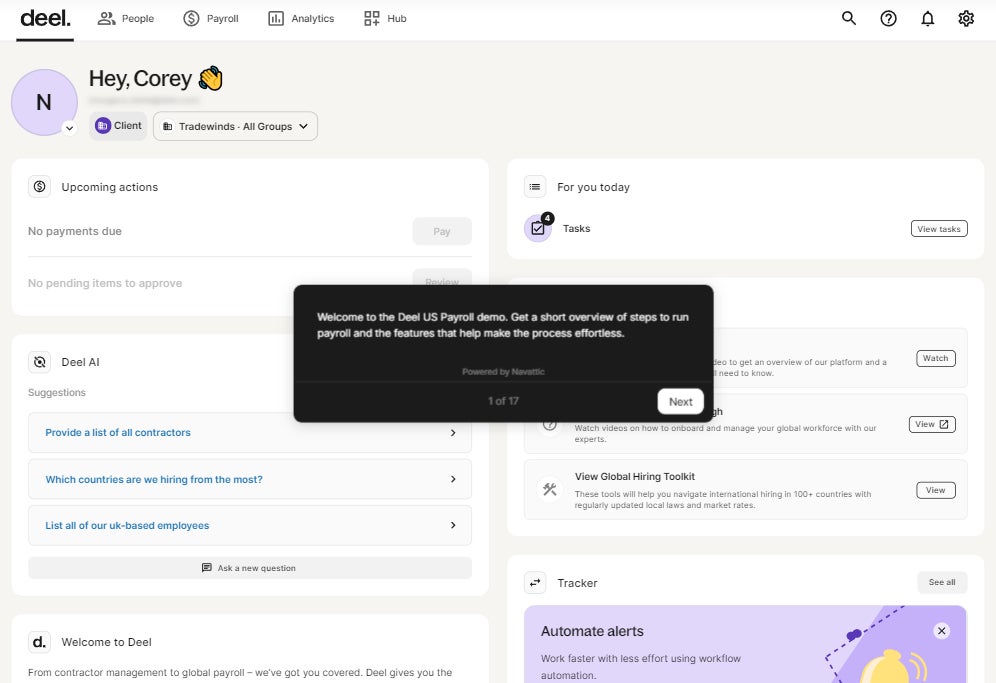
Deel’s U.S. payroll product costs $29 per employee monthly. This is for the self-service option where you manage pay runs yourself. It also offers a managed service where Deel handles your payroll, but it requires a custom quote.
In addition to its US payroll product, Deel offers a US PEO service and global tools for hiring and paying international workers.
- Deel US PEO:
- Starter: $110 per employee monthly.
- Pro: $120 per employee monthly.
- Deel Payroll Global: $29 per employee monthly.
- Deel EOR: $599 per employee monthly; includes international payroll and hiring tools.
Key features
- Payroll tax filings: Deel’s U.S. payroll service handles applicable tax calculations and filings, reducing the deadlines you manage yourself.
- Off-cycle pay runs: Pay a bonus or correct a paycheck without waiting for the next scheduled run.
- Flexible pay schedules: Set a regular pay cycle that suits your business.
- Connected employee records: Keep payroll information alongside employee details and supported benefits or accounting connections.
Deel pros and cons
| Pros | Cons |
|---|---|
| Off-cycle pay runs for bonuses or corrections | Gets pricey if you add more employees |
| Has a wide range of US and global payroll tools | Broader platform may be more than a one-employee business needs |
Learn more about Deel: Read our full Deel review or check out these articles to see how Deel compares with other payroll providers:
More payroll coverage
- A Complete Guide to Payroll Software
- The Best International Payroll Services
- The Best Payroll Software
- Choosing a payroll service: A guide for business leaders
- Verito vs. Rightworks: Which IT Provider Is Best for Your Firm?
Key features of one-employee payroll software
When choosing payroll software for a one-employee business, these are essential features to consider in your selection process.
- Scalability: You may be a one-employee business now, but you may need to scale your company in the near future. The payroll software you select should accommodate your growing pay processing requirements, such as multi-state pay runs if you expand your business to different states where some may have different labor laws and tax regulations.
- Automation: Running a one-employee business where you are responsible for different aspects of business growth and the risks involved can be taxing. Having a payroll solution where all you need to do is set up the software to handle payroll even when you are not looking is a feature your preferred payroll solution should have.
- User-friendly: The ability to use any business software tool without encountering many difficulties is critical to how successful you will be while using the tool. The same goes for payroll software. Consider a solution with an easy-to-navigate interface, straightforward installation, explicable reports, flexible integrations, and abundant resources on how to use the software.
- Security: Payroll involves the movement of funds, tax details, and other forms of personally identifiable information. With data breaches on the rise, cybercriminals are often attracted to such information and look for vulnerabilities to exploit. Therefore, it’s important to consider if the payroll software you want meets industry data security standards.
- Customization: As a one-employee business owner, you’re likely more interested in having things run as easily as possible. One way to achieve that is having an online system you can customize to your standards. For instance, your payroll report might contain extensive information you consider irrelevant and distracting. However, you can customize this report to fit your needs.
How to choose the best one-employee payroll software for my business?
Choosing the best one-employee payroll software for your business requires careful consideration. Here are some tips on how you can make the right choice.
Consider the features
Payroll software features vary widely depending on the vendor and package you choose. Some offer basic features for calculating taxes, generating pay stubs, and making direct deposits. Others provide more advanced features like vacation and sick time tracking, employee benefits management, and tax filings. To help you choose a payroll service, create a payroll processing checklist and determine which features are essential for your one-employee business.
Check for compliance
Payroll taxes can be complex, and as a one-employee business owner, you may not be familiar with all the tax laws and regulations that apply to your business. You want to choose payroll software that automatically calculates and deducts payroll taxes and ensures all taxes are filed correctly and on time. Check if the software offers automatic tax calculation, tax form generation, and reminders for tax deadlines.
Consider integrations
If you are already using accounting or bookkeeping software, choosing a payroll solution that integrates with your existing solution is essential. Integrations help you avoid manual data entry and reduce the risk of errors.
Look for affordable pricing
Price is a significant factor when choosing payroll software. As a small business owner, you need to ensure that the software fits your budget. Look for payroll software that offers affordable pricing with no hidden fees or charges.
Check if the software you want offers a free trial and sign up for it. During that period, you can evaluate whether the features justify the cost.
Consider customer support
Even with user-friendly software, you may need assistance or have questions or concerns about the platform. Therefore, it is crucial to choose payroll software with excellent customer support. Check if it has multiple support channels like phone, email, chat, or a knowledge base. Then, choose a software vendor that provides responsive, knowledgeable, and helpful customer service.
Payroll for one-employee businesses FAQs
Should I use a payroll service for one employee?
Yes, you should. There are many reasons why your business needs a payroll service, even if you only have one employee. With a payroll service provider, you minimize the risk of pay-related errors while ensuring accurate and timely employee payments. It also helps you save time from running payroll, allowing you to focus more on day-to-day business operations and implement strategies that help grow your company.
Can I do payroll without a payroll service?
While managing payroll yourself is possible, I recommend it only if you have basic payroll needs and have fewer than 10 employees to pay. You should also be familiar with payroll tax regulations and labor laws and be willing to handle tax payments and form filings with appropriate government agencies.
How to run payroll if self-employed?
Running self-employed can be confusing and requires several steps. The first is securing the required federal and state tax IDs. Then, you need to select a payment frequency that meets state requirements. You should also identify your business entity or structure (e.g., sole proprietorship or S Corp) because this can impact taxes. Once you have those in place, the basic process of paying yourself includes calculating gross wages and withholding the applicable payroll taxes and deductions. You must also remit tax payments and file the appropriate tax forms to the IRS.
Need help paying your employee? For a step-by-step guide, check out our how to do payroll article.