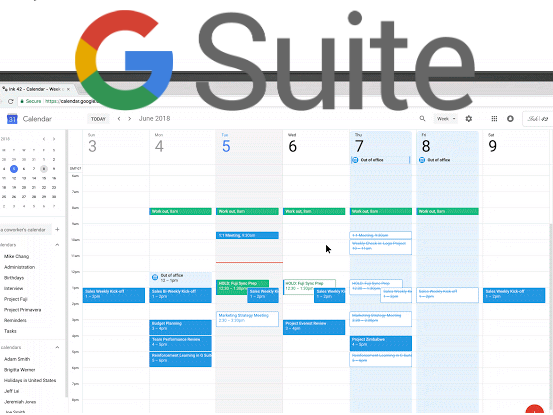
Google Calendar is making it easier for professionals to unplug from work with new features that can automatically decline meeting invitations that occur outside of the user’s regular working hours or during vacation time. In a Wednesday blog post, Google said the “out of office” feature aims to improve users’ digital well-being.
What's hot at TechRepublic
- Blackpoint Cyber vs. Arctic Wolf: Which MDR Solution is Right for You?
- Why AWS Sellers Choose Deepgram Over Other Voice AI Tools
- SS&C Intralinks DealCentre AI vs. Datasite: Which platform is built for the future of dealmaking?
- SS&C Intralinks FundCentre AI vs. Juniper Square: Which platform better supports modern private markets fund managers?
- Verito vs. Rightworks: Which IT Provider Is Best for Your Firm?
The new features will automatically decline meetings that occur during a user’s time off, or outside of working hours. Here’s how to use it.
SEE: Cost comparison calculator: G Suite vs. Office 365 (Tech Pro Research)
Restricting your working hours
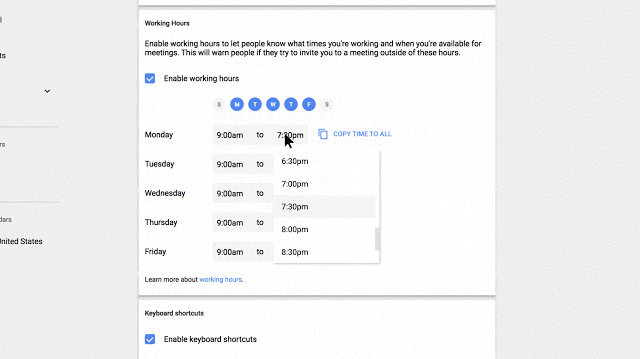
Google Calendar can already infer your working hours based on your previous scheduling patterns and timezone, according to the post. Now you can change those hours as needed, and customize each day separately by following these steps:
- On the Calendar homepage, select the Settings button.
- Scroll down to the “working hours” option.
- Select “enable working hours.”
- From there, you can select specific days and hours.
Setting vacation time
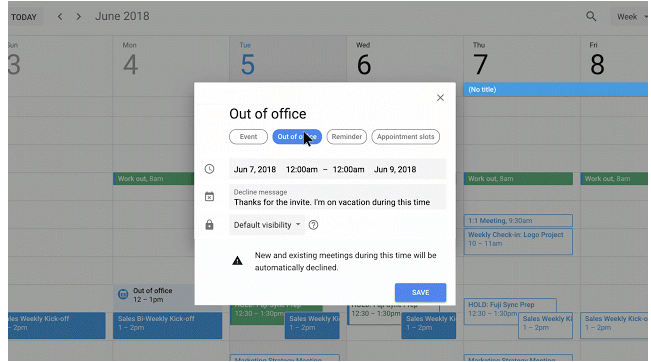
Google has also launched a new update that will allow users to set time that they will be out of the office. The out of office tab will appear on the calendar grid to signal to viewers that the user is unavailable that day. It also allows users to set a default decline message. You can do this by doing the following:
- Create an event as normal.
- Select the “out of office” option
- From there, set a decline message.
The big takeaways for tech leaders:
- Google Calendar will now automatically decline meeting invites that happen outside of users’ set business hours.
- Users can mark days they will be out of the office and set a default decline message to meeting invites.