


Mozilla VPN fast factsOur rating: 3.2 stars out of 5 Pricing: Starts at $4.99 per month Key features:
|
|---|
Mozilla is most famous for its web browser, Mozilla Firefox. So, when the brand launched Mozilla VPN in 2020, expectations were high.
While Mozilla VPN offers fast performance and a well-designed desktop application, as one of the newest VPN services on the market, it still has a ways to go given its minuscule server network and lack of standout security features.
Mozilla VPN pricing
| Plan | Price |
|---|---|
| Annual | $4.99 per month |
| Monthly | $9.99 per month |
|
|
Mozilla VPN offers two subscriptions: an annual and a monthly plan. I would have preferred one more subscription option, as most VPNs have a two- or three-year subscription that provides longer terms and a more affordable monthly fee.
Mozilla VPN doesn’t offer a free trial or a free version, which means you will have to pay, even if you want to try out their service.
In terms of pricing, Mozilla VPN’s monthly plan presents decent value compared to the competition. Its $9.99 per month is more affordable than the monthly subscriptions from NordVPN and IPVanish that are both at $12.99 per month.
Mozilla VPN’s annual subscription is in the middle range compared to other VPNs’ similar yearly offerings. At $4.99 per month, Mozilla VPN’s annual plan has the pricier fee compared to Private Internet Access’ one-year plan at $3.33 per month, but it is more affordable than ExpressVPN’s $6.67 per month for a yearly subscription.
Mullvad VPN’s monthly subscription is much more affordable compared to Mozilla VPN’s equivalent plan. This is interesting since Mozilla VPN is partnered with Mullvad and Mozilla’s application is built on top of Mullvad’s VPN infrastructure. If affordability is important to you, you may be better off going for Mullvad VPN’s monthly plan at €5 or around $5.69 since they’re functionally the same VPN.
Fortunately, Mozilla offers a 30-day money-back guarantee for first-time customers. Out of the two plans, I recommend going for the more affordable annual subscription and testing out the VPN for 30-days to see if it’s a good fit. This way, you’ll only have to spend $4.99. Keep in mind, though, that tax fees may be added on top of the subscription price depending on where you are.
Is Mozilla VPN trustworthy and safe to use?
For security protocols, Mozilla VPN carries the more modern and speed-oriented WireGuard protocol. While WireGuard is a perfectly secure protocol, Mozilla VPN misses the mark by not having OpenVPN and IKEv2 as options. The lack of OpenVPN may be a dealbreaker for some, considering it’s widely-recognized as the most secure VPN protocol in the market.
Mozilla VPN doesn’t use the industry-leading AES-256 encryption but it has ChaCha20 — a newer encryption that offers fast performance and is just as secure.
Like most VPNs, Mozilla VPN has a no-logs policy, which claims that it records zero information about users’ browsing activity. To Mozilla’s credit, their VPN has undergone two independent security audits conducted by Cure53 in 2021 and 2023. The 2023 report found “two vulnerabilities identified as critical or high priority, and several issues identified as medium or low priority,” to which Mozilla has said have been addressed.
I commend Mozilla for its commitment to independent testing, especially having just launched their VPN back in 2020. This shows that the company is serious about building trust and transparency with its customers. Mozilla VPN’s partnership with Mullvad VPN adds to its credibility as Mullvad VPN is one of the most privacy-minded VPN providers available.
Mozilla VPN also has a built-in kill switch that’s enabled by default, and from my testing, it appears there’s no way to disable it. While I appreciate Mozilla toggling the kill switch on out of the box, the better move would have been to give users the option to turn it off as they wish. This can be handy for instances where the kill switch isn’t necessarily working well with a user’s computer or there’s a need for stable internet all throughout — whether it’s via a protected connection or not.
All in all, with its secure encryption and willingness towards independent testing, I consider Mozilla VPN to be a safe VPN solution to use in 2025.
Key features of Mozilla VPN
Aside from securing your internet connection, Mozilla VPN comes with three interesting features that set it apart from other VPNs.
Multi-hop
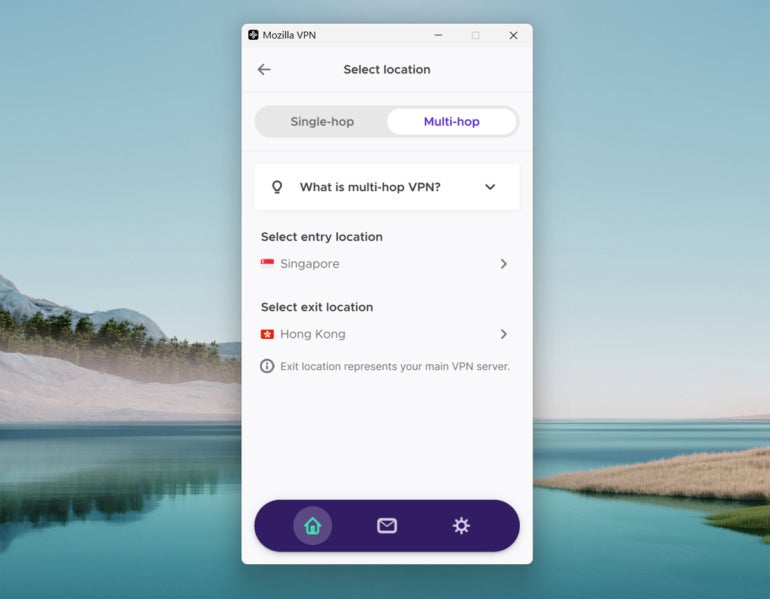
Mozilla VPN comes with multi-hop functionality that routes user traffic through two different servers instead of one. This adds a layer of security and privacy as it makes it harder for hackers to track down which encrypted server data is actually yours.
While this feature slows down overall speed, it’s a value-add to privacy enthusiasts and users who prioritize security when using a VPN.
App exclusions or split tunneling
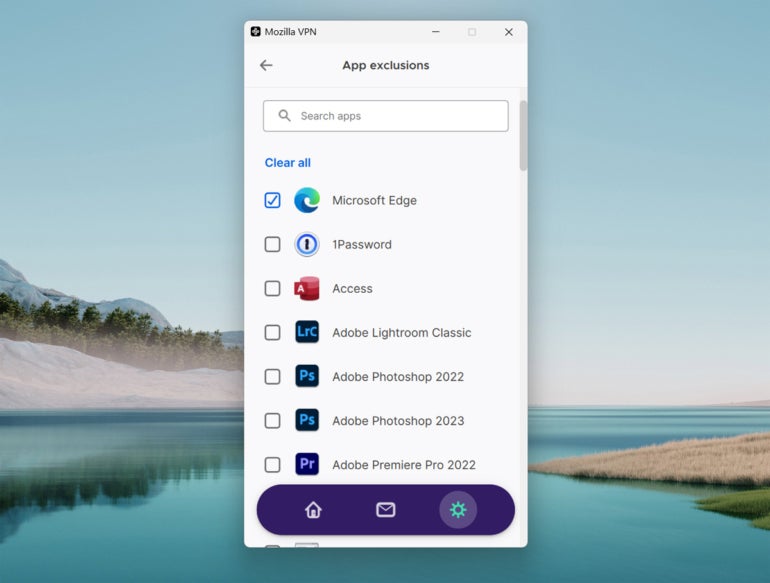
App exclusions is Mozilla’s version of split tunneling. This allows users to exclude selected apps from being routed through the encrypted VPN connection.
This will benefit users who stream or game and don’t want the slower internet speed that a VPN connection typically produces. In my testing, Mozilla VPN’s app exclusions worked as advertised and was able to split my traffic without any issue.
Well-designed user interface
Mozilla VPN also comes with a well-designed user interface (UI) that brings a good mix of simplicity and ease of use.
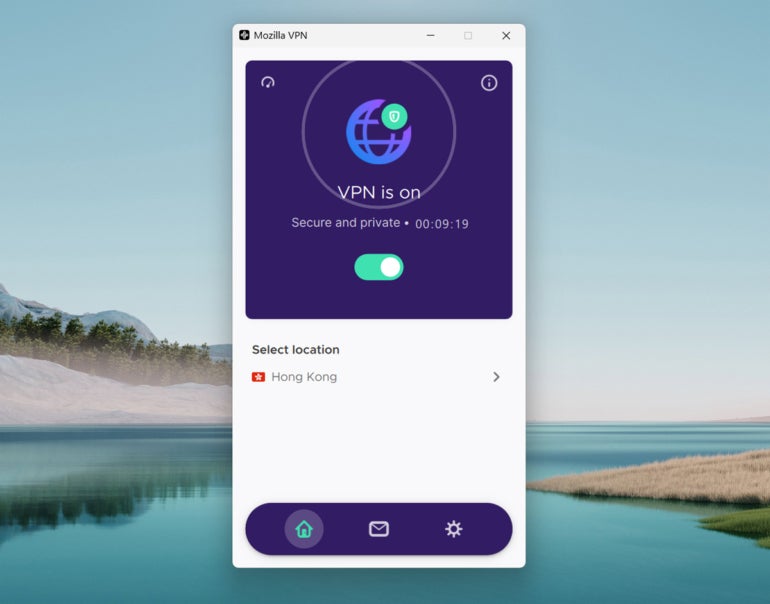
Subjectively, I like the flat and clean aesthetic that Mozilla VPN went with on its Windows desktop application. All the menus, server options, and settings were also intuitively placed where one would expect.
If you want a VPN with a pleasant-looking and straightforward interface, Mozilla VPN will serve you well.
Must-read security coverage
- UK Police Convicts Pair in £5.5 Billion Bitcoin Launder Case
- Blackpoint Cyber vs. Arctic Wolf: Which MDR Solution is Right for You?
- How GitHub Is Securing the Software Supply Chain
- 8 Best Enterprise Password Managers
Speed and performance: How fast is Mozilla VPN?
Mozilla VPN provided fast speeds during my testing for this review. I used Mozilla VPN extensively while doing work in Google apps like Drive and Docs, conducting research on multiple tabs, making online video calls, streaming music, and watching 1080p YouTube videos. Throughout my testing, I found Mozilla to be fast. I didn’t experience any drops in connection or have trouble switching and connecting to different servers.
During Mozilla VPN’s speed test, it recorded a 23.43% drop in download speed and a 19.86% drop in upload speed. These are impressive numbers considering that a 30-40% drop in speed is still good performance.
In terms of protection against DNS leaks, Mozilla VPN performed well. After running Mozilla VPN through a public DNS leak tool multiple times, using different servers, I recorded zero DNS leaks.
Mozilla VPN servers and locations
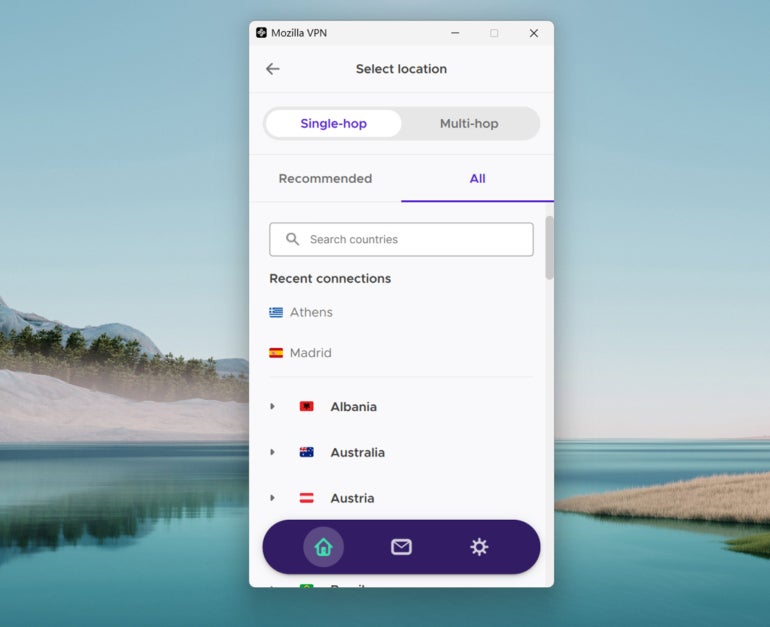
When it comes to Mozilla’s server suite, there’s room for improvement. Mozilla VPN is built on top of Mullvad VPN’s infrastructure and server network. Right now, Mozilla VPN only provides 500 servers across 30+ countries — really small numbers considering how the average VPN provides around 4,000+ servers across 65+ countries. This disparity in server size becomes more apparent when we consider how close Mozilla VPN is, although cheaper, to its counterparts with sizeably larger server networks.
In this case, if unblocking geo-restricted content or having a diverse server fleet is your top priority, Mozilla VPN may not be the best option.
Users who want an extensive server network should give NordVPN or PureVPN a try. NordVPN currently offers 7,500+ servers across 150 locations, while PureVPN offers 6,000+ servers across 65+ countries.
Mozilla VPN also lacks specialized servers optimized for different use-cases such as security, streaming, or torrenting. This is opposed to VPNs like NordVPN that have obfuscated and P2P servers for increased security and speed.
Mozilla VPN pros
- Independently audited.
- Fast speeds.
- Well-designed user interface.
- Multi-hop server functionality.
- WireGuard protocol, ChaCha20 encryption.
- Partnered with privacy-focused Mullvad VPN.
Mozilla VPN cons
- No free trial or free version.
- No OpenVPN protocol.
- Small server network.
- Kill switch can’t be turned off.
- Only supports 5 device connections.
- No live chat or phone support.
Who is Mozilla VPN best for?
Mozilla VPN is best for users who want basic protection, fast VPN speeds — without necessarily having the biggest or most extensive server network out there. It’s a decent pick if you simply want a quick way to change your IP address and nothing else, especially if you’re already using Firefox as your main browser.
Unfortunately, end-users and small businesses that require a vast number of server choices and IP locations should probably go with a different provider. Mozilla’s lack of a free trial, free version, and additional plan options also hold it back from being a good pick for those looking for a budget-friendly VPN.
While it definitely has its limitations, I think Mozilla VPN has potential to be a quality VPN, provided it grows its server network, bolsters its feature set, and remains transparent.
Mozilla VPN is available for Windows, Firefox (as an extension), Mac, Linux, iOS, and Android.
SEE: Cybersecurity: Benefits and Best Practices (TechRepublic Premium)
Mozilla VPN alternatives
If you find that Mozilla VPN isn’t a fit, I’ve listed three alternative VPNs that may better serve your needs.

PureVPN
For users who want a larger server network, PureVPN is a solid choice. It has 6,000+ servers in its server suite spread across 65+ countries. This is useful for those who want a VPN primarily for unblocking content and faster speeds.
We rated PureVPN a 3.7 out of 5 stars in our full review. To learn more, you can read our full PureVPN review.

NordVPN
If security is your top concern, NordVPN is one of the best. It has numerous server types geared towards security, a unique encrypted file-sharing system, and built-in protection against ads and malware. On top of that, it provides a robust server network and solid performance.
We rated NordVPN a 4.7 out of 5 stars in our full review. To learn more, you can read our full NordVPN review.

IPVanish
Those who want to protect multiple devices should give IPVanish a try. It offers unlimited simultaneous device connections, which means that it can cover all your devices through an encrypted VPN connection. It also offers a 7-day free trial that allows you to test out the software at no cost.
We rated IPVanish a 3.9 out of 5 stars in our full review. To learn more, you can read our full IPVanish review.
Review methodology
My review of Mozilla VPN involved a detailed assessment of its key features and real-world performance. I had hands-on experience with Mozilla VPN through a one-month premium subscription on my Windows laptop.
For upload and download speeds, I tested Mozilla VPN servers using Ookla’s public Speedtest. To check for DNS leak protection, I ran Mozilla VPN multiple times using DNSLeakTest.
Finally, I scored MozillaVPN on everything from its security protocols to its price based on an internal algorithm to get a rating of 3.2 out of 5 stars. I looked at Mozilla VPN both on its own and in relation to other VPNs available.
This article was originally written and published in December 2023. The current version contains updates by the same author in April 2025.