


A critical Android vulnerability known as the “SMS of Death” can crash a phone’s cellular service through a specially crafted text message. The recipient doesn’t need to open the message, and researchers say the attack can interrupt an active call, including one to emergency services.
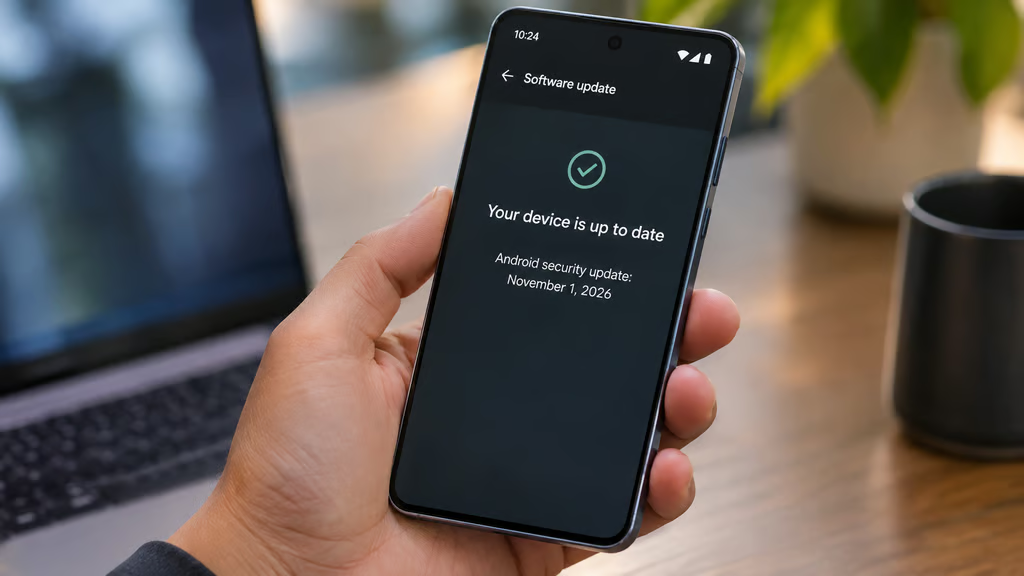
Google has addressed the flaw, tracked as CVE-2026-58882, in its November 2026 Android security bulletin. The confirmed fix is included at security patch level 2026-11-01, but availability depends on the phone manufacturer, model, and carrier. Devices running older Android versions may not receive it.
What is the Android SMS of Death vulnerability?
CVE-2026-58882 is a critical denial-of-service vulnerability in Android’s handling of WAP Push messages, a type of data SMS used for services such as carrier configuration and multimedia messaging.
According to Google’s November Android security bulletin, the flaw can be exploited remotely without user interaction or additional privileges. Google’s published vulnerability record identifies an integer overflow in the decodeWapPdu function of WapPushOverSms.java.
Security researcher Mark Blaszczyk publicly disclosed the issue on Oct. 29 after reporting it to Google in May. His research describes how a malformed WAP Push message can crash the com.android.phone process, which handles cellular functions.
Because Android processes the message before it reaches the messaging app, the recipient may never see it.
The researcher reported several possible effects:
- Dropped calls: A crash can disconnect an ongoing cellular call, including an emergency call.
- Temporary loss of service: The phone can briefly lose cellular connectivity while its phone service restarts.
- Repeated crashes: A message retained in Android’s incoming-message queue or redelivered by a carrier can trigger the problem again.
- Recovery loops: Repeated failures can eventually force some devices into Android’s recovery mode.
Blaszczyk reproduced the problem on a Pixel 9 and several Samsung Galaxy devices. His findings, discussed in the technical analysis published by Yaamlabs, describe an attack that requires no interaction from the phone’s owner.
A public proof of concept is available, although there is no confirmed evidence of widespread exploitation.
Which Android versions are affected?
Google lists fixes for Android 14, 15, 16, 16 QPR2, and 17 in its November bulletin.
The researcher also reported reproducing the vulnerability on Android 12 and 13. Those versions are not included in Google’s published list of updated AOSP versions, leaving users dependent on any device-specific fixes their manufacturers may provide.
| Android version | Patch status |
|---|---|
| Android 17 | ✔ Fixed at security patch level 2026-11-01 |
| Android 16 and 16 QPR2 | ✔ Fixed at security patch level 2026-11-01 |
| Android 15 | ✔ Fixed at security patch level 2026-11-01 |
| Android 14 | ✔ Fixed at security patch level 2026-11-01 |
| Android 13 | ✖ No fix listed in Google’s November bulletin |
| Android 12 | ✖ No fix listed in Google’s November bulletin |
The table reflects Google’s published bulletin, not confirmation that every manufacturer has delivered the update to every device.
Some manufacturers may have incorporated the underlying code fix before November. However, the researcher and independent reports disagree about the earlier rollout, making 2026-11-01 the clearest published patch level to verify.
An older patch date does not conclusively prove that a particular phone remains vulnerable. Manufacturers may backport fixes, so check their security advisories when the patch level is earlier than November.
Users waiting for a major OS upgrade can consult the Android 17 update tracker for information about eligible devices. However, upgrading to Android 17 is not required to receive this security fix on supported older versions.
How to check your Android security patch level
Most Android phones display their security patch date in Settings.
On Google Pixel and many other Android phones:
- Open Settings.
- Select About phone.
- Tap Android version.
- Find Android security update.
- Check whether the date is Nov. 1, 2026, or later.
On Samsung Galaxy phones:
- Open Settings.
- Select About phone.
- Tap Software information.
- Find Android security patch level.
- Return to Settings > Software update > Download and install to check for available updates.
Menu names can vary slightly by manufacturer and Android version.
If the patch date is older than Nov. 1, install any available security update and check the date again after restarting.
Samsung’s rollout can differ by model and region. For example, the company’s recent One UI 9 rollout covers specific Galaxy A-series devices, but receiving an OS update does not automatically establish which security fixes are included.
The security patch date, supported by the manufacturer’s advisory when necessary, is the better reference.
What IT teams should do about unpatched devices
Organizations managing Android phones should review their device inventory rather than assume that every phone is protected because an update has been announced.
Start by identifying devices with a security patch level earlier than 2026-11-01. Then check whether their manufacturers have released an update or documented an earlier fix for CVE-2026-58882.
Prioritize phones used by field workers, on-call employees, and anyone who depends on reliable cellular service during emergencies.
For Android Enterprise fleets, administrators can use mobile device management policies to enforce minimum security patch levels. Microsoft Intune, for example, supports a minimum patch-level requirement through Android Enterprise compliance settings.
Before applying a companywide restriction, confirm which devices have received the November update and allow for legitimate rollout delays. Otherwise, employees could lose access to work apps while waiting for a manufacturer or carrier update.
Android 12 and 13 devices need particular attention. If a manufacturer has not committed to providing a fix, upgrading the operating system or replacing the device may be necessary.
Administrators should also avoid assuming that disabling WAP Push in a messaging app prevents the attack. The vulnerable processing occurs within Android’s telephony framework, before the message reaches the app.
What if your Android phone is already crashing?
Repeated call drops, brief losses of cellular service, or unexpected recovery screens can have several causes. They do not, by themselves, prove that a phone has been targeted.
The researcher’s findings identify a more specific sign: a crash involving com.android.phone and a NegativeArraySizeException during WAP Push processing.
IT support teams can inspect Android bug reports for those errors, but ordinary users should not need to diagnose the underlying code.
If a phone is repeatedly crashing, first check whether an update is available. If the device cannot remain operational long enough to install it, contact the manufacturer, carrier, or organization’s IT support team.
Avoid immediately performing a factory reset. The researcher found that a malicious message retained by the carrier could be delivered again after the phone was reset.
The published research describes an Android Debug Bridge recovery method that removes the offending message from the incoming-message queue. However, the procedure requires technical expertise, and some recovery commands can erase stored messages and cellular configuration settings.
For most users, professional support is safer than attempting those commands without a backup.
The bottom line
The Android SMS of Death vulnerability is unusual because a message that never appears in the inbox can interrupt the phone’s most basic function: making calls.
Google has published a fix, and the immediate priority is straightforward: check the Android security patch level and install the latest available update.
For organizations, the remaining work is identifying devices that have not received the fix, confirming any manufacturer-specific patches, and deciding what to do with older Android 12 and 13 phones.
Also read: Our Android 17 update guide covers which Samsung, Pixel, OnePlus, and other phones are receiving Google’s latest operating system.