


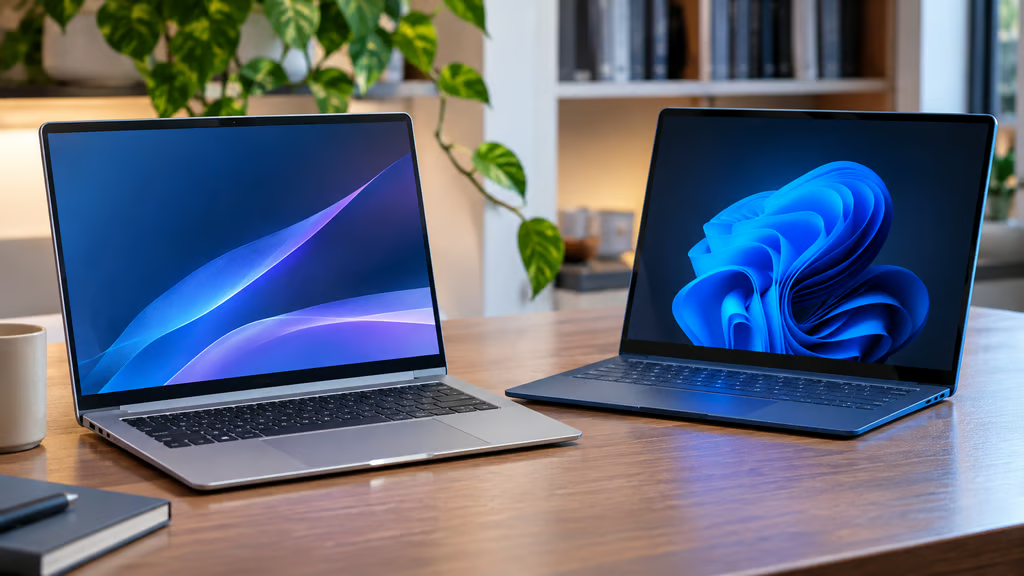
The Samsung Galaxy Book6 and Microsoft Surface Laptop 8 offer different strengths for Windows laptop buyers. Samsung’s Intel-powered machine provides familiar connectivity and native x86 software support, while Microsoft’s Snapdragon-powered Surface offers a significantly better display and stronger on-device AI capabilities.
For most office users, the choice comes down to budget, display quality, and software compatibility. This comparison focuses on the 14-inch Galaxy Book6 with Intel Core 5 315 and the 13.8-inch Surface Laptop 8 with Snapdragon X2 Plus, both configured with 16GB RAM and 512GB storage.
At a glance:
- Best for affordability and legacy software: Samsung Galaxy Book6.
- Best for display quality and Copilot+ features: Microsoft Surface Laptop 8.
- Best for built-in presentation connectivity: Galaxy Book6, thanks to HDMI.
- Best for USB-C docking: Surface Laptop 8, with two USB4 ports.
- Battery winner: Inconclusive because independent reviewers used different tests.
- Samsung Galaxy Book6 vs Surface Laptop 8: Specs compared
- How we compared these laptops
- Display and ports: Surface delivers the better screen
- Performance and battery life: compatibility is the deciding factor
- AI features and business deployment
- Samsung Galaxy Book6 vs Surface Laptop 8: Which should you buy?
Samsung Galaxy Book6 vs Surface Laptop 8: Specs compared
| Feature | Samsung Galaxy Book6 | Microsoft Surface Laptop 8 |
|---|---|---|
| Tested configuration | Core 5 315, 16GB/512GB | Snapdragon X2 Plus, 16GB/512GB |
| Review-time price | $1,249 | $1,599 |
| Verified current price | Check Samsung for matching SKU | $1,299.99 promotional price |
| Processor architecture | Intel x86 | Qualcomm ARM |
| Display | 14-inch IPS, 1920 × 1200 | 13.8-inch touchscreen, 2304 × 1536 |
| Refresh rate | 60Hz | Up to 120Hz |
| Measured brightness | 371 nits | 623 nits average |
| Ports | 2 USB-C, USB-A, HDMI | 2 USB4, USB-A, Surface Connect |
| Wireless | Wi-Fi 6E | Wi-Fi 7 |
| Independent battery test | 20h 24m, video loop | 18h 53m, Wi-Fi browsing |
| Copilot+ PC | ✖ | ✔ |
| Main advantage | Compatibility and HDMI | Display, AI, and docking |
Prices are in US dollars. Review-time figures are not current offers. The two battery results use different workloads and cannot establish a direct winner.
How we compared these laptops
We evaluated pricing, display quality, performance, battery life, connectivity, AI capabilities, and business software compatibility.
Our comparison uses official Samsung specifications and Microsoft specifications, alongside independent testing from Trusted Reviews and Notebookcheck.
These publications tested different battery workloads and Geekbench versions. We therefore use their measurements to describe each laptop’s performance without treating the scores as a controlled head-to-head test.
Samsung also sells a $799.99 Galaxy Book6 with 8GB RAM and 256GB storage. That lower-priced model is not equivalent to the reviewed 16GB/512GB configuration.
Microsoft lists the reviewed Snapdragon X2 Plus configuration at $1,299.99 during a $300 promotion, down from $1,599.99. Buyers should confirm availability and checkout pricing before ordering.
Display and ports: Surface delivers the better screen
The Surface Laptop 8 has a clear display advantage.
Its 13.8-inch PixelSense touchscreen offers a 2304 × 1536 resolution, a 3:2 aspect ratio, and a refresh rate up to 120Hz. Notebookcheck measured 623 nits of average brightness and found its factory color profiles accurate enough for photo editing.
The Galaxy Book6 uses a 14-inch, 1920 × 1200 IPS panel running at 60Hz. Trusted Reviews measured 371 nits and just 66% sRGB coverage, resulting in noticeably weaker color reproduction.
For presentations, photo editing, and bright offices, the Surface is the stronger choice. Its taller 3:2 screen also gives documents and spreadsheets additional vertical space.
Samsung responds with more convenient connectivity.
The Galaxy Book6 includes two USB-C ports, USB-A, and full-size HDMI. That makes connecting a projector or external monitor straightforward without an adapter.
The Surface lacks HDMI but offers two faster USB4 ports, USB-A, and Surface Connect. Its USB4 connections are better suited to high-speed external storage and modern docking stations.
Both laptops can support a conventional office setup, but the Galaxy favors built-in connections while the Surface favors USB-C accessories.
Performance and battery life: compatibility is the deciding factor
Both laptops delivered strong endurance in independent testing.
Trusted Reviews measured 20 hours and 24 minutes from the Galaxy Book6 using a video-loop workload at 150 nits.
Notebookcheck recorded 18 hours and 53 minutes of Wi-Fi browsing on the Surface Laptop 8.
Those results cannot establish which machine lasts longer in identical conditions. Video playback and active browsing stress different components.
CPU benchmark comparisons have the same limitation because the reviews used different Geekbench versions.
The bigger practical distinction is architecture.
Samsung’s Intel Core 5 315 runs conventional x86 Windows software natively. Microsoft’s Snapdragon X2 Plus runs ARM-native applications and can emulate many x86 programs.
For Microsoft 365, browsers, and mainstream productivity software, ARM compatibility may be sufficient. Specialized applications, VPN clients, security software, and peripherals require closer scrutiny.
Organizations considering Snapdragon-powered laptops should check the exact applications and drivers they depend on before deployment.
The Intel Galaxy Book6 avoids ARM-specific translation requirements, although compatibility testing remains advisable for either device.
AI features and business deployment
Microsoft has the advantage for buyers prioritizing Copilot+ features.
The Surface Laptop 8’s Snapdragon X2 Plus includes an NPU rated at up to 80 TOPS, meeting Microsoft’s Copilot+ PC requirements.
The reviewed Galaxy Book6 Core 5 315 configuration does not qualify as a Copilot+ PC, although Samsung includes features such as AI Select and integrations with compatible Galaxy devices.
IT teams should also check the Windows edition. The consumer Surface ships with Windows 11 Home, while Microsoft offers separate business configurations with Windows 11 Pro.
Before deploying the ARM-based Surface across an organization, verify:
- Application support: Confirm ARM64 compatibility for business-critical software.
- Security tools: Check endpoint protection, VPN clients, and software requiring specialized drivers.
- Peripheral compatibility: Validate printers, scanners, docking stations, and other accessories.
- Management requirements: Confirm Windows 11 Pro availability and compatibility with existing deployment policies.
Microsoft also sells an Intel-based Surface Laptop 8 for Business. It is a separate procurement option, not the Snapdragon consumer configuration evaluated here.
Buyers comparing Windows laptop alternatives should consider long-term software support and deployment requirements alongside hardware specifications.
Samsung Galaxy Book6 vs Surface Laptop 8: Which should you buy?
Choose the Samsung Galaxy Book6 if you want familiar Windows compatibility, built-in HDMI, and a potentially lower purchase price.
It is the safer option for organizations with legacy x86 applications or specialized peripherals. Its main weakness is the display, which falls behind the Surface in brightness, color reproduction, and refresh rate.
Choose the Microsoft Surface Laptop 8 if you prioritize display quality, touch input, USB4 docking, and Copilot+ capabilities.
Its brighter 120Hz screen is a meaningful upgrade for people who spend long hours working with documents, presentations, or visual content. However, confirm that your applications and peripherals work properly on ARM.
At Microsoft’s verified promotional price of $1,299.99, the Surface becomes particularly competitive against the $1,249 Galaxy Book6 review configuration. That comparison still depends on finding the Samsung model at its reported review-time price.
For business buyers, the best decision is the laptop that supports existing applications and deployment requirements without unnecessary upgrades or adapters.
Also read: Our Surface Laptop X2 Plus vs MacBook Air M5 comparison examines pricing, performance, and compatibility for buyers considering alternatives to Intel-powered Windows laptops.