


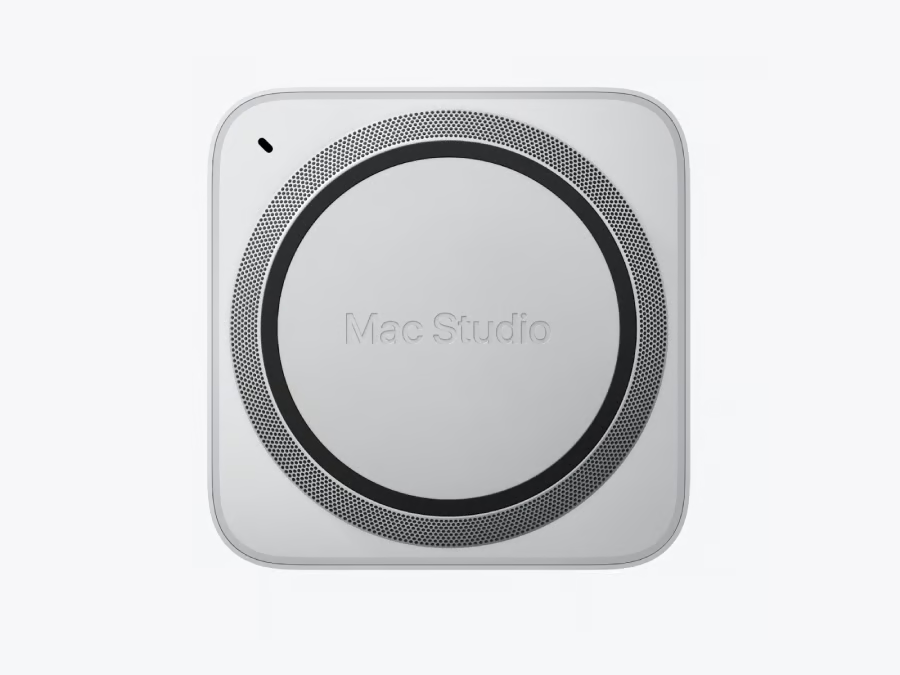
Apple’s most powerful Mac Studio now costs more than $22,000 when configured with its maximum memory capacity, putting the compact desktop firmly in high-end workstation territory.
On Oct. 28, Apple made its previously announced 512GB unified-memory option available to order for the M5 Ultra Mac Studio. The configuration starts at $22,299, while upgrading to the maximum 16TB of storage raises the price to $29,799.
For AI developers, creative professionals, and IT teams, the bigger question is whether that enormous memory capacity justifies the cost, especially when less expensive Macs may already handle their workloads.
What does Apple’s $22,299 Mac Studio include?
Apple originally announced the M5 Max and M5 Ultra Mac Studio models on Aug. 25, with general availability beginning Sept. 22. However, the company said the 512GB memory option would arrive in late October.
That configuration is now available to order, giving buyers access to Apple’s highest-memory Mac Studio.
According to Apple’s original announcement, the M5 Ultra supports up to 512GB of unified memory and delivers 1.2TB/s of memory bandwidth.
The $22,299 configuration includes:
- Processor: Apple M5 Ultra with a 36-core CPU
- Graphics: 80-core GPU with Neural Accelerators
- Memory: 512GB unified memory
- Storage: 1TB SSD, configurable up to 16TB
- Memory bandwidth: 1.2TB/s
- Connectivity: Thunderbolt 5, 10Gb Ethernet, Wi-Fi 7, and Bluetooth 6
The 512GB option is available only with the highest-end M5 Ultra processor. Buyers selecting the M5 Max version are limited to 128GB of unified memory.
As MacRumors reported, customers must select the M5 Ultra configuration with a 36-core CPU and 80-core GPU before the 512GB upgrade becomes available.
For professionals working with enormous datasets, AI models, or complex production projects, that capacity could make it possible to run workloads that would otherwise exceed a single machine’s available memory. However, more memory does not automatically mean faster performance. Applications must actually require that capacity to benefit from it.
TechRepublic’s M5 Max versus M5 Ultra comparison examines differences in memory capacity, GPU performance, storage, and price to help buyers determine which processor is best suited to their workloads.
How much does the 512GB Mac Studio upgrade cost?
The price difference is substantial, even by professional workstation standards.
The M5 Ultra Mac Studio starts at $5,499, but buyers must select the higher-end processor configuration, priced at $6,799, before upgrading to 512GB of memory.
The 512GB option adds $15,500 to that $6,799 configuration, which has the same 36-core CPU, 80-core GPU, and 1TB SSD but comes with 96GB of unified memory.
| Mac Studio configuration | Reported US price |
|---|---|
| Base M5 Ultra Mac Studio | $5,499 |
| 36-core CPU, 80-core GPU, 96GB RAM, 1TB SSD | $6,799 |
| Same processor with 256GB RAM and 1TB SSD | $10,799 |
| Same processor with 512GB RAM and 1TB SSD | $22,299 |
| 512GB RAM and 16TB SSD | $29,799 |
According to Macworld’s pricing analysis, upgrading from 256GB to 512GB of memory, with the same upgraded M5 Ultra processor and 1TB SSD, costs an additional $11,500. That means doubling the memory from 256GB to 512GB costs more than the entire 256GB computer.
The pricing also creates an unusual alternative for buyers. Two Mac Studio systems, each with 256GB of memory, would cost $21,598, approximately $700 less than a single 512GB configuration. Those two machines would each provide two M5 Ultra processors and 1TB of SSD storage.
However, their memory and storage would remain distributed across separate systems rather than functioning as a single workstation.
Organizations must consider whether their software can distribute workloads across multiple machines or requires a large amount of memory on a single machine. These figures reflect reported US configurations. Buyers should confirm current pricing, availability, and applicable taxes directly with Apple before placing an order.
The $29,799 maximum configuration price also excludes additional expenses such as external displays, peripherals, and software.
Why would anyone need 512GB of RAM?
Apple designed the M5 Ultra Mac Studio for demanding professional workloads, particularly local artificial intelligence, high-resolution video production, and complex graphics processing.
For AI developers, memory capacity can determine whether a large language model fits on a machine at all.
Memory bandwidth, software support, and concurrent workloads also influence how effectively an AI model runs. A system with more memory may accommodate larger models without necessarily delivering faster inference on smaller ones.
Running models locally can reduce dependence on cloud infrastructure and give organizations greater control over where certain data is processed. However, local processing does not eliminate the need for appropriate security controls, access management, and data protection policies.
Apple’s open-source MLX framework supports training, fine-tuning, and running AI models on Apple silicon, making the Mac Studio particularly relevant to developers building applications within Apple’s hardware and software ecosystem.
The 512GB configuration could appeal to several professional groups:
- AI developers: Running large local language models or memory-intensive inference workloads.
- Video production studios: Editing high-resolution footage, complex timelines, and visual effects projects.
- Researchers: Processing large datasets and running scientific simulations.
- Software developers: Working with demanding development environments, simulations, or specialized applications.
However, these use cases do not mean every professional needs the maximum configuration. An AI developer working with smaller models may achieve satisfactory results with 96GB, 128GB, or 256GB of memory. Likewise, video editors should evaluate whether their actual projects exceed the capabilities of less expensive hardware before investing in the 512GB option.
Could two cheaper Mac Studios be a better investment?
For some organizations, purchasing multiple lower-memory systems could provide better value than buying a single 512GB Mac Studio.
Apple supports clustering multiple Mac Studio computers using Thunderbolt 5 and remote direct memory access, or RDMA. According to Apple’s announcement, this technology allows compatible distributed AI workloads to access memory across connected systems.
In testing conducted by Apple in July 2026, a four-system Mac Studio cluster delivered up to three times the AI inference performance of a single system. However, those results come from Apple’s own testing and may vary depending on the AI model, application, and hardware configuration.
Clustering also does not mean every application can automatically combine memory across computers. Software must support the relevant architecture, and performance depends on factors such as connection bandwidth, memory access patterns, and the application’s ability to distribute processing.
One example of the technology’s potential comes from Meta’s Muse Spark Open model. As TechRepublic reported in its Muse Spark Open coverage, Meta demonstrated a setup using two M5 Ultra Mac Studios working together to support a large AI model. That example illustrates how specialized software can use multiple machines, although it does not establish that clustering will benefit every application.
For IT teams, the practical question is whether their applications can leverage multiple systems without introducing unacceptable performance or management overhead.
If workloads can be divided efficiently, purchasing two 256GB Mac Studios could provide additional computing resources at a lower upfront cost.
If an application requires more than 256GB within a single machine, however, the 512GB configuration may be the simpler option.
Must-read Apple coverage
- iOS 27 AI Shortcuts: What Changed and 5 Useful Things to Try
- iPhone Duo Camera Tricks: Smart Take, Kid Cue, Duo Preview, and More
- macOS 27 Cheat Sheet: Compatible Macs, Siri AI, Features and What Changed
- Common Mistakes When Using One Apple Account on Multiple iPhones
- 9 Hidden macOS Features That Feel Like Productivity Hacks
Is the $22,299 Mac Studio worth buying?
For most professionals and businesses, the 512GB configuration will likely be difficult to justify. The M5 Max Mac Studio starts at $2,499 and supports up to 128GB of unified memory, while the M5 Ultra starts at $5,499.
The differences between the M5 Max and M5 Ultra extend beyond memory capacity. Buyers should also consider processor performance, GPU capabilities, memory bandwidth, and whether their applications can use the additional resources.
Before approving a $22,299 workstation purchase, IT teams should evaluate five important considerations.
1. Does the workload actually require more than 256GB?
Memory requirements should guide purchasing decisions rather than the highest available specifications. If an application runs comfortably with 128GB or 256GB of memory, upgrading to 512GB may offer little immediate benefit.
Before investing in additional memory, organizations should evaluate usage during typical workloads, including peak demand. They should also identify whether existing memory limitations are affecting performance or preventing applications from running effectively.
2. Would multiple machines provide better value?
Organizations running independent AI jobs, simulations, or rendering tasks may benefit from distributing work across several computers.
Two 256GB Mac Studios cost slightly less than one 512GB model at the reported prices, but the better choice depends on whether the software supports distributed processing.
Teams should test their applications across multiple machines before assuming the additional hardware will deliver better performance.
3. Would cloud computing be cheaper?
A $22,299 workstation represents a significant upfront investment.
Organizations should compare the purchase price with cloud computing costs, including GPU rental rates, expected usage, storage, data transfers, electricity, software, and maintenance. A machine running demanding workloads continuously may be easier to justify than one used occasionally for testing.
Cloud infrastructure may also provide greater flexibility when computing requirements change.
4. Will the software fully support Apple silicon?
Hardware specifications alone do not guarantee application compatibility.
Apple’s MLX framework is designed for machine learning on Apple silicon, but organizations using software built around Nvidia CUDA may need to modify their workflows or maintain separate infrastructure.
Before purchasing, IT teams should verify that their essential applications support Apple silicon and can take advantage of its GPU acceleration and unified-memory architecture. They should also test performance using representative workloads rather than relying solely on manufacturer benchmarks.
5. Will the additional memory be useful over time?
Apple’s unified-memory architecture does not allow users to add more RAM after purchase. That makes the initial configuration particularly important for organizations expecting their workloads to grow. However, spending an additional $11,500 to move from 256GB to 512GB is difficult to justify solely on the possibility that future applications might need more memory.
Businesses should estimate their likely requirements over the workstation’s expected lifespan and compare the cost of purchasing additional capacity today with replacing or expanding their infrastructure later.
They should also consider whether a different workstation platform offers better compatibility with existing applications, greater hardware upgradeability, or a lower total cost of ownership.
TechRepublic’s guide to Mac Studio alternatives compares compact professional workstations for buyers who need different operating systems, graphics hardware, or upgrade options.
When will Apple’s 512GB Mac Studio ship?
Although the 512GB configuration became available to order Oct. 28, customers should not assume immediate delivery.
According to 9to5Mac’s October 28 report, initial orders showed estimated delivery windows from late November to early December. Those dates are estimates rather than guaranteed delivery commitments, and availability may vary depending on the configuration and shipping location.
Businesses planning workstation deployments should confirm their estimated delivery dates through Apple’s online store before scheduling migrations or time-sensitive projects.
The arrival of the 512GB Mac Studio gives organizations another option for running demanding AI and creative workloads locally. However, its extraordinary price makes careful evaluation essential.
Before spending $22,299 on a single computer, IT teams should establish whether their applications genuinely require that much memory, test lower-cost alternatives, and determine whether the investment will deliver measurable benefits.
For organizations that cannot demonstrate those requirements, a less expensive Mac Studio may provide substantially better value.
For more context on Apple’s high-memory workstations, see TechRepublic’s Mac Studio memory analysis, which explores how memory capacity affects local AI workloads and purchasing decisions.