
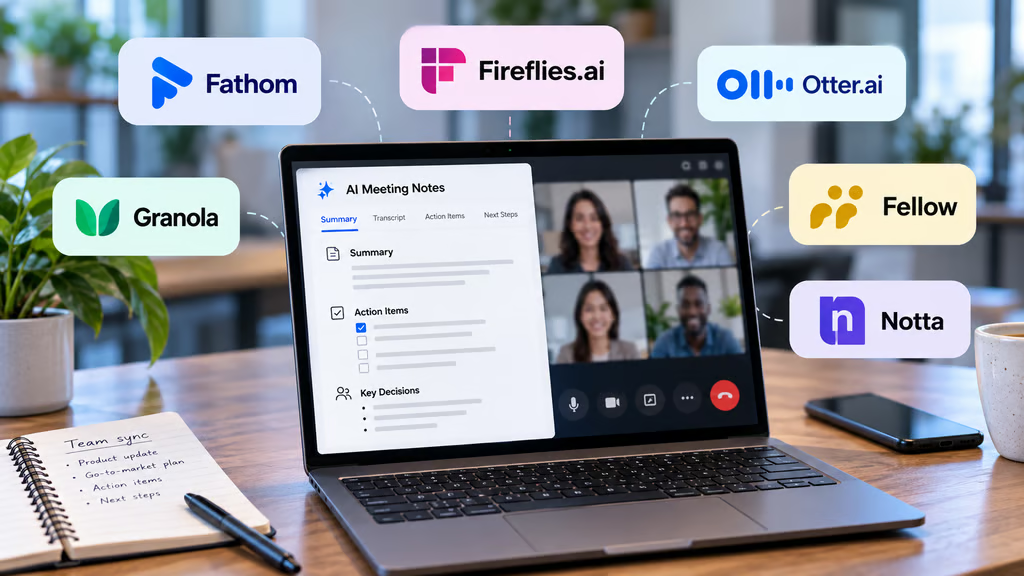


AI meeting note takers now do much more than transcribe calls. The best options can summarize conversations, pull out action items, search past meetings, connect notes to other work tools, and give admins control over meeting data.
The right choice depends on how your team meets. Some tools send a visible bot into Zoom, Google Meet, or Microsoft Teams, while others record directly from your computer. Free plans also vary widely, from unlimited transcription to strict monthly limits.
We haven’t ranked transcription accuracy because the six products haven’t been tested under one comparable independent benchmark. Instead, we compared pricing, free plans, meeting support, capture methods, integrations, and admin controls.
- Best AI meeting note takers at a glance
- How we chose the best AI meeting note takers
- 1. Fathom: Best overall AI meeting note taker
- 2. Fireflies.ai: Best for high-volume teams
- 3. Otter.ai: Best for live transcription and searchable notes
- 4. Granola: Best for bot-free meeting capture
- 5. Fellow: Best for structured team meeting workflows
- 6. Notta: Best for bilingual meetings and translation
- Which AI meeting note taker should you choose?
Best AI meeting note takers at a glance
| Tool | Free plan | Starting paid price | Meeting support |
|---|---|---|---|
| Fathom | Unlimited recordings and transcription; advanced AI features limited | Team: $15/user/month, billed annually | Zoom, Google Meet, Microsoft Teams |
| Fireflies.ai | Unlimited transcription; limited AI summaries; 400 minutes team storage | Pro: $10/seat/month, billed annually | Zoom, Google Meet, Teams, and more |
| Otter.ai | 300 minutes/month; 30 minutes per conversation | Pro: $8.33/user/month, billed annually | Zoom, Google Meet, Microsoft Teams |
| Granola | Unlimited meeting notes; limited history | Business: $14/user/month | Zoom, Meet, Teams, Slack Huddles, in-person |
| Fellow | 5 AI notes and recordings per user, lifetime | Team: $7/user/month, billed annually | Zoom, Google Meet, Teams, Slack Huddles |
| Notta | 120 minutes/month; 3 minutes per conversation | Pro: $8.17/month, billed annually | Zoom, Meet, Teams, Webex |
Prices were checked on Sept. 28, 2026, and may vary by billing cycle, seat count, promotion, region, or future plan changes.
How we chose the best AI meeting note takers
We compared the features that affect everyday use:
- Free-plan limits: Transcription, meeting length, storage, summaries, and other restrictions.
- Capture options: Meeting bot versus direct computer or mobile recording.
- Meeting platforms: Support for Zoom, Meet, Teams, Slack Huddles, Webex, and in-person conversations.
- AI features: Summaries, action items, search, templates, and follow-up tools.
- Integrations: CRM, project management, productivity, API, and automation support.
- Administration and security: SSO, SCIM, retention controls, audit tools, and regulated-use options.
- Price: Current official pricing and which tier unlocks the features most teams need.
A generous free plan can work well for one person but still fall short for a team if history, storage, or admin controls are restricted.
1. Fathom: Best overall AI meeting note taker
Fathom pairs a generous free plan with paid features that scale well for teams.
The Free plan includes unlimited recordings and transcriptions, instant AI summaries, clips, playlists, and search. Fathom supports both bot-based capture and a bot-free Mac option that’s currently in beta.
Individual Premium costs $16 per user monthly with annual billing. Team costs $15 per user monthly on annual billing with a two-user minimum, while Business costs $25.
Fathom works with Zoom, Google Meet, and Microsoft Teams. Teams comparing those platforms can also see TechRepublic’s guide to the best video conferencing software. Fathom’s Team plan adds global search, shared folders, playlists, keyword alerts, and collaboration tools. Business adds CRM field syncing, Deal View, coaching metrics, AI scorecards, and more advanced summaries.
Free users get limited access to some advanced AI features, while paid plans expand tools such as AI-generated action items and broader meeting search.
Enterprise adds SSO, SCIM, custom retention policies, and more organization-wide controls. Fathom also says it’s SOC 2 Type II, HIPAA, and GDPR compliant.
Fathom is the strongest all-around choice if you want to start free and keep the same platform as your team grows.
2. Fireflies.ai: Best for high-volume teams
Fireflies.ai works well for teams that generate lots of meeting transcripts and want to push those notes into other business tools.
Its Free plan includes unlimited transcription, limited AI summaries, 400 minutes of team storage, and 20 AI credits. Fireflies supports Zoom, Google Meet, Microsoft Teams, and more than 10 meeting platforms.
Pro costs $10 per seat monthly on annual billing and adds unlimited AI summaries, 8,000 minutes of storage per seat, video recording, transcript downloads, action items, and unlimited integrations.
Business costs $19 per seat monthly and adds unlimited storage, conversation intelligence, team analytics, user groups, and more AI credits. Enterprise costs $39 per seat monthly on an annual contract.
Fireflies can join meetings as a bot, while its Chrome extension and desktop tools offer bot-free capture options.
Its integration support is a major strength. Fireflies connects with CRMs, project tools, communication apps, automation platforms, and APIs.
Enterprise adds SSO, SCIM, audit logs, private storage, custom retention, and HIPAA support.
Fireflies makes the most sense for teams that care more about high meeting volume and integrations than conserving transcription minutes.
3. Otter.ai: Best for live transcription and searchable notes
Otter.ai is a strong choice if you want to watch a transcript develop live and search it later.
Otter Basic is free and includes 300 transcription minutes per month, with a 30-minute limit per conversation. It supports Zoom, Google Meet, and Microsoft Teams and includes live transcription, speaker identification, summaries, and mobile apps.
Pro costs $8.33 per user monthly on annual billing. It increases the allowance to 1,200 minutes per month, extends meetings to 90 minutes, and adds unlimited conversation history, advanced search, exports, templates, and more file imports.
Business costs $19.99 per user monthly. It removes the monthly limit on in-app meeting recordings, supports meetings up to four hours, and adds custom AI workflows, usage analytics, activity logs, and up to three concurrent meetings.
The older 6,000-minute Business figure now applies to imported-file transcription, not in-app meeting recording.
Otter Notetaker can join Zoom, Meet, and Teams as a visible participant. If you don’t want a bot in the call, Otter’s desktop app also supports bot-free recording.
Enterprise adds SSO, SCIM, domain capture, custom integrations, more admin controls, and optional HIPAA support.
Otter is especially useful for teams that value live transcription and a searchable archive across the major meeting platforms.
4. Granola: Best for bot-free meeting capture
Granola records meeting audio from your device instead of sending a meeting bot into the call.
That lets it work across Zoom, Google Meet, Microsoft Teams, Slack Huddles, in-person meetings, and other conversations without relying on a direct conferencing integration.
The Basic plan is free and includes unlimited meeting notes, AI chat, shared folders, custom templates, and multilingual support. The main limitation is history, since older meeting content becomes unavailable on Free.
Business costs $14 per user monthly and adds unlimited meeting history, advanced AI models, centralized billing, API access, MCP support, and integrations including Notion, Slack, HubSpot, Attio, Affinity, and Zapier.
Enterprise costs $35 per user monthly and adds SSO, usage analytics, organization-wide auto-deletion, sharing controls, and AI-training settings.
Granola says meeting audio is transcribed in real time and then deleted rather than stored as an audio recording. Its Trust Center lists SOC 2 Type II, GDPR, and HIPAA programs.
Granola is a good fit if you don’t want another bot appearing in meetings or your team regularly moves between meeting apps and in-person conversations.
5. Fellow: Best for structured team meeting workflows
Fellow combines AI recording with agendas, collaborative notes, action items, recurring meetings, and team workflows.
The Free plan includes five AI notes and five AI recordings per user for the lifetime of the account, plus transcription, summaries, action items, and support for Google Meet, Zoom, Microsoft Teams, and Slack.
Team costs $7 per user monthly on annual billing, or $11 monthly. It provides 10 AI notes and recordings per user each month and adds automations, project-management integrations, Confluence, Notion, and API access.
Business costs $15 per user monthly and removes the AI note and recording limits. It adds organization-wide templates, Salesforce and HubSpot integrations, keyword tracking, sales recap templates, and more customization.
Fellow can record through a meeting bot or botless desktop capture and supports Zoom, Google Meet, Teams, Slack Huddles, and in-person meetings.
Enterprise starts at $25 per user monthly with a 10-user minimum and adds domain control, provisioning, advanced recording permissions, meeting analytics, and transcript redaction.
Fellow works best for teams that want AI notes built into a repeatable meeting process rather than stored in a separate transcript library.
6. Notta: Best for bilingual meetings and translation
Notta is the strongest option here for teams that regularly need transcription and translation.
The Free plan includes 120 transcription minutes per month, but its three-minute-per-conversation cap makes it better for testing than full meetings. Users also get 10 AI summaries each month.
Pro costs $8.17 per month on annual billing. It raises the allowance to 1,800 transcription minutes per month, supports recordings up to five hours, includes 100 AI summaries, and adds exports, translation, and custom vocabulary.
Business costs $16.67 per user monthly and includes unlimited transcription, five-hour recordings, online meeting video capture, usage reports, advanced security controls, and CRM and Zapier integrations.
Notta supports Zoom, Google Meet, Microsoft Teams, and Webex, with both a meeting bot and bot-free desktop recording. It also offers web, mobile, desktop, and Chrome-extension capture.
Paid users can add real-time translation or bilingual transcription and translation, keeping two languages side by side during a conversation.
Enterprise is custom-priced and starts at 51 seats. It adds SAML SSO, audit logs, broader data controls, unlimited file uploads, and customized transcription allowances.
Notta makes the most sense for international teams, interviews, and meetings where translation is part of the regular workflow.
Which AI meeting note taker should you choose?
| Best for | Pick | Reason |
|---|---|---|
| Best overall | Fathom | Generous free plan, strong team features, bot and bot-free capture |
| High-volume meetings | Fireflies.ai | Unlimited transcription and broad integrations |
| Live transcription | Otter.ai | Strong live transcripts and searchable meeting history |
| Bot-free capture | Granola | Records from the device without adding a meeting bot |
| Structured team meetings | Fellow | Combines AI notes with agendas, action items, and meeting workflows |
| Bilingual meetings | Notta | Strong transcription plus bilingual and translation tools |
Fathom is the best all-around option for users who want a generous free plan and a clear path into team features.
Fireflies is better for high meeting volume and integrations, while Otter stands out for live transcription and searchable history.
Granola is the cleanest choice if you don’t want a visible meeting bot. Fellow works well for teams that want more structure around meetings, while Notta is the better fit when translation is a regular requirement.
Before rolling any tool out broadly, test it against real meetings. Bot permissions, consent requirements, retention rules, CRM access, and admin controls can matter just as much as the transcript itself.
Also read: Google Meet can now capture in-person conversations and turn them into AI-generated notes, summaries, and action items.