


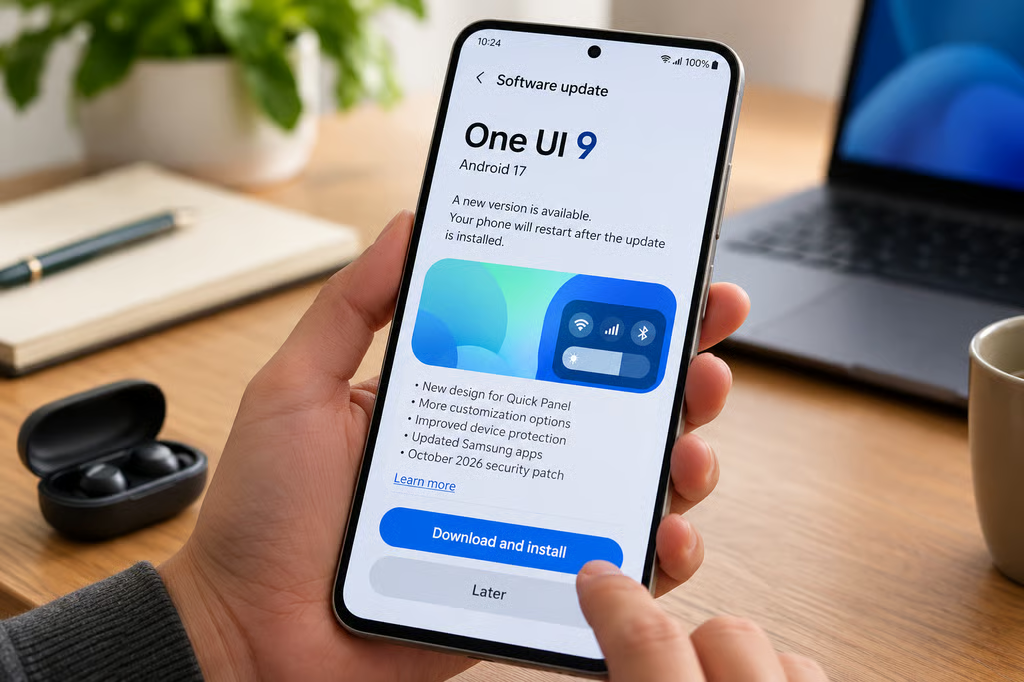
Samsung’s Galaxy A56 is receiving its stable One UI 9 update outside South Korea, bringing Android 17, more customization options, and security improvements to the midrange smartphone.
The international rollout began appearing Oct. 19, following the South Korean release on Oct. 15. Samsung’s official firmware records confirm the new international build, although availability still depends on the country, carrier, and device model. Some of the headline Galaxy AI features introduced with One UI 9 also remain unavailable or unconfirmed for the A56.
Galaxy A56 One UI 9 rollout: Where is it available?
Samsung’s official Galaxy A56 changelog confirms firmware A566BXXUEDZJ1, released Oct. 19, with Android 17 and the Oct. 5, 2026, security patch.
The update was first released in South Korea as firmware A566SKSUADZJ1. International reports now identify Indonesia and parts of the Middle East among the markets receiving the newer build.
According to SamMobile’s rollout report, the international download is approximately 2.3 GB. The release is expanding regionally, so users should not assume that every Galaxy A56 can install it immediately.
The A56 joins several other Galaxy phones receiving Android 17 through Samsung’s wider One UI 9 rollout, including the Galaxy S23 series and other Galaxy A models.
To check availability:
- Open Settings on the Galaxy A56.
- Select Software update.
- Tap Download and install.
- If an update appears, review the firmware details before proceeding.
Use Wi-Fi, charge the phone, and make sure sufficient storage is available before downloading. Users who do not see the update should wait for their region or carrier rather than attempting to install firmware intended for another model.
What’s new in the Galaxy A56 Android 17 update?
Samsung’s release notes confirm several changes beyond the Android version number.
Quick Panel customization: Users can rearrange controls and change the size of the brightness and volume sliders. The media player and sound-mode controls also offer additional layout options.
Device protection: A new Warranty and care menu provides access to warranty information and device diagnostics. Samsung has also made it easier to lock down a phone quickly.
Productivity improvements: One UI 9 includes updates to Samsung Notes, multitasking, and Samsung DeX, although individual capabilities depend on device support.
Accessibility: Additional accessibility options make certain system controls easier to use.
Security updates: The international A56 build includes the October 2026 Android security patch.
These improvements provide practical reasons to update even without the full Galaxy AI feature set. The software changes are documented in Samsung’s device-specific release notes, rather than inferred from features demonstrated on flagship phones.
Which Galaxy AI features are missing?
Samsung introduced One UI 9 with several AI capabilities, but the company has not confirmed that every feature will reach the Galaxy A56.
One notable example is Privacy Alerts, which uses on-device AI to identify potentially suspicious background permission access.
Samsung’s official feature announcement lists supported Galaxy S, Z, and Tab devices. The Galaxy A56 is not included.
That limitation is consistent with the device-specific restrictions covered in TechRepublic’s One UI 9 Privacy Alerts guide.
Other One UI 9 features, including My FanCam 2, enhanced Now Brief capabilities, and Interpreter improvements, have not been confirmed for the A56 in Samsung’s published device-specific documentation.
Scam Detection also has regional restrictions. Samsung has announced expanded availability in Japan, Canada, and India, but those country announcements do not establish A56 compatibility.
Owners should therefore distinguish between features included in the A56’s official changelog and capabilities demonstrated on newer flagship devices.
Should Galaxy A56 owners install One UI 9 now?
For users receiving the official update, One UI 9 delivers Android 17, additional customization, and a newer security patch. There is no need to wait for Galaxy AI feature announcements to benefit from those changes.
However, anyone relying on specific applications or business software should check compatibility before upgrading.
Organizations managing Galaxy A56 devices should record the installed firmware version, confirm regional availability, and test important applications before deploying the update across an entire fleet.
The Galaxy A56 is part of Samsung’s expanding Android 17 upgrade program, which has also reached older flagships such as the Galaxy S23 series.
For individual owners, the simplest approach is to check Settings > Software update and install the official release when it becomes available. The new Android version and security improvements are confirmed; additional Galaxy AI capabilities should only be expected when Samsung documents support for the A56.
Also read: Samsung’s Android 17 compatibility guide identifies Galaxy models that may not receive the One UI 9 upgrade.