


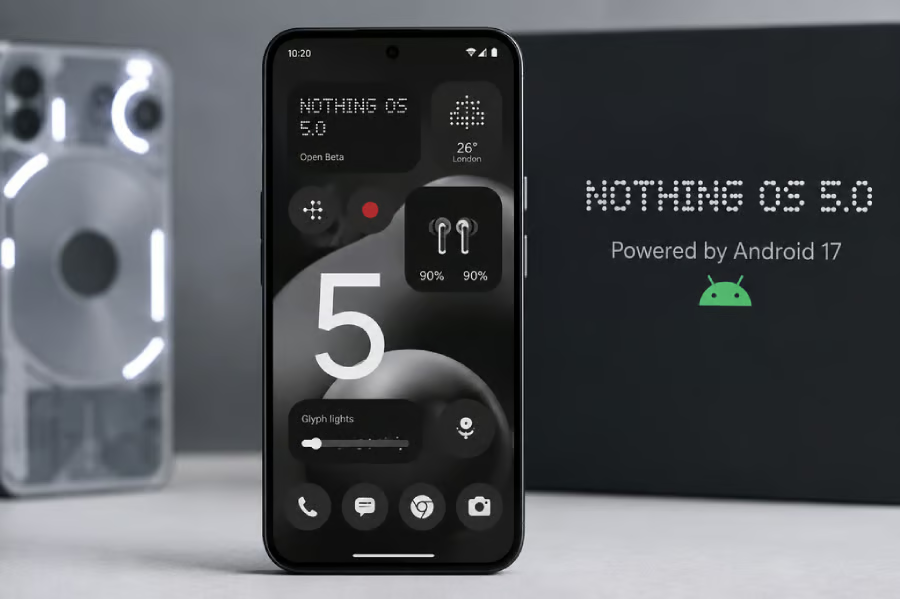
Nothing Phone (3) owners can now start upgrading to Android 17. Nothing has begun rolling out the stable version of Nothing OS 5.0, bringing new customization features, interface changes, and software improvements to its flagship smartphone.
The company announced the general release on Oct. 12, marking the transition from beta testing to production. Phone (3) is first in line, with nine additional Nothing and CMF models scheduled to receive the software through January 2027.
For owners, the biggest questions are when the update will arrive, which features are included, and whether their device remains eligible. The answers depend on the phone model, rollout schedule, and regional availability.
Nothing OS 5.0 brings new Android 17 features to Phone (3)
Nothing OS 5.0 introduces a redesigned launcher, refreshed interface, additional personalization options, and improvements to the company’s software experience.
According to Nothing’s official Phone (3) firmware changelog, the stable release includes several changes affecting how owners interact with their devices:
- New Glyph app: Provides a central location for accessing and controlling features of Nothing’s Glyph Interface.
- Separate notifications and Quick Settings: Allows users to split the notification panel from Quick Settings for easier navigation.
- Improved home-screen customization: Includes bulk icon arrangement and a redesigned launcher that gives users more control over their layouts.
The update also introduces the Micrographics clock face and broader visual refinements. Nothing’s firmware changelog confirms a new three-color status bar indicator that helps users identify sensitive device activity, including location access and AI processing.
However, users should distinguish between features included in the operating system update and improvements distributed separately.
Nothing says enhancements to Essential Space are delivered through Google Play rather than exclusively through Nothing OS updates. Some capabilities, including a redesigned capture experience, are planned for later releases and should not be assumed to arrive immediately after installing Nothing OS 5.0.
Feature availability may also vary by device because some functions depend on hardware capabilities or subsequent application updates.
TechRepublic previously covered the Nothing OS 5.0 eligibility list and planned features. The Oct. 12 announcement establishes that Phone (3) owners can now begin receiving the stable release rather than relying on beta software.
Which Nothing phones will receive Android 17 next?
Nothing has published a rollout schedule identifying when additional supported smartphones are expected to receive the stable update.
According to the company’s official Nothing OS 5.0 roadmap, the current schedule is:
| Nothing Phone (3) | Oct. 12, 2026, rollout started |
| Nothing Phone (4a) Pro | Early November 2026 |
| Nothing Phone (4a) | Early November 2026 |
| Nothing Phone (3a) Pro | Early November 2026 |
| Nothing Phone (3a) | Early November 2026 |
| Nothing Phone (2a) | Mid-November 2026 |
| Nothing Phone (2a) Plus | Mid-November 2026 |
| Nothing Phone (3a) Lite | Late December 2026 |
| Nothing Phone (4b) | Mid-January 2027 |
| CMF Phone 2 Pro | Mid-January 2027 |
These dates are estimates, not guaranteed availability deadlines. Nothing says the rollout will be phased by region and carrier, where applicable, and that its schedule may change as development and testing continue.
Three older models will not receive Nothing OS 5.0: Nothing Phone (1), Nothing Phone (2), and CMF Phone 1. They have reached the end of their major operating system upgrade support.
TechRepublic previously explained which Nothing phones are missing Android 17 and what owners should do next.
Importantly, exclusion from Android 17 does not automatically mean that a phone stops receiving security patches. Major Android upgrades and security updates follow different support schedules.
Nothing’s OS 5.0 rollout announcement does not establish the remaining security-support periods for those three models. Owners should check their specific device’s support policy to determine whether security patches are still available and when that coverage ends.
That distinction matters for anyone deciding whether to keep an older Nothing phone. A device may remain functional without Android 17, but its long-term suitability for personal or business use depends partly on whether it continues receiving security fixes.
What's hot at TechRepublic
- Blackpoint Cyber vs. Arctic Wolf: Which MDR Solution is Right for You?
- Why AWS Sellers Choose Deepgram Over Other Voice AI Tools
- SS&C Intralinks DealCentre AI vs. Datasite: Which platform is built for the future of dealmaking?
- SS&C Intralinks FundCentre AI vs. Juniper Square: Which platform better supports modern private markets fund managers?
- Verito vs. Rightworks: Which IT Provider Is Best for Your Firm?
What Nothing Phone owners should do before installing Android 17
For Phone (3) owners, the stable release offers an opportunity to install Android 17 without enrolling in the beta program. However, the update may not appear immediately because Nothing is distributing it in stages.
Phone (3) owners already running the Nothing OS 5.0 beta do not need to leave the beta program to receive the stable release. Nothing says the general release will arrive automatically as a standard over-the-air update when available.
To check availability, open Settings > System > System update. If Nothing OS 5.0 is not available, owners should wait for the rollout to reach their device rather than assume something is wrong.
Before installing, users should take three precautions:
- Back up important data. Save photos, contacts, messages, and important files before beginning the installation.
- Prepare the phone. Connect to a reliable Wi-Fi network, charge the device, and confirm that sufficient storage is available.
- Check essential applications. Make sure banking apps, authentication tools, workplace software, and other critical services are compatible with Android 17.
Nothing warns that phones may temporarily run warmer or consume more power following an operating system update. These effects should generally settle after installation and subsequent system optimization.
For people using Phone (3) as a work device, application compatibility deserves particular attention.
Employees who rely on corporate VPNs, mobile device management software, multifactor authentication, or specialized business applications should confirm that these services are compatible with Android 17 before updating.
IT administrators managing Nothing devices should consider testing the release on a limited number of phones before approving broader deployment. That approach can help identify application compatibility issues or device management changes before they affect employees.
There is also a longer-term consideration for anyone deciding whether to keep an existing Android phone. TechRepublic’s Samsung vs. OnePlus software support comparison illustrates how operating system upgrades and security-support commitments can affect a device’s useful lifespan.
For Phone (3) owners, the immediate next step is to check for Nothing OS 5.0, back up important information, and install the update when the device and essential applications are ready.
Owners of other eligible Nothing and CMF phones should use the published rollout schedule as a guide while watching for official availability announcements for their specific models.
The practical takeaway is that Android 17 has officially arrived on Nothing hardware, but receiving the update safely and on schedule depends on the device, region, and applications each owner relies on.
Related reading: For more Android 17 coverage, see TechRepublic’s breakdown of Samsung’s One UI 9 rollout to find out which Galaxy phones are receiving the update and which models are next.