


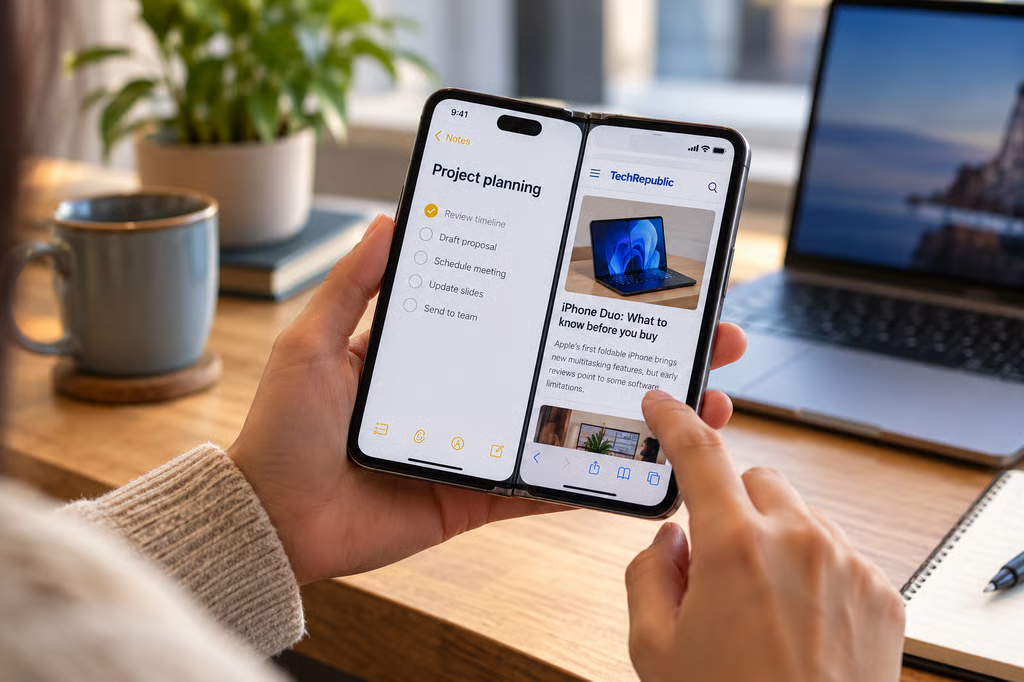
Apple’s iPhone Duo arrives in stores Oct. 23, but early reviews have uncovered software problems that could frustrate buyers of the company’s first foldable phone. Split View multitasking breaks when the device rotates to portrait, some apps leave large black borders, and the interface presents awkward challenges for one-handed use.
The findings come from independent reviews by The Verge and Tom’s Guide, which praised the Duo’s hardware while identifying limitations in its iOS 27.1 software. For a phone starting at $1,999, those problems could affect whether its folding display delivers the productivity improvements buyers expect.
Split View multitasking struggles in portrait mode
The Duo introduces side-by-side multitasking to the iPhone, letting users place two apps on its 7.6-inch interior display.
In its hands-on review, Tom’s Guide found that Split View worked smoothly in landscape orientation. Users could drag apps into position, save app pairs, and move content between them without noticeable lag.
Rotating the phone to portrait, however, temporarily collapsed Split View into a single app. The original pair returned when the reviewer rotated the device back to landscape.
The Verge’s separate review found another restriction: users couldn’t initiate the standard side-by-side Split View layout while holding the phone upright.
Portrait multitasking isn’t entirely absent. Tom’s Guide demonstrated a video player above another app, although activating that arrangement required a separate, less intuitive control.
These restrictions are particularly relevant to anyone expecting the Duo to replace some of the tasks normally handled on an iPad.
The Duo’s foldable iOS 27 features were designed to accommodate different screen positions, but the reviewers’ findings reveal that not every multitasking arrangement works across orientations.
Some apps still look unfinished
App compatibility presents another problem.
Tom’s Guide found that applications optimized for the Duo generally made good use of its interior display. However, several unoptimized apps displayed awkward layouts.
Disney Plus and The Weather Channel showed substantial black borders along the sides. Some games occupied only about three-quarters of the available screen.
Other apps updated for iOS 27, but not specifically for the Duo, nearly filled the display while leaving a narrower unused strip.
YouTube exhibited that behavior in Tom’s Guide’s testing, although it also supported a useful landscape layout with comments alongside the video.
The Verge similarly reported inconsistent experiences across applications, distinguishing between apps designed for the Duo and those relying on more conventional iPhone layouts.
The difference matters because a larger folding screen offers limited benefit when an application cannot use the available space effectively.
Businesses considering the Duo for mobile work should test their most frequently used applications rather than assume standard iPhone compatibility guarantees an optimized foldable layout.
One-handed controls and the outer screen introduce compromises
The Verge also identified navigation limitations involving the Duo’s compact outer display and unusual screen proportions.
Its 5.4-inch cover display uses a wider, passport-like shape than a conventional iPhone. That makes some familiar interactions feel different, even when applications function normally.
The reviewer also found that the Duo lacked the option to shrink its keyboard for easier one-handed typing.
Tom’s Guide identified a related accessibility concern on the interior display. The dock and several interface controls sit on the right, and users cannot move them to the left for easier access.
The reviewer said Apple was preparing a software update intended to improve reachability, although the review did not establish exactly which limitations that update would resolve.
These issues are separate from the Duo’s camera features, which take advantage of its folding design in different ways.
Should buyers wait for software updates?
Neither review suggests that the iPhone Duo is fundamentally unsuccessful.
Tom’s Guide praised its hinge, display design, and performance, while The Verge acknowledged the appeal of Apple’s new form factor despite its unfinished software experience.
The problems are concentrated in specific interactions: rotating between multitasking layouts, using apps that haven’t been optimized, and navigating controls on an unusually shaped device.
Some limitations could improve through iOS updates and developer support. However, neither review establishes when Apple will address the portrait Split View behavior or how quickly more applications will receive Duo-specific layouts.
Buyers planning to use the phone for productivity should check whether their essential apps support the larger display and whether the landscape-only Split View arrangement fits their workflow.
The iPhone Duo’s hardware may be ready for launch, but its software still requires compromises that buyers of a $1,999 phone should understand before ordering.
Also read: Our iPhone Duo cheat sheet covers the phone’s specifications, pricing, availability, and key features.