


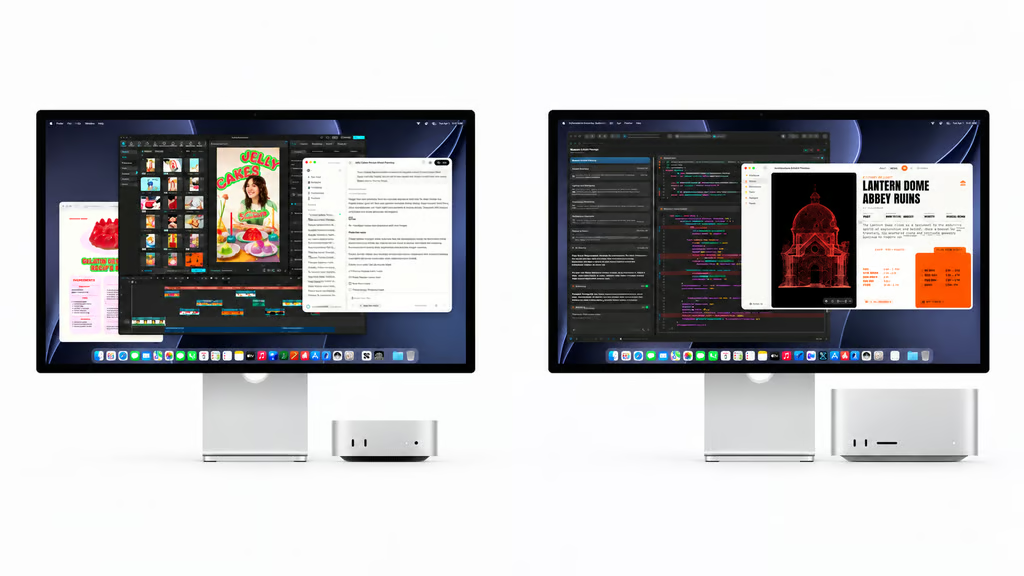
Spending $800 more on a Mac gets you twice the GPU cores, more memory, and extra ports. But will you actually notice the difference?
The Mac mini M5 Pro starts at $1,699, while the Mac Studio M5 Max costs $2,499. Both went on sale September 22, 2026, giving Mac buyers two powerful desktops aimed at everything from photo editing and app development to demanding video production.
The Studio has the stronger hardware, but the mini is hardly underpowered. For anyone choosing a new desktop Mac, the real question is whether their everyday work and creative projects justify spending hundreds more.
What do you get for the extra $800?
Apple confirmed both starting prices in its September 22 launch update. Here’s how the entry-level configurations compare before adding upgrades.
| Specification | Mac mini M5 Pro | Mac Studio M5 Max |
|---|---|---|
| Starting US price | $1,699 | $2,499 |
| CPU | 15-core | 18-core |
| GPU | 16-core | 32-core |
| Unified memory | 24GB | 36GB |
| Memory bandwidth | 307GB/s | 460GB/s |
| SSD storage | 512GB | 512GB |
| Maximum configurable memory | 64GB | 128GB* |
| Rear Thunderbolt 5 ports | 3 | 4 |
| Ethernet | 2.5Gb; 10Gb optional | 10Gb standard |
| External displays | Up to 3 | Up to 5 |
The Studio’s 128GB memory option requires an upgraded 40-core M5 Max GPU.
According to Apple’s Mac mini specifications and Mac Studio specifications, the Studio has twice the GPU cores and about 50% more memory bandwidth. That gives it more resources for demanding graphics work, although it doesn’t mean every application will run twice as fast.
Video editors also get two video encoding engines and two ProRes encode/decode engines in the Studio, compared with one of each in the mini. The Studio’s built-in SD card reader, USB-A ports, and additional Thunderbolt connection could also make a difference when working with cameras, external drives, and other accessories.
For everyday computing, even the M5 Pro mini may be more than necessary. The Mac mini M6 starts at $899, making it another option for browsing, office work, and lighter creative projects.
Which Mac should you actually buy?
How we compared: We examined Apple’s official prices, processors, graphics hardware, memory options, video capabilities, and ports. Recommendations are based on how those specifications suit common tasks, not independent head-to-head benchmarks. Apple’s published performance comparisons measure improvements against earlier-generation hardware rather than the M5 Pro mini.
The Mac mini M5 Pro is likely the more practical choice for buyers who don’t regularly run demanding graphics workloads. It has ample resources for multitasking, programming, photo editing, and typical video projects without the Studio’s higher starting price.
The Mac Studio M5 Max becomes more attractive if you regularly edit complex videos, create 3D graphics, or run demanding AI applications locally. Its additional GPU cores and memory bandwidth offer more headroom for those tasks, even though real-world gains depend on the software.
Memory is another consideration. A Mac mini upgraded to 64GB could better accommodate certain large projects than the base Studio with 36GB. Comparing configured prices is essential, particularly because neither machine offers user-upgradeable RAM.
For professionals with even greater requirements, Apple’s M5 Max and M5 Ultra configurations provide another comparison. The M5 Ultra Studio starts at $5,499, however, placing it in a different price category.
For buyers choosing between these models, the Mac mini M5 Pro offers better value when their workloads don’t require the Studio’s additional graphics resources. The Studio earns its premium when demanding creative work regularly pushes the mini’s limits. Buyers open to other platforms can also explore Windows mini PC alternatives with different upgrade options and connectivity.
Read more: If you’re comparing powerful desktops beyond Apple’s lineup, these Mac Studio alternatives offer other options for video editing, creative work, and expandable hardware.