


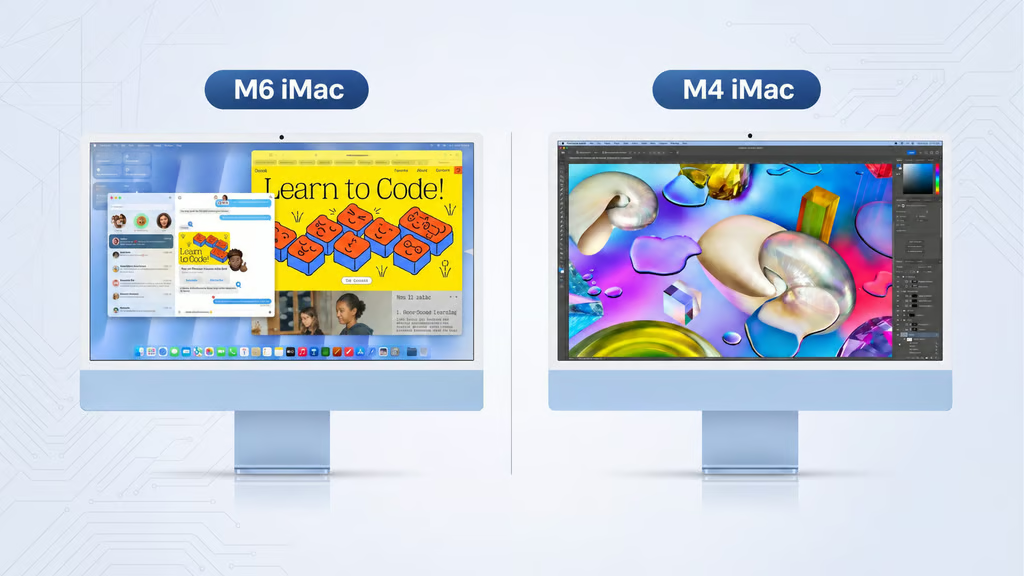
Apple’s new M6 iMac is faster than the M4, but getting the most useful upgrades means spending beyond the entry price.
Released November 6, the new all-in-one desktop starts at $1,499, bringing faster processing, graphics, storage, and connectivity. However, buyers seeking four Thunderbolt ports must step up to the $1,699 configuration.
The improvements are more compelling for demanding workloads than everyday tasks. Existing M4 owners have little reason to replace a capable machine, while new buyers must decide whether the higher-tier M6 justifies its $200 premium.
M6 iMac vs. M4 iMac: Price and specs
Apple’s 2024 M4 iMac launch introduced a $1,299 two-port model and a $1,499 four-port version. The M6 starts at $1,499 with two ports, while its $1,699 configuration adds two more ports and additional processing cores.
Both generations start with 16GB of unified memory and 256GB of storage.
| Specification | M4 entry | M4 higher tier | M6 entry | M6 higher tier |
|---|---|---|---|---|
| US launch price | $1,299 | $1,499 | $1,499 | $1,699 |
| CPU/GPU cores | 8/8 | 10/10 | 10/10 | 12/12 |
| Thunderbolt 4 ports | 2 | 4 | 2 | 4 |
| Maximum memory | 24GB | 32GB | 24GB | 32GB |
| Maximum SSD | 1TB | 2TB | 1TB | 2TB |
The entry M4’s two ports support Thunderbolt/USB 4. Prices reflect original US launch configurations, not current retailer offers. M6 details follow Apple’s technical specifications.
The higher M6 tier includes 2.5Gb Ethernet and supports two external displays, compared with one on the entry model. The base configuration offers Ethernet as an option. Buyers who already own a monitor could also consider the M6 Mac mini’s configurations instead of purchasing another all-in-one desktop.
M6 iMac upgrades: Faster performance, familiar hardware
Processing and AI
Apple’s M6 performance tests claim up to 50% faster Excel performance, twice the graphics performance in Affinity, and five times faster local AI prompt processing in LM Studio compared with M4. These are manufacturer-reported maximums from specific workloads.
In Tom’s Guide’s independent testing, the M6 iMac scored approximately 25% higher in Geekbench single-core tests and 36% higher in multi-core tests. SSD read and write speeds also more than doubled.
The gains favor video editors, developers, and professionals using local AI models. Apple’s M6 MacBook Pro upgrade analysis examines similar chip-generation improvements in laptops, although performance depends on the hardware and workload.
Connectivity and design
The M6 upgrades Wi-Fi 6E to Wi-Fi 7 and Bluetooth 5.3 to Bluetooth 6. Faster wireless speeds require compatible networking equipment, while both iMac generations remain limited to Thunderbolt 4.
The 24-inch 4.5K Retina display, 12MP Center Stage camera, and overall design remain largely unchanged. Buyers expecting a major visual overhaul will find little difference.
The upgrade verdict
Existing M4 owners handling spreadsheets, web applications, and video calls have little reason to replace their machines. The M4 already supports Apple Intelligence, and the macOS 27 compatibility cheat sheet outlines its continued software support.
The M6 makes a stronger case for users replacing Intel or M1 Macs or running demanding creative and AI applications. Its $1,699 configuration is preferable when additional ports, external displays, or higher memory capacity are necessary.
How we compared: We assessed Apple’s published US launch prices, hardware specifications, connectivity, and memory limits alongside independent CPU and storage benchmarks. Recommendations reflect workload requirements rather than manufacturer claims alone.
For routine productivity, replacing an M4 is difficult to justify. New buyers should prioritize the configuration they will actually use, rather than paying extra for unused processing power or connectivity.
Read more: Apple’s laptop lineup presents similar purchasing trade-offs in the M6 MacBook Pro versus M5 MacBook Air comparison, where performance, displays, and connectivity influence the price.