
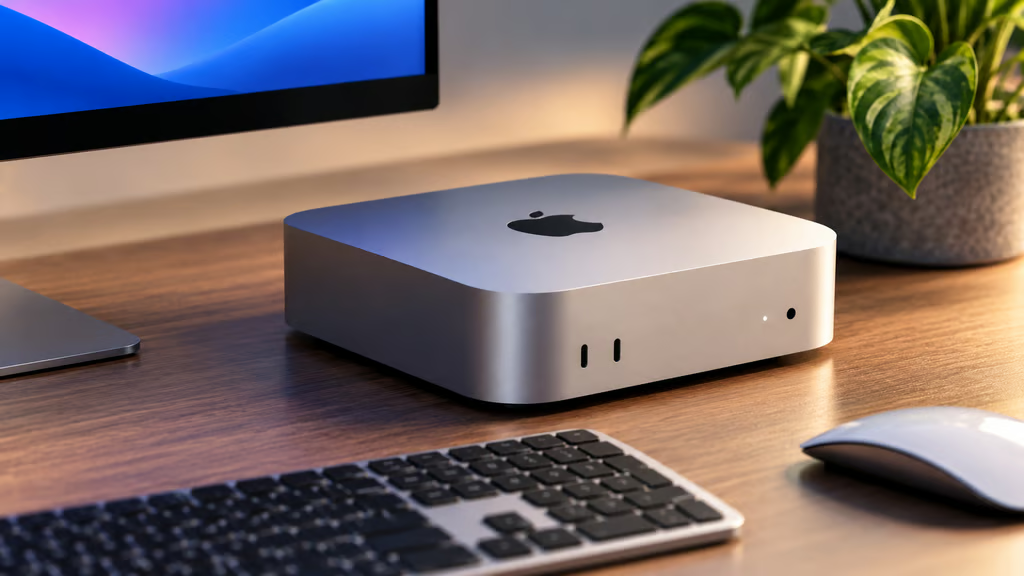


Apple’s M6 Mac mini starts at $899 and brings the company’s latest desktop chip to its smallest Mac. The new model keeps the same 5-inch-square design while upgrading processing, wireless connectivity, Ethernet, and on-device AI performance.
The M6 version is aimed at everyday productivity, development, creative work, and local AI workloads that fit within its 32GB unified-memory ceiling. It went on sale Sept. 22 and is available now in the US.
Buyers considering Apple’s more expensive processor tier can use TechRepublic’s separate Mac mini M6 vs M5 Pro comparison.
- Mac mini M6 at a glance
- How much does the Mac mini M6 cost?
- What are the Mac mini M6 specs?
- What ports does the Mac mini M6 have?
- How many displays does the Mac mini M6 support?
- How much memory and storage should you buy?
- Is the Mac mini M6 good for AI?
- What software does the Mac mini M6 run?
- When was the Mac mini M6 released?
- Which Mac mini M6 configuration should you buy?
Mac mini M6 at a glance
| Specification | Mac mini M6 |
|---|---|
| Starting price | $899 |
| Education price | $799 |
| CPU | 12-core |
| GPU | 12-core |
| Neural Engine | Dual 16-core |
| Unified memory | 16GB, configurable to 24GB or 32GB |
| Memory bandwidth | 153GB/s; 170GB/s with 24GB or 32GB memory |
| Storage | 256GB, configurable up to 2TB |
| Front ports | 2x USB-C, 3.5mm headphone jack |
| Rear ports | 3x Thunderbolt 4, HDMI, Ethernet |
| Ethernet | 2.5Gb, configurable to 10Gb |
| Wireless | Wi-Fi 7, Bluetooth 6, Thread |
| External displays | Up to three |
| Dimensions | 5 x 5 x 2 inches |
| Weight | 1.5 pounds |
| Finish | Silver |
| Operating system | macOS |
Apple’s full Mac mini technical specifications include additional details on supported display resolutions, media formats, networking, environmental requirements, and accessibility.
How much does the Mac mini M6 cost?
The M6 Mac mini starts at $899 in the US, while Apple’s education price starts at $799.
The $899 base configuration includes:
| Component | Base configuration | Configure-to-order options |
|---|---|---|
| Chip | M6, 12-core CPU, 12-core GPU | Fixed |
| Unified memory | 16GB | 24GB or 32GB |
| SSD storage | 256GB | 512GB, 1TB, or 2TB |
| Ethernet | 2.5Gb | 10Gb |
Apple does not publish all configure-to-order upgrade prices in its launch announcement, so the final price depends on the memory, storage, and Ethernet options selected at checkout.
For most business deployments, the two specifications most likely to affect the final cost are memory and storage.
What are the Mac mini M6 specs?
The M6 combines a 12-core CPU with:
- Two super cores
- Four performance cores
- Six efficiency cores
The 12-core GPU includes Neural Accelerators and hardware-accelerated ray tracing.
Apple also includes a Dual 16-core Neural Engine and a media engine with hardware acceleration for H.264, HEVC, ProRes, and ProRes RAW, along with AV1 decoding.
Memory bandwidth is 153GB/s with the base 16GB configuration. Configuring the Mac mini with 24GB or 32GB increases bandwidth to 170GB/s.
Apple claims the M6 version delivers up to four times faster AI performance, twice the graphics performance, and 40% faster CPU performance than the previous M4 Mac mini.
Those figures come from Apple’s own testing and will vary by workload.
What ports does the Mac mini M6 have?
The front of the Mac mini has:
- Two USB-C ports supporting USB 3 at up to 10Gb/s
- One 3.5mm headphone jack
The rear includes:
- Three Thunderbolt 4 USB-C ports
- HDMI
- 2.5Gb Ethernet
- Power connection
Each rear Thunderbolt 4 port supports speeds up to 40Gb/s, USB4, and DisplayPort.
The standard Ethernet connection supports 100Mb, 1Gb, and 2.5Gb speeds. Buyers can configure the machine with 10Gb Ethernet, which also supports 5Gb networking.
Wi-Fi 7 and Bluetooth 6 handle wireless connectivity, and Apple also includes Thread networking support through its N1 wireless chip.
Users who need additional peripheral connections can pair the Mac mini with one of TechRepublic’s USB-C docking station picks, although dock capabilities should be matched to the Mac mini’s Thunderbolt 4 limits.
How many displays does the Mac mini M6 support?
The M6 Mac mini supports up to three external displays.
With three displays connected, supported combinations include:
- Two displays at up to 6K 60Hz or 4K 165Hz
- A third display at up to 5K 60Hz over Thunderbolt or 4K 60Hz over HDMI
With two displays, the Mac mini can drive one display at up to:
- 8K 60Hz
- 5K 120Hz
- 4K 240Hz
The second display can run at up to 5K 60Hz over Thunderbolt or 4K 60Hz over HDMI.
The Thunderbolt 4 ports support DisplayPort 1.4 along with variable refresh rate, HDR, and multichannel audio.
How much memory and storage should you buy?
The base 16GB configuration is the most sensible starting point for office applications, web workloads, everyday development, lighter creative work, and general multitasking.
24GB gives more headroom for heavier development environments, larger creative projects, multiple demanding applications, and local AI workloads.
32GB is the maximum available on the M6 Mac mini. It makes the most sense for buyers who know their workloads regularly push beyond 16GB or 24GB but do not need the higher-end Mac mini processor tier.
Storage starts at 256GB. That can work for systems relying heavily on cloud or external storage, but 512GB is a more practical starting point when applications and working files will live locally.
The 1TB and 2TB options make more sense for development, photography, audio production, and video workflows with larger local files.
Is the Mac mini M6 good for AI?
Apple is positioning the M6 heavily around on-device AI.
Neural Accelerators are built into the GPU cores, while the Dual 16-core Neural Engine handles additional machine-learning workloads. Apple specifically cites local models, creative AI applications, and agent-based workflows among the intended uses.
How useful the Mac mini is for a particular local model will depend heavily on memory requirements. The M6 tops out at 32GB of unified memory, so buyers planning larger models should check memory requirements before choosing a configuration.
For workloads that exceed the Mac mini M6’s memory or GPU limits, TechRepublic’s Mac Studio cheat sheet covers Apple’s more powerful desktop options.
What software does the Mac mini M6 run?
The Mac mini runs macOS 27 and supports Apple Intelligence, including Siri AI.
Apple says Siri AI can use personal context, understand onscreen content, and draw on broader world knowledge. Siri AI remains in beta, and availability varies by language, region, and feature.
The Mac mini also supports Apple’s broader Mac ecosystem features, including:
- iPhone Mirroring
- Sidecar
- Window tiling
- Continuity features
- Apple Intelligence tools
Some Apple Intelligence features that use server-side models are subject to usage limits.
When was the Mac mini M6 released?
Apple announced the M6 Mac mini on Aug. 25, 2026.
Preorders opened the same day in 30 countries and regions. The machine began arriving to customers and went on sale through Apple Stores and authorized resellers on Sept. 22.
The Mac mini M6 is available now, starting at $899 in the US.
Which Mac mini M6 configuration should you buy?
The 16GB/256GB model is best suited to buyers who primarily use web applications, office software, coding tools, and cloud or external storage.
For a work machine expected to handle heavier multitasking for several years, 24GB of memory and 512GB of storage provide substantially more room without immediately moving beyond the M6.
The 32GB configuration is better for heavier development, creative applications, and local AI workloads that benefit from additional unified memory.
Storage should then be matched to how much data needs to remain local:
| Workload | Practical starting configuration |
|---|---|
| Office and web work | 16GB / 256GB |
| General professional use | 24GB / 512GB |
| Development and creative work | 24GB / 1TB |
| Heavier local AI and multitasking | 32GB / 1TB or 2TB |
Buyers who need more than 32GB of unified memory, storage beyond 2TB, or Thunderbolt 5 should compare the M6 against Apple’s higher-end Mac mini rather than overconfiguring a machine that cannot meet those requirements.
Also read: Buyers who need Windows, greater hardware flexibility, or different price points can compare TechRepublic’s best Mac mini alternatives for 2026.