


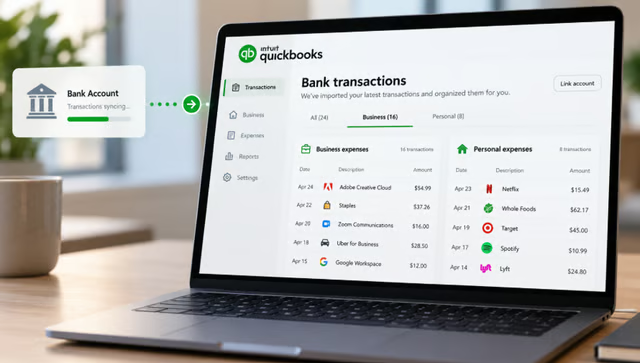
For solo business owners, separating personal purchases from business spending can turn a bank feed into a recurring bookkeeping chore. QuickBooks Free automates part of that process.
Intuit’s $0 accounting plan can connect one bank account and automatically sort imported transactions as business or personal. The feature is designed for solopreneurs and new business owners who want basic bookkeeping without a monthly subscription.
The automation has limits, however. QuickBooks Free separates business and personal transactions, but it does not provide the same detailed expense auto-categorization available in paid QuickBooks Online plans.
How automatic expense sorting works in QuickBooks Free
QuickBooks Free lets users connect one bank account, import transaction activity, and separate business spending from personal activity. The plan also tracks basic income and expenses and includes profit and loss, balance sheet, and account summary reports.
How it works in three steps
- Connect a bank account. QuickBooks Free supports one connected bank account and imports its transaction activity into the software.
- QuickBooks sorts the transactions. Imported activity is automatically separated into business and personal transactions, reducing the amount users need to sort themselves.
- Review your records. Users can check income and expenses and use the included reports to see how the business is performing.
For a one-person business using one primary account, the feature can remove a repetitive first step from everyday bookkeeping. It does not mean QuickBooks Free assigns every expense to a detailed accounting category automatically.
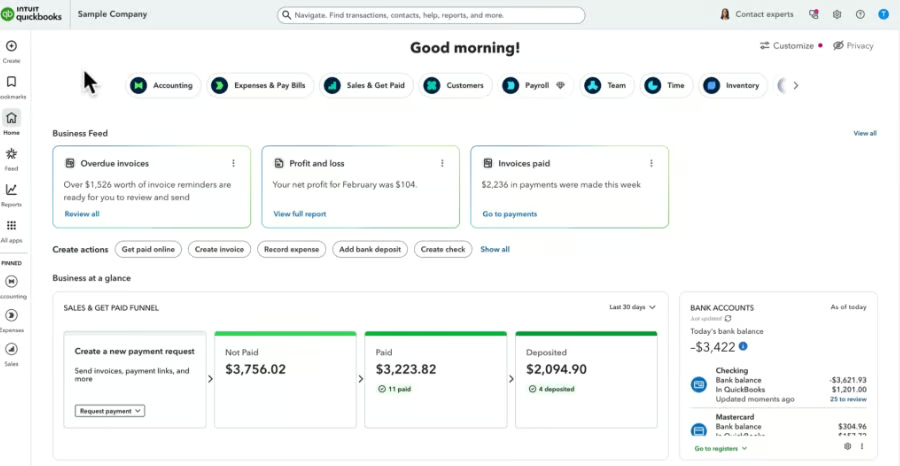
Automatic sorting is not the same as full categorization
QuickBooks Free and QuickBooks Online automate different parts of expense management. The free plan separates business and personal transactions, while paid QuickBooks Online plans can automatically assign familiar expenses to accounting categories based on past activity.
| What it does | Sorts imported transactions as business or personal | Assigns familiar expenses to accounting categories |
| How it works | Separates activity from a connected bank account | Learns from vendors and categories previously assigned |
| Manual review | Users should review their transaction records | Transactions without enough history may require manual categorization |
| Availability | Included with QuickBooks Free | Intuit lists Simple Start, Essentials, Plus, Advanced, and Enterprise Suite |
Intuit said QuickBooks Online may still leave some transactions for manual review, including money coming in, loans, transfers, and expenses without enough history. Users can also review and change categories after QuickBooks assigns them.
What still needs manual review
QuickBooks Online still leaves some transactions for manual review. Intuit said money coming in, loans, transfers, and expenses without enough history may not be auto-categorized. Users can also review and change categories after QuickBooks assigns them.
What's hot at TechRepublic
- Blackpoint Cyber vs. Arctic Wolf: Which MDR Solution is Right for You?
- Why AWS Sellers Choose Deepgram Over Other Voice AI Tools
- SS&C Intralinks DealCentre AI vs. Datasite: Which platform is built for the future of dealmaking?
- SS&C Intralinks FundCentre AI vs. Juniper Square: Which platform better supports modern private markets fund managers?
- Verito vs. Rightworks: Which IT Provider Is Best for Your Firm?
Where QuickBooks Free’s automation stops
QuickBooks Free handles the initial job of separating imported transactions into business and personal activity, but users still need to review their records and manage supporting expenses themselves.
According to Intuit, the free plan supports one connected banking institution and two manual receipt uploads per month. A solo operator with relatively simple finances may be able to work within those boundaries, while businesses using several accounts or processing more receipts may need a paid plan as their bookkeeping becomes more complex.
The automatic sorting feature is therefore most useful as a first pass through a bank feed. It can reduce manual cleanup, but the business owner still needs to review transactions and handle anything that requires more context.
For businesses that send more invoices, read our guide to how QuickBooks Free can support unlimited invoicing through QuickBooks Payments, including setup, fees, limits, and eligibility.