
If you have used LastPass and then moved to Dashlane, you may be wondering how to transfer your passwords from LastPass to Dashlane.
Luckily, it can be done via the LastPass app on your computer and by using the API in the Dashlane HSM or vaults API depending upon which platform you are using. You will need basic technical knowledge of both products and a paid account with either service.
SEE: Password breach: Why pop culture and passwords don’t mix (free PDF) (TechRepublic)
Make sure you have your second password manager open and logged in on a browser before you start the process. It’s easiest if you can have them both open simultaneously so you don’t have to log in and out of each app while copying your passwords.
How to import your passwords from LastPass to Dashlane
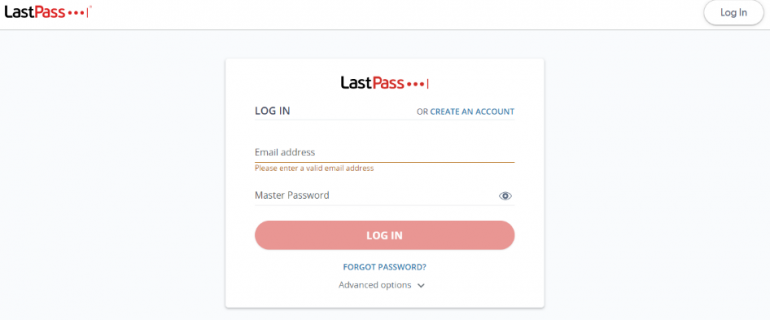
To export your LastPass data, you first need to log in with your LastPass credentials on the site’s homepage.
Figure A
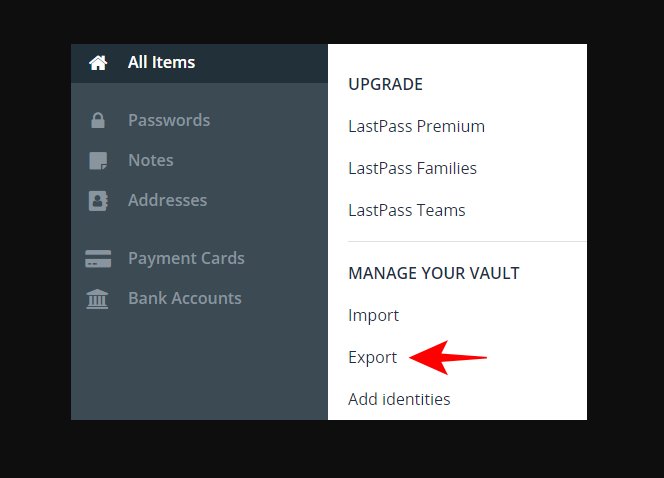
Once you’re there, click Export, then LastPass CSV File.
Figure B
You’ll be prompted by a popup asking whether or not you want to continue with the export process. Click Yes and then wait for it to finish up.
Once you have logged in, click the LastPass CSV File button.
Figure C
This will take you to a page where you can upload your LastPass data. Once there, click on the Choose File button and select your encrypted password file from where it’s stored. This is typically in your Dropbox.
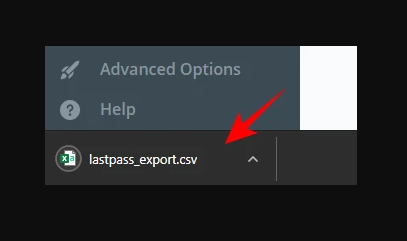
You will be prompted to enter your LastPass master password again to verify that it’s really you exporting your account. This will download a CSV file containing all passwords in your LastPass vault.
Once you’ve selected which accounts to transfer, LastPass will begin the process and a CSV file will be downloaded to your computer. The .csv extension indicates that it’s a comma-separated value file, meaning that there are no spaces in between values. Each account’s information is separated by commas as well.
The CSV file contains all passwords in your LastPass vault and can be opened with Excel or Google Sheets if needed.
Next, go to https://www.dashlane.com/import and sign in with your Dashlane account credentials or create an account if you don’t have one yet.
Figure D
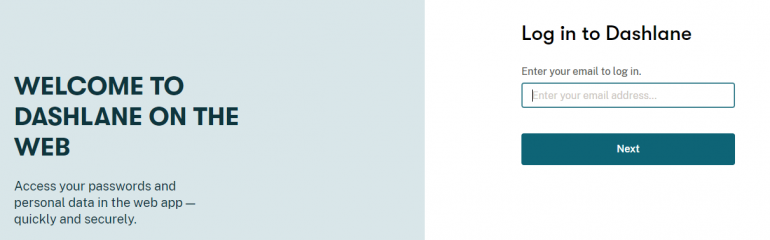
From there, you can choose the LastPass vault that contains passwords and login details you want to transfer to your new Dashlane account.
Now select LastPass from the drop-down menu and upload the exported CSV file from the previous step. In Dashlane, click on the Import Password button in the right sidebar and then select Import from CSV.
Figure E
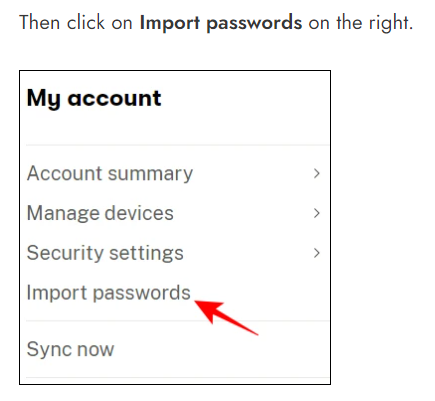
Dashlane will import your passwords and logins, but some of them may be duplicated entries or may not be recognized as valid accounts at first. That’s okay! You can use our search tool to find any missing items after you’ve completed importing all of them.
Figure F
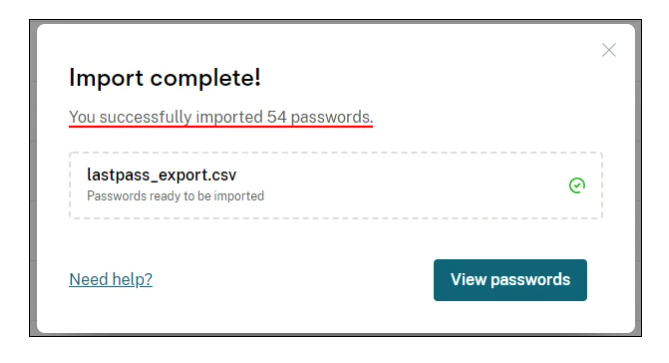
That’s it, all passwords saved in LastPass should now be imported into Dashlane. You can double-check that the import was successful by logging into Dashlane and check if all passwords are there. If your password is not one of those listed in your Dashlane app on your phone, try to log in again with a different web browser or device.
The cost of using LastPass and Dashlane
The cost of using LastPass and Dashlane depends on the features you use. They offer free plans and a 30-day free trial of their premium versions. Dashlane begins at $3.99/month and LastPass begins at $3.00/month.
Must-read security coverage
- UK Police Convicts Pair in £5.5 Billion Bitcoin Launder Case
- Blackpoint Cyber vs. Arctic Wolf: Which MDR Solution is Right for You?
- How GitHub Is Securing the Software Supply Chain
- 8 Best Enterprise Password Managers
The free version of LastPass offers many features you may not need, while the paid versions offer more advanced features like auto-filling forms, password generation and powerful encryption.
Features of LastPass and Dashlane
Both Dashlane and LastPass have some advanced features that make them more effective than most other password managers.
Auto-fill
This allows you to automatically enter login credentials into various sites as you browse online.
The feature also works with apps like PayPal such that you don’t need to remember usernames and passwords for each site or app that requires one.
Password generator
This allows you to create strong passwords based on words from a dictionary or when using one of many templates created by Dashlane or third-party developers who work on its platform.
Personal information storage
With this feature, you can store your personal information — such as birthdays, addresses and credit card numbers — in secure notes accessible only by authorized users.
Comparison of LastPass and Dashlane
Dashlane and LastPass are both excellent at normal password management, but the differences between them are significant:
- Dashlane allows for unlimited storage for all your passwords in encrypted form. LastPass only permits you to store up to 25,000 passwords, which can become cumbersome if you want to keep track of more than a few dozen.
- Dashlane also supports automatic password generation and auto-fill, while LastPass only has a limited number of choices.
- Dashlane also offers two-factor authentication via Google Authenticator or Authy, while LastPass only supports one-time password generators and SMS verification codes.
- Dashlane’s web extension allows you to import your existing data from LastPass directly into Dashlane, which is much easier than manually copying it from one app to another.
Conclusion
With the LastPass to Dashlane transfer, the goal is to make switching to a password manager as seamless as possible. In the end, we hope that when you get your hands on Dashlane, you’ll be pleasantly surprised at how easy it is to use and how different it feels from other password managers you may have used in the past.