


Google’s convenient, hands-free voice search on Android is getting a major UI overhaul, proving that even subtle refinements matter.
For years, voice search was the quiet workhorse of the Android experience, the essential utility for when your attention was divided, such as driving or cooking. While the feature has remained reliable, its visual presentation has often felt like an afterthought.
Google is rolling out a redesign that aims to modernize the hands-free experience for Android users.
The update signals Google’s commitment to an “always evolving” user experience, driven by its underlying, advanced intelligence. The new look is more intuitive, modernizing the hands-free experience while fully integrating Android’s next-generation AI.
A long-serving feature bows out of service
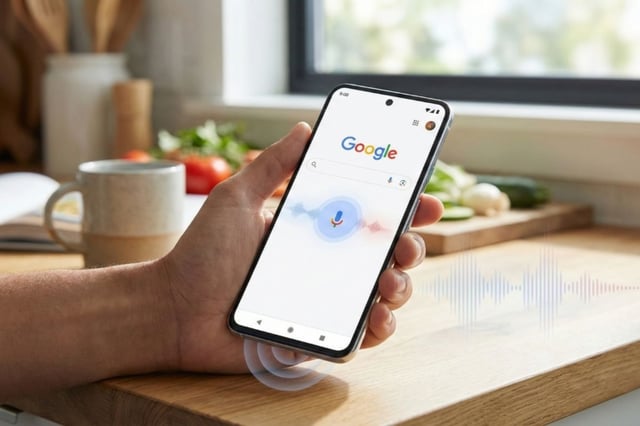
After years of serving users, the prominent bodyless face is being phased out in favor of a redesigned voice search interface that aligns more closely with Google’s newer Gemini look and feel. The UI revamp replaces the face with a microphone. Underneath the microphone is a prompt that reads “Ask Anything,” and a colored arc below it.
Alan Friedman, reporting for PhoneArena, called the face an “odd-looking bodyless face.” He added that the new look is a result of Gemini replacing Google Assistant as the default assistant for Android users.
The update is part of a broader shift in how Google’s apps, especially on Android, operate. Gemini is strategically placed everywhere, making Android feel smarter. Despite complaints about Google’s data collection practices, some users feel this gives Android a smart edge over Apple’s Siri.
A single update, multiple access points
Information gathered from PhoneArena indicates that this new UI update can be accessed in the following ways:
- Tapping the microphone icon in the Google Search widget from the home screen
- Using the “Hey Google” prompt when hands-free is activated
- By opening the Google app and tapping the microphone icon
- Via the persistent search bar in the Pixel Launcher (for Pixel users)
Clicking the microphone opens a new “Listening” text, prompting you to speak.
Friedman also reported that when he launched voice search from the search bar microphone, the bodyless face still appeared, suggesting it is not yet fully implemented.
The update also includes changes to how song search looks. The text remains the same, but in a different style. Previously, the text “Play, Sing, Hum” was written on a single line, but with this new UI change, each word now occupies a separate line, as reported by Android Authority.
More Google coverage
- New Google Search AI Mode is ‘Total Reimagining,’ Says CEO Sundar Pichai
- In Major Ruling, Judge Finds Google ‘Willfully Acquired and Maintained Monopoly Power’ Over Digital Ad Market
- Google’s Big Bet on Nuclear Energy: ‘The Race to Power AI-Driven Data Centers is Accelerating’
- Computer History Museum Releases Original AlexNet Code: Why It Matters
Roll out and availability
Like many of Google’s features, Pixel users are expected to get this update first, with iOS users often being the last, if at all. However, reports from Friedman reveal that only two versions of the Google App currently have the update.
- Version 17.1 of the stable Google app
- Version 17.2 of the beta Google app
Users who have enrolled for beta testing should update their apps to version 17.2, while stable users can get the update via the 17.1 upgrade. The report indicates that not all users on these app versions can experience the UI revamp. It suggests that Google, like similar updates, is rolling this in silent batches.
The transition aligns with Google’s new approach to making Android smarter, leveraging its Gemini-powered environment. Although still in its early stages, this signals one of many subtle yet important updates Google is planning.
Also read: Google’s 2026 roadmap points to deeper Gemini integration across Android, Pixel, and more.