
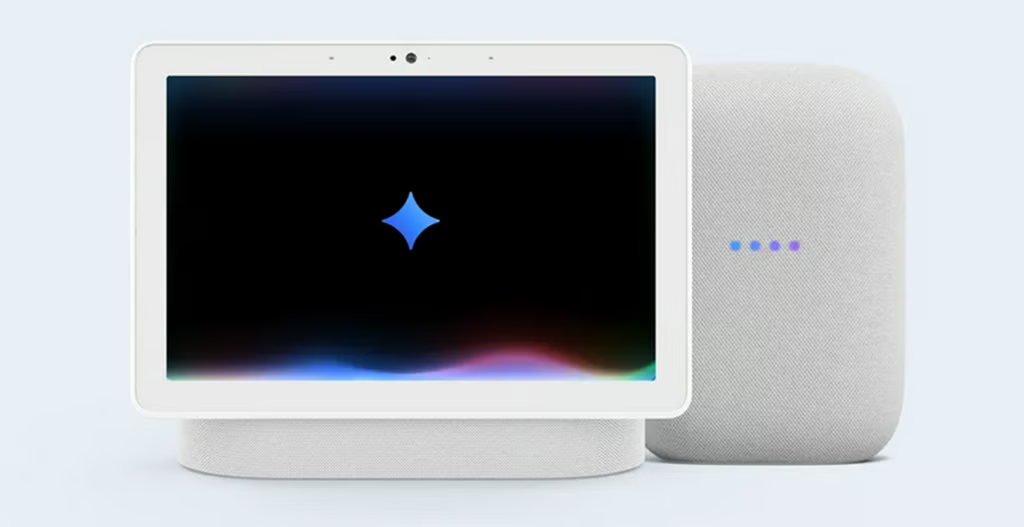


Google is giving its smart home experience a major AI makeover.
The company has begun the initial deployment of its cutting-edge AI, Gemini for Home, to smart speakers and displays across the United States. This significant update is replacing the familiar Google Assistant and promises a far more capable and conversational experience for smart-home users.
Built on Google’s Gemini Large Language Model (LLM), the new assistant is designed to be more context-aware, handling multi-step requests and natural language better than its predecessor. This means your smart speaker should finally live up to its promise of being a truly intelligent companion.
Mark Alexander, Group Product Manager for Google Home & Nest, explained in a blogpost that this core update is included with devices “at no extra cost,” transforming the voice assistant into something “more conversational and capable than ever.”
Hey, hey, my, my
Gemini for Home functions in two primary ways:
- “Hey Google…” Users can use this prompt for everyday tasks. It allows for richer answers, setting and editing reminders, streaming media, and controlling smart-home devices more naturally.
- “Hey Google, let’s chat…” This phrase activates Gemini Live, an interactive mode designed for free-flowing conversation. It lets users brainstorm ideas, get expert help, or practice tricky conversations, all without needing to repeat the “Hey Google” command for follow-up questions.
However, there’s a catch to the most advanced features. Gemini Live requires a Google Home Premium subscription, which starts at $10 per month or $100 per year. This paid plan unlocks that conversational chat mode, along with the ability to search through your camera history using just your voice.
More Google coverage
- New Google Search AI Mode is ‘Total Reimagining,’ Says CEO Sundar Pichai
- In Major Ruling, Judge Finds Google ‘Willfully Acquired and Maintained Monopoly Power’ Over Digital Ad Market
- Google’s Big Bet on Nuclear Energy: ‘The Race to Power AI-Driven Data Centers is Accelerating’
- Computer History Museum Releases Original AlexNet Code: Why It Matters
How to get early access
To request early access, users must first check their Google Groups settings and ensure that “Add me to their groups” is enabled. After that, they can open the Google Home app, tap their profile icon, and select Home Settings > Early Access to submit a request.
Once approved, all compatible smart devices, including the Nest Hub (2nd Gen), Nest Audio, Nest Mini (2nd Gen), and Nest Hub Max, will automatically upgrade to Gemini. However, once you switch, you can’t go back to Google Assistant.
To help users get started, Google has published a list of “100 things to try” with Gemini for Home, from setting reminders and trying recipes to troubleshooting household issues and explaining scientific concepts to children.
Alexander described the upgrade as “a truly helpful home” experience, encouraging users to share feedback directly by saying, “Hey Google, send feedback.”
Meanwhile, early users in the US are helping Google test and refine the assistant before it rolls out globally in 2026.
Gemini’s Canvas now auto-generates full slide decks from a prompt or uploaded source, with themes and images, and exports to Google Slides.