


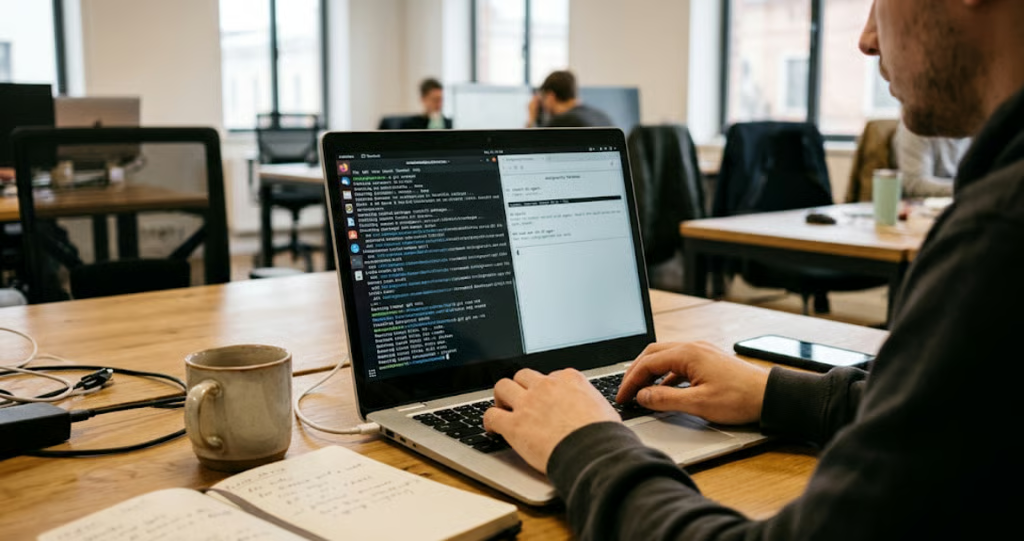
Google wants developers to build AI-powered applications on its new laptops, and it’s giving them something more useful than another chatbot: a Linux environment where AI agents can write code, install software, and execute commands.
On Oct. 12, Google detailed its Linux Terminal Preview for Googlebook, a Debian-based development environment running inside an isolated virtual machine. The feature supports programming tools, web development, and AI agents while introducing safeguards designed to protect the host operating system and files that haven’t been explicitly shared with Linux.
For developers, Googlebook could become a more practical option for coding, testing applications, and experimenting with AI agents. For IT teams, the bigger question is whether its compatibility, security controls, and performance justify introducing another operating system into the workplace.
Googlebook’s Linux Terminal is built for AI agents
Google’s emphasis goes beyond traditional programming. It aims to provide AI agents with a controlled environment in which they can perform tasks that typically require developers to interact with a command line.
According to Google’s Oct. 12 developer announcement, AI tools can use the terminal to install packages, create files, run scripts, and automate development tasks.
Google highlights Antigravity, its agentic development platform, as one example.
Antigravity, which remains in beta, comes preinstalled on supported Googlebook models. Using it requires a Google AI plan subscription, a Google Account, and an installed Terminal app. Users must be at least 18; availability varies by region, and organizations may restrict access through managed accounts.
Launching Antigravity automatically opens Terminal, which must remain open while the AI development environment is running.
The Linux Terminal Preview offers several capabilities:
- Development tools: Debian package management, Git, SSH, compilers, and programming runtimes including Python, Node.js, Ruby, Go, and Rust.
- Web development: Automatic localhost port forwarding lets developers access applications running inside the VM through the host browser.
- AI automation: Command-line agents can execute development tasks inside the isolated environment, subject to available permissions.
- File access: Linux files appear in Googlebook’s Files app, while access to selected host directories requires explicit authorization.
Google says its engineers have used Googlebook hardware to build a Linux kernel and perform platform engineering tasks.
For developers who primarily work with terminals, repositories, and cloud infrastructure, these capabilities could make Googlebook worth testing as an alternative to a dedicated Linux workstation.
Whether it can replace an existing development laptop will depend on software compatibility, performance, and organizational requirements.
How Google protects files when AI agents run commands
Autonomous coding tools can install software, modify files, and execute commands. Those capabilities are useful, but they also pose security risks when an agent is granted broad system permissions. Google addresses part of that problem by running Linux inside a virtual machine separated from Googlebook’s host operating system.
The architecture allows developers to grant tools such as Antigravity sudo privileges within the VM without giving them equivalent control over the host.
Two protections are particularly relevant.
- Host file access requires permission. Users must explicitly share directories with the Linux environment rather than automatically exposing every file on the laptop.
- The VM can be removed and reset. Google’s recovery process allows users to uninstall the Linux VM image without reinstalling the host operating system. It also offers a backup option, which matters because data stored inside the removed VM may otherwise be lost.
These safeguards have limits.
An AI agent can still modify shared files, access authorized network resources, or expose credentials available within its environment. Developers should therefore review shared-folder permissions, port-forwarding settings, and the credentials accessible to automated tools.
For IT administrators, the practical lesson is that VM isolation reduces certain risks but does not replace access controls, security reviews, or oversight of AI-generated commands.
How to set up Linux Terminal on Googlebook
Google’s official Terminal setup guide outlines a straightforward installation process:
- Open the Terminal app on Googlebook.
- Select Install to download and configure the Linux virtual machine image.
- Wait for installation to finish and the terminal window to open.
- Install the development packages needed for your workflow.
For example, developers can use standard Debian commands:
sudo apt install -y git python3 python3-pip nodejs
Users can adjust the VM’s allocated memory through Terminal’s advanced settings and browse Linux files through Googlebook’s Files app.
For developers, this provides a way to test Linux workflows without replacing the laptop’s operating system.
IT teams should begin with a small pilot that includes representative tasks, such as cloning repositories, running local web servers, installing approved dependencies, and connecting to remote development environments.
Testing these workflows on actual hardware can reveal limitations before an organization invests in additional devices.
What Googlebook’s Linux Terminal can and cannot do
Google’s announcement also outlines improvements that remain under development.
| Debian Linux command-line environment | Available in preview |
| Python, Node.js, Ruby, Go, and Rust workflows | Supported |
| Automatic localhost port forwarding | Available |
| Adjustable VM memory allocation | Available |
| Linux files accessible through Files app | Available |
| GPU and NPU acceleration for Linux workloads | Planned |
| Linux graphical apps integrated into the main launcher | Planned |
| USB passthrough and USB-based Android debugging | Planned |
| Dynamic VM memory and storage scaling | Planned |
| VM persistence independent of the terminal window | Planned |
Google already supports network passthrough and wireless Android Debug Bridge connections, but USB passthrough and USB-based ADB remain on its roadmap.
Some graphical Linux applications can also run through an alternative graphics screen within Terminal. However, integration with Googlebook’s main application launcher is still planned. These distinctions matter for developers who depend on specialized hardware, graphical development tools, or demanding local AI workloads.
GPU and NPU acceleration could eventually expand the platform’s usefulness for AI development, but Google hasn’t established when those capabilities will arrive or how they will perform.
For businesses considering Googlebook purchases, the safest approach is to evaluate what the platform supports today rather than making decisions based on promised upgrades.
What Googlebook’s Linux support means for developers and IT teams
Googlebook’s Linux Terminal Preview expands its potential usefulness, but the strongest applications will vary by team.
- Web developers and cloud-focused teams may find the platform suitable for Git, SSH, Python, Node.js, browser-based applications, and remote infrastructure.
- AI developers gain an isolated environment for experimenting with coding agents and command-line automation. Those running demanding local models may still require more powerful hardware or future acceleration support.
- IT administrators face a more significant obstacle: enterprise management.
Google’s enterprise documentation states that Googlebook does not currently support domain enrollment or centralized fleet management.
Some Google Workspace account and Chrome browser controls are available, but Google says the first wave of enterprise management capabilities will begin rolling out in the second half of 2027, with additional controls arriving in phases.
That limitation makes Googlebook a more realistic candidate for controlled developer testing than broad enterprise deployment today.
For context, TechRepublic’s ChromeOS versus Googlebook OS comparison examines differences between the platforms.
Must-read developer coverage
- What Powers Your Databases? Take This DZone Survey Today!
- Microsoft’s Historic 6502 BASIC Code is Now Open Source
- TIOBE Index: Top 10 Most Popular Programming Languages
- TechRepublic Exclusive: AWS Says Entry-Level Workers Need ‘Curiosity’ In the Age of AI
What businesses should check before adopting Googlebook
IT teams considering a pilot should focus on five questions:
- Do existing workflows work? Test required languages, packages, repositories, build tools, and remote connections.
- Are AI-agent permissions appropriate? Review access to source code, credentials, shared directories, and internal systems.
- Does performance meet expectations? Compare build times, memory usage, and responsiveness with existing development machines.
- Are management controls sufficient? Check authentication, security monitoring, updates, and device administration against organizational requirements.
- Are any missing features essential? Identify dependencies on GPU acceleration, USB debugging, or integrated graphical Linux applications.
These checks extend beyond Linux. TechRepublic’s coverage of early Googlebook OS reviews highlights Android application compatibility, account switching, and Gemini limitations that businesses should consider during testing.
Googlebook’s Linux Terminal Preview gives developers another environment for coding and AI experimentation. However, Linux support alone does not make the platform a replacement for established development laptops, particularly while centralized fleet management remains unavailable.
For now, controlled testing offers the clearest path forward. If Google delivers its planned hardware acceleration, deeper Linux integration, and enterprise management capabilities, Googlebook could become a more serious option for professional development teams.
Related reading: For a broader look at the available devices, specifications, and AI features, see TechRepublic’s Googlebook cheat sheet.