Images: Under-cabinet kitchen laptop - TechRepublic

Images: Under-cabinet kitchen laptop

  • Under-cabinet kitchen laptop (1 of 5)

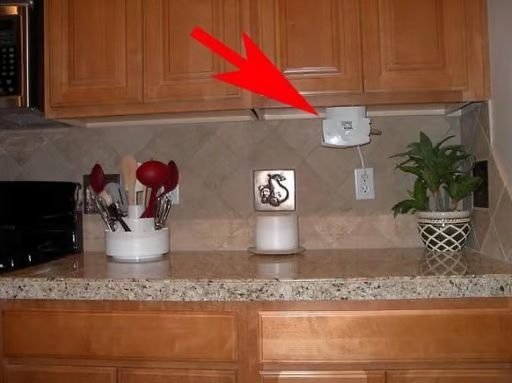
    It all started after I installed the can opener.

    Submitted by Webshots member project109x

    © Webshots
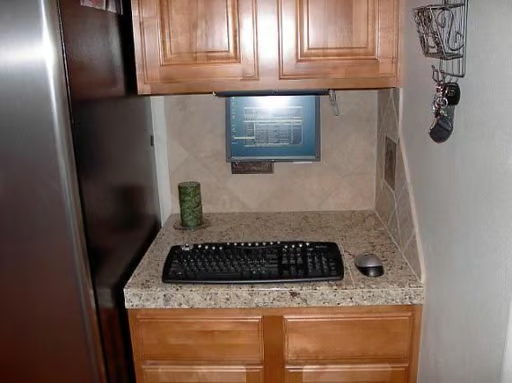
  • Hey, is that a flip down computer monitor?

    Submitted by Webshots member project109x

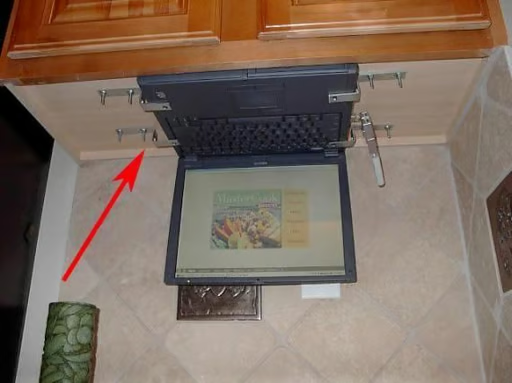
  • Nope, it’s a “recycled” laptop.

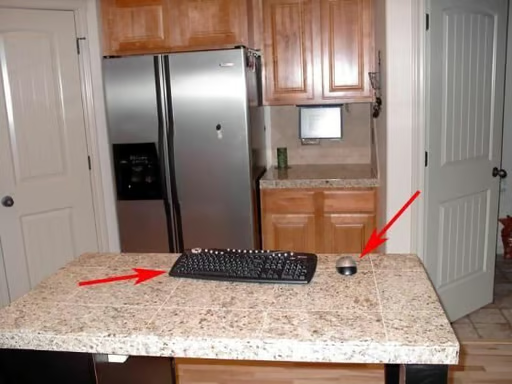
    I had an old Pentium II laptop still in good shape, so I inverted the screen, got some recipe software, a wireless adapter, RF keyboard and mouse.

    Submitted by Webshots member project109x

  • Long Distance

    It’s hard to read unless the fonts are enlarged, but it’s perfect for making shopping lists, checking email, streaming music, and listing recipes.

    Submitted by Webshots member project109x

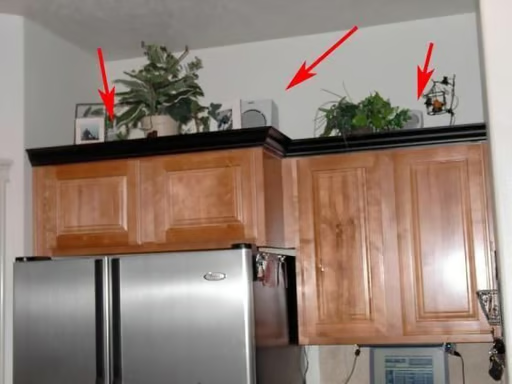
  • Hidden Subwoofer and Speakers

    Total cost was minimal since the only hardware I needed were brackets. I had to bend them into the correct shape.

    Software was $5 for MasterCookbook and I’m using a rrial version of Pivot Pro. (works great but still looking for a free screen inverter for Win2K). I’m using WinAmp, also free, to play digital music.

    Submitted by Webshots member project109x

1 of 5
BD

Bill Detwiler is the Editor for Technical Content and Ecosystem at Celonis. He is the former Editor in Chief of TechRepublic and previous host of TechRepublic's Dynamic Developer podcast and Cracking Open, CNET and TechRepublic's popular online show. Previously, Bill was an IT manager in the social research and energy industries. He has bachelor's and master's degrees from the University of Louisville, where he has also lectured on computer crime and crime prevention.