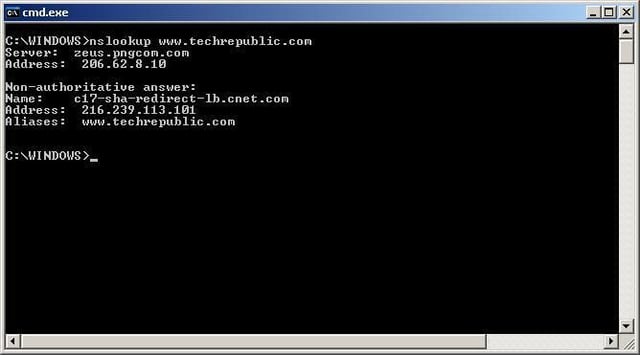
Nslookup is a DNS lookup and troubleshooting command-line tool included with Windows 2000 and Windows XP. In this The Right Tool for the Job article, Joshua Hoskins explains how to troubleshoot a variety of DNS problems with this extremely useful yet often overlooked tool. View a demonstration of the nslookup tool in this screenshot gallery.
This is a basic nslookup command. Enter the command nslookup followed by the domain or site whose IP address you wish to identify.
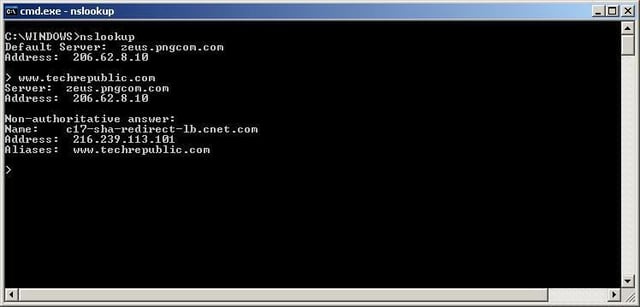
To enter the interactive mode of nslookup, type in the nslookup command with no options. While in interactive mode you have many more options available to you. To quit interactive mode, type exit on a line by itself and press enter.
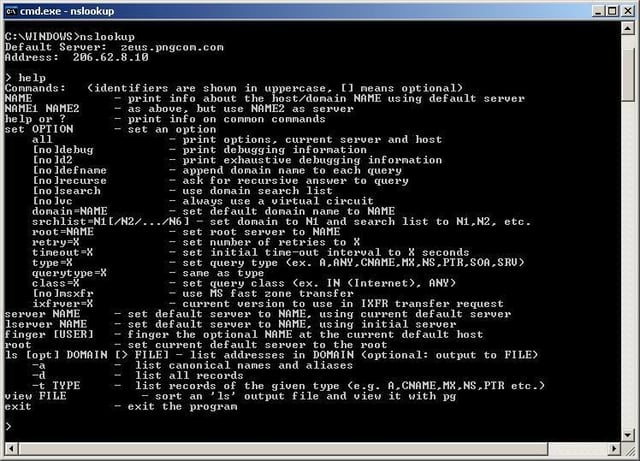
To see the many options for nslookup, view the help display. Remember, you can display the help screen only while in interactive mode.
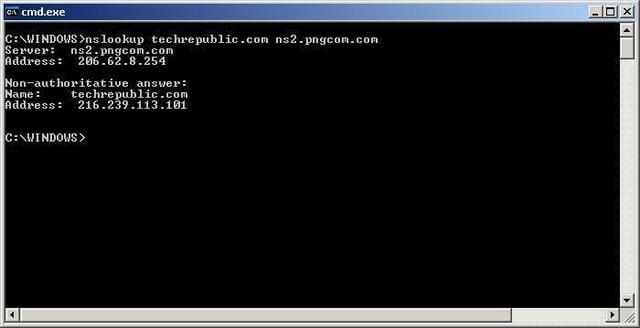
You may choose to use a DNS server other than your primary DNS server. To do this, type nslookup, followed by the name of the domain you wish to query, and then the name or IP address of the DNS server you wish to use.
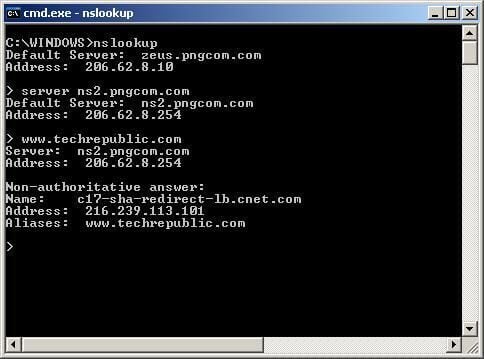
While in interactive mode you can change the DNS server you are querying. Simply enter server followed by the name or IP address of the new DNS server you wish to use. This is useful if you want to verify DNS records across servers.
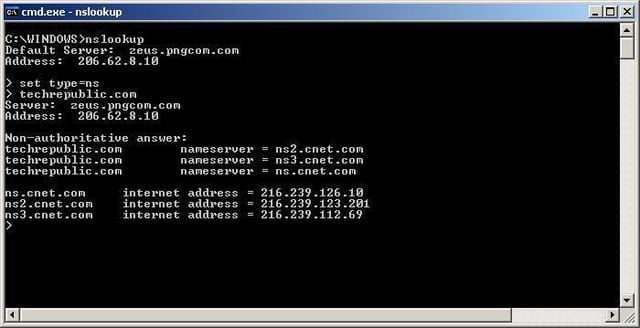
While in interactive mode, you may also use the set type command to display different types of DNS records, such as the DNS servers of a domain. You do this by issuing the set type=ns. After that you will display the name servers of any server you query.
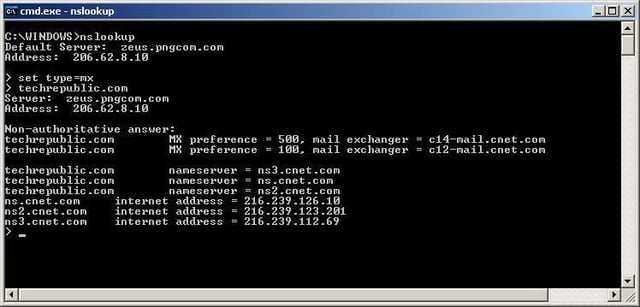
One common use for nslookup is to query mx (mail exchanger) records. If you are having mail delivery issues to a particular domain, you may wish to view these records to ensure that you are delivering mail to the correct server.

Cara Reynolds an editor on TechRepublic's content team. She has been working in educational, licensed, and Web publishing for more years than she cares to admit and hosts the Right Tool for the Job blog on TechRepublic.


