Screenshots: Checking your PC for Vista-bility - TechRepublic

Screenshots: Checking your PC for Vista-bility

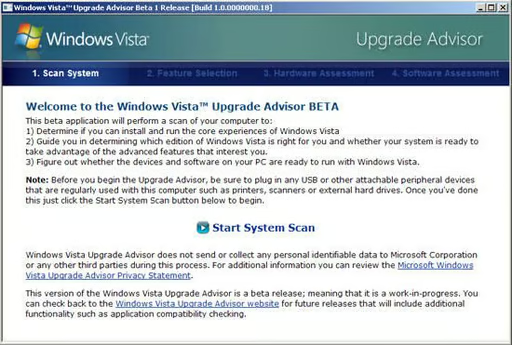
  • initial screen

    The initial screen for Microsoft’s Upgrade Advisor, which helps people assess whether their PC can run Vista.

    Microsoft
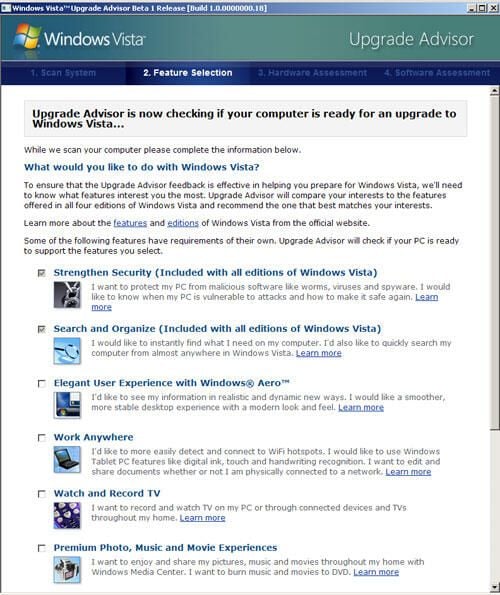
  • The Upgrade Advisor lists a number of Vista features and asks which interest the user. The tool then recommends a version of Vista that is likely to be appropriate.

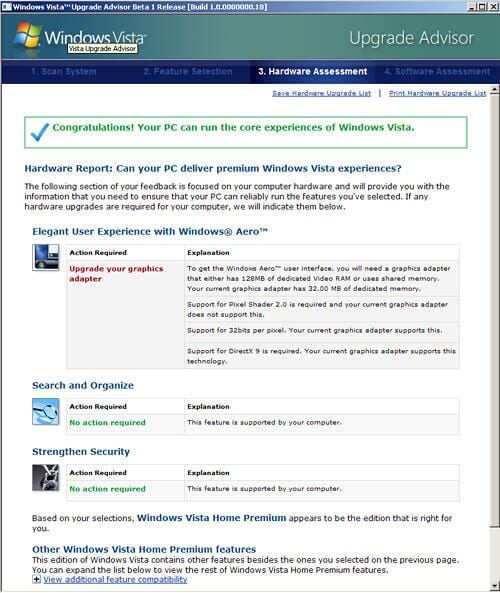
  • After scanning the system, the tool determines whether a machine can run Vista and what upgrades are needed, if any, to run higher versions. In this case, the PC was sufficient to run Vista but needed a better graphics card to run Vista’s Aero Graphics.

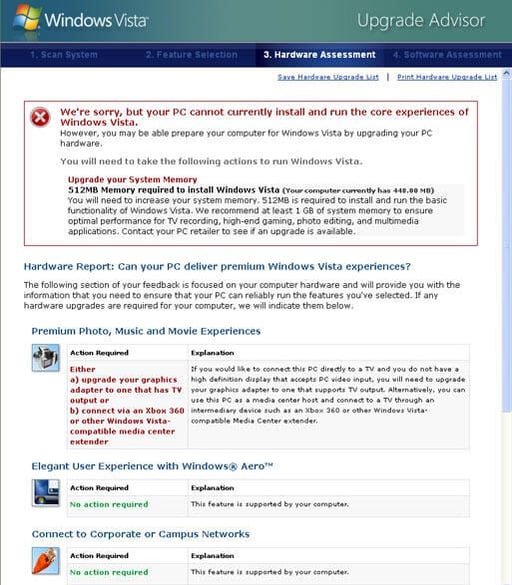
  • On the other hand, the Upgrade Advisor thought little of CNET News.com’s relatively new low-end machine. It has 512MB of memory, but some of that is shared with its integrated graphics. Ironically, we have been testing beta versions of Vista on this machine.

1 of 4
BD

Bill Detwiler is the Editor for Technical Content and Ecosystem at Celonis. He is the former Editor in Chief of TechRepublic and previous host of TechRepublic's Dynamic Developer podcast and Cracking Open, CNET and TechRepublic's popular online show. Previously, Bill was an IT manager in the social research and energy industries. He has bachelor's and master's degrees from the University of Louisville, where he has also lectured on computer crime and crime prevention.