


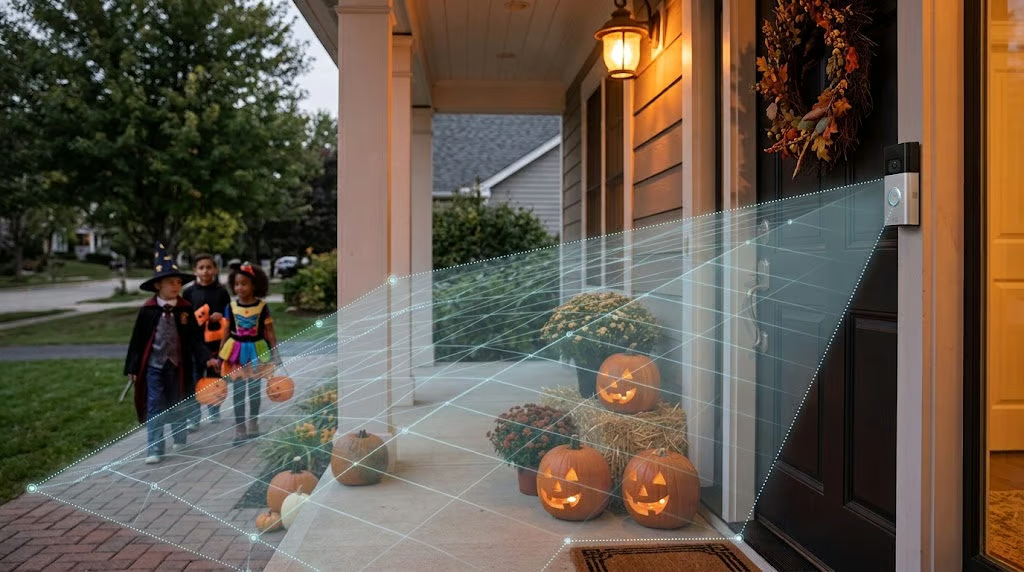
Halloween can bring a steady stream of visitors to your doorstep, but your Ring doorbell might not catch every arrival. Poorly positioned Motion Zones can leave parts of your walkway unmonitored while sending unnecessary alerts whenever someone passes nearby.
With trick-or-treaters arriving on October 31, it’s worth checking which areas your doorbell monitors before the evening begins. Ring’s free Motion Zones feature lets homeowners concentrate detection on their entrances rather than surrounding streets or neighboring properties.
In guidance published July 21, 2026, Ring recommends walking through configured zones to confirm they’re working as intended. A walkway appearing in the camera’s view doesn’t necessarily mean movement along it will trigger an alert.
Set motion zones around your walkway
Motion Zones determine which parts of the camera’s view are monitored for movement. Most Ring devices support up to three customizable zones, giving homeowners flexibility to cover different approaches without including unnecessary areas.
To adjust them, follow Ring’s setup instructions:
- Open the Ring app, tap the menu, and select Devices.
- Choose your doorbell, then open Device Settings > Motion Settings.
- Select Camera Motion Zones > Add Zone to create a zone, or Edit Zones to change an existing one.
- Drag the boundary points around the path visitors take to your door.
- Tap Save.
The aim is to cover your entrance without extending detection into public sidewalks or neighboring property. Camera placement also influences coverage, as illustrated by comparisons of Ring, Nest, Arlo, and Eufy cameras.
Once the boundaries are in place, review Motion Sensitivity. Increasing it can help detect smaller movements, while lowering it may reduce unwanted alerts. Go too low, however, and the camera could overlook someone approaching.
Motion Zones don’t hide areas outside their boundaries from Live View. On supported models, Ring’s separate Privacy Zones feature masks selected parts of the video. Keeping both settings aligned helps avoid unnecessarily capturing neighboring areas.
You don’t need a subscription to adjust Motion Zones or receive alerts, although reviewing recorded motion videos requires a compatible plan. Ring is also rolling out its TAKE encryption system, which is designed to reduce how long the company retains access to video encryption keys.
Test the approach before Halloween night
After saving your settings, confirm that Motion Detection and Motion Alerts are enabled. Then walk toward your door along the route trick-or-treaters would normally follow, checking whether your phone receives an alert.
Don’t stop after one successful test. Try approaching from different points within your property to check the zone’s boundaries, then repeat the walk after dark with porch lights and decorations in place. If you’re photographing visitors, adjusting iPhone camera settings for low light can also help with nighttime costume photos.
If the doorbell misses your approach, adjust the zone or sensitivity and test again. Subscribers can review recorded events in Event History, while those without a subscription can check notifications as they arrive.
Before changing the boundaries again, also check Motion Schedules and other alert settings. Scheduled quiet periods can silence notifications even when motion detection remains active. A disconnected doorbell or phone-level Do Not Disturb setting can also explain missing alerts.
A few tests before October 31 can help prevent unwanted notifications and missed arrivals when the porch gets busy. Once Halloween is over, revisit the zones if your usual monitoring needs are different.
Read more: Ring is expanding its front-door hardware with a new $249 smart lock featuring hand-powered battery backup, planned for a US release in early 2027, subject to regulatory approval.