


Key takeaways:
- Choosing between monday.com vs Microsoft Planner depends on whether your team prioritizes customizable workflows or advanced project scheduling.
- Microsoft Planner suits Microsoft 365 users, whereas monday.com supports organizations that prioritize resource management and automated workflows.
- When deciding between Microsoft Planner vs monday.com, choose based on your team’s scheduling requirements, reporting needs, and software integrations.
- monday.com vs Microsoft Planner at a glance
- Pricing & licensing
- Project planning & scheduling
- Portfolio & resource management
- AI assistants & agents
- Automations & integrations
- Reporting & analytics
- Ease of use & administration
- Can monday.com and Microsoft Planner work together?
- Migrating between monday.com and Microsoft Planner
- monday.com & Planner alternatives
- Final verdict: Should your team choose monday.com or Microsoft Planner?
- FAQs
monday.com vs Microsoft Planner at a glance
| My rating | ||
| Best for | Organizations managing projects and resources across departments | Teams using Microsoft 365 that need task management and advanced scheduling |
| Starting price | $9/user/month, billed annually | $10/user/month, billed annually |
| Portfolio management | Portfolio dashboards, project health tracking and resource allocation | Portfolio roadmaps, project status and milestone tracking |
| Automations | Automation rules and multi-step workflow builder | Custom workflows through Power Automate |
| Reporting | Custom dashboards and portfolio analytics | Task charts, portfolio views and Power BI reporting |
| Integrations | Slack, Salesforce, Microsoft Teams and 200+ third-party apps | Microsoft Teams, Outlook and other Microsoft 365 apps |
| Ease of use | Color-coded columns that require more initial configuration | Familiar Microsoft 365 interface with group-based administration |
| Key limitation | Dependency scheduling lacks Planner's advanced scheduling capabilities | Limited native customization for portfolio reporting and resource planning |
monday.com AI workspace
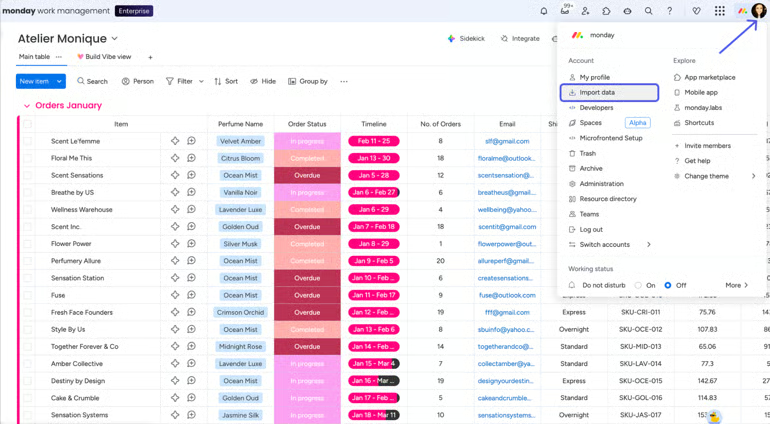
Is monday.com right for your team? Our in-depth monday.com review examines its project management capabilities, AI features, and pricing to help you decide.
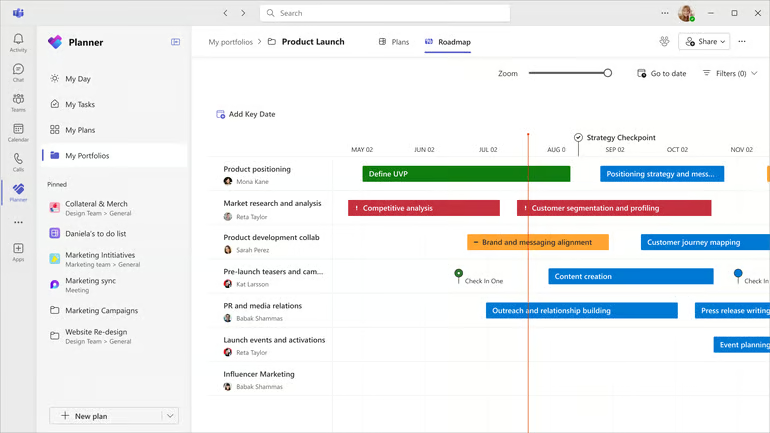
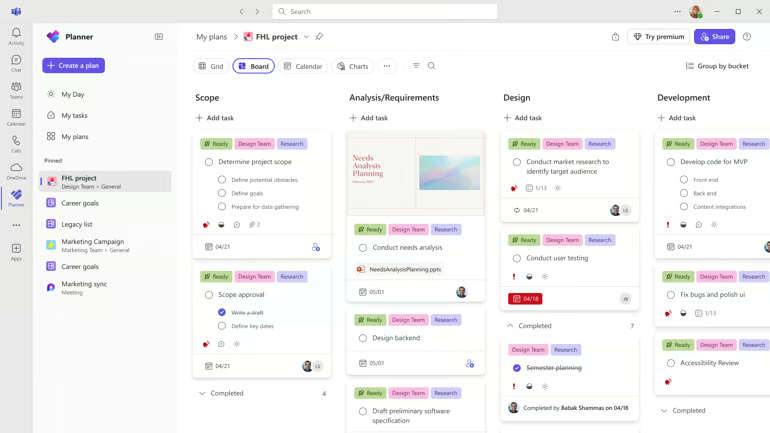
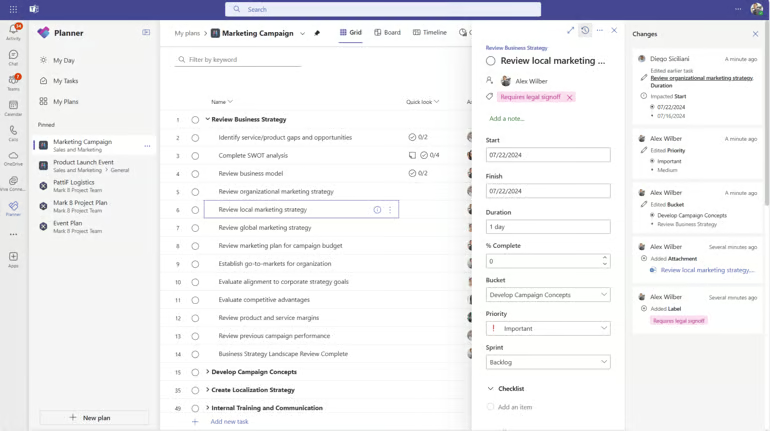
Microsoft Planner workspace
How I evaluated monday.com vs Microsoft Planner
I tested Microsoft Planner and monday.com to compare their project management features, usability, and subscription costs. My evaluation also drew on product documentation and recent customer feedback to verify capabilities and identify common user experiences.
Pricing (20%): I compared subscription prices, licensing requirements, and features included in each plan. For a closer cost comparison, I calculated annual subscription costs for 25 users and examined additional charges for advanced capabilities.
General features (25%): I tested core project management functions, including task assignments, project views, and dependency tracking. I also examined collaboration tools and progress reporting to determine how each platform handles team projects.
Advanced features (20%): I assessed portfolio reporting, resource planning, and workflow automation, including which features require higher-tier plans. The evaluation also covered AI capabilities, integrations, and enterprise security.
Ease of use (10%): I evaluated how easily users can create projects, assign tasks, and configure project views. My assessment also considered workspace navigation, initial setup requirements, and administrative complexity.
Support (10%): I reviewed customer support channels and their availability across subscription tiers. I also examined self-service resources and recent customer feedback on response times and issue resolution.
Expert score (15%): I used my firsthand experience with both platforms to assess their capabilities relative to subscription costs. I also considered their suitability for different team sizes and project requirements when determining the final expert score.
Why you can trust TechRepublic
I’ve spent the past four years testing nearly 20 project management platforms, and some of them have become part of my workflow. Writing dozens of PM software guides for businesses of all sizes taught me what individuals and teams need from these tools beyond the marketing pitch. I also build custom scoring rubrics for each review to ensure fairness and that selected platforms get evaluated on the same criteria.
Marianne Sison
Senior Staff Writer for Project Management
Pricing & licensing
Winner: Microsoft Planner is more affordable, especially for organizations with Microsoft 365 subscriptions. Basic task management features come at no additional cost for eligible subscribers, while Planner Plan 1 costs $10 per user monthly for Gantt charts and task dependencies, compared with monday.com’s $12 Standard plan.
| Pricing | ||
|---|---|---|
| Free option | Free for 2 users | Included with eligible Microsoft 365 plans |
| Entry-level paid | Basic: $9/user/month | Planner Plan 1: $10/user/month |
| Mid-tier | Standard: $12/user/month | Planner and Project Plan 3: $30/user/month |
| Advanced | Pro: $19/user/month | Planner and Project Plan 5: $55/user/month |
| Enterprise | Custom pricing | Plan 5: $55/user/month |
| Billing model | Seat bundles, 3-seat minimum | Per-user licensing |
Prices are in USD per user/month, billed annually.
What would 25 users actually cost?
| Scenario | ||
|---|---|---|
| Task management | Basic: $225/month | $0 additional with eligible Microsoft 365 subscriptions |
| Gantt charts and dependencies | Standard: $300/month | Plan 1: $250/month |
| Advanced project management | Pro: $475/month | Plan 3: $750/month |
Costs assume 25 paid seats where applicable and exclude existing Microsoft 365 subscriptions, taxes, and add-ons.
Microsoft 365 users can perform basic task updates in shared Planner premium plans, even when only project managers have paid Planner licenses. For example, licensing five project managers on Planner Plan 1 costs $50 monthly, while other employees with eligible Microsoft 365 licenses can participate through basic editing permissions.
monday.com charges through seat bundles, which can increase costs when headcount exceeds a billing threshold. However, its $19 Pro plan includes workload management and time tracking, while resource planning needs may require a forced upgrade to higher-tier subscriptions.
Curious about Microsoft Planner? Read our full Microsoft Planner review for a closer look at its features, pricing and limitations to see whether it meets your team’s project management needs.
Project planning & scheduling
Winner: Microsoft Planner. Its scheduling engine recalculates task dates based on dependencies and working calendars, while critical path analysis identifies activities that affect the project finish date. This makes Planner better suited to projects with complex task relationships and frequent schedule changes.
Although monday.com can automatically shift dependent dates, it uses configurable dependency rules rather than recalculating schedules based on task durations and working calendars. Flexible, Strict and No Action modes let teams choose how dependency changes affect task dates, including when existing dates should remain unchanged.
| Feature | ||
|---|---|---|
| Gantt charts | Interactive Gantt views with milestones and dependencies | Timeline view with linked tasks and milestones |
| Task dependencies | Configurable dependencies with automatic date adjustments | Four dependency types with calculated scheduling |
| Schedule adjustments | Flexible, Strict, and No Action modes determine how dependent dates change | Recalculates task dates based on dependencies and working calendars |
| Critical path | Highlights tasks that affect project completion | Calculates the critical path based on task relationships and schedules |
| Working calendars | Dependency adjustments based on configured dates and timelines | Custom workweek calendars account for nonworking days |
| Project baselines | Baselines compare original schedules with current timelines | Baselines track changes between planned and current schedules |
Microsoft Planner recalculates dependent task dates based on task relationships and working calendars, helping managers assess how schedule changes affect project completion. monday.com also adjusts dependent dates, but its scheduling approach follows the selected dependency mode and requires tasks to have existing dates.
Portfolio & resource management
Winner: monday.com offers dedicated resource management through the Resource Planner and Capacity Manager. These tools help organizations allocate employees across projects based on availability and planned effort, while portfolio dashboards consolidate project health and progress.
monday.com supports skills-based assignments and resource forecasting, whereas Microsoft Planner manages workloads through task assignments and scheduled work.
| Feature | ||
|---|---|---|
| Portfolio tracking | Portfolio dashboards with project health, progress, and risk indicators | Portfolio views with project status and roadmap milestones |
| Resource allocation | Allocates employees across projects based on availability and planned effort | Assigns resources to tasks and distributes effort over scheduled periods |
| Capacity planning | Compares planned allocations with available capacity across projects | People view displays team workloads and assignments |
| Skills-based planning | Resource Directory records employee roles and skills | Assignments use existing project members |
| Resource forecasting | Role-based placeholders account for future staffing needs | Estimates effort for scheduled task assignments |
| Portfolio dependencies | Connects dependent tasks across project boards | Roadmaps consolidate milestones across plans |
Beyond identifying overloaded employees, monday.com lets managers search its Resource Directory for relevant skills and use role-based placeholders to estimate capacity before positions are filled. Microsoft Planner’s People view helps managers review workloads and redistribute assigned tasks, but it lacks an equivalent skills directory and role-based staffing forecasts.
AI assistants & agents
Winner: monday’s AI work platform offers custom AI agents that respond to project events and execute multi-step workflows across boards. Its built-in AI assistant, Sidekick, analyzes project information and updates work through natural-language requests.
Microsoft Planner uses Copilot to generate project plans and Planner Agent to complete delegated tasks, but provides fewer options for automating agent actions in response to project events.
| Feature | ||
|---|---|---|
| AI assistant | Sidekick summarizes project data and updates items | Copilot answers plan-related questions and assists with updates |
| Project plan generation | Creates project plans and boards from natural-language prompts | Generates plans and tasks from goals or reference files |
| Autonomous agents | Configurable agents execute actions in response to project events | Planner Agent completes delegated tasks for user review |
| Workflow automation | AI agents and workflow blocks automate multi-step processes across boards | Copilot assists with plan updates and task execution |
| Risk monitoring | Agents can evaluate project data and trigger follow-up actions | AI-generated reports summarize progress and potential blockers |
Planner Agent handles user-delegated work and produces outputs for review, making it suitable for teams that want AI assistance with individual assignments. Its Microsoft 365 integration also supports project planning within existing collaboration workflows.
Automations & integrations
Winner: monday.com’s workflow builder supports conditional branching and multi-step automation across boards and connected apps, allowing teams to configure processes within the platform. Microsoft Planner supports comparable workflows through Power Automate, where users configure triggers and actions separately from their project plans.
| Feature | ||
|---|---|---|
| Workflow automation | Built-in automation rules and visual workflow builder | Custom workflows through Power Automate |
| Conditional logic | If/else branches, delays and multi-step actions | Conditions, branches and approvals through Power Automate |
| Cross-project automation | Triggers actions across connected boards | Connects supported plans through Power Automate flows |
| Native integrations | Slack, Microsoft Teams, Outlook and Salesforce | Microsoft Teams, Outlook, To Do and Microsoft 365 |
| Third-party integrations | Integration templates, marketplace apps and API | Power Automate connectors and Microsoft Graph API |
| Data synchronization | Selected integrations support two-way field updates | Data exchange through configured connectors and flows |
Power Automate supports conditional workflows across Microsoft 365, but its standard Planner connector is limited to basic plans. Organizations with premium plans may need alternative integration methods, especially when automations require access to project schedules or task information unavailable through the connector.
Reporting & analytics
Winner: monday.com. monday.com offers dashboard widgets that combine data from multiple boards into custom charts, workload metrics, and project health reports. Microsoft Planner’s built-in charts display task progress and assignments, but has fewer options for creating custom reports. More advanced analysis requires Power BI, where managers must configure data connections and reporting models.
| Feature | ||
|---|---|---|
| Project dashboards | Customizable dashboards with status, workload and timeline widgets | Built-in charts for task status, priority and assignments |
| Portfolio reporting | Consolidates project health and progress across boards | Tracks portfolio status, progress and milestones |
| Resource analytics | Workload and capacity dashboards across projects | People and Assignments views display workloads |
| Custom reporting | Filters, formulas and configurable dashboard widgets | Custom calculations and reports through Power BI |
| Data visualization | Configurable charts based on connected board data | Built-in charts and Power BI visualizations |
monday.com lets users create custom portfolio reports from project boards, provided status labels and column definitions are consistent across boards. Microsoft Power BI supports more specialized analysis across data sources, although incorporating Planner data requires additional configuration.
Ease of use & administration
Winner: Microsoft Planner. For organizations that rely on Microsoft 365, employees can access assigned tasks through Teams and manage shared plans using existing accounts. While monday.com supports configurable workflows and board-level permissions, administrators must manage templates and permission settings to ensure consistent processes across departments.
| Feature | ||
|---|---|---|
| Initial setup | Configurable boards, templates and workflows | Ready-made plans and templates within Microsoft Teams |
| Task navigation | Color-coded columns, dashboard widgets, and project views | Centralized task access through My Tasks and My Plans |
| User permissions | Workspace roles, board permissions and guest access | Plan membership through Microsoft 365 Groups |
| Administration | Configurable workspace settings and board templates | Microsoft 365 account and group administration |
| External collaboration | Shareable boards with guest permissions | Guest access through Microsoft 365 Groups |
Group-based membership makes Planner easier to administer when departments share similar access requirements, though its standard permission model has fewer options for restricting individual project fields.
monday.com supports board-level and column-level permissions for defining different access rules across departments. These settings require additional configuration but support teams with specialized workflows and information-sharing requirements.
Can monday.com and Microsoft Planner work together?
Yes, monday.com and Microsoft Planner can work together through Power Automate, third-party integration tools, or custom API connections. Organizations can automate task creation and updates between the platforms, allowing teams to manage work in Planner while consolidating project information in monday.com. However, these connections require configuration, and bidirectional synchronization depends on the integration method.
Power Automate supports triggers and actions for connecting Planner tasks with external systems, while monday.com’s API allows developers to create or update board items. Microsoft’s standard Planner connector supports basic plans only, which may require alternative integration methods for premium plans.
Teams should also verify how task ownership, status changes, and completion dates transfer between systems to avoid duplicate updates or inconsistent project reports.
Migrating between monday.com and Microsoft Planner
Migrating between monday.com and Planner is possible, but transferring project data requires different methods depending on the destination. monday.com supports Excel and CSV imports with column mapping, making it easier to transfer task information from Planner. Moving to Planner requires Power Automate, Microsoft Graph API, or third-party migration tools to recreate tasks from exported monday.com data.
The main challenge is preserving project functionality after migration.Task names, dates and assignments can transfer through supported migration methods, while dependencies, custom fields, and automation rules may need to be recreated manually.
Organizations moving to Planner must also account for differences between its basic and premium plans, since Microsoft’s standard Graph Planner API does not support premium tasks. Before switching platforms, verify that task relationships, assigned users, and project schedules work as expected in the destination system.
monday.com & Planner alternatives
If neither monday.com nor Microsoft Planner meets your team requirements, these project management tools are worth considering. Smartsheet specializes in standardized portfolio management, ClickUp combines AI-driven project execution with time tracking, and Wrike supports request intake and documented approvals.
| Your priority | ||
|---|---|---|
| Standardized portfolio planning across departments | Smartsheet | Control Center automates project creation using reusable blueprints and consolidates portfolio reports. Changes to project templates can also be applied across projects. |
| Agile execution with time tracking | ClickUp | Combines sprint planning with velocity and burndown reporting. Native time tracking and timesheets let teams compare estimated effort with actual hours, alongside sprint progress. |
| Request intake with documented approvals | Wrike | Conditional request forms route work to designated teams and initiate approval processes. Built-in proofing allows reviewers to annotate documents and visual assets. |
For organizations evaluating these alternatives, the deciding factor is the type of work that requires specialized functionality. Smartsheet addresses portfolio processes, ClickUp supports teams that need to measure actual effort alongside task completion, and Wrike handles approval workflows with conditional request routing.
Final verdict: Should your team choose monday.com or Microsoft Planner?
monday.com is the better choice for organizations that need customizable workflows, portfolio reporting, and resource planning across multiple departments. Microsoft Planner is better suited to teams already using Microsoft 365, especially those that need automatic scheduling based on task dependencies and simpler task administration.
Choose monday.com if…
- Portfolio management: You need to monitor project health and allocate resources across multiple projects.
- Workflow automation: Your teams require conditional automation and multi-step processes across connected apps.
- AI capabilities: You want configurable AI agents that respond to project events and execute workflow actions.
- Reporting: Managers need custom dashboards that combine project metrics from multiple boards.
Choose Microsoft Planner if…
- Project scheduling: Your projects require automatic schedule adjustments based on task dependencies and working calendars.
- Microsoft 365 integration: Employees rely on Teams and other Microsoft apps to manage their work.
- Ease of administration: You prefer standardized task management with user access handled through Microsoft 365 Groups.
- Task-focused AI: Your team wants Copilot and Planner Agent to generate project plans and assist with delegated tasks.
FAQs
Is Microsoft Planner included with Microsoft 365?
Yes, Microsoft Planner is included with eligible Microsoft 365 subscriptions for basic task management. Advanced capabilities such as Gantt charts, task dependencies, and sprint planning require Planner Plan 1. Critical path analysis and advanced scheduling require Planner and Project Plan 3.
Can Microsoft Planner replace monday.com for portfolio reporting?
Microsoft Planner can replace monday.com for basic portfolio tracking, including project status and completion percentages. However, its native reporting offers fewer options for combining custom project metrics. monday.com provides configurable dashboards for comparing workloads and project performance across multiple boards.
Does Microsoft Planner have Gantt charts and dependencies?
Yes, Microsoft Planner supports Gantt charts through its Timeline view and task dependencies in premium plans. Advanced capabilities include critical path analysis, working calendars, and lead-and-lag dependencies, depending on the subscription.
Can monday.com work inside Microsoft Teams?
Yes, monday.com has a Microsoft Teams app that lets users add project boards to Teams channels. Teams can access board information and receive personalized notifications through the monday.com chatbot. A separate integration supports automated channel notifications based on board activity.