


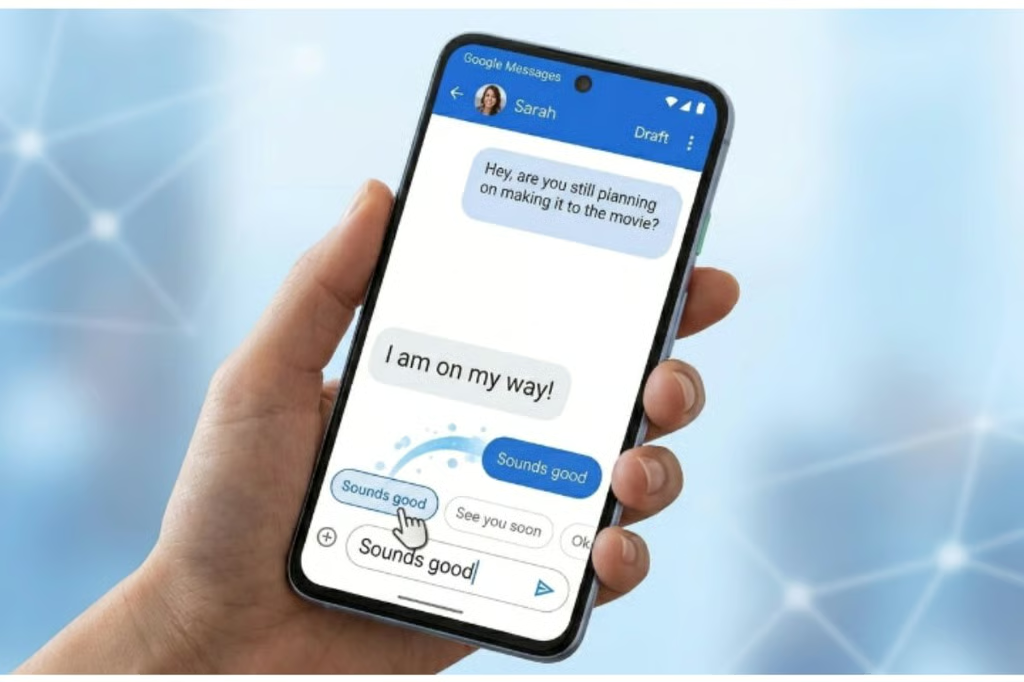
Google Messages’ new feature lets users pause Smart Replies before they send.
Known as Tap to Draft, it follows the useful but sometimes annoying Tap to Send feature, which lets users send messages by tapping any suggested reply in their Messages app.
According to a recent report by 9to5Google, the feature is currently available in the Google Messages beta version 20260303_00_RC00 and is expected to roll out to the stable version soon.
The problem Tap To Draft solves
Smart Replies is one of Google Messages‘ most convenient features. Using AI, it analyses message conversations and then presents a couple of relevant suggestions that the user can simply tap to send.
The convenience of Tap to Send created two significant problems:
- First, users could not edit Smart Replies before sending, often forcing them to send an unedited message or a follow-up.
- Second, accidental sending became frequent because a single tap instantly sends the message, frustrating users who accidentally tap the reply.
In January this year, an earlier report from 9to5Google revealed that Google was working on a fix for. That fix is Tap to Draft.
Unlike in standard Tap to Send, with Tap to Draft, Smart Replies no longer send instantly. With this new feature, when a user selects a relevant smart reply, the message opens in a text field where they can edit it, if needed, and then send it using the send button.
What else do we know about this feature?
The feature is already being tested by beta users of the Google Messages app running beta version 20260303_00_RC00.
Users who are beta users of the Google Messages app can simply search for the app on their Google Play Store to update to that version. For those who are not beta testers, they can get it by signing up as a beta tester for the Google Messages app here.
Keep in mind that, as a beta user, there is a risk that your app may behave unpredictably.
According to 9to5Google, the feature can be toggled on and off, just like the already existing Tap to Send. 9to5Google also reports that Tap to Send will remain the default behavior until a user selects the Tap to Draft option.
More Google coverage
- New Google Search AI Mode is ‘Total Reimagining,’ Says CEO Sundar Pichai
- In Major Ruling, Judge Finds Google ‘Willfully Acquired and Maintained Monopoly Power’ Over Digital Ad Market
- Google’s Big Bet on Nuclear Energy: ‘The Race to Power AI-Driven Data Centers is Accelerating’
- Computer History Museum Releases Original AlexNet Code: Why It Matters
Enabling the Tap to Draft option
Although the beta version is out, the stable version will take weeks to launch. Even after that, such updates roll out periodically and may take a couple of weeks to a couple of months for everyone to receive them.
While waiting for the stable release, users need to know where to find and turn on the feature when it becomes available for them.
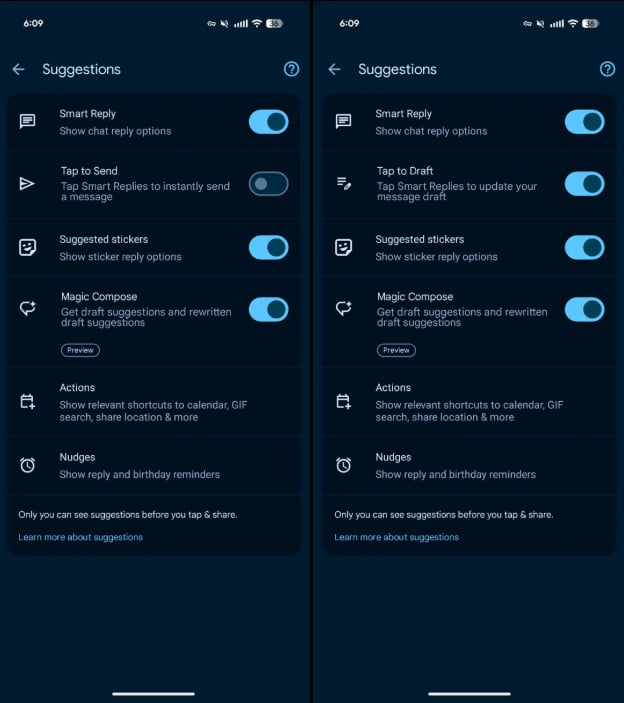
To turn on the feature:
- Tap the profile icon in the top right of your Message app screen
- Tap Message settings
- Then tap Suggestions
- Toggle the Tap to Send button to switch to Tap to Draft
Users who don’t want both Tap to Send and Tap to Draft can disable them by toggling off Smart Reply.
Also read: Google’s March Pixel Drop also adds Gemini Tasks and desktop mode, extending Google’s push to make Android features more useful day to day.