


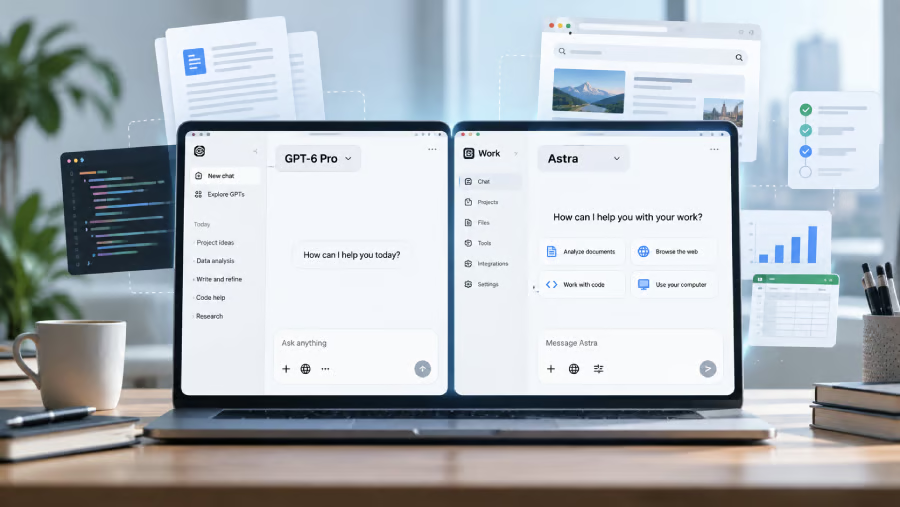
OpenAI’s GPT-6 Astra is now available, but don’t be surprised if you can’t find an “Astra” button. Depending on your ChatGPT plan, the new model may appear as GPT-6 Pro or live inside ChatGPT Work.
Access is arriving gradually across paid plans, and Astra is designed for longer jobs involving research, files, coding, browsing, and computer use. For users getting access, the easiest way to begin is to check where the model lives on your account, start with one contained workflow, set approval points, and watch how much of your usage allowance the job consumes.
1. Check whether Astra has reached your account
Mashable reported that OpenAI initially made Astra available to select organizations, with ChatGPT Plus, Pro, Business, and Enterprise users gaining access over the following days. The model is also available through the OpenAI API.
According to Engadget, the rollout remained gradual, meaning an eligible subscription does not guarantee immediate access. Free and Go users are excluded from the current rollout.
2. Look for Astra in the right place
For eligible Pro, Business, and Enterprise accounts, open the model picker in a regular ChatGPT conversation and look under Pro for GPT-6 Pro. Engadget noted that GPT-6 Pro is powered by Astra. Enterprise users may also need their workspace administrator to enable model access.
Plus subscribers should instead open ChatGPT Work and select Astra once it reaches their account. Codex users can also choose Astra, while the Codex CLI requires version 0.153.0 or later.
3. Start with a contained, multi-step job
Astra is built for more than answering a single question. OpenAI said that it can handle computer use, browsing, software engineering, cybersecurity, and other professional work across ChatGPT Work, Codex, and the API.
A useful first test is a task that requires several steps, such as reviewing multiple files and producing a report, researching options against a fixed set of requirements, or working through a coding problem and checking the result.
Tom’s Guide described Astra as being designed for longer jobs involving planning, research, computer use, and repeated attempts to complete a task.
More must-read AI coverage
- SS&C Intralinks DealCentre AI vs. Datasite: Which platform is built for the future of dealmaking?
- SS&C Intralinks FundCentre AI vs. Juniper Square: Which platform better supports modern private markets fund managers?
- Why Data, Not Models, Determines AI Success
- The Rise of the AI-Native Factory: How Physical AI Is Transforming Manufacturing
4. Set the rules before giving Astra more access
For business use, decide what the model can access before handing it a sensitive workflow. OpenAI noted that enterprise administrators can restrict approved websites and desktop applications, manage uploads and downloads, control browsing history, and require confirmation before consequential actions.
Security is another reason to start cautiously. Mashable reported that Astra is the first OpenAI model to reach the Critical cybersecurity capability threshold under the company’s Preparedness Framework, with additional safeguards applied before release.
5. Watch your usage before scaling up
Astra tasks can consume different amounts of allowance depending on how much work they require. OpenAI estimates Plus users can send roughly five to 45 local Astra messages per five-hour period, compared with 25 to 225 on the $100 Pro plan and 100 to 900 on the $200 plan.
Standard API pricing starts at $10 per million input tokens and $50 per million output tokens, although longer prompts, Fast mode, and some tool calls can cost more. Users can check their remaining allowance and reset times under Settings > Usage.
Where GPT-6 Astra makes the most sense
Astra is likely to be most useful when a job requires several stages rather than a single response. OpenAI highlighted browsing, computer use, software engineering, professional work, cybersecurity, and scientific tasks among its strengths.
Good starting points include:
- Research and document work: Review several files or sources, compare information, and turn the findings into a report or other finished output.
- Coding and technical tasks: Debug code, work through software problems, test changes, and revise based on the results.
- Multi-step computer work: Navigate websites or desktop applications, gather information, and complete workflows that require several actions.
For a quick question or simple rewrite, Astra may be more capability than the job needs. Its value becomes clearer when work requires planning, taking actions, checking results, and revising along the way. Start with one contained workflow, review what it does, and expand its access only when the task benefits from those extra steps.
Read how OpenAI launched GPT-6 Astra as Greg Brockman declared that the “AGI era” has arrived.
Let us teach you How to Talk to AI for free! Try our six-minute course at The Neuron Academy and learn a few simple ways to write better prompts and get more useful results from AI, or browse our other AI course for free for seven days. Check out all the lessons here →