


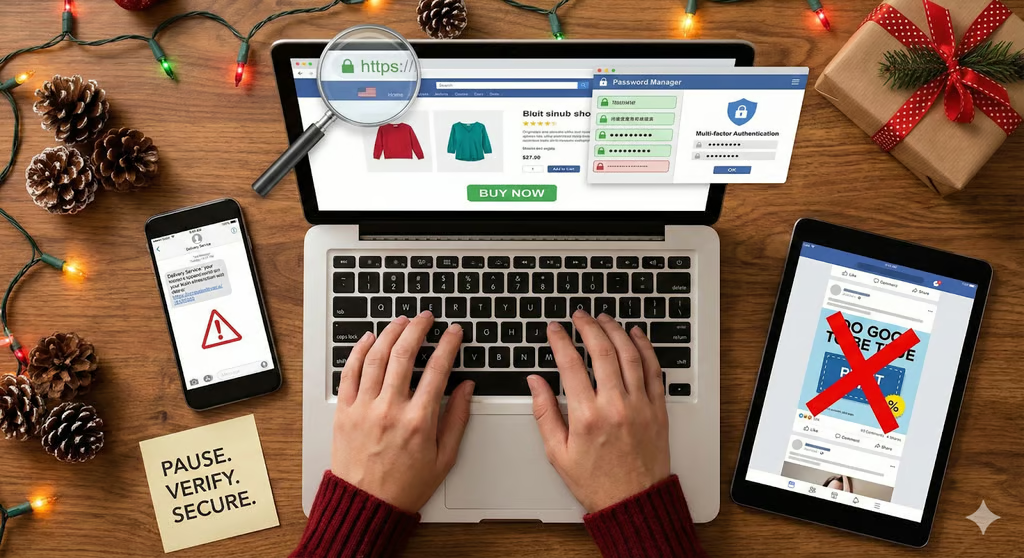
The holiday season brings great deals, busy schedules, and… a spike in online scams.
Cybercriminals know shoppers are rushing, distracted, and eager to grab limited-time offers. That makes November and December the perfect time for them to launch phishing campaigns, set up fake websites, and impersonate delivery companies. The good news? With a few simple habits, you can dramatically reduce your risk of playing victim this holiday season.
Below are five practical, easy-to-follow ways to protect yourself, including expert tips from Matt Chmel, head of Cyber, North America at Aon.
1. Pause before you buy
Scammers count on consumers making fast, emotional decisions — especially during Black Friday and Cyber Monday.
“Pause before you purchase. Fraudsters rely on the fear of missing out (FOMO). If a deal looks too good to be true, it probably is,” Chmel said.
Beyond evaluating the deal itself, make sure the site you’re on is legitimate:
- Type retailer names directly into your browser instead of clicking ads.
- Shop through official mobile apps when possible.
- Check for “https” and a padlock icon in your browser that indicates an encrypted connection.
- Be cautious of retailers you’ve never heard of offering deeply discounted big-ticket items.
Slowing down and doing a quick check can prevent you from falling for fake stores designed to steal your payment information.
2. Avoid delivery scams
Holiday-themed phishing is one of the most common and effective scams. You might receive emails or texts pretending to be from UPS, FedEx, USPS, Amazon, or a retailer — claiming a package couldn’t be delivered, or a payment is required.
Chmel warns: “Watch out for fake delivery texts. Fraudsters send realistic messages pretending to be couriers. Always check directly with the retailer or delivery service provider before clicking any links.”
Other signs of phishing include:
- Unexpected order confirmations
- Urgent messages asking you to “fix” a delivery issue
- Strange sender email addresses or wording errors
- Requests for personal or financial details
When in doubt, navigate to the retailer or delivery provider’s official website and check your order there instead of clicking links from an email or text message.
3. Make your accounts harder to hack
Password reuse is one of the biggest risks for holiday shoppers. If one shopping site is breached, attackers can try that same password on your email, banking apps, or social media.
To protect yourself:
- Use unique passwords for every store, app, and service.
- Use a password manager to create and remember strong passwords.
- Turn on multi-factor authentication (MFA) everywhere it’s offered.
As Chmel emphasizes: “Turn on multi-factor authentication — this adds an extra layer of protection and creates another barrier that prevents hackers from gaining access to your accounts.”
Just this one simple step can significantly reduce your risk.
Must-read security coverage
- UK Police Convicts Pair in £5.5 Billion Bitcoin Launder Case
- Blackpoint Cyber vs. Arctic Wolf: Which MDR Solution is Right for You?
- How GitHub Is Securing the Software Supply Chain
- 8 Best Enterprise Password Managers
4. Think before you click an ad
Cybercriminals love using social media ads — especially during the holidays — to push counterfeit products, fake endorsements, or scam storefronts. Their goal is to pressure you into buying fast before you notice warning signs.
Chmel suggests: “Avoid impulse buys from ads — especially on social media, where scammers use fake endorsements to rush you into action.”
Along with avoiding risky ads, protect your payment information by:
- Using credit cards, which often offer better fraud protection than debit cards
- Using digital wallets (Apple Pay, Google Pay, PayPal) that mask your card number
- Avoiding payment info sent over text, email, or messaging apps
If an ad catches your eye, search for the retailer manually instead of clicking the ad link.
5. Don’t let your devices be the weak link
Even if you follow all the right shopping habits, an insecure device or network can put you at risk.
Stay protected by:
- Keeping your phone, tablet, and laptop updated with the latest security patches
- Using antivirus or antimalware software
- Avoiding online purchases while on public Wi-Fi
- Using a VPN if you must shop on an unsecured network, like public Wi-Fi
Cybercriminals often target outdated or unprotected devices, so staying up to date is one of the simplest ways to stay safe, especially for your mobile devices.
Avoid scams this holiday season
Holiday shopping should be fun — not stressful. While scams ramp up this time of year, you can stay safe by slowing down, checking websites carefully, securing your accounts, being cautious about ads and messages, and keeping your devices protected.
By combining these simple habits, you’ll be better equipped to spot sketchy offers, avoid falling for scams, and enjoy a smooth, secure shopping season.
In account security, the best password managers for teams in 2025 help businesses generate unique logins, share credentials safely, and cut the risk of credential-stuffing attacks.