


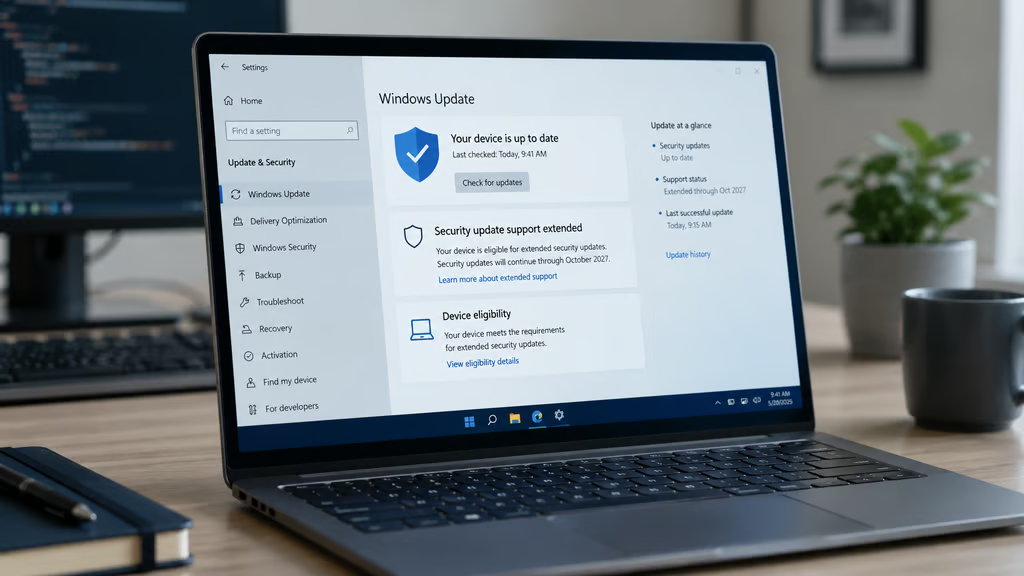
Millions of Windows 10 PCs now have a longer runway for security updates, but the extension comes with a catch: eligibility depends on how each device is set up and managed.
Microsoft has extended consumer Windows 10 Extended Security Updates through Oct. 12, 2027, giving eligible devices more time to receive critical and important security patches after the operating system’s end of support. Personal or unmanaged PCs may qualify, while domain-joined, Microsoft Entra-joined, kiosk-mode, MDM-managed, and already ESU-licensed devices are excluded from the consumer path.
Consumer ESU has strict device rules
BleepingComputer reported the quiet change after Microsoft updated its ESU language without a broad public announcement. Devices already enrolled in consumer ESU will continue through the new deadline without another enrollment step.
Windows 10 reached end of support on Oct. 14, 2025. PCs running the operating system still work, but systems outside ESU no longer receive security updates, feature updates, or technical assistance from Microsoft.
To qualify for consumer ESU, a device must run Windows 10 version 22H2 on Home, Professional, Pro Education, or Workstations edition. It must also have the latest Windows update installed and be enrolled with a Microsoft account that has administrator rights; child accounts cannot enroll.
Microsoft lists three enrollment options: sync PC settings at no additional cost, redeem 1,000 Microsoft Rewards points, or make a one-time $30 purchase, plus applicable tax. One ESU license can cover up to 10 eligible devices, and enrollment remains open until Oct. 12, 2027.
Version 22H2 is a hard requirement, so devices on earlier Windows 10 builds must update before they can receive ESU patches. ESU provides critical and important security updates through Windows Update, but not new features, customer-requested nonsecurity updates, design changes, or general Windows 10 technical support.
For older PCs that cannot officially move to Windows 11, unofficial workarounds such as Tiny11 come with security and support trade-offs. ESU keeps eligible Windows 10 devices on Microsoft’s update channel.
Managed devices face a different path
Management status is the first eligibility check. Microsoft says the consumer ESU program is not offered for devices in kiosk mode, joined to an Active Directory domain or Microsoft Entra, enrolled in mobile device management, or already covered by an ESU license.
Patch status should be verified separately, especially because Windows update problems can block security fixes even when a device appears otherwise eligible.
Microsoft Entra-joined devices are excluded, while Microsoft Entra-registered devices can use the consumer ESU program. Device classification is especially important for organizations with bring-your-own-device policies, hybrid work setups, or personally owned PCs that access company resources.
Commercial ESU is separate. Microsoft lists Year One pricing at $61 per device for organizations, with the price doubling each year for up to three years; organizations that start in Year Two must also pay for Year One because ESUs are cumulative.
The practical risk is misclassification. A personally owned Windows 10 laptop may look like a low-cost ESU candidate, but a device that is Entra-joined, domain-joined, or managed through MDM belongs in a different planning track. That can affect patch coverage, migration timing, and ESU budgeting.
Before relying on consumer ESU, IT teams should confirm each device is running Windows 10 version 22H2 with the latest updates installed. They should also separate unmanaged devices from domain-joined, Entra-joined, kiosk-mode, and MDM-managed systems; verify administrator Microsoft account access; and include firmware and boot requirements, such as the Secure Boot certificate deadline, in any Windows 11 or hardware-refresh plan.
Windows 10 remains out of support outside ESU. The extension gives eligible users more time, but IT teams still need a device-by-device plan before the Oct. 12, 2027, cutoff.
Read more: For migration planning, compare the remaining Windows 10 support options before deciding whether to enroll, upgrade, or replace older PCs.