


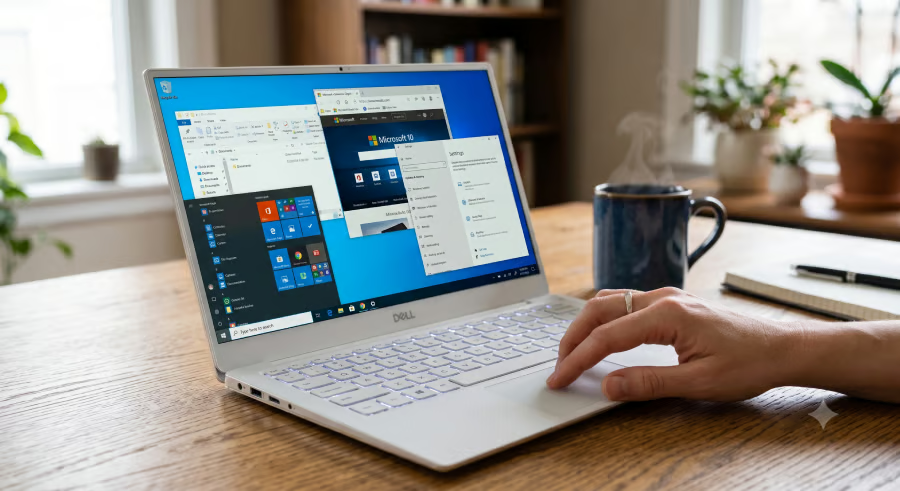
A Windows 10 PC that cannot run on Windows 11 is not automatically junk. But it does need a plan.
Regular Windows 10 support ended on Oct. 14, 2025, leaving older PCs without standard security updates, feature updates, or technical assistance. Google’s $3 ChromeOS Flex USB kit reportedly sold out within a month, which suggests some users want practical ways to keep aging PCs useful.
For Windows 10 users whose hardware does not meet Windows 11 requirements, the best next step may involve ESU, ChromeOS Flex, Linux, repurposing, or replacement.
1. Confirm the Windows 11 upgrade is really blocked
Before giving up on the PC, check what’s preventing the Windows 11 upgrade. In some cases, the hardware is not the issue. A setting may simply need to change.
Microsoft’s Windows 11 requirements include TPM 2.0, Secure Boot support, a compatible 64-bit processor, 4GB of RAM, and 64GB of storage.
Some machines fail the upgrade check because Secure Boot is disabled or firmware settings need attention. Others fail because the processor or TPM does not meet Microsoft’s requirements. Users may fix the first problem through firmware settings, while the second usually means the PC is outside Microsoft’s supported Windows 11 path.
2. Use ESU to buy more time
If the PC still works well, Extended Security Updates may give users more breathing room. Microsoft said Windows 10 PCs “will continue to function” after support ends, but warned that devices without ongoing updates face a greater risk of viruses and malware.
For consumers, Microsoft says users can enroll in ESU by syncing PC settings, redeeming 1,000 Microsoft Rewards points, or paying $30. ESU buys time through October 13, 2026, but it does not make Windows 10 a long-term answer.
Must-read Windows coverage
- CrowdStrike Outage Disrupts Microsoft Systems Worldwide
- 10 Best Project Management Software for Windows in 2024
- Windows 10 Extended Security Updates Promised for Small Businesses and Home Users
- Securing Windows Policy
3. Try ChromeOS Flex
ChromeOS Flex may work for an older PC that mostly handles browsing, email, documents, streaming, and video calls. Google’s $3 ChromeOS Flex USB kit is currently sold out, so users interested in it may need to wait to see if it comes back in stock.
The kit is not required, though. Google says users can install ChromeOS Flex on Windows, Mac, or Linux devices, but it only guarantees expected functionality on certified models. Minimum requirements include an Intel or AMD x86-64 device, 4GB of RAM, 16GB of storage, USB boot support, and BIOS access.
4. Install Linux if you need a full desktop
Linux offers users another option if they want a full desktop operating system rather than a browser-first setup. Linux Mint and Zorin OS often appeal to people coming from Windows because they offer familiar layouts and can run on many older machines.
Before wiping Windows, users should back up their files, test hardware compatibility, and ensure the apps they need will still work.
5. Repurpose, recycle, or replace the PC
An old Windows 10 PC can still be a safer second life as an offline writing machine, local media player, backup device, home lab system, or test machine. It should not handle banking, work accounts, password storage, or sensitive personal files.
If the hardware runs too slowly or poses too great a security risk, replacing it may make more sense. Microsoft points users toward trade-in and recycling programs for older devices.
Bottom line: A Windows 10 PC still has options
A Windows 10 PC that cannot run Windows 11 may still have life left, but it needs to be limited. ESU can buy time, while ChromeOS Flex or Linux may help the device handle lighter everyday tasks.
For anything sensitive, though, unsupported hardware raises the risk. Banking, work accounts, passwords, and personal files are better kept on a supported system with regular security updates.
Still trying to get more life out of an old Windows 10 PC? Read our guides to products that can extend the life of old Windows 10 PCs and alternatives to Google’s sold-out ChromeOS Flex kit.