
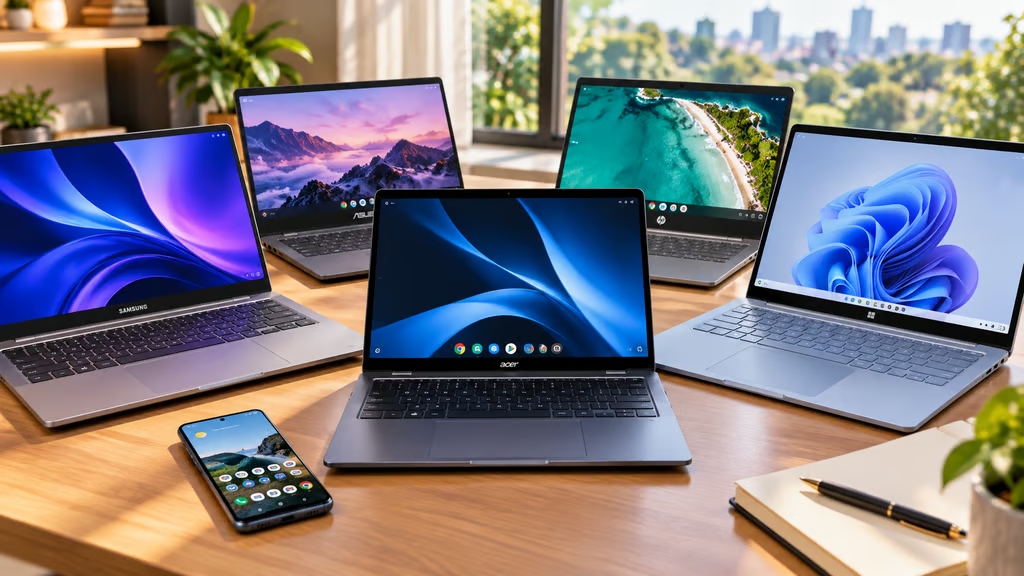


The best laptop for an Android user is not necessarily the fastest Windows PC or the newest Chromebook. Phone integration can change the decision just as much as processor, display, or battery life.
Googlebook now offers the deepest direct Android integration, while Samsung adds its own Galaxy features to Windows. Chromebooks remain a cheaper route to Android apps and phone syncing, and Windows laptops can connect to a much wider range of Android phones through Microsoft’s Phone Link.
These five laptops take different approaches to that problem, from running Android apps directly to sharing phone storage, notifications, messages, calls, and files.
- Best laptops for Android users at a glance
- How we chose the best laptops for Android users
- 1. Acer Googlebook 14: Best overall for Android users
- 2. Samsung Galaxy Book6: Best for Samsung Galaxy phone owners
- 3. ASUS Chromebook Plus CX34: Best budget pick
- 4. Microsoft Surface Laptop 13.8-inch: Best Windows option for mixed Android fleets
- 5. HP Chromebook Plus x360 14: Best Chromebook 2-in-1
- Which laptop should an Android user buy?
Best laptops for Android users at a glance
| Model | Price | Platform | Android app access | Main phone features |
|---|---|---|---|---|
| Acer Googlebook 14 | $899 | Googlebook OS | Android apps | Continue On, Cast My Apps, phone files |
| Samsung Galaxy Book6 | From $799.99 | Windows 11 | Through connected phone | Storage Share, Multi Control, Quick Share |
| ASUS Chromebook Plus CX34 | From $399.99 | ChromeOS | Google Play | Phone Hub, Quick Share, notifications |
| Microsoft Surface Laptop 13.8-inch | From $1,599.99 | Windows 11 | Supported phone apps through Phone Link | Messages, calls, photos, notifications |
| HP Chromebook Plus x360 14 | $779.99 | ChromeOS | Google Play | Phone Hub, Quick Share, notifications |
Prices were checked Sept. 25, 2026, and may change with configurations, promotions, or retailer availability.
How we chose the best laptops for Android users
We focused on laptops that offer useful connections to an Android phone rather than simply being good laptops in isolation.
The main criteria were:
- Phone integration: File access, messages, notifications, calls, app streaming, and cross-device controls.
- Android apps: Whether apps run directly on the laptop or remain on the connected phone.
- File sharing: Quick Share, shared storage, and other ways to move photos and documents.
- Ecosystem support: Features limited to Pixel, Galaxy, or other specific Android devices.
- Laptop hardware: Display, memory, storage, ports, portability, and battery claims.
- Software compatibility: Whether the laptop can still run the desktop software required for work or school.
- Price: The cost of getting the useful ecosystem features, not simply the least expensive configuration available.
The key distinction is how each platform connects to Android. Googlebook and ChromeOS build Android deeper into the laptop itself, while Windows relies more heavily on Phone Link and manufacturer-specific tools.
1. Acer Googlebook 14: Best overall for Android users
The Acer Googlebook 14 starts at $899 with 16GB of RAM, 512GB of storage, an Intel Core Ultra 5 processor, and a 14-inch 2880-by-1800 OLED touchscreen.
More important for this guide is Googlebook OS. Google built the platform on the Android technology stack alongside desktop foundations from ChromeOS, giving it access to Android apps as well as desktop Chrome and Linux tools.
A paired Android phone can carry settings, saved passwords, Wi-Fi networks, and messages into the laptop during setup.
Continue On lets supported tasks move from the phone to the laptop. The Files app can search and open files and photos stored on the phone, while Cast My Apps streams a phone app into a desktop window.
That goes further than simply receiving Android notifications on a laptop.
The five Googlebook launch models share that software foundation, but Acer currently has the lowest starting price and is the only convertible in the first lineup.
Its hardware includes a 120Hz OLED display, Wi-Fi 7, three USB-C ports, fingerprint authentication, and a claimed battery life of up to 16 hours. Googlebook OS also comes with up to 10 years of updates.
Googlebook is the strongest fit if Android integration itself is the priority. The trade-off is that it is a new platform, so buyers relying on specialized Windows or macOS software still need to check compatibility.
2. Samsung Galaxy Book6: Best for Samsung Galaxy phone owners
The Samsung Galaxy Book6 combines Windows 11 with Samsung’s own cross-device features.
Samsung’s new 14-inch configuration starts at $799.99 and is scheduled for US availability by Oct. 5. Configurations include up to 16GB of memory and 512GB of storage.
Galaxy phone owners get the biggest benefit.
Storage Share lets the laptop access files stored on a compatible Galaxy phone without transferring them first. Quick Share handles direct file transfers, while Multi Control lets one keyboard and trackpad control the Galaxy Book, phone, and supported Galaxy tablets.
Samsung also supports Link to Windows, Nearby Devices, and Second Screen for Galaxy tablets.
Those features make Galaxy Book6 the closest Windows equivalent to Google’s ecosystem approach while retaining normal Windows desktop software.
Samsung has expanded Galaxy Connect beyond Galaxy Books, so owning a Samsung laptop is no longer mandatory for every continuity feature. The Galaxy Book still brings the widest collection of Samsung-specific tools together in one PC.
Choose it over Googlebook if you use a Galaxy phone but still need Windows software.
3. ASUS Chromebook Plus CX34: Best budget pick
The ASUS Chromebook Plus CX34 starts at $399.99, making it the least expensive option here.
ChromeOS already supports Google Play apps, Quick Share, and several Android phone features without requiring the new Googlebook platform.
Connect an Android phone and Phone Hub can surface chat notifications and recent photos, send and receive messages, use the phone’s mobile connection, and unlock the Chromebook. Quick Share handles nearby transfers between Android and ChromeOS.
Those existing Android phone integration features are less ambitious than Googlebook’s Cast My Apps and Continue On, but they cover many everyday phone-to-laptop tasks.
The CX34 can be configured with up to 16GB of memory and 512GB of storage, while the current starting model keeps the price well below any Googlebook.
The main limitation is ChromeOS itself. Browser-based work, Android apps, and Linux tools cover a wide range of tasks, but organizations dependent on traditional Windows applications may still find it too restrictive.
For Android users who mainly work in Chrome, Google Workspace, and mobile apps, it is the better-value option.
4. Microsoft Surface Laptop 13.8-inch: Best Windows option for mixed Android fleets
The Surface Laptop 13.8-inch, 8th Edition starts at $1,599.99 with Qualcomm’s Snapdragon X2 platform.
Unlike Galaxy Book, Surface does not require a Samsung phone to provide its core Android integration.
Microsoft Phone Link works with Android 10 and later for messages, recent photos, calls, and notifications. Supported phones can add screen mirroring and Android app access, although the exact feature set depends on the handset.
Windows 11 can also expose connected Android files through File Explorer and use a compatible phone as a webcam.
Microsoft has been moving phone integration deeper into Windows 11, reducing the need to treat Phone Link as a completely separate workflow.
The Surface itself offers a 13.8-inch touchscreen, Wi-Fi 7, USB4, USB-A, and Microsoft’s claimed battery life of up to 16 hours of active web use.
There is one important Samsung-specific limitation: Samsung’s expanded Galaxy Connect support currently requires Intel or AMD Windows PCs, so the Arm-based Surface does not get that additional layer.
Surface makes more sense for organizations supporting Android phones from several manufacturers rather than building around one Galaxy ecosystem.
5. HP Chromebook Plus x360 14: Best Chromebook 2-in-1
The HP Chromebook Plus x360 14 combines ChromeOS’s Android integration with a touchscreen convertible design.
HP currently lists the customizable model from $779.99 with a 14-inch 1920-by-1200 touchscreen, 8GB of memory, and up to 256GB of storage in the configurations shown.
Like the ASUS Chromebook, it supports Android apps through Google Play, Quick Share with Android devices, and Google’s connected-phone features for messages, photos, notifications, hotspot access, and phone-based unlocking.
The x360 hinge gives it a different use case. Android apps designed around touch input can feel more natural when the laptop folds into tablet or tent mode.
It costs considerably more than the ASUS Chromebook Plus CX34, and Googlebook now offers a more advanced Android connection at $899.
The HP is therefore most appealing if you specifically want the established ChromeOS environment in a convertible design rather than moving to Google’s newer Googlebook platform.
Which laptop should an Android user buy?
| Best for | Pick | Reason |
|---|---|---|
| Overall Android integration | Acer Googlebook 14 | Android apps, phone files, Cast My Apps, and Continue On |
| Samsung Galaxy phones | Galaxy Book6 | Storage Share, Multi Control, Quick Share, and Windows software |
| Budget | ASUS Chromebook Plus CX34 | Core Android and Chromebook integration from $399.99 |
| General Windows use | Surface Laptop 13.8-inch | Phone Link works across a broader range of Android brands |
| ChromeOS 2-in-1 | HP Chromebook Plus x360 14 | Touch-focused Chromebook with Android apps and Phone Hub |
The Acer Googlebook 14 has the deepest Android connection because Google designed the operating system around that relationship. It is the clearest choice if moving apps, files, and work between an Android phone and laptop is the priority.
Galaxy Book6 is stronger for Samsung users who need Windows. Multi Control and Storage Share add capabilities that generic Windows PCs do not offer as consistently.
The ASUS Chromebook Plus CX34 handles the basics for much less money, while Surface is the better fit for mixed Android environments where users need full Windows software.
Before buying, check the phone as carefully as the laptop. Some Phone Link, Galaxy, and Google features depend on Android version, phone manufacturer, region, or management policy, so two Android phones can provide different experiences with the same PC.
Also read: The best budget laptops under $800 include Windows and macOS options for buyers who care more about price, performance, and battery life than Android integration.