


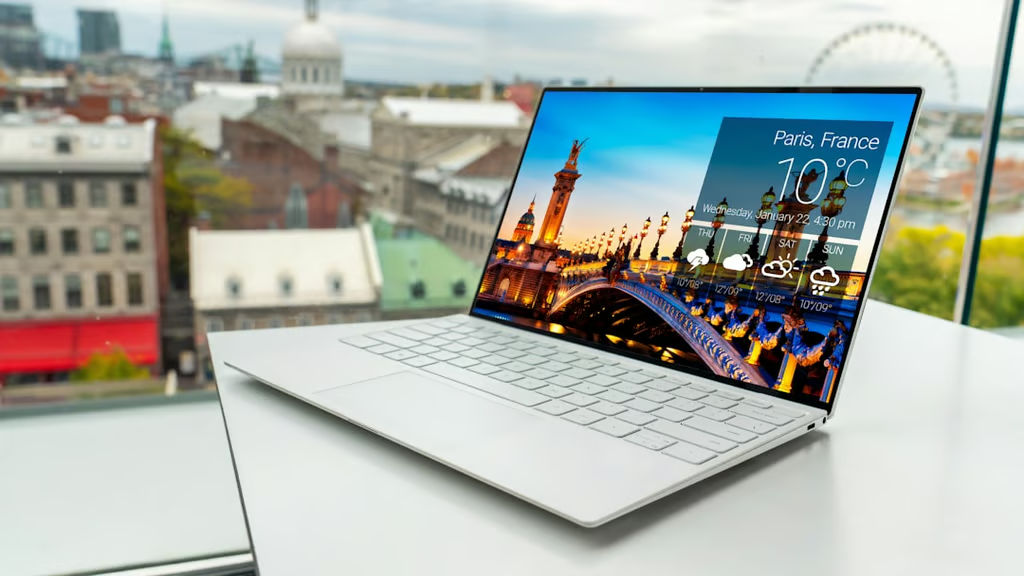
Spending less than $800 on a laptop no longer means settling for the same bargain-bin formula. At roughly $699 to $799, buyers can choose among premium ultraportables, OLED displays, 16GB of memory, long battery life, and more generous storage.
These five models stand out for different reasons, giving buyers strong options for work, school, and travel without moving into a higher price range.
| Laptop | Current price | Best for | Key consideration |
|---|---|---|---|
| MacBook Neo | $699 | Best overall | 8GB RAM and 256GB storage |
| Dell XPS 13 | $699.99 | Best compact Windows laptop | 8GB RAM; only two USB-C ports |
| ASUS Zenbook 14 | $799 | Best display | 8GB at starting price; Windows on Arm |
| Acer Swift Air 14 | $699.99 | Best everyday Windows value | 8GB RAM; lower-resolution display |
| Lenovo IdeaPad Slim 3x | $779.99 | Best for multitasking and battery life | Dimmer display; Windows on Arm |
Prices checked Sept. 16, 2026. Promotional pricing and configurations can change.
How we chose the best budget laptops
To qualify for this guide, a laptop needed a configuration currently sold in the US for $800 or less and enough reliable information to judge it beyond manufacturer specifications. We focused on new laptops built for general work, school, and everyday travel rather than refurbished systems or gaming-focused machines.
Memory, storage, display, and processor differences were assessed at the qualifying price rather than across the wider product family.
Our evaluations considered:
- Performance: How well the processor and available memory handle everyday productivity, multitasking, web apps, office software, video calls, and other common workloads.
- Battery life and portability: Independent battery testing where available, plus weight, size, charging requirements, and how practical the laptop is to carry regularly.
- Display and input quality: Resolution, brightness, color quality, refresh rate, keyboard, trackpad, touch support, and other features users interact with throughout the day.
- Memory, storage, and connectivity: The amount of RAM and storage included at the qualifying price, along with USB-C, USB-A, HDMI, headphone jacks, and other useful ports.
- Software compatibility: Operating system differences and, for Windows on Arm laptops, potential compatibility limits with specialized applications, drivers, and peripherals.
- Overall value: The combination of performance, features, build quality, and everyday usability available for the price.
Manufacturer and retailer listings were used to verify current US prices and configurations. Independent reviews supplied battery testing, benchmarks, and observations on performance, displays, keyboards, thermals, noise, and everyday usability.
Review units do not always match the model currently on sale. Differences in memory, storage, or other key specifications are called out because they can affect performance and battery life.
The five picks cover different priorities, including portability, display quality, storage, multitasking, and battery life.
1. MacBook Neo: Best overall
At $699, the MacBook Neo remains the most balanced option for buyers comfortable with macOS. Apple’s current Mac store lists the Neo from $699, with the base model pairing an A18 Pro chip with 8GB of unified memory and a 256GB SSD.
The Neo packs a strong everyday experience into its $699 starting price. The 13-inch Liquid Retina display runs at 2408 by 1506 pixels and reaches 500 nits, while the aluminum chassis remains fanless and portable.
Battery life also holds up outside Apple’s specifications. Tom’s Guide testing recorded 13 hours and 28 minutes of continuous web browsing at 150 nits.
Memory is the main consideration. The current Neo lineup tops out at 8GB, leaving less headroom for users who routinely run large spreadsheets, development environments, creative apps, and dozens of browser tabs at once. Base storage is also 256GB.
For students, writers, frequent travelers, and buyers already comfortable with macOS, the combination of display quality, quiet operation, battery life, and build makes the MacBook Neo the strongest all-around choice here.
2. Dell XPS 13: Best compact Windows laptop
The revived XPS 13 is the closest Windows counterpart to the Neo. Dell’s US store currently prices the Core 5 320 model at $699.99 with 8GB of LPDDR5X memory, a 256GB SSD, and a 13.4-inch 2560-by-1600 touch display.
At 2.2 pounds, it is the lightest laptop in this group. The compact chassis, bright 120Hz touchscreen, keyboard, and speakers also earned strong marks in The Verge’s testing.
The Verge originally received an 8GB XPS 13 with a 512GB SSD at $699.99. Dell later introduced a 256GB version at the same price and moved the 512GB configuration higher.
That makes old reviews easy to misread if you are shopping today.
The 8GB model handled everyday use better than some other low-memory Windows laptops in The Verge’s testing, but buyers with heavier multitasking needs may benefit from more memory. Dell currently charges more than this guide’s $800 limit for the 16GB upgrade.
The XPS also has only two USB-C ports and no headphone jack. Its strengths are Windows, touch input, premium construction, and exceptionally low weight.
3. ASUS Zenbook 14: Best display
ASUS puts the Zenbook 14’s $799 starting price toward one of the strongest screens in this group. The Snapdragon-powered laptop has a 14-inch OLED panel covering 100% of DCI-P3, giving it richer contrast and color than the IPS displays on most of the other picks.
ASUS lists the Zenbook 14 from $799. The starting configuration uses a Snapdragon X processor with 8GB of LPDDR5X memory and 256GB of storage.
Connectivity is another advantage. The Zenbook includes USB-C, USB-A, HDMI 2.1, and a headphone jack, giving it a broader port selection than the XPS 13.
The OLED display was also the standout in Windows Central’s review, which praised the laptop’s build, keyboard, connectivity, everyday performance, and battery life. The review was less impressed with the trackpad and noted more fan noise under heavier loads.
The $799 configuration includes 8GB of memory. Buyers who need 16GB will have to move to a higher-priced version.
The Snapdragon X processor also means Windows on Arm. Mainstream software support has improved substantially, but anyone relying on specialized Windows applications, drivers, or peripherals should check compatibility before buying.
For buyers who care most about the screen, the Zenbook has the clearest advantage in this group.
4. Acer Swift Air 14: Best everyday Windows value
The Acer Swift Air 14 costs $699.99 at Best Buy with a Core 5 320 processor, 8GB of memory, and a 512GB SSD.
That gives it twice the storage of Dell’s current $699.99 XPS 13. It also includes a 14-inch 1920-by-1200 120Hz display, two Thunderbolt 4 USB-C ports, USB-A, and a headphone jack in a 2.62-pound chassis.
The XPS 13 has a higher-resolution display, while the Zenbook 14 offers OLED. The Swift Air instead pairs 512GB of storage with broad connectivity and a 120Hz screen, a combination that suits everyday work well.
IT Pro’s full review found strong build quality, a bright display, quiet cooling, and 22 hours and 35 minutes of battery life in its testing.
There is one important difference between the review unit and the Best Buy model. IT Pro tested the same Core 5 320 platform with 16GB of RAM, while the $699.99 model has 8GB.
IT Pro specifically warns that the retail 8GB model will have less multitasking headroom, so its benchmark results should not be treated as an exact performance match. The battery result is still useful evidence of the platform’s efficiency, but it does not guarantee the same runtime for the 8GB retail model.
For general office work, classes, browser-based workloads, and travel, the Swift Air combines 512GB of storage, useful ports, a 120Hz display, and a lightweight aluminum design for $699.99.
5. Lenovo IdeaPad Slim 3x: Best for multitasking and battery life
Lenovo currently lists the IdeaPad Slim 3x at $779.99 with 16GB of memory and 512GB of storage.
That makes it the only laptop in this group to offer both 16GB of RAM and 512GB of storage within the $800 limit.
The extra memory helps if a normal workday involves numerous browser tabs, Office apps, messaging, video calls, and other programs running at once. It also gives the Lenovo more breathing room than the 8GB Windows configurations above.
Battery life is another strength. Tom’s Guide testing recorded 16 hours and 29 minutes, while also praising the keyboard and everyday performance.
Tom’s Guide tested 16GB of memory, matching the current Lenovo model, although its review unit had 256GB rather than 512GB of storage.
Display quality is not its strongest feature. Tom’s Guide measured average brightness at about 296 nits and 48.4% DCI-P3 coverage. At 3.42 pounds, the tested laptop is also noticeably heavier than the Dell, Acer, and ASUS.
Like the Zenbook, the IdeaPad uses an Arm-based Snapdragon processor, so specialized Windows software can still require a compatibility check.
Buyers prioritizing 16GB of memory, 512GB of storage, and long battery life will find the IdeaPad especially well equipped for the price.
Which budget laptop should you buy?
Each of these laptops leads in a different area, so the right choice comes down to the features that best match how you work.
The MacBook Neo offers the strongest overall balance for macOS buyers, while the XPS 13 delivers premium Windows hardware in an exceptionally compact design. ASUS stands out for its OLED display, Acer combines generous storage with useful connectivity, and Lenovo offers the most memory alongside strong battery life.
None of these laptops is designed for serious gaming, sustained 3D work, large local AI models, or other workloads that regularly push the CPU, GPU, and memory at the same time. Buyers shopping for those jobs should move into a higher-performance class, including the machines in our business laptops for AI workloads guide.
For everyday work, school, and travel, however, the $700 to $800 range now includes genuinely capable laptops with clear strengths in performance, display quality, portability, battery life, and productivity.
Also read: Our ASUS Zenbook 14 vs MacBook Neo comparison compares two of the strongest budget laptops across display, performance, battery life, ports, and operating system.