


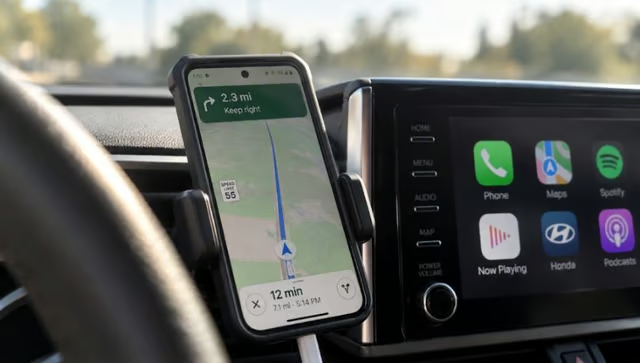
If your phone turns into a hand warmer twenty minutes into a drive, it doesn’t necessarily mean something is broken.
Phone overheating while using CarPlay or Android Auto can result from several heat sources piling up at once, rather than a single app or hardware issue. Navigation, music, wireless radios, and charging all draw power simultaneously, and if the cabin is already warm, that heat has nowhere to go.
Phone placement, weather, and wireless charging all play a part in this. Android Auto puts a phone “under an incredibly heavy workload,” and after a couple of hours on the road, some phones get “almost too hot to hold.” The same mix of navigation, wireless data, and in-car charging applies to CarPlay users too.
This article walks through why the heat builds up, whether going fully wireless (connection and charging both) is the real problem, and which changes are worth making before your next long drive.
- Why does my phone overheat when using CarPlay or Android Auto?
- Does wireless charging make your phone overheat in the car?
- Best phone placement to prevent overheating while driving
- How to stop phone overheating in CarPlay and Android Auto by cutting the software workload
- What wireless CarPlay/Android Auto adapters add to the equation
- What to do about an overheating phone right now
Why does my phone overheat when using CarPlay or Android Auto?
It’s rarely one app causing the trouble. It’s cumulative load, several demanding processes hitting the phone’s processor and radios at the same time, in an environment that’s already warmer than a living room.
Navigation is the heaviest single task. Apps like Apple Maps or Google Maps pull data over 4G or 5G while rendering 3D terrain and matching it against your live GPS position, which keeps the processor and modem working continuously. Stack music or a podcast on top of that, plus the background syncing a phone normally does anyway, and the workload compounds. Android Auto specifically has a phone juggling navigation, music, cellular data, GPS, and app syncing all at once, while the device sits in a hot cabin.
None of this is unique to being in a car, either. Phones generate heat internally, and overheating occurs when that heat can’t dissipate quickly enough. Most phones rely on passive cooling to manage internal temperatures, but those systems have limits. According to Apple’s temperature guidance, direct sunlight and hot environments can cause an iPhone to dim its display, slow or stop charging, or display a temperature warning. Add a warm dashboard, and a phone that would run comfortably at home can quickly become too hot to use normally.
Does wireless charging make your phone overheat in the car?
Yes, and running a fully wireless setup, wireless CarPlay or Android Auto paired with a wireless charging pad, shows up repeatedly in these reports as one of the highest-heat combinations drivers can create.
Wireless CarPlay and Android Auto generally use Bluetooth for setup and Wi-Fi for the ongoing connection, while cellular data may be used for navigation, streaming, and other online services. For wireless Android Auto specifically, maintaining a consistently high-bandwidth Wi-Fi connection to the head unit while also running navigation and music generates meaningful additional heat on its own.
Charging adds another layer entirely. Wireless charging generally loses more energy as heat than wired charging, adding to the thermal load when a phone is already running navigation, music, and wireless connections. Google’s Pixel safety guidance also warns that metallic objects and incompatible magnetic accessories can interfere with wireless charging and contribute to overheating. In a hot car, proper charger alignment and compatible accessories are especially important.
One driver’s firsthand account on Android Police backs this up anecdotally, though it’s worth being clear this is one person’s experience rather than a controlled test. The writer described running wireless Android Auto on a wireless charging mount and noticing the phone running hot, charging slowing down, and the battery percentage barely moving over long stretches, even while sitting on the charger the whole trip. Switching to a USB cable for both the connection and the charging fixed it: the phone ran cooler and actually charged faster.
None of this means wireless charging is dangerous by itself. Heat from Qi or MagSafe charging “isn’t inherently problematic” during normal use at home; it becomes an issue specifically when it’s stacked on top of everything else a car trip demands. For hot days or long drives, using a cable for both the CarPlay and Android Auto connection and the charging is a sensible first change to test before touching anything else.
Best phone placement to prevent overheating while driving
Where the phone sits matters almost as much as what it’s running.
Hours of direct sun will heat a phone on its own, and Engadget flags a windshield mount in extreme heat as a particular risk, while even a console tray or the passenger seat can turn into a hot spot depending on the sun’s angle. Leaving a phone exposed to direct sunlight is the single most common mistake drivers make, and dashboard heat combined with simultaneous charging makes overheating easy to trigger.
Cases matter too. Plastic and silicone insulation around the phone helps block heat from escaping the chassis, so removing the case while driving can measurably reduce the risk of overheating.
Mounting the phone directly in front of an A/C vent is the one placement change both sources treat as genuinely effective, with How-To Geek noting that a steady stream of cool air can offset much of the heat generated by wireless connections, streaming, and charging combined.
The two outlets split slightly on how safe that is, though. Cooling a phone too rapidly in humid conditions risks internal condensation damage. Air coming out of car vents is generally dry, making condensation unlikely during normal driving; the more realistic concern is extended exposure to extreme cold air, which isn’t ideal for battery health over time. Treat vent cooling as a reasonable fix, but skip pointing max-cold A/C directly at the phone for hours on end.
How to stop phone overheating in CarPlay and Android Auto by cutting the software workload
Beyond cabling and placement, there’s a software side to this too. Switching to 2D-only map views where the app supports it, and skipping optional audio apps when radio or silence would do, trims one layer of graphics rendering and data processing.
Downloading maps and music ahead of a trip avoids pulling that data continuously over cellular while driving, which also comes in handy in areas with weak coverage. Starting a drive with a full charge removes the temptation to top up mid-trip for short errands, since charging itself generates heat, and fast charging can increase it, particularly during periods of higher charging power.
If a phone does overheat despite all this, it may throttle performance, slow or halt charging, or shut down entirely. These can be built-in safeguards protecting the battery and internal components, although persistent overheating may warrant troubleshooting. Before a long or hot-weather drive, pre-download maps and music, start with a fully charged battery, consider the 2D map view, and skip nonessential charging on short trips.
What wireless CarPlay/Android Auto adapters add to the equation
This part applies specifically to drivers using aftermarket wireless dongles, the adapters that add wireless CarPlay or Android Auto to a car that only has a wired connection built in. It’s a separate device from the phone itself, so the heat it generates is a different variable.
A thermal test of 12 popular wireless CarPlay and Android Auto adapters, conducted with a Topdon TC002C Duo thermal camera, found surface temperatures ranging from about 26°C to 47°C across the group. After an hour of continuous use, the hottest units, the Carlinkit Ultra models, settled in the 46°C to 50°C range. The conclusion was that casing size and internal design, not materials alone, explained most of the spread among adapters, since units with similar specs still produced very different results depending on their build.
That’s a useful data point, but it’s a test of adapter housings, not phones, and it doesn’t establish that a hotter adapter makes a connected phone run hotter. Anyone using one of these dongles should treat its heat as a separate issue worth monitoring, not as a confirmed cause of phone overheating.
What's hot at TechRepublic
- Blackpoint Cyber vs. Arctic Wolf: Which MDR Solution is Right for You?
- Why AWS Sellers Choose Deepgram Over Other Voice AI Tools
- SS&C Intralinks DealCentre AI vs. Datasite: Which platform is built for the future of dealmaking?
- SS&C Intralinks FundCentre AI vs. Juniper Square: Which platform better supports modern private markets fund managers?
- Verito vs. Rightworks: Which IT Provider Is Best for Your Firm?
What to do about an overheating phone right now
If the phone feels hot to the touch while driving or displays a temperature warning, pull over safely before touching it. Unplug it from any charger, move it out of direct sun, and let it sit in shade or normal cabin airflow rather than continuing to force navigation or charging while it’s already struggling to cool down.
For routine drives, one practical change to test is replacing a fully wireless setup with a wired CarPlay or Android Auto connection and wired charging, where supported, especially on long trips or hot days. From there, placement and prep do the rest of the work, keeping the phone out of direct sun, off a baking dashboard, out of a thick case when possible, and loaded with offline maps and music before you leave the driveway.
Editor’s note: This article originally appeared on our sister publication, GadgetHacks.