Question Locked

Process tab in task manager is disabled

0 helpful
5 replies
Closed to new repliesThis discussion is closed. It stays readable, but it takes no new replies.

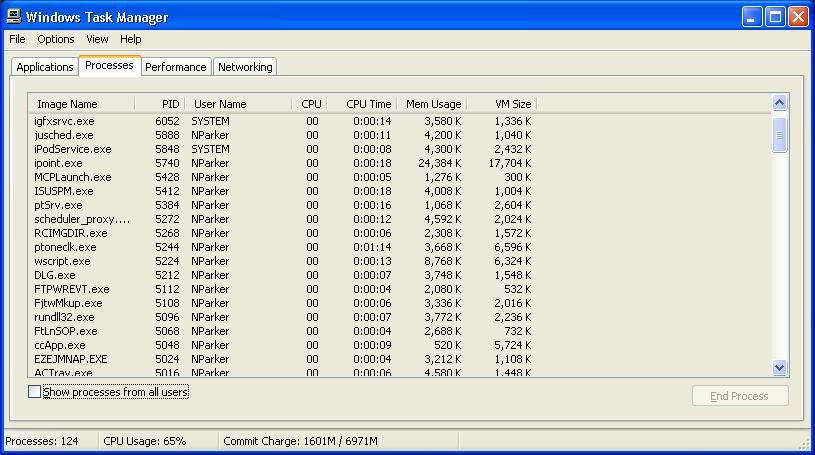
I'm hoping someone here can help me out with this issue. I am able to open task manager just fine but and I am able to select all of the tabs ie (Applications, Processes, Performance, Networking) BUT the information on the Process tab is grayed out. I am not able to sort by clicking on the column headings nor can I right click on any of the processes.

I've run a Symantec virus scan, Malwarebytes, ComboFix, AdAware, etc. and no virus has been found.

Here's a screenshot http://i220.photobucket.com/albums/dd269/missparker_21/taskmanager.jpg
5 replies

by wizard-09

Is the PC stand alone or part of a network, what error message if any do it get if you try to right click on a process, if you are looking to kill a process you can write a bat file to kill the PID 222 for example try to provide more information, OS, SP Installed and so on.

by missparker21

This pc is on a domain.

I don't get any errors when trying to right click on a process. I use the process tab to sort processes by the cpu usage, name, vm size etc. and the ability to do this seems to have been disabled. All other pc's on the network are able to access the process tab with no problems.

This is a WinXP SP3 machine

by wizard-09

Maybe a GPO is the issue here, asked you domain admin if they can run a gpupdate on the computer in question, also maybe try taking the taskmanager.exe from a working machine from within system32 folder to your machine and replace your one that could be worth a try.

This discussion is closed to new replies.