


Customer relationship management software helps startups organize leads, track customer interactions, and build repeatable sales processes without relying on spreadsheets. The best CRM for startups should be affordable, easy to adopt and customize, and scalable enough to support growth as your team adds more users, automations, and integrations.
I evaluated the top CRM platforms for startups based on pricing, usability, core sales features, automation, integrations, and scalability to identify the best options for different startup needs. The best CRM software for startups in 2026 are:
| Best CRM tools for B2B startups | ||
|---|---|---|
| Pipedrive | ||
| Zoho CRM | ||
| Insightly | ||
| Salesforce | ||
| Capsule | ||
| HubSpot CRM | ||
| monday CRM |
- Overview of the best CRM tools for B2B startups
- Pipedrive: Overall best CRM system for startups
- Zoho CRM: Best for advanced marketing and sales automation tools
- Insightly: Best for managing post-sale projects
- Salesforce: Best for complex sales processes
- Capsule: Best CRM for startups with simple setup
- HubSpot CRM: Best free CRM software for startups
- monday CRM: Best for team collaboration
- How to choose the best CRM tools for B2B startups
- Frequently asked questions (FAQs)
Overview of the best CRM tools for B2B startups
Startups don’t always need the most advanced CRM features right away. The best options offer an accessible mix of core sales and marketing tools, simple integrations with existing software like email and calendars, and pricing that fits early-stage budgets. The table below compares the best CRM for SaaS startups by pricing, key features, and ideal use case.
| Best CRM for startups | ||||
|---|---|---|---|---|
| Pipedrive | ||||
| Zoho CRM | ||||
| Insightly | ||||
| Salesforce | Add-on | |||
| Capsule | ||||
| HubSpot CRM | ||||
| monday CRM |
Legend: ✓ = available natively on at least one plan; ✕ = unavailable natively
Why you can trust TechRepublic
TechRepublic follows a structured editorial process to help technology buyers make informed software decisions. Our evaluations use consistent criteria to assess product capabilities, costs, and suitability for different business needs.
For this guide, I evaluated the best CRM for startups based on pricing, core sales features, customization, integrations, ease of use, and support. My full methodology also involved examining setup requirements, automation limits, data portability, and the cost of supporting a growing team. I drew on product documentation, published pricing, onboarding resources, and third-party user feedback for my analysis.
Furthermore, I leverage the following work experiences when carrying out software reviews:
-
- Over 14 years of editorial research and writing
- Over eight years of writing expert reviews about sales and business technologies
- Over two years in insurance sales and team management
- Almost two years in sales territory management

Bianca Caballero
Sales and Marketing Analyst at TechRepublic
Methodology: How I chose the best CRM for startups
To evaluate the best CRM tools for startups, I selected and scored each provider on this list against an in-house rubric that evaluates the features and capabilities found in the top general CRM platforms. The rubric calculates an overall star rating out of 5, which I used to assign each CRM software an ideal use case.
Here’s a breakdown of the scoring criteria:
- Cost (25%): Reviewed pricing transparency, free plans, entry-level costs, and the value of paid tiers.
- Core features (25%): Evaluated essential CRM tools, including contact management, lead tracking, pipelines, reporting, and task management.
- Customizations (15%): Assessed how easily users can tailor fields, workflows, dashboards, pipelines, and automations.
- Integrations (15%): Compared native and third-party integrations with sales, marketing, productivity, and business tools.
- Ease of use (10%): Considered setup, navigation, onboarding requirements, and overall user experience.
- Customer support (10%): Reviewed available support channels, self-service resources, and support availability across plans.
Pipedrive: Overall best CRM system for startups

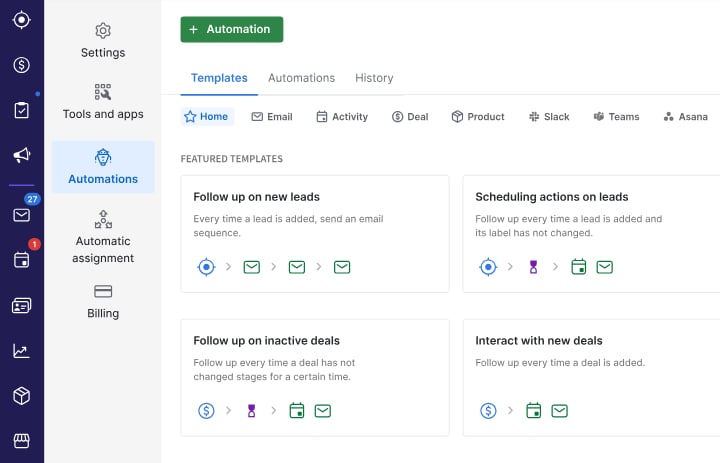
Pipedrive is a highly visual, deal-driven CRM that helps startups organize leads, map sales stages, and track opportunities through the pipeline. Its intuitive interface, customizable workflows, and broad integration options make it a strong fit for growing teams that need a CRM they can adopt quickly and refine over time.
In addition to core CRM features, Pipedrive offers optional add-ons for prospecting, lead generation, email marketing, document tracking, and website visitor tracking. This gives startups the flexibility to expand functionality as their sales process matures without immediately committing to a more complex platform.
Why I chose Pipedrive
Pipedrive earned the top spot because it offers the best mix of usability, scalability, customization, and sales-focused CRM tools for startups. Teams can quickly build pipelines, manage deals, automate routine tasks, and connect Pipedrive with tools already in their tech stack, such as email, calendars, and marketing platforms.
Its add-ons are also useful for startups that want to start with a straightforward CRM and layer in more advanced capabilities later. However, those upgrades can increase monthly costs quickly. If your startup needs a more bundled sales and marketing suite out of the box, Zoho CRM may be a better fit.
SEE: For more guidance on this project, read the full Pipedrive review.
Pricing
- Lite: $14 per user per month, billed annually, or $19 per user when billed monthly.
- Growth: $24 per user per month, billed annually, or $34 per user when billed monthly.
- Premium: $49 per user per month, billed annually, or $64 per user when billed monthly.
- Ultimate: $69 per user per month, billed annually, or $89 per user when billed monthly.
Key features
- Visual sales pipelines: Track deals by stage, owner, value, and expected close date to identify stalled opportunities and upcoming revenue.
- Email and activity tracking: Keep customer conversations, calls, meetings, and tasks connected to the relevant contact or deal.
- Sales automations: Trigger follow-up emails, create activities, and update records when specified conditions occur, reducing repetitive sales administration.
Pipedrive pros and cons
| Pros | Cons |
|---|---|
| 14-day free trial. | Doesn’t offer a free-for-life tier. |
| Offers a la carte upgrades and purchases. | Limited marketing automations and features. |
| Clean and simple pipeline user interface. | Limited lead segmentation capabilities. |
Zoho CRM: Best for advanced marketing and sales automation tools

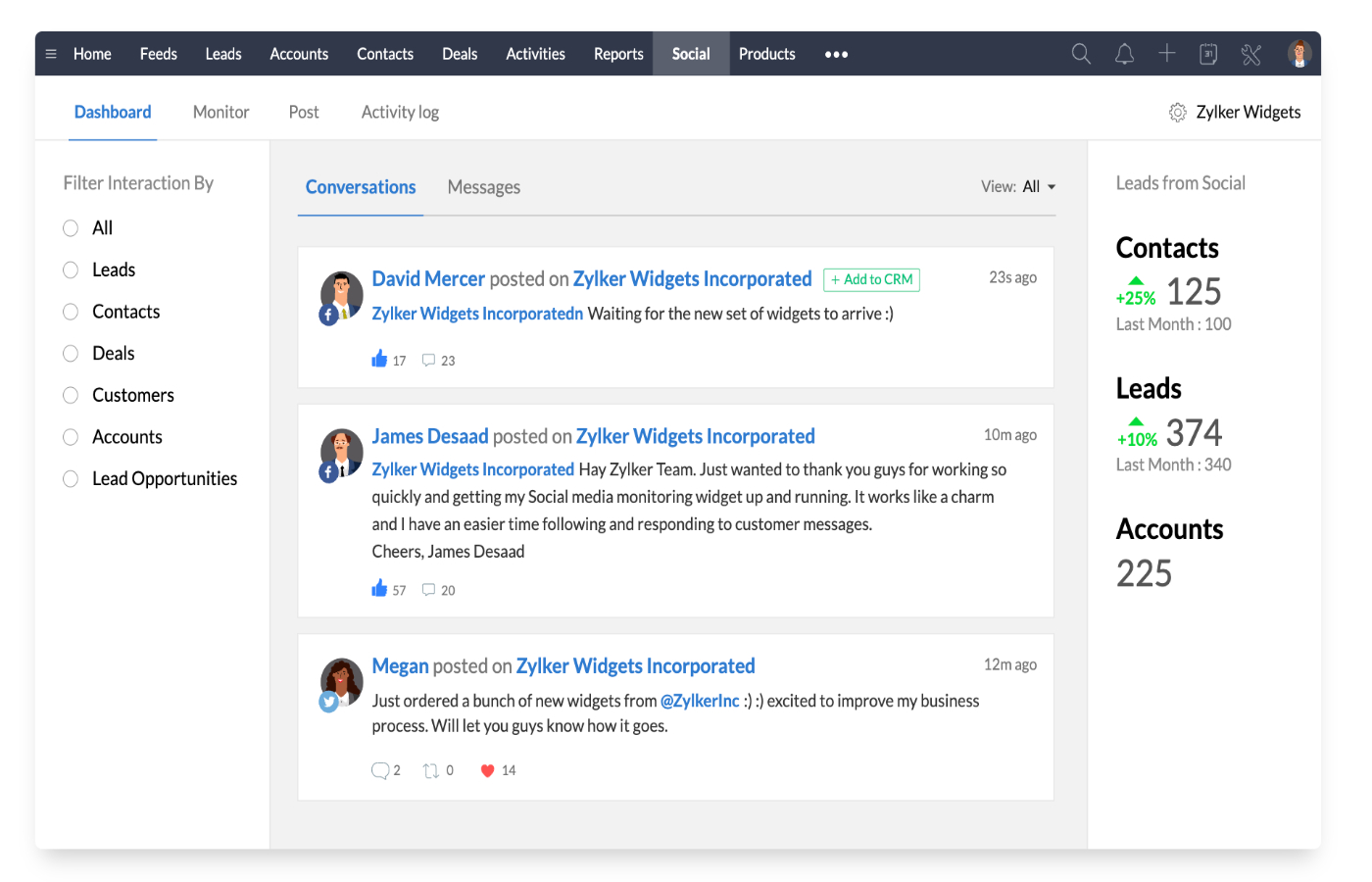
Zoho CRM is a full-featured platform with strong sales, marketing, and automation capabilities for startups that want more than basic contact management. Its multichannel tools help teams capture leads from email, social media, web forms, and campaigns, then manage those prospects through automated workflows and sales pipelines.
The platform also offers extensive customization options, making it a strong choice for startups that want to build repeatable sales and marketing processes early. Teams can automate lead assignment, segment customers, send targeted emails, and track engagement across multiple channels from one system.
Why I chose Zoho CRM
Zoho CRM earned this use case because it combines advanced marketing tools with practical sales automation at a startup-friendly price point. Its high scores in pricing, customization, and core CRM features make it a strong option for teams that want to attract, nurture, and retain customers without stitching together several separate tools.
Zoho CRM may be more robust than some early-stage startups need. If your priority is managing a more complex sales process with deeper forecasting and enterprise-style reporting, Salesforce may be a better fit.
SEE: For more insight, head over to our updated Zoho CRM review.
Pricing
- Free CRM: Free for up to three users and comes with lead and document management and a mobile app.
- Standard: $14 per user per month, billed annually, or $20 per user when billed monthly.
- Professional: $23 per user per month, billed annually, or $35 per user when billed monthly.
- Enterprise: $40 per user per month, billed annually, or $50 per user when billed monthly.
- Ultimate: $52 per user per month, billed annually, or $65 per user when billed monthly.
Key features
- Follow-up cadences: Coordinate email, call, and task steps to maintain outreach as prospects move through the buying process.
- Workflow rules: Automate lead assignment, field updates, notifications, and task creation based on business conditions.
- Lead scoring: Rank prospects against defined qualification criteria so reps can prioritize leads that match your target customer profile.
Zoho CRM pros and cons
| Pros | Cons |
|---|---|
| 15-day free trial. | Requires heavy customizations to start. |
| Robust core sales and marketing features. | Users report poor platform tutorials and resources. |
| Seamless social media integrations and campaigns. | Only offers 8/5 customer support. |
Insightly: Best for managing post-sale projects

Insightly is a CRM with built-in project management features that help startups manage customer relationships beyond the initial sale. Once a deal is closed, teams can convert the opportunity into a project that carries over important customer details, documents, notes, and sales history.
This makes Insightly a strong fit for startups that need to track onboarding, implementation, client deliverables, or other post-sale work in the same system they use to manage leads and deals. Its integrations and customization options also help teams connect sales activity with ongoing customer success workflows.
Why I chose Insightly
Insightly earned this use case because it supports both sales tracking and post-sale project management in one platform. Startups can use it to keep customer information organized, monitor deliverables, and maintain follow-up after the deal closes, which can help improve retention and customer experience.
While Insightly is useful for teams that manage ongoing client projects, its free CRM version may be too limited for some startups. If you need a more full-featured free tier, consider HubSpot or Capsule.
SEE: Read the full Insightly review for a breakdown of key features, alternatives, and more.
Pricing
- Plus: $29 per user per month, billed annually.
- Professional: $49 per user per month, billed annually.
- Enterprise: $99 per user per month, billed annually.
Key features
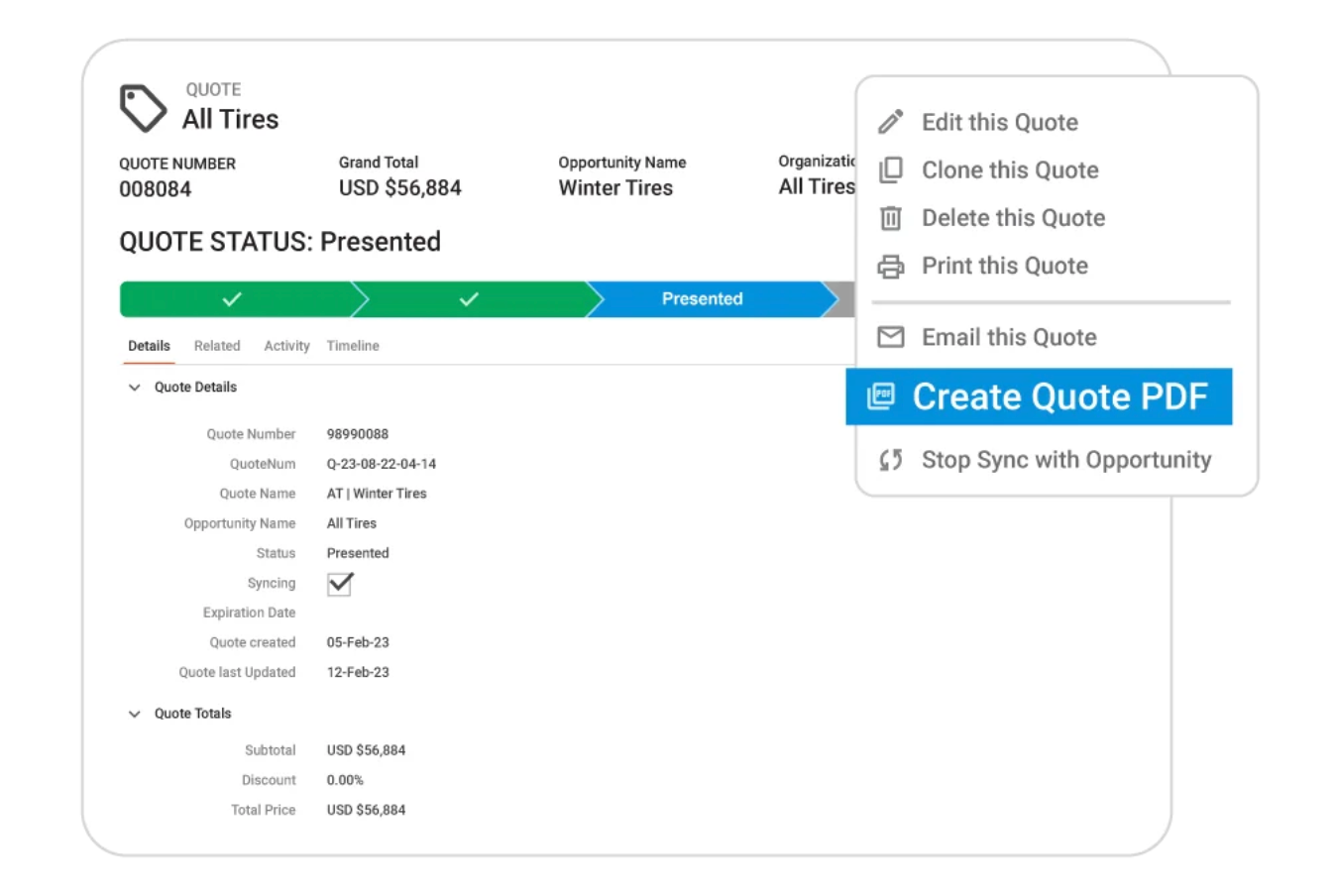
- Opportunity-to-project conversion: Turn won deals into projects while carrying relevant customer information into the delivery workflow.
- Activity Sets: Apply reusable groups of tasks and events to standardize client onboarding, implementation, and other recurring work.
- Project pipelines: Track delivery through defined stages and connect activities to milestones, making outstanding work visible after the sale.
Insightly pros and cons
| Pros | Cons |
|---|---|
| 14-day free trial. | Limited file storage is available in the Enterprise tier. |
| 1,000+ integrations available. | User support costs extra. |
| Built-in project management tools. | Lacks major customization options. |
Salesforce: Best for complex sales processes
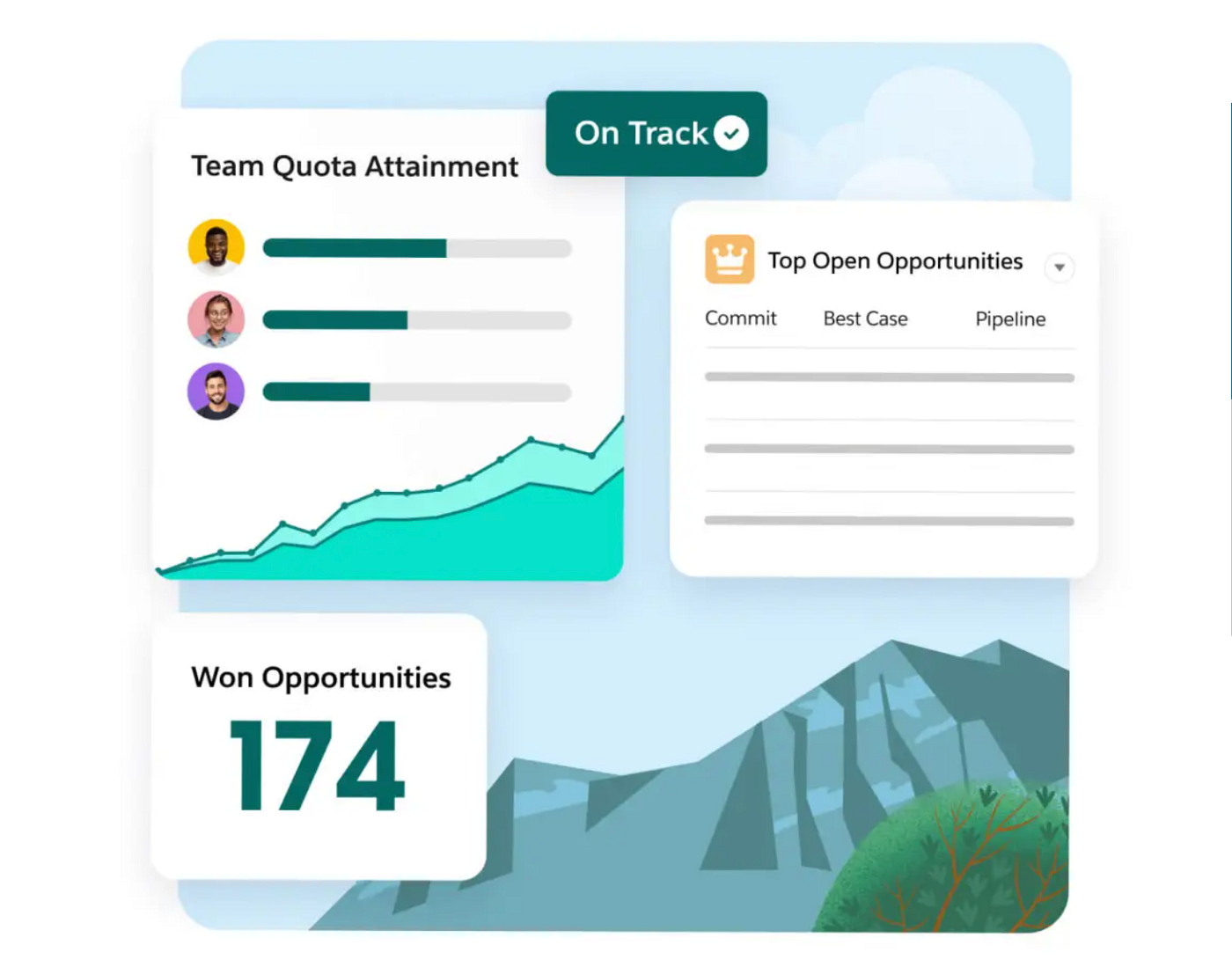
Salesforce is a powerful CRM platform for startups managing longer, more detailed sales cycles. Teams can build separate pipelines for leads and opportunities, create custom reports and dashboards, and track multiple touchpoints, milestones, documents, and stakeholders across the sales process.
Its automation, analytics, and collaboration tools make it a strong option for startups with layered sales workflows or plans to scale quickly. Multiple reps can monitor the same account, track activity history, and use shared data to keep deals moving through more complex pipelines.
Why I chose Salesforce
Salesforce earned this use case because it offers advanced sales process management, detailed reporting, and broad customization options that can support startups as their sales operations become more sophisticated. Its ecosystem of integrations also makes it highly scalable for teams that expect to add more tools, users, or departments over time.
However, Salesforce can be more expensive and harder to learn than other startup CRM options. If your team needs a simpler platform that can be implemented quickly, consider Pipedrive or Capsule.
SEE: Check out our in-depth Salesforce review, covering the key features, top alternatives, and more.
Pricing
Agentforce Sales (formerly Sales Cloud) plans:
- Free Suite: $0 per user per month
- Starter Suite: $25 per user per month, billed annually.
- Pro Suite: $100 per user per month, billed annually.
- Core: $195 per user per month, billed annually.
- Advanced: $395 per user per month, billed annually.
- Max: $550 per user per month, billed annually.
Key features
- Opportunity contact roles: Record which buyers are decision-makers, influencers, or other stakeholders to support deals involving multiple contacts.
- Sales forecasting: Consolidate opportunity data into forecasts that managers can review and adjust as deal expectations change.
- Approval processes: Route records to designated approvers under defined rules, supporting oversight of requests such as discounts.
Salesforce pros and cons
| Pros | Cons |
|---|---|
| Flexible customization supports specialized B2B sales processes. | Setup and maintenance can require an experienced administrator. |
| AppExchange apps connect sales with a growing technology stack. | Sales engagement, dialing, and advanced AI may cost extra. |
| Free Trailhead training helps teams build Salesforce skills. | Annual commitments on higher tiers reduce purchasing flexibility. |
Capsule: Best CRM for startups with simple setup

Capsule is a straightforward CRM that gives startups an easy way to organize contacts, manage opportunities, and track customer relationships without a complicated setup process. Its forever-free plan includes core CRM features for two users, 250 contacts, and 50 MB of storage per account, making it a practical entry-level option for small teams.
Because Capsule is web-based and easy to configure, startups can begin using it quickly and customize the platform with minimal onboarding. It also offers free 24/7 support on the free CRM plan, which can be helpful for teams adopting CRM software for the first time.
Why I chose Capsule
Capsule earned this use case because it offers a clean, easy-to-navigate CRM experience that startups can set up and use quickly. It includes the core tools needed to manage contacts, pipelines, tasks, and sales opportunities without overwhelming users with advanced configuration requirements.
Capsule is a strong fit for startups that want a simple CRM foundation, but it may not offer enough advanced analytics or reporting for data-heavy teams. If your startup needs more robust reporting or AI-powered insights, consider Zoho CRM.
Pricing
- Free CRM: Basic features for up to two users and 250 contacts.
- Starter: $18 per user per month when billed annually, or $21 when billed monthly.
- Growth: $36 per user per month when billed annually, or $38 when billed monthly.
- Advanced: $54 per user per month when billed annually, or $60 when billed monthly.
Key features
- Contact management: Organize people, companies, notes, and interaction histories in linked records for a central view of customer relationships.
- Visual opportunity tracking: Move deals through sales milestones using a Kanban-style pipeline to monitor progress.
- Task Tracks: Apply predefined task sequences to routine processes, such as inquiry follow-up, without building a complex automation.
Capsule pros and cons
| Pros | Cons |
|---|---|
| 14-day free trial. | No assigned sales team or account manager. |
| Offers extensive support during onboarding, such as demos, tutorial videos, and user guides. | Limited access to both sales and marketing features in the free version. |
| The platform is accessible both on and offline. | Users report light reporting capabilities. |
HubSpot CRM: Best free CRM software for startups

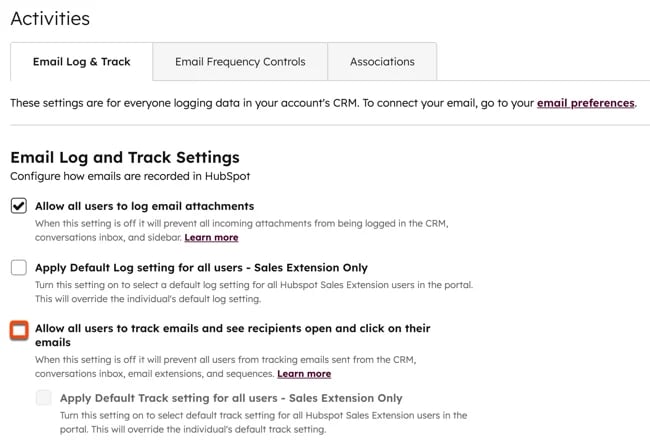
HubSpot offers one of the most robust free CRM plans for startups that need to manage contacts, track deals, and monitor sales activity without an upfront software cost. Its free tools include deal tracking, meeting scheduling, email templates, live chat, and real-time sales activity visibility.
HubSpot also supports a large ecosystem of native and third-party integrations across sales, marketing, customer service, and digital tools. This makes it a strong option for startups that want to start with a free CRM and gradually connect more tools as their operations grow.
Why I chose HubSpot
HubSpot earned this use case because its free CRM gives startups access to practical sales, marketing, and customer engagement tools for multiple users. It is especially useful for early-stage teams that need a centralized system for managing leads and customer interactions but are not ready to commit to a paid CRM plan.
While HubSpot’s free version is generous, its paid tiers can become expensive once a startup needs more advanced automation, reporting, or marketing features. If your team expects to upgrade quickly, Zoho CRM may be a better fit because of its more affordable paid plans and broader built-in customization options.
SEE: For more information, read our full review of Hubspot.
Pricing
- Free CRM: Free for up to five users with contact management, quotes, live chat, and more.
- Sales Hub Starter: $7 per seat per month, billed annually, or $10 when billed monthly.
- Sales Hub Professional: $90 per seat per month, billed annually, or $100 when billed monthly, and a one-time $1,500 onboarding fee.
- Sales Hub Enterprise: $150 per seat per month, with an annual commitment and a one-time $3,500 onboarding fee.
Key features
- Contact and deal management: Store customer information, link contacts to opportunities, and track deals through a sales pipeline using the free tools.
- Meeting scheduler: Let prospects select an available time through a booking link, reducing scheduling emails.
- Lead capture forms: Collect website inquiries directly into CRM contact records, avoiding manual transfers from a separate form tool.
HubSpot pros and cons
| Pros | Cons |
|---|---|
| Startups can qualify for discounts. | Paid plans can get pricey for startups. |
| Easy onboarding and implementation of the software. | Free tier doesn’t offer community support. |
| User reports of an intuitive interface. | Limited reporting. |
monday CRM: Best for team collaboration

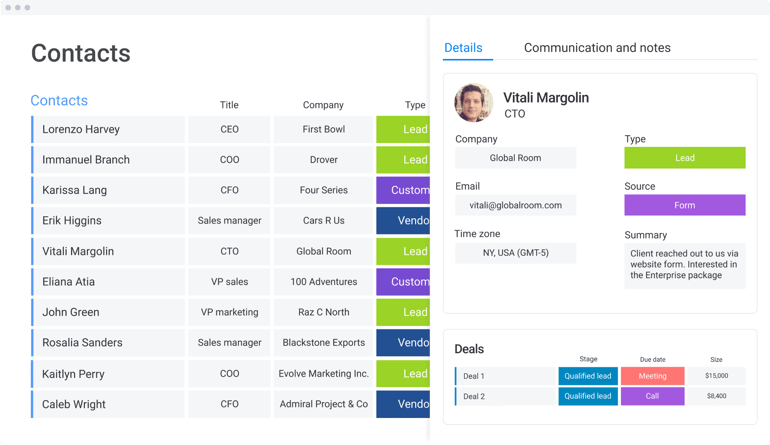
monday CRM is a customizable sales platform that helps startups manage pipelines, customer activity, and team workflows in one shared workspace. Users can get a 360-degree view of customers by tracking contact details, account information, activities, calls, meetings, notes, documents, and deal progress from a centralized dashboard.
Its visual interface and collaboration tools make it easier for teams to coordinate work, monitor sales rep capacity, and plan next steps across shared accounts. Startups can also use monday CRM’s project management features to connect sales activity with internal tasks, handoffs, and follow-up work.
Why I chose monday CRM
monday CRM earned this use case because it combines CRM, pipeline management, and team collaboration features in an intuitive, customizable platform. Its dashboards, notes, tags, document management, time tracking, and activity tracking tools help startups keep sales teams aligned while managing customer relationships.
monday CRM’s paid plans are competitively priced, but its free plan is limited and may not be available for every startup. If your team wants to start with a more accessible free CRM, consider HubSpot or Zoho CRM.
SEE: For more information, check out our in-depth review of monday CRM.
Pricing
- Basic CRM: $12 per user, per month when billed annually, or $15 when billed monthly.
- Standard CRM: $17 per user, per month when billed annually, or $20 when billed monthly.
- Pro CRM: $28 per user, per month when billed annually, or $33 when billed monthly.
- Ultimate CRM: Contact monday.com for a quote.
Key features
- Shared sales boards: Assign owners, set deadlines, and update statuses so teammates can see responsibilities and next steps.
- Communication timeline: Keep emails, calls, meetings, and notes alongside customer records to preserve context across shared accounts.
- Team dashboards: Consolidate board data into reports that help managers monitor sales activity and pipeline progress without collecting separate updates.
monday CRM pros and cons
| Pros | Cons |
|---|---|
| 14-day free trial. | Limited integration capabilities compared to others on this list. |
| Basic CRM plan supports unlimited contacts and boards. | HIPAA compliance is only offered in the Enterprise tier. |
| Automation-rich software. | Free CRM is limited to approved users. |
More CRM coverage
- Best CRM Software for Small Business
- Best Enterprise CRM Software
- Best Free CRM
- 7 Best CRM for Startups
- Best AI CRM Software
- Feature Comparison: CRM Software and Services
How to choose the best CRM tools for B2B startups
Start with how your startup acquires and manages customers. Compare the features, costs, and setup effort needed for that workflow, then check what changes as your team grows.
- Match the CRM to your sales approach.
Inbound teams may need website forms and lead nurturing, while outbound teams rely on calling and follow-up sequences. Project-based businesses should examine the sales-to-delivery handoff. Longer B2B sales cycles may require stakeholder tracking, approvals, and forecasting.
- Identify your must-have features.
List immediate needs, such as contact records, deal stages, task reminders, and email logging. Separate these from capabilities you might need later, and verify which subscription includes each requirement.
- Calculate the full cost.
Price your required setup for today’s team and your expected headcount over the next year. Include seat minimums, onboarding, integrations, calling charges, and automation limits. Assess startup discounts against the standard price you will pay after they expire.
- Test a realistic workflow.
Use fictional records to import a lead, assign an owner, schedule follow-up, send a test email, and update a deal. Include an exception, such as a duplicate contact. Ask future users to complete the tasks and record confusing steps, manual corrections, and help needed.
- Verify integrations and data access.
Connect essential tools and confirm what synchronizes, in which direction, and at what cost. Check user permissions and test exports of contacts, deals, notes, and activities. If custom connections are necessary, review API availability and usage limits.
- Plan for ongoing administration.
Decide who will manage users, data quality, automation rules, and troubleshooting. Confirm the support and training included in your subscription. Choose a CRM your team can maintain as responsibilities and sales processes expand.
Frequently asked questions (FAQs)
What is the best CRM for startups?
I found the best CRM tools for B2B startups are HubSpot, Pipedrive, Zoho CRM, Capsule, Insightly, monday CRM, and Salesforce. All of these providers offer free or affordable versions of their CRM tool with core functionality plus advanced features that can totally streamline and level up a startup’s marketing and sales operations.
Do startups need a CRM?
While it’s an investment, CRMs can still be affordable for startups. And if there’s an allocated and flexible-enough budget for a sales and client management tool, a CRM can bring several benefits to startups. A CRM can produce invaluable insights from data capture and analytics that can supercharge the support startups can offer their clients, which in turn improves sales wins and customer retention.
What CRM features are most important for startups?
The most important CRM features for startups are contact management, lead tracking, sales pipelines, task automation, reporting, and integrations with tools like email, calendars, website forms, and marketing software. Startups should prioritize features that help organize customer data, reduce manual work, and support repeatable sales processes.
What is the best free CRM for startups?
HubSpot is one of the best free CRM options for startups because it supports multiple users and includes core tools for contact management, deal tracking, email templates, meeting scheduling, and live chat. Zoho CRM and Capsule are also strong free CRM options, depending on whether your startup needs more customization or a simpler setup.