This is a comprehensive list of the best encryption software and tools in 2026, covering their features, pricing and more. Use this guide to determine your best fit.
This article highlights the best endpoint encryption software choices for IT and cybersecurity professionals in 2026. As ransomware attacks, insider threats, cloud adoption, and remote work environments continue to expand organizational attack surfaces, endpoint encryption remains a critical security control for protecting sensitive business and personal data.
Encryption secures information by converting it into unreadable code that can only be accessed with the appropriate decryption keys, credentials, or authentication methods. Modern encryption solutions now go beyond traditional file encryption by integrating with Zero Trust architectures, endpoint detection and response (EDR) platforms, identity security tools, and cloud-based management consoles.
Securing both stored and in-transit data through encryption is essential for regulatory compliance, cyber resilience, and data privacy. Organizations should prioritize encryption solutions that support centralized management, strong encryption standards, automation, and broad platform compatibility.
Here are our top picks.
| Product Name | Price | Offers Support | Offers Password Manager | On-the-Fly Decryption | Enterprise-Grade Encryption |
|---|---|---|---|---|---|
| VeraCrypt | Free | No | No | Yes | No |
| BitLocker | Free with Windows OS | Yes | Unknown | No | Yes |
| AxCrypt Premium | $12.00 per month, per user for AxCrypt Business plan | Yes | Yes | Yes | Yes |
| Trend Micro Endpoint Encryption | Contact vendor but a license supporting 251 to 500 endpoints averages about $77-$83 per month | Yes | No | No | Yes |
| NordLocker | NordLocker Business for 1-year 2TB is priced at $29.99 per month | Yes | No | Yes | Yes |
| Advanced Encryption Package | Fully unlocked version: one-time fee of $49.95 | No | No | Yes | Yes |
| ESET PROTECT Complete | Contact vendor but starts at $287.72 for 5 devices, 1 year. | Yes | No | Yes | Yes |
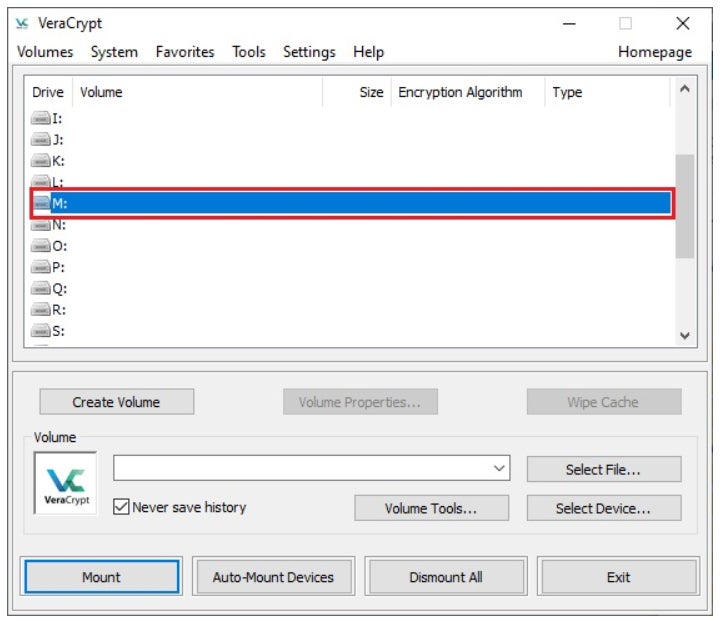
VeraCrypt is my pick as my best overall encryption solution. It’s a free disk encryption software that you can use on Linux, macOS, and Windows systems. It’s also an open-source service, which forks off the TrueCrypt project, adding features to help with secrecy.
VeraCrypt is my prime recommendation for privacy enthusiasts and tech-savvy consumers. I particularly like VeraCrypt due to it being open-source, wherein its source code is publicly available for easy spotting of vulnerabilities and points for improvement. Businesses that prioritize transparency and regular code audits in an encryption solution should have VeraCrypt high on its list.
I chose VeraCrypt as my top solution for its easy hiding of encrypted data in sight, making internal resources more secure against prying eyes. In addition, it utilizes popular encryption algorithms and has wide support for multiple platforms.
Visit VeraCrypt
Free.
|
|
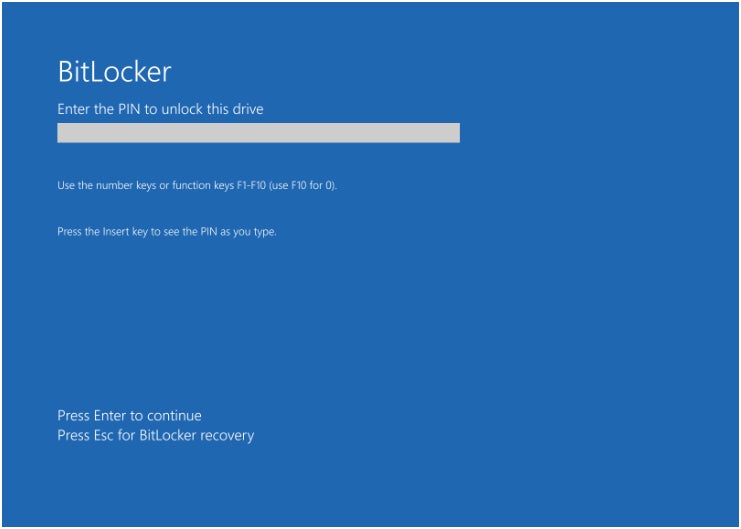
For Windows-centric businesses, I recommend BitLocker. BitLocker is available on server and business editions and contains various encryption tools. The Redmond solution focuses on encrypting files and drives on a device right out of the box. I appreciate how you can set up recovery keys to retrieve data if you get firmware problems or errors. Personally, I think it’s an excellent choice for encryption software for Windows.
As a Microsoft product, you’ll typically need a Microsoft account or will need to link a device to a Windows domain to use it. You can also configure it for a corporate environment using Group Policy. The settings help you decide which drives you want to encrypt and how to distribute your keys (certificates).
Additionally, the computer must have a Trusted Platform Module that can support the encryption process.
I chose BitLocker for its easy integration with Windows environments. This is on top of a user-friendly interface and full disk encryption. For users that are already deep into the Windows ecosystem or are planning to adopt a Windows-centered environment, BitLocker is my top recommendation.
Visit BitLocker
Free as part of Windows software.
|
|
SEE: The 5 Best Encryption Key Management Software (TechRepublic)
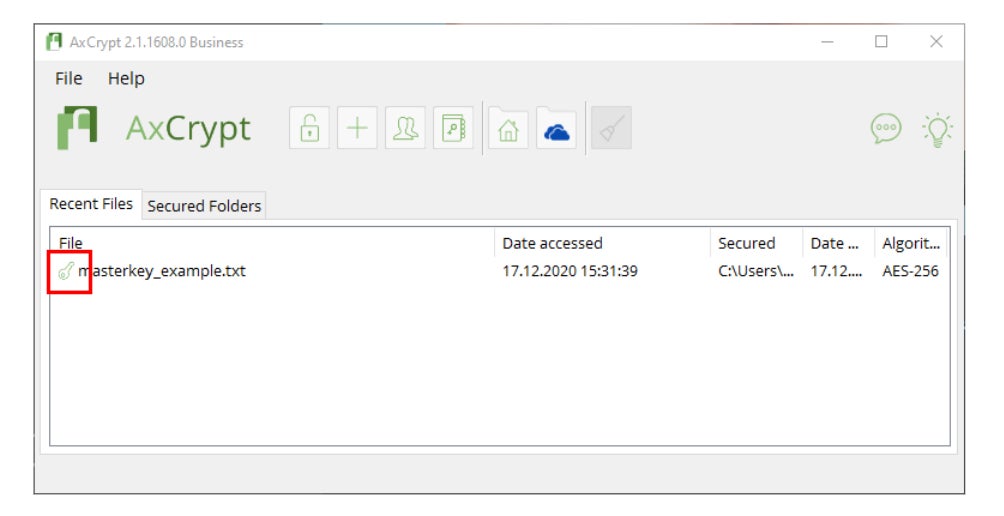
If you plan to encrypt locally, I encourage you to try AxCrypt Premium. AxCrypt Premium allows users to encrypt files locally using the AES-256 encryption algorithm. Sharing is possible with its key-sharing option. The solution protects classified and sensitive information and provides access to a master password generator.
SEE: Asymmetric vs Symmetric Encryption: What’s the Difference? (TechRepublic)
I selected AxCrypt for users that want to prioritize local storage encryption above all else. I also like that it uses the gold standard AES-256 encryption, has file and key-sharing support, and works well with the most popular operating systems and platforms.
Visit AxCrypt
There’s a one-month trial period across its Password Manager, Premium, and Business subscriptions. But for organizations and businesses, AxCrypt’s Business plan is priced at $12.00 per month, per user. However, customers can get 20% off, or $10.42 per month per user, if they choose annual billing.
|
|
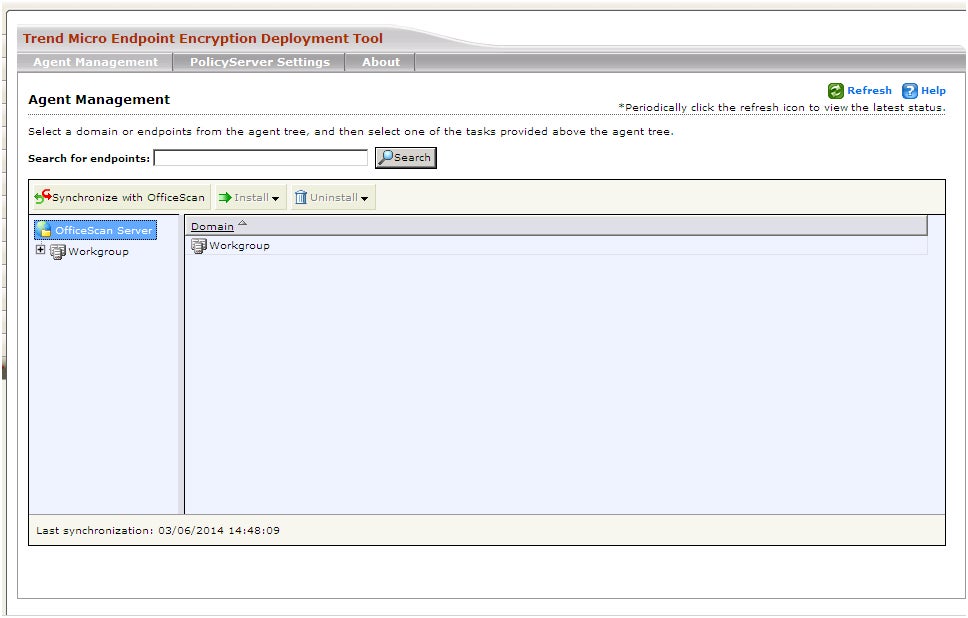
If your workflow deals with various file types, Trend Micro Endpoint Encryption is my go-to suggestion. It offers high quality enterprise-wide full disk encryption, as well as file and database encryption. Not only does it support desktops, macOS, and PCs, but it also works with removable media such as USB drives, CDs, and DVDs.
SEE: Encryption Policy (TechRepublic Premium)
It’s a separate Trend Micro solution that caters towards businesses needing protection against unauthorized access of private data. What I appreciate is its consistent user experience. Current and former Trend Micro users will be happy to know that it uses the same console as other Trend Micro security products.
I have Trend Micro’s Endpoint Encryption on this list for its ability to work well with a variety of media and file types. Businesses with workflows that regularly deal with diverse media files should consider Endpoint Encryption as a viable option. This includes encryption for full files, volumes, and folders.
Visit Trend Micro
A license supporting 251 to up to 500 endpoints averages about $77-$83 per month.
|
|

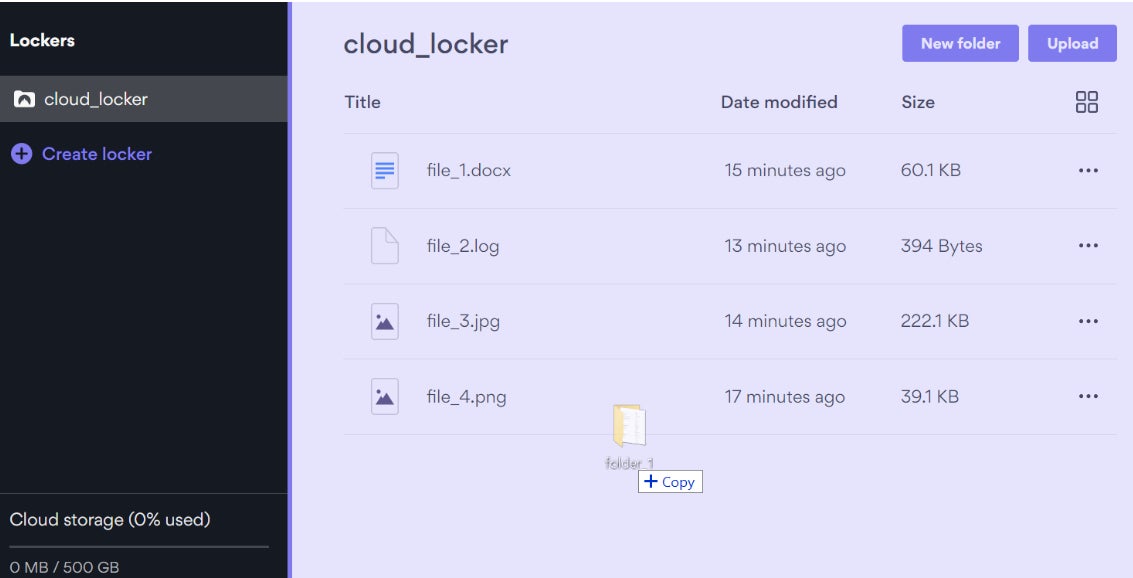
For businesses looking at an all-around encryption solution, I recommend NordLocker. From popular security provider Nord Security, NordLocker is their take on encrypted file storage. Aside from file encryption, it offers data syncing, secure file-sharing, and file management across numerous devices.
As a cloud-based solution, I envision businesses will find it convenient that they can easily access their files on their computers or mobile devices. Fans of Nord’s other security products, such as NordVPN and NordPass, should definitely consider NordLocker as a possible encryption solution.
NordLocker got its name on this list for being an all-in-one encryption storage solution. Both businesses and individual users looking for a secure and intuitive way to secure their data will find NordLocker as a fine choice.
Visit NordLocker
NordLocker has two tiers: Personal and Business. For Personal, we get three subscription options with a monthly and annual plan. Here’s a rundown of the 1-year plans:
For NordLocker Business, we only get one plan option that lasts a year:
For NordLocker Business, we found that pricing wasn’t provided outright unlike previous years.
So it’s best to contact NordLocker directly for a custom price quote on their Business subscription.
|
|
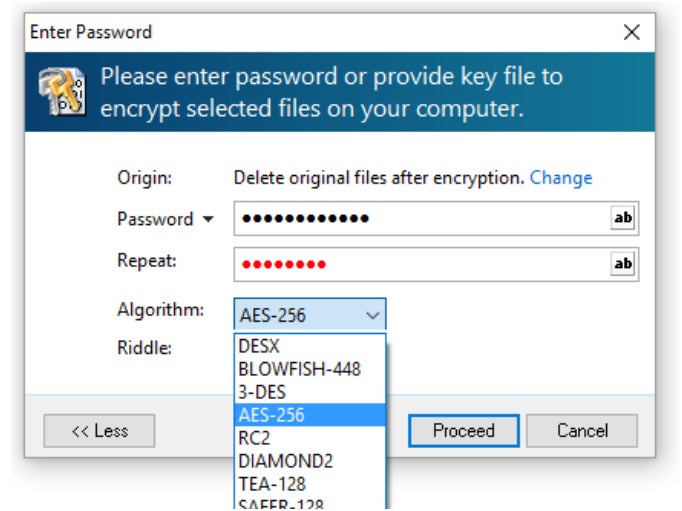
For simple encryption tasks and less tech-savvy users, Advanced Encryption Package is a good option. It offers a choice between 20 proven encryption algorithms to protect user data. This includes the industry standard AES encryption, Blowfish, Serpent, GOST, Twofish, and many others.
It’s an easy-to-use data encryption solution that enables users to create a password to access files and choose their own encryption algorithm. Decryption is easy as well. Right now, AEP is available for Windows 10 and 11.
I chose Advanced Encryption Package for its ease of use in terms of selecting an encryption algorithm for specific files and folders. The fact that it puts an emphasis on user-friendliness is a big plus for encryption software — a product category that may be intimidating for some users to tackle.=
Visit Advanced Encryption Package
SEE: NordLocker vs VeraCrypt: Encryption Software Comparison (TechRepublic)
|
|
SEE: Asymmetric vs Symmetric Encryption: What’s the Difference? (TechRepublic)
For users that want an endpoint security solution alongside encryption, I recommend ESET PROTECT Complete. It’s a multilayered service that provides endpoint protection, a centralized console, and vulnerability and patch management.
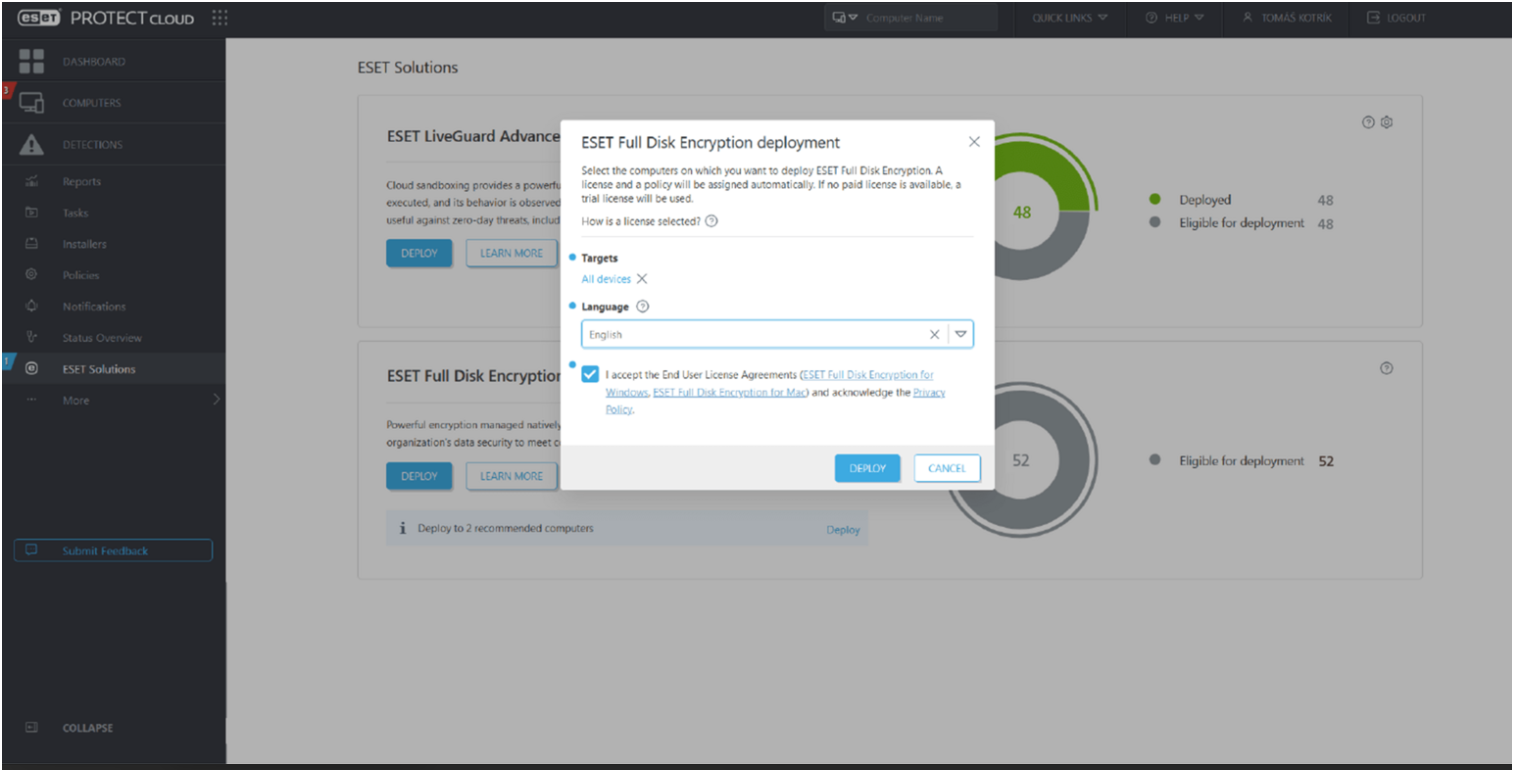
For encryption, ESET offers full disk encryption that can easily encrypt system disks, partitions, and devices. This can prove essential for businesses that want to pass compliance requirements. I especially appreciate how ESET allows for encryption and deployment in a single action.
I have ESET PROTECT on this list for being a full-fledged security solution that can handle full disk encryption, endpoint protection, and advanced threat defense — in one service. I also like how it has fairly wide platform support, being compatible with Windows, macOS, Ubuntu, Android, iOS, mail and file servers, among others.
Visit ESET
ESET PROTECT Complete’s pricing is dependent on your contract length and number of devices covered. Below is a brief summary of pricing:
|
|
When choosing encryption software, I recommend you focus on these key features:
A modern encryption platform should provide an intuitive interface that simplifies deployment, policy management, reporting, and recovery operations. Centralized dashboards are increasingly important for IT teams managing hybrid workforces and large device fleets.
Solutions with streamlined user experiences typically see higher adoption rates and fewer configuration errors, helping organizations improve overall security posture.
Encryption without reliable recovery mechanisms can create operational risk. Organizations should prioritize encryption tools that include:
These capabilities help prevent permanent data loss caused by hardware failure, accidental deletion, or ransomware attacks.
In 2026, endpoint encryption software should support modern, industry-recognized cryptographic standards, including:
AES-256 remains the industry standard for enterprise encryption and is widely used by government agencies, financial institutions, healthcare organizations, and large enterprises.
SEE: Risk Management Policy (TechRepublic Premium)
Modern organizations rely on diverse endpoints, including:
Strong endpoint encryption platforms should support broad device compatibility and integrate with Mobile Device Management (MDM) and Unified Endpoint Management (UEM) solutions.
In 2026, encryption tools increasingly integrate with broader cybersecurity platforms, including:
These integrations help security teams improve visibility, automate response actions, and enforce consistent security policies across environments.
Organizations should look for vendors that provide strong customer support and implementation assistance. Common support resources include:
Reliable support is especially important for organizations managing large-scale encryption deployments or strict compliance requirements.
The best endpoint encryption solution depends on your organization’s size, technical expertise, compliance requirements, and security goals.
Microsoft BitLocker remains a strong option for organizations operating primarily in Windows environments due to its native integration and ease of deployment. VeraCrypt and AxCrypt may be better suited for users seeking standalone file encryption or open-source alternatives.
Enterprise-focused solutions from vendors like Trend Micro, Sophos, Symantec, and Trellix offer centralized policy management, compliance reporting, and advanced endpoint protection integrations. Meanwhile, user-friendly platforms like NordLocker may appeal to smaller businesses or less technical users seeking simplified encryption workflows.
Organizations should also prioritize vendors that offer:
Conducting pilot testing before deployment can help validate usability, compatibility, and operational impact.
Endpoint encryption is the process of encrypting data stored on endpoint devices such as laptops, desktops, smartphones, tablets, and servers to prevent unauthorized access if the device is lost, stolen, or compromised.
Endpoint encryption is critical because modern organizations rely heavily on remote work, cloud services, and mobile devices. Encryption helps protect sensitive data from ransomware, insider threats, device theft, and unauthorized access.
AES-256 is widely considered the industry standard for strong encryption and is commonly used across enterprise, financial, healthcare, and government environments.
Yes. BitLocker remains a strong option for organizations using Windows environments because of its built-in integration, centralized management capabilities, and support through Microsoft enterprise ecosystems.
Encryption alone cannot stop ransomware attacks, but it can reduce the risk of unauthorized data exposure. Organizations should combine encryption with EDR, immutable backups, MFA, Zero Trust controls, and security awareness training.
Full disk encryption protects an entire device and all stored data automatically, while file encryption secures individual files or folders selected by the user.
Cloud-managed encryption platforms can simplify deployment, monitoring, policy enforcement, and recovery for remote and hybrid workforces by allowing administrators to manage endpoints from centralized consoles.
Modern encryption solutions typically have minimal performance impact due to hardware acceleration and optimized encryption algorithms available in newer devices and operating systems.
We used market research, product analysis, vendor documentation, independent reviews, and cybersecurity industry reporting to identify the top endpoint encryption software solutions for 2026. Products were evaluated based on:
Our goal was to identify encryption solutions that provide strong data protection while supporting the operational and security needs of modern organizations.
This article was published in November 2024. It was updated by Ken Underhill in May 2026.
Jonathan Kalibbala is a technology professional and writer. Jonathan has worked in the enterprise technology space with both Fortune 100 companies and startups for close to twenty years in a variety of roles as an engineer, architect, project manager, customer success and consultant. Jonathan writes about cloud, data center and their ecosystem of solutions and tools.
